AI Coding Assistant for Large Codebases: Ranked by What It Can Actually See
Affiliate disclosure: some links here are affiliate links and we may earn a commission at no cost to you. The order below follows the stated criterion and nothing else; no vendor paid for a position or saw this page before it went up.
If a repository is big enough that you cannot paste the relevant files into a chat box, the only question that matters is what the assistant can find on its own. The short answer from the pages compared here: Gemini Code Assist publishes more about how it reads a codebase than anyone else — a 20,000-repository Enterprise index, a 1,000,000-token context window, a 24-hour refresh — Sourcegraph Cody publishes the hardest token numbers, and Aider costs nothing while still stating its mechanism as a figure. Exactly one of the ten publishes a limit on how many repositories it will index. Most publish nothing at all.
This ranking measures published repository awareness and nothing else. Every price, cap and date below was read on vendor pages on 17 September 2026 and is quoted the way the vendor prints it. Nobody here installed, subscribed to or ran any of these tools; this is a comparison of what vendors are willing to put in writing, which is the only thing a buyer can check before paying. Where a vendor publishes no indexing limit, no context-window figure or no price, that absence is reported and it costs the tool position.
What this ranking measures
This page measures one thing: whether a tool can see code you did not hand it. That means a published indexing or retrieval mechanism, a stated whole-repo or context-window figure, support for more than one repository or root, and any published ceiling on files, repositories or tokens. A vendor that prints a limit ranks above a vendor that prints an adjective, because a limit is something you can plan around — Gemini’s 100-file truncation on folder context is a worse number than Copilot’s uncapped repository count, but it is a knowable one, and “not published” is treated as a finding that costs position rather than a blank. What this page deliberately does not measure: output quality, benchmark scores, agent autonomy, editor polish, support responsiveness, or how any of this feels in daily use. None of that can be read off a vendor page, and nobody here installed, subscribed to or ran any of these tools. Three products on the fact sheet are not ranked at all — Replit Agent, Bolt and Lovable — because none publishes a repository-indexing limit or a context-window number, and a test about existing repositories cannot score a browser builder that starts from a blank prompt.
The short answer
It is the only tool compared here that publishes a number for how many repositories it will index: 20,000, with 500 repository groups per index and one index per project and per organisation, alongside a 1,000,000-token context window for local codebase awareness and a fixed 24-hour refresh cycle. It also publishes the limits that hurt it — the 100-file truncation on folder context, the fixed language list for code customization. On a criterion that rewards a published mechanism over a published adjective, that is first place.
Nobody accounts for tokens this precisely: 30,000 for @-mention context and 15,000 for conversation context on Claude Sonnet models, a shared 7,000-token budget for non-Sonnet models, 4,000 tokens of output which Sourcegraph equates to roughly 500-600 lines of code, and 150k / 102k input limits on Enterprise instances with enhanced context windows enabled. It is second, not first, because it publishes no per-seat price, no cap on repositories, and no readable trial terms.
Its repo map is a whole-repo mechanism with a number attached: a 1k-token default budget, expanded dynamically when no files are in the chat. You attach your own model, and the vendor documents zero-cost routes including OpenRouter free models and local models through Ollama. It is the cheapest way to find out whether repo-wide context changes how your team works before a single seat is bought.
All 10 compared
| # | Product | Best for | Price from | What decides its place | |
|---|---|---|---|---|---|
| 1 | Monorepos where the index ceiling must be published | “$19 per user per month with an upfront annual commitment” (Standard); “$22.80 per user per month” with no annual commitment. Enterprise: “$45 per user per month with an upfront annual commitment” / “$54 per user per month”. Free individuals tier listed at $0/user/month. | Enterprise index caps at 20,000 repositories, refreshed every 24h | Visit | |
| 2 | Teams that need token budgets in writing | “STARTING AT $16K” — “Minimum annual contract. Includes credits for AI features; scales with team size”. CTA is “Contact sales”. | @-mention context capped at 30,000 tokens on standard plans | Visit | |
| 3 | Repo-wide index at the lowest published price | “$10 USD per user / month” (Copilot Pro). Free “$0 USD”. Pro+ $39, Max $100. Copilot Business $19 USD per granted seat per month and Enterprise $39, published in GitHub Docs rather than on the plans page. | 1M-token context, but only in VS Code and the Copilot CLI | Visit | |
| 4 | JetBrains IDE users who want per-model limits | “US $10.00 /per user, per month” (AI Pro, Individuals, monthly toggle) or “US $100.00 /per user, per year”. Organizations AI Pro is “US $20.00 /per user, per month”. AI Free is $0 with 3 AI Credits per 30 days. | Per-model windows: 1M on Claude Opus 5, 128k on GPT-4o | Visit | |
| 5 | Perforce and multi-host repo connections | “$39 per user per month { Annual subscription * }” (Code Assistant Platform); “$59 per user per month { Annual subscription * }” (Agentic Platform). Headless Agents add-on $1,200 per month (up to 5B tokens) or $5000 per month (up to 50B tokens). | Unlimited codebase connections, but only on the $59 tier | Visit | |
| 6 | Seeing a repo-map mechanism before paying | No price published — no pricing page exists; the vendor states Aider is open source under an Apache 2.0 license. You supply and pay for the model. | Repo map defaults to a 1k-token budget, expanded dynamically | Visit | |
| 7 |  | AWS shops that accept manual file context | “$19/mo. per user” (Pro Tier), billed monthly with no annual-commitment rate published. Transformation overage “$.003 per line of code submitted” beyond 4,000 pooled lines per user per month. Free Tier at zero cost. | @workspace indexing deprecated; 200k window on two models | Visit |
| 8 | Multi-root workspaces with no index at all | “Free” (Open Source plan); ClinePass “$9.99/month”, with the footnote “*Standard rate $9.99 per month after promotion period”; Enterprise “Custom”, contact sales. | Publishes that it does not index your repository at all | Visit | |
| 9 | Teams already paying for ChatGPT seats | “₫132,000 / month” (Go); “₫522,500 / month” (Plus); “From ₫2,849,000 / month” (Pro); Business “₫519,000 / user / month”, “For 2+ seats, billed annually”. The pricing page renders in Vietnamese dong with no currency selector found. | 27K context on Free, 54K on Plus; no Codex token figure | Visit | |
| 10 | A free daily cap you can actually plan around | “$10/month” (Go), billed monthly with no annual plan on the site. Free tier with included free models. Zen pay-as-you-go per 1M tokens, e.g. Claude Opus 5 $5.00 input / $25.00 output. | Token figures appear only as price tiers: 200K, 256K, 272K | Visit |
1. Gemini Code Assist
Why it sits at 1 Enterprise index caps at 20,000 repositories, refreshed every 24h
Google publishes more about how Code Assist reads a codebase than anyone else compared here. Enterprise code customization indexes private repositories from GitHub, GitLab and Bitbucket, and the limits are printed: 20,000 repositories, one index per project and per organisation, 500 repository groups per index, refreshed on a fixed 24-hour cycle. The published context window for local codebase awareness is 1,000,000 tokens.
The trade-off is where that index sits on the price list. Private-repo code customization is Enterprise, at $45 or $54 per user per month, not the $19/$22.80 Standard seat. Below it, folder context in chat is silently truncated to the first 100 files, and code customization indexes a fixed language list with no media, so polyglot repos are partly invisible.
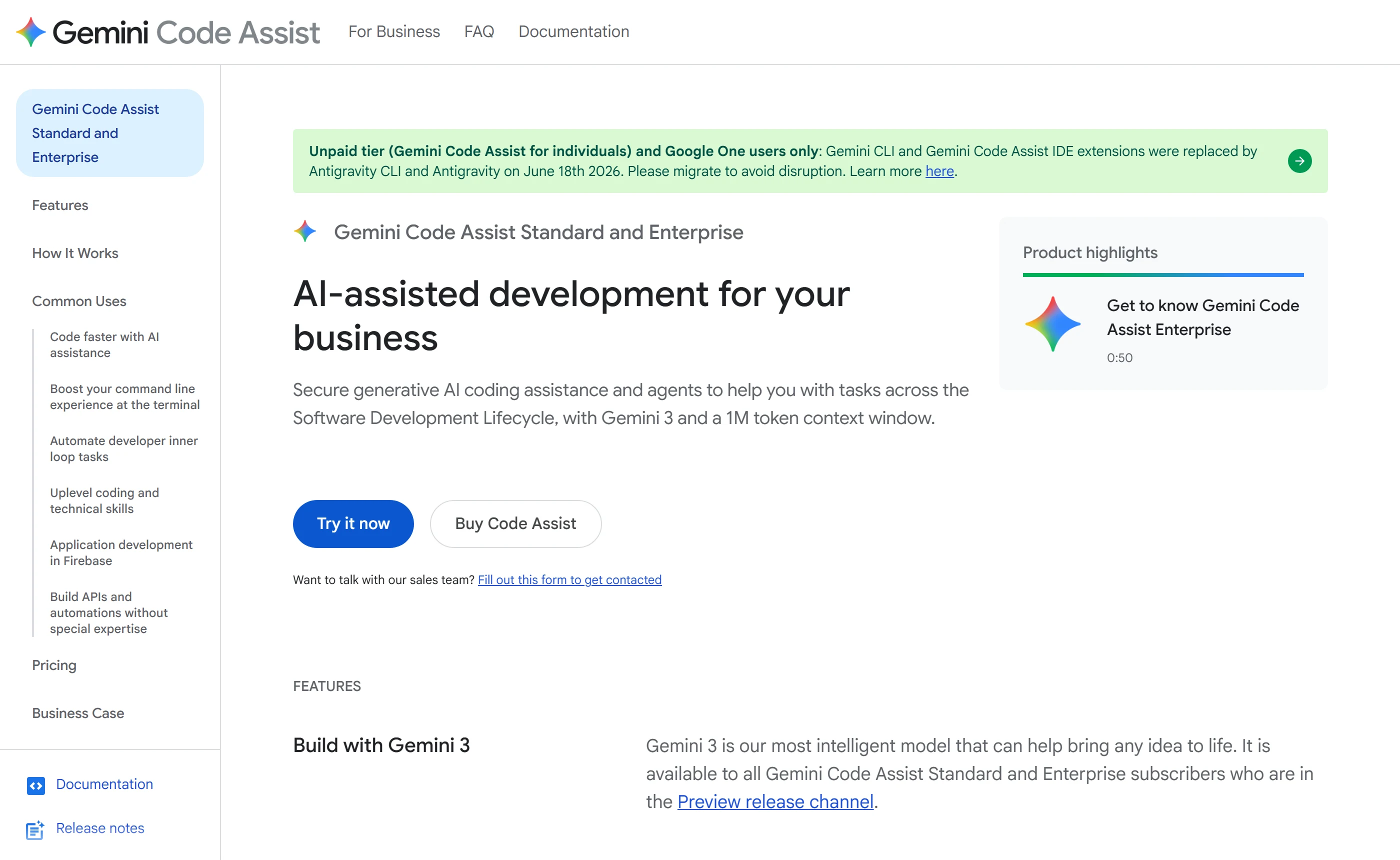
- The only product here that publishes a repository count for its index, a refresh cycle and a truncation rule, so a team can size the thing before buying it.
- The index is Enterprise-only and the 24-hour refresh means suggestions lag your latest commits; Google also states the free individuals tier stopped being served in IDE extensions and Gemini CLI on 18 June 2026.
2. Sourcegraph Cody
Why it sits at 2 @-mention context capped at 30,000 tokens on standard plans
Sourcegraph sells search and navigation across the codebase and puts Cody inside it, and it is unusually specific about the budget. On standard plans @-mention context is capped at 30,000 tokens and conversation context at 15,000 for Claude Sonnet models; non-Sonnet models share a single 7,000-token budget. Output is capped at 4,000 tokens, which Sourcegraph equates to roughly 500-600 lines of code.
Enterprise instances can enable enhanced context windows raising Anthropic and Gemini input limits to 150k and OpenAI GPT-series to 102k, and Cody can be pointed at more than one repository, though no cap on how many is published. It is not first because there is no per-seat price to compare and no free tier: Cody Free and Cody Pro ended on 23 July 2025.
- Publishes exact input, conversation and output token caps per model class, which almost nobody else does, and states that purchased credit buckets roll over on renewal.
- No per-seat rate, no seat bands and no credit quantities behind the $16K minimum; the pricing FAQ asks “Is there a free trial?” but the answer does not render on the page, so trial terms cannot be read.
3. GitHub Copilot
Why it sits at 3 1M-token context, but only in VS Code and the Copilot CLI
Copilot indexes repositories semantically and GitHub publishes no cap on how many it will index. Initial semantic indexing of a large repository is documented as taking up to sixty seconds, and indexed repository content is excluded from model training. At $10 USD per user / month, that is the cheapest published index of the ten, with no annual toggle and no promotional first term on the plans page.
Two things hold it back. The one-million-token context window is restricted to two clients, VS Code and the Copilot CLI, so the headline figure does not travel to JetBrains or Visual Studio, and no default per-model context window is published in the model reference. No per-repository size or file-count limit is published either, so you learn the ceiling by hitting it.
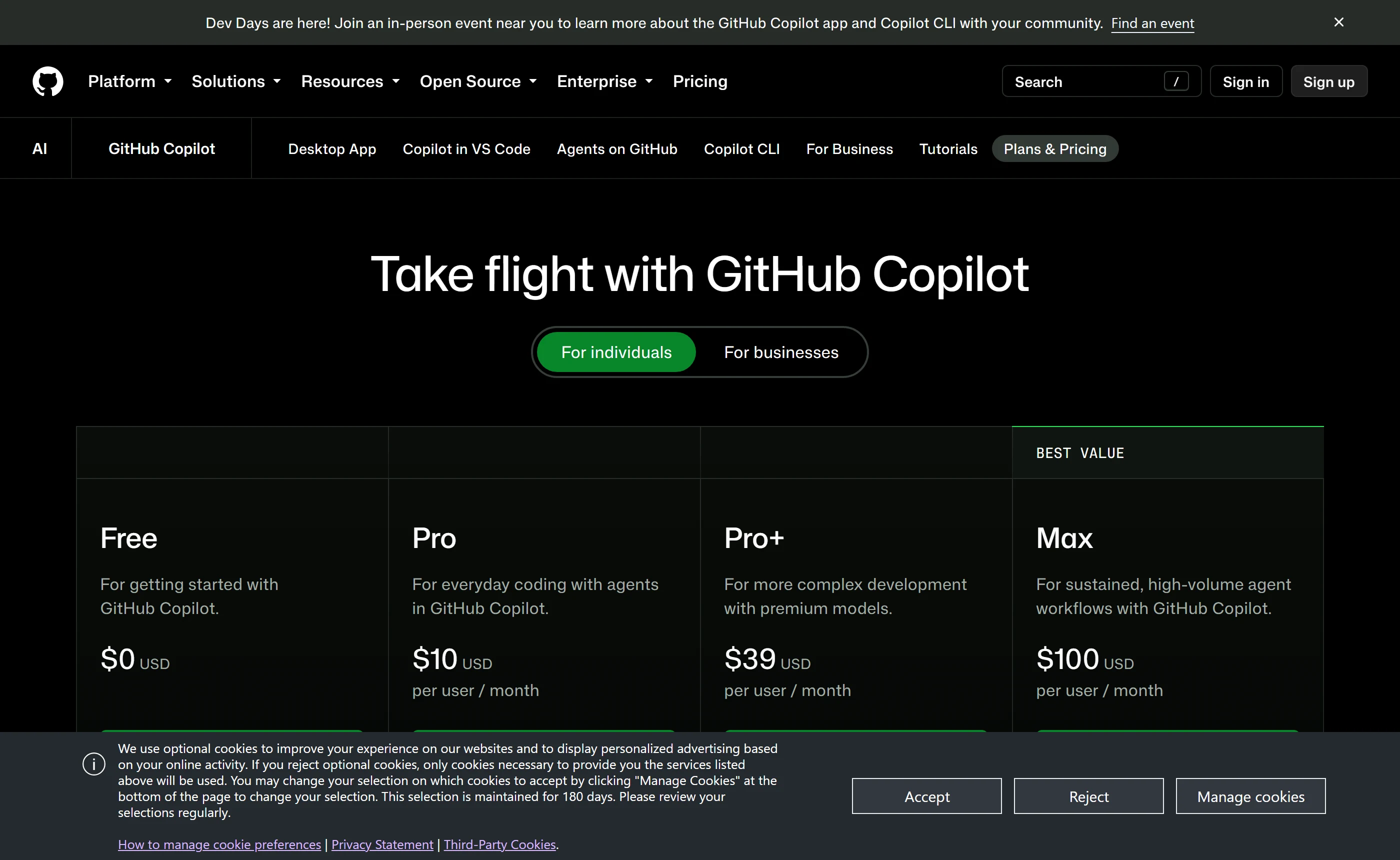
- Semantic indexing with no published repository cap, an indexing time you can quote, and indexed content excluded from training, at the lowest per-seat rate here.
- The 1M window is client-restricted, no per-repo size limit is published, and on individual plans GitHub may train models on your prompts, outputs and code snippets unless you opt out.
4. JetBrains AI
Why it sits at 4 Per-model windows: 1M on Claude Opus 5, 128k on GPT-4o
JetBrains runs a separate semantic index, JetBrains Context, that agents query, with exclusions driven by .gitignore and .aiignore. What it publishes best is per-model context: a window for every supported model — 1M tokens for Claude Opus 5 and Gemini 3.1 Pro, 400k for GPT-5.3 Codex, 128k for GPT-4o — plus the overflow behaviour, trimming rather than failing, prioritising smaller files and extracting key content from larger ones.
No ceiling is published for the index itself: no repo size, no file count, no index limit. The effective limit is whichever model a developer picks that session, which is not something an architect can size in advance. Note the commercial floor is US $20.00 /per user, per month on the Organizations tab, with 20 AI Credits per 30 days against the individual plan’s 10.
- Publishes a context window for every supported model and documents exactly what happens when a request overruns it, instead of failing silently.
- No repository-indexing ceiling of any kind is published, and zero data retention plus .aiignore exclusion are gated to AI Enterprise at US $60.00 per user per month; AI credits are non-refundable.
5. Tabnine
Why it sits at 5 Unlimited codebase connections, but only on the $59 tier
Tabnine’s Agentic Platform ships a Context Engine advertising “Unlimited codebase connections for Bitbucket, GitHub, Gitlab and Perforce P4 (Helix Core)”. Perforce is the reason it places this high: it is the only named connection on this sheet reaching the version control that large game and hardware monorepos actually run on. Deployment covers SaaS, VPC, on-prem and air-gapped, and Tabnine states it never trains on customer code.
Then the numbers stop. No context window is published for any model, no cap on repository count, size, file count or indexing time, and the Context Engine docs page returns 404. The connections sit on the $59 Agentic Platform, not the $39 Code Assistant Platform, and both are annual-subscription rates behind “Get a quote”, so a published price still cannot be self-served.
- Names the version control hosts it connects to, Perforce included, and offers unlimited usage when pointed at your own on-prem or cloud LLM endpoint.
- Not one numeric limit is published for the Context Engine, its documentation page 404s, and there is no free tier, no readable trial terms and no month-to-month price.
6. Aider
Why it sits at 6 Repo map defaults to a 1k-token budget, expanded dynamically
Aider builds a repo map of the git repository you are working in and publishes the budget: a default of 1k tokens, expanded dynamically when no files are in the chat. That is a whole-repo mechanism stated as a number, inside a tool with no pricing page, no account and no seat licence — which is why a reader who buys nothing still gets something usable out of this ranking.
A map is not the code, and 1k tokens is a small map. Beyond it, Aider inherits whatever window the attached model provides and publishes none of its own, surfacing only the provider’s errors. Cost moves to that provider; the docs name zero-cost routes including OpenRouter free models and local models via Ollama, and no supported-editor list is published at all.
- The only published repo-wide mechanism here that costs nothing and states its own budget as a figure you can raise or lower.
- Aider says nothing about what the third-party LLM you connect does with your code, publishes no context window of its own, and ships no IDE plugin — it is a terminal tool working alongside your editor.
7. Amazon Q Developer
Why it sits at 7 @workspace indexing deprecated; 200k window on two models
Amazon Q indexes locally in the IDE, and AWS documents an indexing duration rather than a size cap; the only size control published is a user-configurable maximum indexable file size. The context window is published for both selectable IDE chat models, Claude Sonnet 3.7 and Claude Sonnet 4 with Sonnet 4 the default, at 200k tokens. The free tier is perpetual, capped at 50 agentic requests per month.
It falls this far because the repo-wide entry point is gone. The @workspace indexing feature is deprecated, leaving @file, @folder and @code — the developer naming context by hand, which is precisely what this ranking exists to avoid. AWS has also published an end-of-support date for the Amazon Q Developer IDE plugins and points users to Kiro instead.
- Publishes a 200k context window for both selectable IDE chat models and keeps indexing local to the IDE, with Pro content excluded from service improvement.
- With @workspace deprecated the tool no longer reads the repository unprompted, the Pro tier’s agentic request allowance is unpublished, and cancelling mid-month is charged the full month’s fee.
8. Cline
Why it sits at 8 Publishes that it does not index your repository at all
Cline’s answer to repository context is to publish that it has none: it deliberately does not index or embed your codebase, exploring files on demand instead and auto-summarising as the selected model’s limit approaches. That is a stated architecture rather than a slogan, and Multi-Root Workspaces — what you need when one checkout holds several projects — is listed on the free Open Source plan.
What is missing is any figure. No context window of its own, no repository limit because there is no index, and ClinePass quotas described only as “2-5x the usage compared to standard API rate limits” against a baseline nobody names. ClinePass is also absent from the pricing page a buyer would open, appearing only on its own page.
- Free for individuals with multi-root workspace support, no lock-in, and an honestly published reason there is no index to size.
- The Terms of Service take a licence to use your content to improve the product, disapplied only while a per-seat subscription is active, and the terms do not define which plans qualify.
9. ChatGPT (including Codex)
Why it sits at 9 27K context on Free, 54K on Plus; no Codex token figure
Codex is bundled into every ChatGPT plan rather than sold separately, and the context windows are published per plan: 27K instant on Free, 54K on Go and Plus, 128K on Pro, with reasoning windows of 256K on Plus and 400K on Pro. Those are real numbers, which is more than the tool below it manages, and the CLI and IDE extension accept your own OpenAI API key at API rates instead of a subscription.
None of those are repository numbers. No indexing limit — no repo size, file count or repository count — is stated on the Codex overview, Codex pricing, Codex CLI or Codex IDE pages, and no Codex-specific context window exists in tokens; the CLI reports remaining context as a percentage, “100% context left”. For a large codebase, 54K of instant context on Plus is the figure that bites.
- Context windows are published per plan and the Codex CLI, IDE extension and desktop app all accept your own OpenAI API key instead of a seat.
- Nothing about repository indexing is published anywhere, and the pricing page geo-localises with no currency selector, so a buyer outside that locale cannot read the rate they will actually be charged.
10. OpenCode
Why it sits at 10 Token figures appear only as price tiers: 200K, 256K, 272K
OpenCode is free to use with a set of included free models carrying a published hard cap of 200 requests/day, needs no account to start, and connects to more than 75 providers including local models or an existing Copilot or ChatGPT sign-in. Go is $10/month, one subscriber per workspace, and $10 is both the advertised and the recurring rate with no promotional first term.
On this criterion it finishes tenth. No repository-indexing feature or limit is described anywhere in the docs, and no product-wide context window is published; token counts surface only as price breakpoints inside per-model rate tables at 200K, 256K and 272K. For a large repository, that means the agent’s reach is whatever model you chose, undocumented.
- The free tier’s limit is a real published number, 200 requests/day, and buying anything from OpenCode is optional since the agent is provider-agnostic.
- Content from an unpaid account may be used to develop and improve the service, and two Go models are explicitly marked as trained on and not zero-retention.
Which one fits your situation
Gemini Code Assist Enterprise, “$45 per user per month with an upfront annual commitment” or “$54 per user per month” without. It is the only tier here that indexes private repositories against a published ceiling — 20,000 repositories, 500 repository groups per index — and plan around the fixed 24-hour refresh cycle, because suggestions lag your latest commits by design.
Tabnine Agentic Platform at “$59 per user per month { Annual subscription * }”. It is the only product on this sheet that names Perforce P4 (Helix Core) among its codebase connections. Budget for a sales call rather than a checkout: every Tabnine plan ends in “Get a quote”, and no context window or indexing cap is published anywhere.
Do not buy anything yet. Aider is Apache 2.0 with a repo map on a published 1k-token default budget and documented free model routes; OpenCode’s included free models carry a stated quota of 200 requests/day. Point one of them at your repository first. Neither asks for a card, and both publish their mechanism.
Copilot Pro at “$10 USD per user / month”, and keep the work in VS Code or the Copilot CLI — the one-million-token context window is restricted to those two clients. For a team, Copilot Business is $19 USD per granted seat per month and Enterprise $39, both published in GitHub Docs rather than on the marketing plans page.
Tabnine sells SaaS, VPC, on-prem and air-gapped deployment, with unlimited usage when you point it at your own on-prem LLM or your own cloud endpoint. JetBrains AI Enterprise, “US $60.00 /per user, per month, billed annually”, adds zero data retention, .aiignore content exclusion and org-wide BYOK. Neither publishes what the infrastructure underneath costs.
What this market gets people for
- Buying a prompt-to-app builder to work on an existing repository. Bolt, Lovable and Replit Agent all appear on the same fact sheet and none is ranked here, because none publishes a repository-indexing limit or a context-window number. Bolt publishes no local editor integration at all — code is written in an in-browser Code view — and Lovable’s only repo-scoped published figure is a Git sync that compares the 50 most recent commits on each side. Those tools start projects; they do not read yours.
- Reading “one million tokens” as “it has read my whole repository”. Copilot’s one-million-token window is restricted to two clients, VS Code and the Copilot CLI. Gemini’s folder context in chat is silently truncated to the first 100 files. Sourcegraph caps standard-plan @-mention context at 30,000 tokens and output at 4,000 tokens, which it equates to roughly 500-600 lines of code. A context window is the ceiling on one request, not a description of what was indexed.
- Assuming the advertised seat price includes the repository index. Gemini’s code customization from private repos, and the 20,000-repository cap that comes with it, sits on Enterprise at “$45 per user per month with an upfront annual commitment” — not the $19 Standard seat. Tabnine’s unlimited codebase connections are on the $59 Agentic Platform, not the $39 Code Assistant Platform. Cline lists its JetBrains extension under Enterprise while its docs present JetBrains as generally supported.
- Paying up front and assuming there is a way back out. JetBrains states “All AI subscriptions and AI credits are non-refundable.” GitHub’s billing reference states “No refund for unused time” with access running to the end of the cycle. OpenAI states payments are non-refundable except where law requires. Amazon Q charges the full month if you cancel mid-month. Tabnine does publish a 30-day refund — in its Terms of Use, not on the pricing page where a buyer would look.
Questions buyers ask
Which tool publishes a limit on how many repositories it will index?
Only Gemini Code Assist. Enterprise repository indexing is capped at 20,000 repositories, one index per project and per organisation, with 500 repository groups per index, refreshed on a fixed 24-hour cycle. GitHub publishes no cap on the number of repositories Copilot can index, Sourcegraph publishes no numeric cap for Cody’s multi-repository context, and Tabnine advertises unlimited codebase connections without attaching a figure to it.
Is there a genuinely free way to get repository-wide context?
Two. Aider is Apache 2.0 with no pricing page; it builds a repo map on a 1k-token default budget and you attach your own model, with free routes documented via OpenRouter free models and local models through Ollama. OpenCode is free to use with a set of included free models carrying a published quota of 200 requests/day. GitHub’s Copilot Free also exists, capped at 2,000 completions and 50 chat requests per month.
Does the Gemini free tier still work inside an IDE?
The comparison table still shows “Gemini Code Assist for individuals” at $0/user/month with 6,000 code-related requests and 240 chat requests daily. But Google states that on 18 June 2026 the Gemini Code Assist IDE extensions and Gemini CLI stopped serving that tier, along with Google AI Pro and Ultra, and directs those users to Antigravity. Standard and Enterprise are explicitly unaffected.
Why is there no per-developer price for Sourcegraph Cody?
Because Sourcegraph does not publish one. The pricing page lists a single Enterprise plan at “STARTING AT $16K”, described as “Minimum annual contract. Includes credits for AI features; scales with team size”, behind a “Contact sales” button. Cody Free and Cody Pro stopped serving on 23 July 2025. The page does publish one renewal mechanic: “Purchased credit buckets rollover on renewal”.
Will these tools train on my code?
It depends on the tier, and the free ones carry the risk. On GitHub’s individual plans your prompts, outputs and code snippets may be used for training unless you opt out, while Business and Enterprise data is excluded. Amazon Q’s free tier content may be used for training unless you opt out, and Pro content is excluded. ChatGPT consumer plans train by default with an opt-out. Google, Tabnine, Sourcegraph and JetBrains state they do not train on customer code.
Can I get a refund if the indexing turns out not to help on my codebase?
Usually not. GitHub’s billing reference states “No refund for unused time”. OpenAI’s terms state “Payments are non-refundable, except where required by law.” JetBrains states “All AI subscriptions and AI credits are non-refundable.” Cline’s terms deny refunds including unused credits and unused subscription time. Two exceptions: Tabnine publishes a 30-day full refund in its Terms of Use, and OpenCode’s Go page states “You may qualify for a refund if the charge was made within the last 14 days and you have not used your Go allowance during that billing period.”
What none of them publish
These are the questions a buyer would want settled that no vendor on this page answers in public. If one of them decides your purchase, ask the vendor and hold them to the answer.
- No vendor here publishes a repository size ceiling in megabytes, lines of code or file count. GitHub publishes no per-repository size or file-count limit for semantic indexing, JetBrains publishes no ceiling for JetBrains Context, and AWS publishes an indexing duration and a configurable per-file maximum but no overall index limit.
- Whether Gemini’s 20,000-repository Enterprise cap has any bearing on a single monorepo of that scale. Google publishes the repository count and the 500 repository groups per index, not the shape of what fits inside one.
- A Codex-specific context window in tokens. Only ChatGPT plan-level windows are published, and the Codex CLI reports remaining context as a percentage rather than a number.
- How the $16K Sourcegraph minimum maps to seats. The page says credits scale with team size but publishes no seat bands, no per-seat rate and no credit quantities, and the seven credit FAQ answers do not render on the page.
- Any context-window figure from Tabnine. The AI Models documentation lists available models and states no context window for any of them, and the Context Engine documentation page returns 404.
- A renewal price distinct from the advertised price, from any of the ten. Every vendor publishes one standing rate; none publishes what a second term costs, and Tabnine’s terms instead place the burden on the customer to check the website for new fees.
- What repo-scale usage costs once it runs out. Google publishes no overage price after the 1,500 (Standard) or 2,000 (Enterprise) daily agent-mode requests are exhausted; AWS publishes no overage rate for agentic requests, only $.003 per line of code for transformation; JetBrains does not publish how many requests one AI Credit buys.
- How long a first index takes on a codebase the size of yours. GitHub documents up to sixty seconds for a large repository, and no other vendor here publishes a figure at all.
- Whether the Pro-tier agentic request allowance on Amazon Q is large enough for daily repo-wide work — the pricing table says only “Included (with limits)” with no number.
Reading this from the other direction? GitHub Copilot Alternatives Ranked by Price, Editor Support and Privacy Terms covers the same market against a different rule.