The full review
What is Gemini Code Assist?
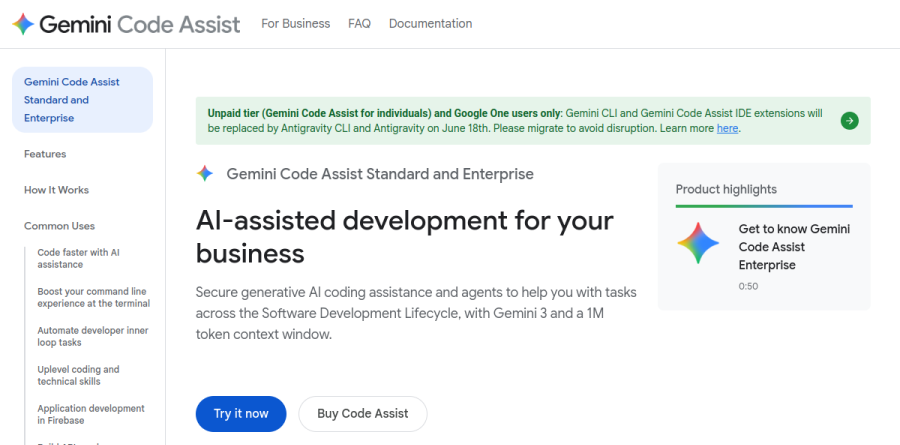
Gemini Code Assist is Google's AI coding assistant for teams and businesses, sold in Standard and Enterprise editions as part of Gemini for Google Cloud. The product page frames it as secure generative AI coding assistance plus agents that work across the software development lifecycle, running on Gemini 3 with a 1M token context window.
Google positions Gemini Code Assist as an AI-powered collaborator rather than a smarter autocomplete. The pricing overview describes it helping development teams solve application code challenges, giving operations teams answers curated for Google Cloud, and speeding up incident troubleshooting. Coverage spans Visual Studio Code, JetBrains IDEs including IntelliJ, PyCharm, GoLand and WebStorm, plus Cloud Workstations, Cloud Shell Editor and Android Studio, across languages such as Java, JavaScript, Python, Go, PHP, C++ and SQL.
Gemini Code Assist completes code as you type and generates whole blocks or functions on request. Code transformation is invoked from the Quick Pick menu with a command or a natural language prompt, and it returns a diff view of pending changes to your code before anything lands. Smart actions surface context-relevant options the moment you select code, and a code transformation quick fix offers repairs when the editor flags an error.
A preview capability called Next Edit Predictions pushes past cursor-local suggestions, predicting edits elsewhere in the same file. On governance, Gemini Code Assist respects .aiexclude and .gitignore by default, keeping listed files out of local context for completion, generation, transformation and chat.
Gemini CLI and agent mode
Subscribers also get Gemini CLI, an open source agent that puts Gemini in the terminal for code understanding, file manipulation, command execution and troubleshooting. Agent mode, currently in preview, extends chat into genuinely multi-step work: edits across several files, full project context, built-in tools, and connections to outside tooling through MCP. Google is explicit that agent mode carries a Human in the Loop checkpoint, so an agent proposes and a developer approves. Enterprise subscribers get higher daily usage limits on both agent mode and Gemini CLI.
Context drawn from your own repositories
Local codebase awareness ships with both editions, but Code customization is the Enterprise feature worth planning around. It indexes your private repositories so suggestions follow house conventions instead of generic patterns. Once a repository is indexed, typing the @ symbol in chat targets a prompt at it directly, which helps when onboarding a new hire who needs an overview of a service, or refactoring a function to match existing conventions.
Depth across Google Cloud services

For shops already on Google Cloud, the integration surface is the real argument. Standard includes Gemini in Firebase, Database Development Assistance for natural language SQL and schema-aware generation, BigQuery Data insights, Automated Metadata Generation, Code Completion in Cloud Run, and Colab Enterprise. The Enterprise edition layers on Gemini in Apigee, Gemini in Application Integration, and additional Gemini Cloud Assist features restricted to that tier, including Natural Language Design, Infrastructure as Code, Investigations, Support Handoff, Database Troubleshooting and Database Optimization, most of them still marked Preview. Both tiers carry enterprise-grade security and generative AI indemnification for code suggestions. The vendor names Dun & Bradstreet, Renault Group, Delivery Hero, Wayfair and Wipro among its customers.
Who should choose Gemini Code Assist
Gemini Code Assist fits engineering organisations already committed to Google Cloud, where Firebase, BigQuery, Cloud Run and Apigee are daily tools rather than line items. Standard suits IDE-centred teams who mainly want completion, chat and agent mode. The Enterprise edition earns its premium when code customization against private repositories, wider service coverage and higher agent limits matter. Both editions offer a 30-day trial for up to 50 users, enough time to test agent mode on real tickets.
It is a weaker fit for solo developers and teams with no Google Cloud footprint, since much of the value sits in integrations they would never open. Google has unified these tools into a single multi-agent platform called Antigravity, and as of June 18, 2026 the Gemini Code Assist IDE extensions and Gemini CLI stopped serving requests on the Gemini Code Assist for individuals, Google AI Pro and Google AI Ultra tiers, so anyone not on a Standard or Enterprise subscription should migrate to Antigravity and Antigravity CLI.
Strengths
- Deep native integration with Google Cloud, BigQuery, Firebase, Cloud Run and Android Studio
- Gemini 3 with a 1M-token context window handles large codebases and long files
- Competitive per-seat pricing with IP indemnification and source citations included
- Broad IDE reach: VS Code, JetBrains suite, Android Studio and Google's cloud editors
Watch out for
- Google abruptly killed the popular free individual tier and Gemini CLI free access in June 2026, forcing migration to the separate Antigravity products
- Agent mode remains in preview rather than a stable GA feature
- Most value is unlocked only inside the Google Cloud ecosystem; weaker as a standalone tool
- Product churn and rebranding (Gemini CLI to Antigravity) raise roadmap-stability concerns for teams
Key features
| Feature | What it does |
|---|
| Gemini 3, 1M-token context | Standard and Enterprise subscribers on the Preview channel get Gemini 3 with a 1M-token window for whole-codebase reasoning. |
| Agent mode (preview) | Multi-step agentic tasks across the SDLC, with Model Context Protocol (MCP) server support for external tools. |
| Google Cloud integrations | First-party hooks into BigQuery, Firebase, Cloud Run, Colab Enterprise and Database Studio; Enterprise adds Apigee and Application Integration. |
| Enterprise code customization | Enterprise tier tailors suggestions to your private source repositories, plus IP indemnification and source citations. |
How Gemini Code Assist compares
| Alternative | How it differs |
|---|
| GitHub Copilot | The market default; broader IDE/ecosystem neutrality and a Business tier at a similar $19/seat. |
| Cursor | AI-native editor with stronger standalone agent workflows, but no Google Cloud lock-in advantage. |
| Amazon Q Developer | The direct hyperscaler analog for AWS-centric teams, mirroring Gemini's cloud-integration play. |
Frequently asked questions
Is there still a free version of Gemini Code Assist in 2026?
No longer a meaningful one. The free Individuals tier and Gemini CLI free access were shut down on June 18, 2026. Google now directs individual/free users to its separate Antigravity products; Gemini Code Assist itself is effectively a paid Standard/Enterprise product. Enterprise offers a 30-day trial for up to 50 users.
How much does Gemini Code Assist cost per user?
Standard is $19/user/month on an annual commitment ($22.80 month-to-month). Enterprise is $45/user/month annually ($54 month-to-month), adding private-repo code customization and extended integrations.
Gemini Code Assist ratings on other platforms
Independent user ratings from third-party review sites, linked here for transparency.
These are not our editorial score, are captured on the date shown, and may have changed since.