The full review
What is GitHub?
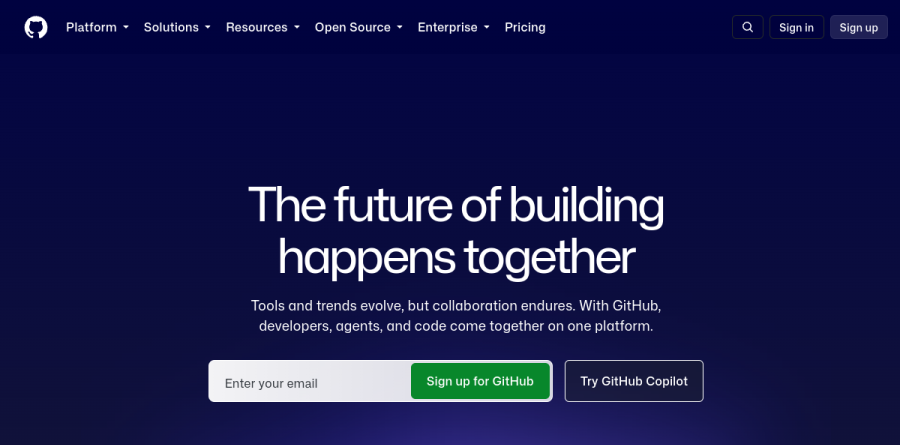
GitHub is the cloud platform where developers store code in Git repositories, propose changes through pull requests, and ship software with built-in automation. It is an end-to-end development platform: issue tracking, CI/CD through GitHub Actions, cloud dev environments in GitHub Codespaces, application security that finds and fixes vulnerabilities, and the Copilot family of AI tools all live next to your code.
The current pitch is collaboration between developers, agents, and code on a single platform, and the scale claim comes straight from the vendor: the homepage states that millions of developers and businesses call GitHub home, with Mercedes-Benz, Shopify, Spotify, Ford, Duolingo, and American Airlines among the customers on display.
GitHub Copilot, from autocomplete to agents
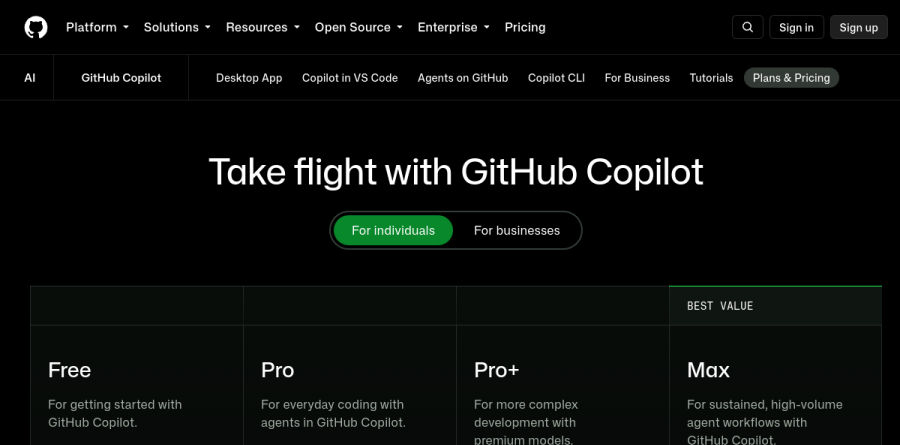
GitHub Copilot has grown far beyond code completion. The Copilot Free plan includes a monthly allowance of completions plus access to models such as Haiku 4.5 and GPT-5 mini, while Copilot Pro unlocks unlimited completions, cloud agents, Copilot code review, and model selection. Pro+ and Max step up to premium models, Opus included, with larger GitHub AI Credit allowances for sustained agent workflows.
A distinctive touch is that paid plans include access to third-party agents such as Claude Code and Codex, so the platform can drive tools you may already use. Copilot runs in VS Code, Visual Studio, JetBrains IDEs, Xcode, Neovim, and Zed, and GitHub bills it as the most widely adopted AI developer tool.
Actions, Codespaces, and everyday automation
GitHub Actions handles CI/CD directly on the platform, which GitHub pitches as shipping faster with secure, reliable CI/CD. Even the Free tier ships with a monthly allowance of Actions minutes, enough for many solo projects, and public repositories run at no cost.
GitHub Codespaces launches a full, cloud-based development environment in seconds, so a new contributor can start coding without local setup. Round it out with GitHub Mobile, which lets you manage projects and assign tasks to Copilot from your phone, plus GitHub Marketplace to extend your stack with apps, actions, and AI models; an MCP Registry is on the platform too.
Security where found means fixed
GitHub Advanced Security uses AI to find and fix vulnerabilities so your team can ship more secure software faster. Copilot Autofix applies fixes in seconds, Secret Protection's push protection stops secret leaks, and Dependabot updates vulnerable dependencies with supported fixes.
These are vendor numbers, but they are concrete: the GitHub homepage cites a 70 percent reduction in mean time to remediation with Copilot Autofix, and 8.3 million secret leaks stopped by push protection over the past 12 months.
How Free, Team, and Enterprise stack up
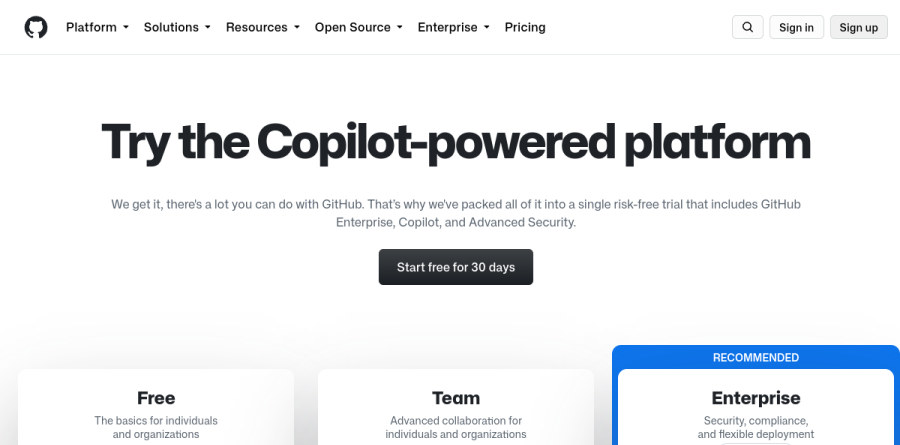
The Free plan is genuinely usable: unlimited public and private repositories, Dependabot security and version updates, Issues and Projects for planning, and community support. Team adds the guardrails growing squads need, including repository rules, code owners, required reviewers, draft pull requests, environment deployment secrets, and access to Codespaces.
The Enterprise tier brings data residency through GitHub Enterprise Cloud on Microsoft Azure, Enterprise Managed Users, audit log access over the GraphQL API, and security baselines that satisfy U.S. federal government standards. Copilot, Advanced Security, and Premium Support layer on as add-ons, so organizations scale spend with actual usage rather than paying for one monolithic bundle.
Who should choose GitHub
If you write software with anyone else, GitHub is the default choice for good reason. Open source maintainers get a rich Free tier plus GitHub Sponsors for funding, startups get affordable structure on Team, and large organizations get governance and compliance without leaving the platform their developers already know. Teams betting on AI-assisted development will find the deepest Copilot integration here, because the assistant is native to the code host itself.
It is not the ideal pick if you need a no-cost self-hosted server, since GitHub Enterprise Server sits inside the paid Enterprise tier, nor for teams that want an all-in-one workspace with chat and documents rather than a code-centric platform.
Strengths
- Genuinely generous free tier: unlimited private repos and 2,000 CI/CD minutes monthly
- Largest developer ecosystem — 150M+ users and a huge integrations marketplace
- Copilot AI deeply integrated across IDEs, CLI, and github.com
- Team plan is cheap at $4/user/mo for essential access controls
Watch out for
- Enterprise at $21/user/mo adds up fast at scale, and Copilot is billed separately
- Actions, Codespaces, and Copilot usage-based billing can trigger surprise overages
- GitHub Advanced Security is a costly separate add-on for private repos
- Copilot's 2026 shift to AI Credits means heavy AI use can exceed the monthly allowance
Key features
| Feature | What it does |
|---|
| Git repository hosting | Unlimited public and private repos with pull requests, branch protection, and code review |
| GitHub Actions | Built-in CI/CD automation with free minutes per tier and usage-based overage billing |
| GitHub Copilot | AI pair programmer with completions, chat, and agent mode across IDEs and the CLI |
| Codespaces | Cloud dev environments launched from any repo, billed on compute and storage usage |
| Advanced Security | Code scanning, secret scanning, and Dependabot — an add-on for private repositories |
| Enterprise identity | SAML SSO, SCIM provisioning, Enterprise Managed Users, and an audit log API |
How GitHub compares
| Alternative | How it differs |
|---|
| GitLab | All-in-one DevOps platform with built-in CI/CD and security; Premium runs ~$29/user/mo |
| Bitbucket | Atlassian's git host with tight Jira integration; free for small teams |
| Azure DevOps | Microsoft's own ALM suite; overlaps, though GitHub is the strategic developer front-end |
Frequently asked questions
Is GitHub free?
Yes. GitHub's Free plan costs $0 forever and includes unlimited public and private repositories, unlimited collaborators, 2,000 GitHub Actions minutes per month, 500MB of Packages storage, and Dependabot security updates. Most individual developers and open-source projects never need to pay. You only move to paid Team or Enterprise plans for advanced access controls, SSO, or compliance features.
How much does GitHub cost?
GitHub has three core plans: Free at $0, Team at $4 per user per month, and Enterprise starting at $21 per user per month. GitHub Copilot AI is priced separately — $10/month Pro for individuals, or $19 and $39 per user monthly for Copilot Business and Enterprise. Actions and Codespaces add usage-based compute costs on top.
How much is GitHub Copilot?
GitHub Copilot has a free tier with 2,000 completions monthly. Paid individual plans are Pro at $10/month (including $15 AI Credits), Pro+ at $39/month, and Max at $100/month. For organizations, Copilot Business is $19 per user monthly and Copilot Enterprise is $39. Since June 2026, chat and agent usage draws from monthly AI Credits.
GitHub vs GitLab — which is better?
GitHub wins on ecosystem size (150M+ developers), third-party integrations, and Copilot AI. GitLab bundles more DevOps features — CI/CD, security scanning, project management — into one platform, and its free tier is broader. GitHub Team starts at $4/user/month versus GitLab Premium around $29. Most teams pick GitHub for community; GitLab for self-hosted, all-in-one DevOps.
Who owns GitHub?
Microsoft owns GitHub, having acquired it in 2018 for $7.5 billion, and runs it as an independent subsidiary. GitHub monetizes through paid Team ($4/user/mo) and Enterprise ($21/user/mo) subscriptions, Copilot AI plans, Advanced Security add-ons, and usage-based Actions and Codespaces compute — while keeping core git hosting free for over 150 million developers worldwide.
GitHub ratings on other platforms
Independent user ratings from third-party review sites, linked here for transparency.
These are not our editorial score, are captured on the date shown, and may have changed since.