The full review
What is GitLab?
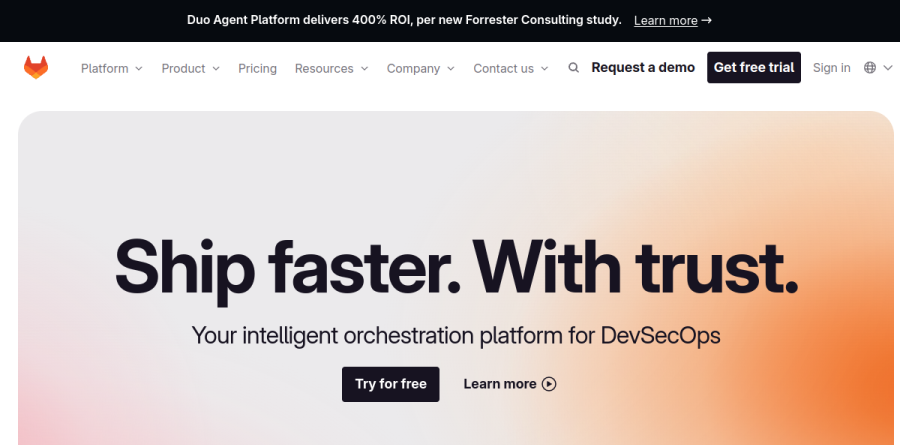
GitLab is a DevSecOps platform that folds planning, source code management, CI/CD, security scanning, and release management into a single application rather than a stack of separate tools. The company describes it as an intelligent orchestration platform for DevSecOps, and its platform page frames the product as one control plane for teams and agents across the software development lifecycle.
In practice, a team can run epics, issues, and tasks, host repositories, review merge requests, execute pipelines through built-in CI/CD, scan for vulnerabilities, and publish to a package or container registry without leaving GitLab. The vendor reports that more than 50 million people already use the platform.
One data plane from planning to release

The execution side of GitLab breaks into recognizable stages. Planning covers an agile framework with epics, issues, tasks, and a service desk. Source Code Management handles repositories, merge requests, and code review. Continuous Integration supplies built-in CI/CD and a CI/CD catalog, while the Artifact Registry stores packages and containers. Continuous Delivery closes the loop with environment management, release management, and feature flags.
The payoff is traceability. GitLab keeps all your data — projects, releases, code — in a single data plane, so your team and agents can work from one source of truth. GitLab positions the platform as a replacement for separate DevOps tools such as Jira, Jenkins, and JFrog.

GitLab Duo Agent Platform is the current AI layer, and it reaches well past code completion. Teams invoke specialized agents built for planning, coding, security analysis, and data insights, then manage them through the AI Catalog. Flows chain multiple agents into guided sequences that run end to end, triggered by GitLab events such as mentions or assignments. Agentic Chat carries multi-step reasoning across both the web UI and the IDE.
Model selection lets teams pick the LLM behind each agent, with self-hosted models available on GitLab Self-Managed, and the platform's MCP client and server support lets external agents and third-party AI services plug into the same workflow. Underneath sits GitLab Orbit, a lifecycle context graph connecting code, pipelines, and deployments as grounded context. The vendor reports a 400% ROI figure from a commissioned Forrester Consulting study.
Security testing and compliance without a separate stack
Security is where Ultimate earns its keep. GitLab consolidates SAST, DAST, API security, Software Composition Analysis, container scanning, dependency scanning, continuous vulnerability scanning, and Secret Detection into pipelines developers already run, and findings surface in merge requests and IDEs rather than a dashboard nobody opens.
Governance rides alongside. Policy enforcement covers merge request approvals, pipeline execution policies, and vulnerability management policies, while compliance frameworks, audit events, Software Bill of Materials output, and compliance dashboards collect evidence automatically.
Deployment choice and flexible consumption
GitLab runs as multi-tenant SaaS on GitLab.com, as GitLab Self-Managed on your own infrastructure, as GitLab Dedicated single-tenant SaaS managed by GitLab in your preferred cloud region with private networking, and as GitLab Dedicated for Government, a FedRAMP Moderate authorized single-tenant SaaS on AWS GovCloud, and air-gapped deployment is supported.
DORA metrics, value stream analytics, and merge request analytics ship inside the platform. GitLab Flex lets an organization make one annual commitment and steer spend across seat-based licenses and usage-based GitLab Credits without re-procurement.
Who should choose GitLab
GitLab suits engineering organizations collapsing a sprawling toolchain into one system with shared permissions, shared context, and a single audit trail, especially regulated teams needing self-hosted or sovereign deployment. Open source maintainers and solo developers get a genuinely usable Free tier, and Premium is a sensible step up for scaling teams that mostly want advanced CI/CD, project management, and priority support.
It is not the right fit for a small team that only wants lightweight Git hosting and a simple pipeline; the breadth becomes administrative overhead, and much of the security and portfolio capability that justifies the platform sits in Ultimate, which requires a sales conversation. Teams tightly bound to the GitHub ecosystem will also find migration costs hard to ignore.
Strengths
- Single application covers the full DevSecOps lifecycle, no stitching separate tools together
- Generous free tier: 5 users, 400 compute minutes, 10 GiB, no credit card
- Self-managed option gives full data control for regulated industries
- Built-in security scanning (SAST, DAST, dependency, secret) included in Ultimate
Watch out for
- Ultimate jumps to about $99/user/mo and now often requires a custom sales quote
- Compute-minute overages and Duo AI credits add usage-based costs beyond seats
- Paid tiers bill annually, meaning a large lump-sum upfront commitment
- Broad feature set creates a steeper learning curve than single-purpose tools
Key features
| Feature | What it does |
|---|
| Source code management | Git repositories with merge requests, code review, and configurable approval rules |
| Built-in CI/CD | Pipelines with 400 free compute minutes (Free), 10,000 (Premium), 50,000 (Ultimate) per month |
| Security & compliance | SAST, DAST, dependency and secret scanning plus compliance frameworks in Ultimate |
| GitLab Duo AI | Code Suggestions, Chat, and agentic flows via bundled credits: $12 Premium, $24 Ultimate per user/mo |
| Agile planning | Issues, epics, boards, and portfolio management to plan work alongside code |
| Deployment flexibility | Run as GitLab.com SaaS or self-managed on your own Linux infrastructure |
How GitLab compares
| Alternative | How it differs |
|---|
| GitHub | Larger open-source community and Copilot AI; free tier, Team ~$4 and Enterprise ~$21/user/mo, but fewer native DevSecOps features |
| Atlassian (Jira + Bitbucket) | Strong agile planning and integrations, but code, CI/CD, and planning span multiple products rather than one app |
| Azure DevOps | Tight Microsoft/Azure integration and per-user pricing, but weaker built-in security scanning than GitLab Ultimate |
Frequently asked questions
Is GitLab free?
Yes, GitLab has a free-forever tier with no credit card required. It supports up to 5 users per top-level group, 400 CI/CD compute minutes per month, and 10 GiB of storage. Core source code management and CI/CD are included. For unlimited users, more minutes, and advanced security you upgrade to paid Premium or Ultimate plans.
How much does GitLab cost?
GitLab has three tiers: Free at $0, Premium at $29 per user per month, and Ultimate listed around $99 per user per month, both billed annually. Premium bundles $12 and Ultimate $24 in monthly GitLab Duo AI credits per user. Ultimate increasingly requires a custom sales quote, and compute-minute overages cost extra beyond each tier's allotment.
What is the difference between GitLab Premium and Ultimate?
Premium ($29/user/mo) adds advanced CI/CD, merge approvals, and 10,000 compute minutes for team-scale work. Ultimate (about $99/user/mo) layers on security testing (SAST, DAST, dependency scanning), compliance management, portfolio planning, 50,000 compute minutes, and unlimited guest users. Ultimate also doubles bundled AI credits to $24 per user monthly, targeting regulated enterprises.
GitLab vs GitHub, which is better?
GitHub leads in open-source community and Copilot AI, starting free with Team near $4 and Enterprise near $21 per user monthly. GitLab bundles more DevSecOps natively (security scanning, compliance) but costs more, at $29 Premium and about $99 Ultimate. Pick GitHub for community and simplicity, GitLab for an all-in-one, self-hostable, security-heavy platform.
Can I self-host GitLab?
Yes. GitLab offers self-managed installs on your own Linux servers across all tiers, including a free Community Edition. Paid self-managed Premium and Ultimate match SaaS pricing at $29 and roughly $99 per user monthly. Self-hosting gives full data control and suits regulated industries, though you handle maintenance, upgrades, and infrastructure yourself.
GitLab ratings on other platforms
Independent user ratings from third-party review sites, linked here for transparency.
These are not our editorial score, are captured on the date shown, and may have changed since.