The full review
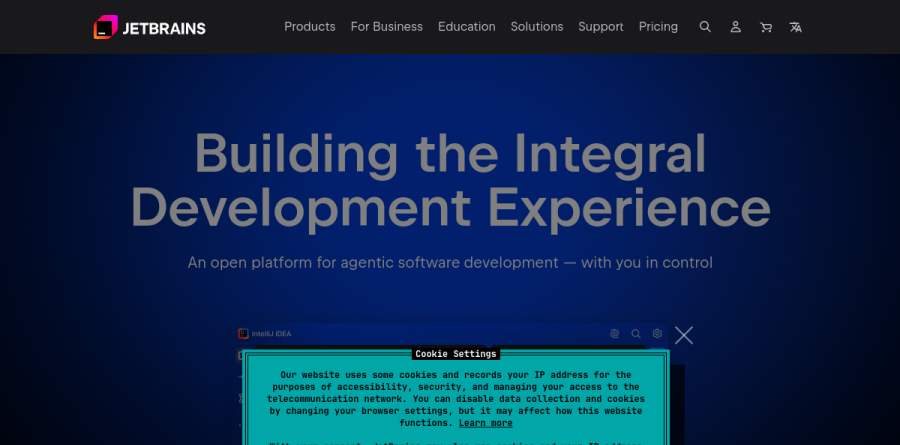
What is JetBrains?
JetBrains builds developer tooling, and the part most people meet first is its lineup of language-specific IDEs. The homepage sums the catalog up as essential tools for software developers and teams; the range spans IDEs, .NET tools, team tools, a plugin marketplace, and the Toolbox App.
Instead of one editor with everything bolted on through plugins, JetBrains ships a flagship per stack: IntelliJ IDEA for Java and Kotlin, PyCharm for Python, PhpStorm, GoLand, Rider for .NET and game development, CLion for C and C++, RustRover, WebStorm for JavaScript, RubyMine for Rails, DataGrip for databases, and ReSharper inside Visual Studio.

The JetBrains IDEs page makes a pointed argument: because the range sits on a single platform, learning one product effectively teaches you all of them. The pitch rests on intelligent code analysis, an environment tailored to your main language, and ready-to-work defaults such as version control, database tools, and unit testing. The vendor reports more than 18 million developers since 2001, plus SOC 2 certification and a Trust Center.
What IntelliJ IDEA gives a Java team
IntelliJ IDEA shows how JetBrains layers value. Its page organizes the Ultimate experience around a smart editor, run and debug, web development, a profiler, Spring and Jakarta EE support, database tools, cloud and deployment, and remote development. The vendor reports that 78 percent of Java developers choose IntelliJ IDEA.
Recent work leans hard into debugging. Logpoints inspect application state and emit runtime messages without touching source code, reaching inside compiled third-party libraries where a print statement cannot help. The Spring Debugger plugin adds Spring Security inlays beside MVC endpoints, so you can see how a route is protected and test it with custom roles mid-session. New Java releases are supported from day one.
PyCharm and the data-facing workflows

PyCharm targets web, data, and AI or ML professionals, and its value is mostly about not leaving the window. Out of the box it covers Python, databases, Jupyter, Git, Conda, PyTorch, TensorFlow, Hugging Face, Django, Flask, and FastAPI. The page splits into two workflows: data science, where you build pipelines and prototype models against notebooks and SQL sources, and web development, where Python backends sit beside JavaScript, React, and a native HTTP Client.
AI that avoids vendor lock-in
Every JetBrains IDE page now leads with the same AI block, and its openness matters. You can run current models from Claude, GPT, Gemini, and Grok, or a local model of your choice. The multi-agent story covers Junie, the in-house JetBrains coding agent, alongside Claude Agent and Codex, with GitHub Copilot and Cursor reachable through ACP. JetBrains states you can spend its own AI credits or bring your own subscriptions and API keys, with paid capacity sold as JetBrains AI Pro and JetBrains AI Ultimate. IntelliJ IDEA has also added agent skills for reusable domain instructions.
Running several IDEs is its own chore, which the free JetBrains Toolbox App absorbs: automatic updates, rollback to an earlier build, multiple versions side by side, Early Access Program builds, and remote IDE management across Linux, Windows, and macOS. Licensing runs through named subscriptions: IntelliJ IDEA Ultimate, PyCharm Pro, dotUltimate for the .NET stack, and the All Products Pack that bundles the whole IDE range. The IDEs come with a free 30-day trial, and no registration or payment is needed.
Who should choose JetBrains
Choose JetBrains if your working day sits inside one primary language and you want refactoring, inspections, debugging, and database access that parse your project rather than pattern-match text. Java, Kotlin, Python, .NET, and PHP teams get the deepest return, while the All Products Pack suits polyglot shops and anyone shuttling between backend and data work. Regulated organizations will value the SOC 2 posture.
It fits poorly for developers who want a featherweight editor that opens instantly, or for occasional coding across many languages where a full IDE is overkill. The free options soften that: the vendor confirms IntelliJ IDEA and PyCharm are free for commercial and non-commercial use, with CLion, DataGrip, Rider, RubyMine, RustRover, and WebStorm free for non-commercial use.
Strengths
- Best-in-class code intelligence: deep refactoring, static analysis, and framework-aware assistance out of the box
- Consistent UX across a full IDE family (IntelliJ, PyCharm, WebStorm, Rider, GoLand, etc.)
- Genuinely free options: Community editions, free Rider (non-commercial), and free licenses for students & OSS
- All Products Pack + continuity discounts make multi-IDE and long-term use much cheaper
Watch out for
- Costs $199+/year vs. free rivals like VS Code, and organization pricing is notably higher
- AI Assistant is a separate paid add-on ($10-$30/mo); free AI tier gives only ~3 cloud credits/30 days
- Heavier and more resource-hungry than lightweight editors
- Per-product subscriptions add up fast if you need several IDEs (pushing you toward the pricier bundle)
Key features
| Feature | What it does |
|---|
| Smart code completion & analysis | Context- and framework-aware suggestions, on-the-fly error detection, and quick-fixes across supported languages |
| Powerful refactoring | Safe, project-wide renames, extractions, and structural changes that plain text editors can't match |
| Full IDE family | IntelliJ IDEA, PyCharm, WebStorm, Rider, GoLand, PhpStorm, CLion, RubyMine, DataGrip and more under one vendor |
| Integrated dev tooling | Built-in debugger, VCS/Git, database tools, test runners, and terminal without extension hunting |
| JetBrains AI & Junie agent | Optional AI Assistant with chat, completion, local-model support, and the Junie autonomous coding agent (paid tiers) |
| Cross-platform + Toolbox | Runs on Windows, macOS, and Linux; Toolbox App manages installs, versions, and updates |
How JetBrains compares
| Alternative | How it differs |
|---|
| Visual Studio Code | Free, lightweight, hugely extensible; the default choice for cost-conscious and web devs, but less deep out-of-the-box intelligence |
| Visual Studio | Microsoft's full IDE with a free Community edition; strongest for .NET/C++ on Windows, overlapping with Rider |
| Cursor | AI-first VS Code fork; appeals to developers who want AI-native workflows rather than JetBrains' add-on model |
Frequently asked questions
Is JetBrains free?
Partly. IntelliJ IDEA Community and PyCharm Community editions are free and open-source, and Rider is free for non-commercial use. Students, teachers, and open-source maintainers get all paid IDEs free. However, the flagship Ultimate editions and the All Products Pack are paid, starting at $19.90/month or $199/year for individuals.
How much does JetBrains cost?
For individuals, IntelliJ IDEA Ultimate is $19.90/month or $199/year (dropping to about $159 then $119 with continuity discounts). The All Products Pack, bundling every IDE, is roughly $29.90/month or ~$289/year. Organizations pay more: $71.90/month ($719/year) for IDEA Ultimate and $779/year for the All Products Pack. Community editions cost nothing.
What is the JetBrains All Products Pack?
It's a single subscription bundling every JetBrains IDE and tool — IntelliJ IDEA, PyCharm, WebStorm, Rider, GoLand, PhpStorm, CLion, RubyMine, DataGrip and more — plus AI Pro. It costs about $29.90/month or ~$289/year for individuals and $779/year (first year) for commercial use, ideal for polyglot developers working across many languages.
Is JetBrains AI Assistant free?
There's a free AI tier with unlimited local code completion, context-aware chat, and local-model support (Ollama, LM Studio), but only about 3 cloud AI credits per 30 days. Paid AI Pro is $10/month and AI Ultimate $30/month for individuals, adding more credits and the Junie autonomous agent. AI Pro is bundled with the All Products Pack.
JetBrains vs VS Code — which is better?
VS Code is free, lightweight, and endlessly extensible, great for quick edits and web work. JetBrains IDEs cost $199+/year but deliver deeper language-aware refactoring, smarter analysis, and integrated tooling out of the box. Choose VS Code to save money and stay nimble; choose JetBrains for large, complex codebases where its intelligence pays off.
JetBrains ratings on other platforms
Independent user ratings from third-party review sites, linked here for transparency.
These are not our editorial score, are captured on the date shown, and may have changed since.