The full review
What is Slack?
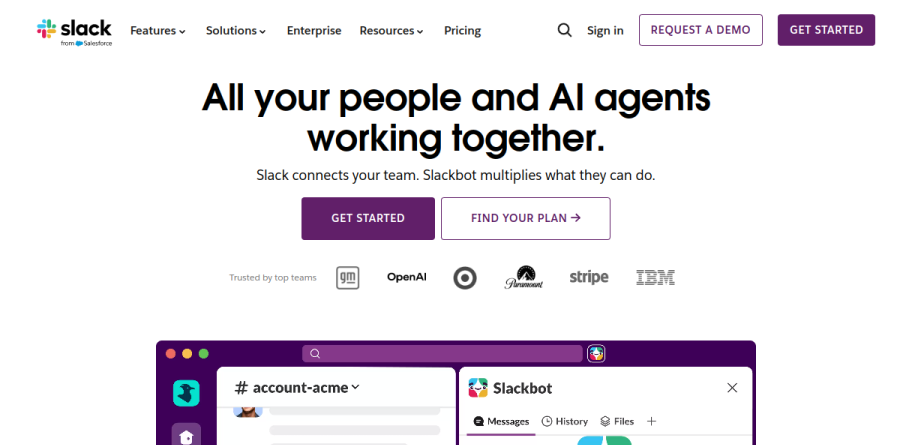
Slack is a channel-based messaging platform that moves a team's working conversations out of email and into organized, searchable spaces. Every project, topic, or client relationship gets its own channel, so decisions, files, and context stay visible to the people who need them instead of being buried in private inboxes.
Now part of Salesforce, Slack has grown well past chat. The product bundles audio and video huddles, collaborative canvas documents, lightweight project lists, no-code automation, and a fast-expanding roster of AI agents into a single workspace. Slack's own homepage frames it as a place where your people and AI agents work together, and cites 700 million messages sent every day.
Channels, huddles, and clips for everyday communication
The core loop is simple: post in a channel, thread the replies, and pull in whoever needs context. When typing gets slow, huddles offer built-in audio and video meetings, screen sharing included. For updates that need no meeting at all, clips let anyone share audio ideas or screen recordings without leaving Slack. Together these tools cover the spectrum from real-time discussion to recorded updates.
Canvas, lists, and templates keep work beside the conversation
A canvas is a rich, flexible document created directly in Slack that can hold text, files, images, and videos. Lists add lightweight tracking for tasks and requests without pushing the team into a separate tool, and templates package common setups so new work starts fast. None of this replaces a heavyweight project management suite, but for coordination that once sprawled across several extra apps, it is usually enough.
Automation, apps, and Slack Connect
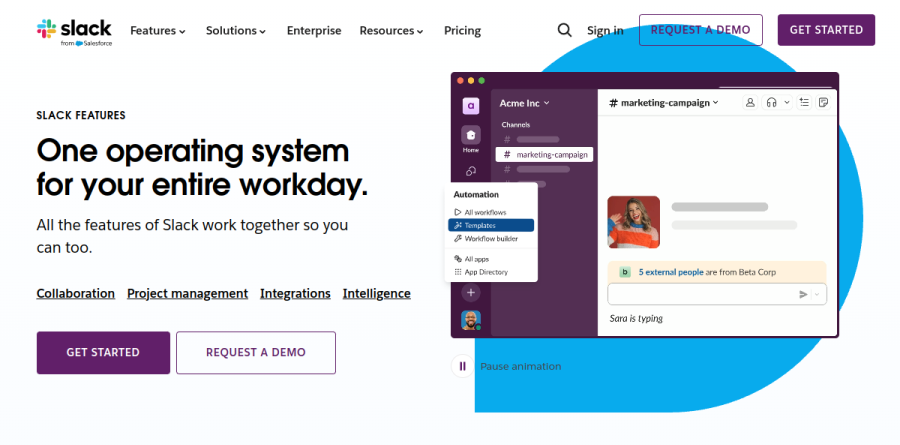
Workflow Builder lets non-developers build no-code automations of routine tasks and processes. The app directory connects Slack to over 2,600 outside services by the vendor's own count, from Google Drive and Jira to Zoom, while the newer Agentic Platform promises to customize, extend, and unify your tech stack in Slack. Slack Connect rounds this out by opening secure shared channels with customers, vendors, and agencies, replacing the long external email threads that normally carry that work.
Slack AI, Slackbot, and Enterprise Search
Intelligence features now run through every plan. Even Free includes basic AI tools such as conversation summaries and daily recaps, Pro stays on that same basic tier, and Business+ unlocks the advanced tier, including the new Slackbot personal agent that understands conversations, files, and projects in Slack. Enterprise Search reaches beyond Slack into connected third-party apps, Agentforce brings AI-powered agents into Slack, and Enterprise+ layers on enterprise-grade AI with tighter governance.
Plans from Free to Enterprise+
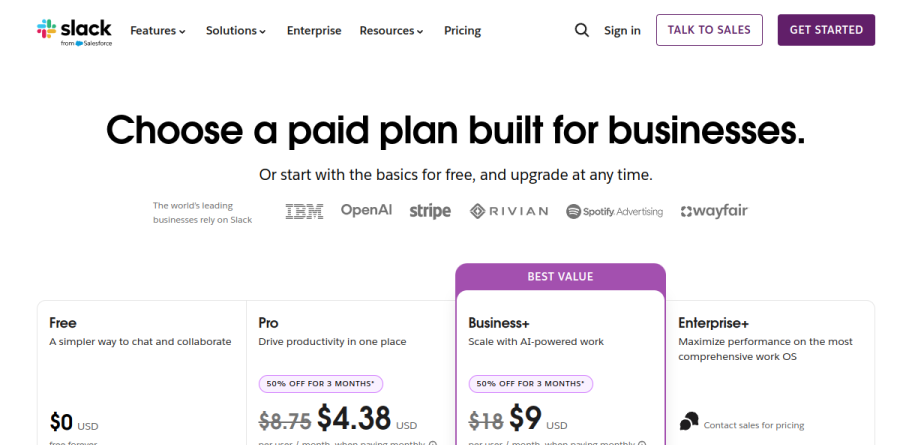
The Free plan is genuinely usable for small groups, though message history caps at 90 days and integrations stop at ten apps. Pro removes both limits and adds group huddles plus external messaging with other organizations. Business+ carries the advanced AI feature set with stronger admin controls, and Slack's pricing page flags it as the best-value pick. Enterprise+ is the compliance tier, adding legal holds, audit logs, information barriers, and HIPAA support for regulated industries.
Who should choose Slack
Slack fits teams whose work is collaborative and fast-moving: software companies, agencies, media organizations, support desks, and any distributed group that wants a persistent, searchable record of decisions. Companies already invested in Salesforce get extra pull from Agentforce and the CRM integrations. It is not ideal for tiny groups that need long message retention without upgrading, given the Free tier's 90-day window. For everyone else, Slack remains the benchmark that team chat tools get measured against.
Strengths
- Deepest integration ecosystem: 2,600+ apps plus unlimited connections on paid tiers
- Slack AI now bundled into paid plans (was a ~$10/user add-on) — search, recaps, huddle notes
- Slack Connect shares channels with clients and external orgs without email
- Reliable at scale: 99.99% uptime SLA on Business+ and above
Watch out for
- Free plan caps message history at just 90 days
- 2026 price hike: Business+ annual rose from $12.50 to $15/user/mo
- Per-user pricing scales expensively for large headcounts
- Enterprise+ pricing is opaque — contact-sales only, no public number
Key features
| Feature | What it does |
|---|
| Channels & Huddles | Topic-based conversations plus lightweight audio/video huddles for quick sync-ups |
| Slack Connect | Share channels securely with external companies, vendors, and clients |
| Slackbot / Slack AI | AI agent for thread recaps, AI search, translations, and file summaries on paid tiers |
| Workflow Builder | No-code automation to route requests, forms, and repetitive tasks |
| App & Salesforce integration | 2,600+ apps plus native Salesforce and Agentforce connectivity |
| Enterprise search | Enterprise+ searches across third-party apps with advanced governance and compliance |
How Slack compares
| Alternative | How it differs |
|---|
| Microsoft Teams | Bundled free with Microsoft 365; better built-in video, weaker app ecosystem |
| Google Chat | Included in Google Workspace; simpler, cheaper for existing Google shops |
| Discord | Free and community-oriented; lacks Slack's enterprise governance and compliance |
Head-to-head: Slack vs Microsoft Teams
Frequently asked questions
Is Slack free?
Yes. Slack's Free plan costs $0 forever and supports unlimited users, but it caps message history at 90 days, limits you to 10 app integrations, and allows only 1:1 huddles. It suits small teams testing the platform; growing organizations usually upgrade to Pro at $7.25/user/month (annual) to unlock unlimited history and apps.
How much does Slack cost?
Slack uses per-user pricing. Pro is $7.25/user/month billed annually ($8.75 monthly). Business+ costs $15/user/month annually ($18 monthly) and adds SAML SSO, a 99.99% uptime SLA, and advanced Slack AI. Enterprise+ is custom-quoted — third-party data pegs it around $22-28/user/month. A free plan is also available.
Does Slack have AI?
Yes. In 2026 Slack AI is bundled into paid plans rather than sold as the former ~$10/user add-on. Free and Pro get basic AI like huddle notes and summaries, while Business+ and Enterprise+ include Slackbot, an AI agent offering channel recaps, AI search, translations, and file summaries. Enterprise+ adds search across third-party apps.
Slack vs Microsoft Teams — which is better?
Slack wins on third-party integrations (2,600+ apps), developer experience, and external collaboration via Slack Connect. Microsoft Teams bundles free with Microsoft 365, includes full video conferencing, and is cheaper if you already pay for Office. Choose Slack for integration-heavy, cross-company workflows; choose Teams if you're standardized on Microsoft 365.
What are the best Slack alternatives?
Top alternatives include Microsoft Teams (bundled with Microsoft 365, best for Office shops), Google Chat (included with Google Workspace), Discord (free, community-focused), and Mattermost (open-source, self-hosted). For pure messaging on a budget, Teams or Google Chat in an existing suite usually beat Slack on cost, but none match its app ecosystem.
Slack ratings on other platforms
Independent user ratings from third-party review sites, linked here for transparency.
These are not our editorial score, are captured on the date shown, and may have changed since.