The full review
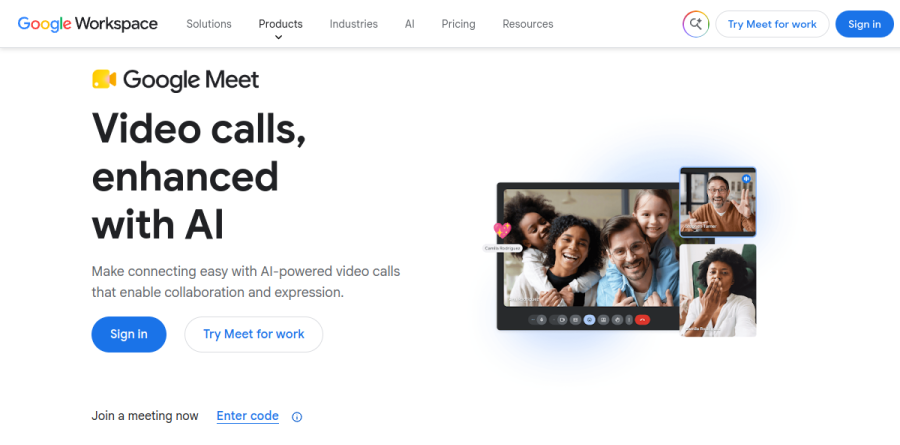
What is Google Meet?
Google Meet is the video conferencing service built into Google Workspace. It runs in a browser tab with no software to install and ships as a mobile app on the App Store and Play Store, so joining takes only the meeting link or the unique code at the end of it. Anyone with a Google account can start a meeting on the free tier.
Google positions the product around a single idea — video calls enhanced with AI. The Meet product page leads with Gemini in Meet, which automates notes, translates conversation, and surfaces key insights so the meeting itself produces the follow-up. Heavier features — longer calls, recordings and transcripts, larger meetings — require a Google Workspace or Google One Premium plan.
Gemini in Meet handles the notetaking
The clearest reason to evaluate Google Meet is Gemini in Meet. Rather than inviting a third-party bot into the call, the assistant lives in the meeting surface itself, taking notes, producing summaries, and translating conversation as people speak. Google features a testimonial from Vimeo describing how teams summarize calls, extract insights, and generate and distribute action items in one motion.
Gemini in Meet is not on every plan. Google's feature comparison excludes it from Business Starter and includes it from Business Standard upward, which matters if AI notetaking is the reason you are buying. The vendor also highlights MEDITECH, whose corporate technologies manager reports saving an average of seven hours per employee each week by cutting manual work such as meeting notes.
Audio and video built for imperfect connections

Meet's premium features target what actually derails calls. Studio Sound noise cancellation and Adaptive Audio clean the input side, while studio look and studio lighting handle the camera. Video reaches up to 1080p where bandwidth allows, and Google notes that Meet adjusts quality automatically to whatever the connection can sustain. Live captions keep everyone oriented when audio is rough, and custom backgrounds cover the rest.
Meetings woven into the rest of Workspace
The strongest practical argument for Google Meet is proximity to work already underway. You can join a call directly from Google Docs, Sheets, and Slides, so a document review becomes a conversation without a context switch. From Business Standard upward, meeting recordings are saved to Google Drive, and Google lists recordings and transcripts together as premium features for capturing what was discussed.
Business Plus adds attendance tracking for training sessions and all-hands calls that need a roster. Meet live sharing lets a group watch YouTube videos, listen to music, and play games together, though YouTube sharing requires a YouTube Premium membership.
Scaling from small teams to large organizations

Capacity scales by plan rather than by add-on. Google's comparison table lists 100 participants on Business Starter, 150 on Business Standard, 500 on Business Plus, and 1000 on Enterprise, with a 24-hour maximum meeting length across paid tiers. Enterprise adds in-domain live streaming for company-wide broadcasts, and every plan includes US or international dial-in numbers.
For physical rooms, Google Meet hardware supplies certified conference room kits, and the vendor says cross-platform interoperability lets external teams join easily. Security sits underneath — encryption by default, anti-abuse measures, privacy controls — with Vault, data loss prevention, and context-aware access at higher tiers.
Who should choose Google Meet
Google Meet is the obvious default for any organization already standardized on Google Workspace. If your calendar, documents, and files live in Google's ecosystem, Meet removes a vendor relationship and delivers AI notetaking without licensing a separate transcription tool. Distributed teams benefit most, particularly those spanning languages and time zones.
It fits poorly for organizations on Microsoft 365, or for anyone needing a dedicated webinar platform — Meet's streaming is in-domain and reserved for Enterprise, and it lacks the registration funnels, green rooms, and attendee monetization that specialist event tools provide. Teams buying primarily for AI notes should confirm their plan includes Gemini, since Business Starter does not.
Strengths
- Generous free tier: up to 100 participants and 60-minute group calls, no app install — runs in any browser
- Deep Google Workspace integration, with one-click join from Gmail, Calendar, and Docs
- Gemini AI 'Take notes for me' auto-generates summaries, decisions, and action items on paid plans
- Live captions plus translated captions built in, with Studio Sound noise cancellation on Standard and up
Watch out for
- Free group calls of 3+ people cut off at 60 minutes and cannot be recorded
- Recording, breakout rooms, and Gemini require a paid Workspace or Google One AI plan
- Fewer built-in webinar and engagement tools than Zoom (polls and Q&A gated to higher tiers)
- Real value assumes you already live in the Google ecosystem; standalone appeal is thinner
Key features
| Feature | What it does |
|---|
| Free video meetings | 1:1 calls up to 24 hours, group calls up to 60 minutes with up to 100 participants, screen sharing and live captions. |
| Meeting recordings & transcripts | Recordings saved to Google Drive with automatic transcripts, from Business Standard ($14/user/mo) and above. |
| Gemini AI in Meet | 'Take notes for me' captures summaries and action items; live translated captions across dozens of languages. |
| Studio Sound & Adaptive Audio | AI noise cancellation and multi-device audio pairing on Standard-tier plans and higher. |
| Breakout rooms & engagement | Split participants into breakout rooms and run polls and Q&A on paid Workspace plans. |
| Large meetings & live streaming | Up to 500 participants on Business Plus and 1,000 on Enterprise, with in-domain live streaming on Enterprise. |
How Google Meet compares
| Alternative | How it differs |
|---|
| Zoom | 40-minute free group cap but richer webinar and engagement tools; common default for external client calls. |
| Microsoft Teams | Bundled with Microsoft 365; combines chat, meetings, and files — best for Microsoft-centric organizations. |
| Cisco Webex | Enterprise-grade security and compliance; strong for regulated industries and large-scale events. |
Frequently asked questions
Is Google Meet free?
Yes. Anyone with a Google account gets the free tier: unlimited one-on-one calls up to 24 hours, group calls of up to 100 participants, screen sharing, and live captions. The catch is that group meetings of three or more people are capped at 60 minutes, and recording is not included on the free plan.
How much does Google Meet cost?
Meet's full features come bundled in Google Workspace. Paid plans start at Business Starter $7 per user/month, Business Standard $14, and Business Plus $22, all billed annually. Enterprise is custom-quoted. Individuals can instead unlock premium Meet features through a Google One AI plan, such as AI Pro at $19.99 per month.
What is the Google Meet time limit?
On the free plan, one-on-one calls run up to 24 hours, but any meeting with three or more people ends at 60 minutes. Everyone hears a chime at 50 minutes, and the host can restart the same link to continue. All paid Google Workspace plans raise the limit to 24 hours for every meeting.
Google Meet vs Zoom, which is better?
Zoom's free tier caps group calls at 40 minutes versus Meet's 60, and Zoom ships more engagement tools like polls and webinars. Meet wins on Google Workspace integration, browser-based access with no app install, and bundled Gemini AI note-taking. If you live in Gmail and Calendar, Meet is the natural pick.
What are the best Google Meet alternatives?
The top alternatives are Zoom (best for webinars and large events), Microsoft Teams (best if you use Microsoft 365), and Cisco Webex (strong enterprise security and compliance). For quick browser calls, Meet and Zoom lead; for chat plus meetings in one hub, Teams is closest. Whereby is a lighter option for small teams.
Google Meet ratings on other platforms
Independent user ratings from third-party review sites, linked here for transparency.
These are not our editorial score, are captured on the date shown, and may have changed since.