The full review
What is Sourcegraph Cody?
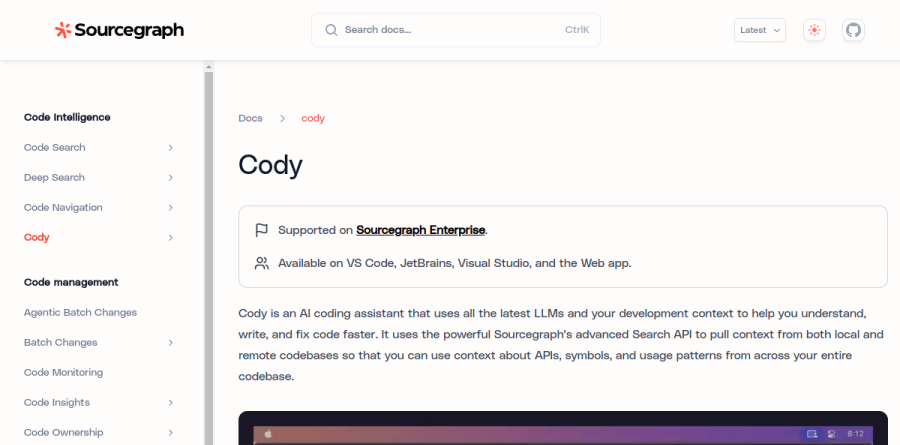
Sourcegraph Cody is the AI coding assistant built into Sourcegraph, the code intelligence platform large engineering organizations use to search and understand sprawling codebases. Cody ships as an extension for VS Code and JetBrains, an experimental Visual Studio extension, a chat surface in the Sourcegraph web app, and a Cody CLI.
What separates Cody from general-purpose autocomplete is where its context comes from. Cody calls the Sourcegraph Search API to pull context from local and remote repositories, so an answer can draw on APIs, symbols, and usage patterns across an indexed codebase rather than just the file on screen. One caveat up front: the vendor documents Cody as supported on Sourcegraph Enterprise, and an account with Cody enabled is a prerequisite for installing the extension.
How Cody builds its context window

Context selection in Cody is explicit rather than magical. A new chat opens with at-mention context chips for the current repository and your open file. You can edit those chips, delete them to force a model-only reply, or add your own: at-file plus a filename pulls in a file, and at-hash plus a symbol name pulls in a function or type definition.
As you @-mention multiple files, Cody calculates how many tokens of the context window remain, and returns File too large errors once too little of that window is left. Lookup respects files.exclude, search.exclude, and .gitignore. Enterprise users get the full Sourcegraph search engine as their primary context provider, including multi-repo mentions, and Cody can rerun a weak answer using public knowledge only.
Chat, auto-edit, and the Prompt Library
Cody is a chat panel beside the editor. The first message stays pinned to the top of a thread, so you can revisit it, edit the prompt, and rerun it against a different model using the LLM selector, which also governs inline edits on a code selection.
Cody adds auto-edit, which proposes contextual modifications from cursor position and recent changes once you have made at least one edit, plus grayed-out completions you accept with Tab. Repeatable work belongs in the Prompt Library, where teams save and share premade or custom prompts for reviews, refactors, and debugging passes.
Admin controls for regulated codebases
Cody Context Filters is the admin-side control that governs which repositories Cody may use as context. Admins define include and exclude rules in the site configuration to control which repositories Cody may send to third-party LLMs; for excluded repositories, prompts and context fetching are disabled, though chat still works. Sourcegraph documents this for Cody Enterprise on VS Code extension version 1.20.0 and above.
The platform carries the compliance weight. Sourcegraph advertises SOC2 Type II and ISO27001 compliance, and the vendor states that LLM inference is never stored beyond what is required, nor shared with third parties. Authentication spans SSO through SAML, OpenID Connect, and OAuth, plus SCIM provisioning and RBAC.

Cody is no longer the headline act. Sourcegraph now markets a platform built around understanding, oversight, and evolution: Code Search for exact matches, Deep Search as an agent that reasons across every repository and cites the files, commits, and diffs behind an answer, an MCP Server feeding that context to external coding agents, plus Code Insights, Code Monitoring, and Agentic Batch Changes.
The commercial picture shifted too. Sourcegraph documentation states that as of July 23, 2025, Cody is no longer available on Free, Pro, and Enterprise Starter plans, with individual users pointed toward Amp, a separate Sourcegraph agent. The remaining Enterprise plan bundles AI credits with org-wide pooling and rollover on renewal.
Who should choose Sourcegraph Cody
Cody suits engineering organizations already running Sourcegraph Enterprise across hundreds or thousands of repositories, where the hard part is not generating code but knowing which of a dozen internal services a change touches. Platform and security teams get rule-based control over which repositories reach a third-party LLM, defined as include and exclude rules in the site configuration.
It is not a fit for solo developers, small startups, or open-source maintainers: the pricing page lists only an Enterprise plan, "Starting at $16K" behind a "Contact sales" button, and Sourcegraph's Cody FAQ tells those users that "Amp is your way forward if you're using Cody Free or Pro."
Strengths
- Deep multi-repository context (up to ~10 repos) with a large context window
- Enterprise context filters, compliance controls, and admin governance
- LLM flexibility — switch between Claude, GPT, and self-hosted models
- Tight integration with Sourcegraph code search for big codebases
Watch out for
- Free and Pro tiers eliminated — no individual or solo-dev option remains
- Enterprise pricing runs roughly 3x GitHub Copilot Enterprise
- Quote-based pricing with no transparent public per-seat rate
- Muddied direction — individuals are pushed to a separate tool (Amp)
Key features
| Feature | What it does |
|---|
| Codebase context | Understands multiple repositories at once with a large (~1M token) context window for accurate, grounded answers. |
| Chat and auto-edit | Codebase-aware chat, inline edits, and completions that draw on your actual repository context. |
| Context filters | Restrict which repos and files feed the AI to meet enterprise security and compliance requirements. |
| Model choice | Choose the underlying LLM (Claude, GPT, others) or run self-hosted models for data control. |
How Sourcegraph Cody compares
| Alternative | How it differs |
|---|
| GitHub Copilot | Cheaper and broader IDE support, but weaker on very large multi-repo codebase context. |
| Cursor | AI-native editor popular with individuals at ~$20/mo; better solo value since Cody dropped its personal tiers. |
| Windsurf | Agentic AI IDE (formerly Codeium) with competitive enterprise context and pricing. |
Frequently asked questions
Is there still a free version of Cody?
No. Cody Free and Pro were discontinued in July 2025. Sourcegraph now directs individual developers to its separate Amp tool, which is currently free/pay-as-you-go.
How much does Cody cost in 2026?
It is enterprise-only. Third-party sources report roughly $59/user/month on annual contracts, and the broader Sourcegraph platform starts near $16,000/year. Pricing is quote-based — you must contact sales.
Sourcegraph Cody ratings on other platforms
Independent user ratings from third-party review sites, linked here for transparency.
These are not our editorial score, are captured on the date shown, and may have changed since.