The full review
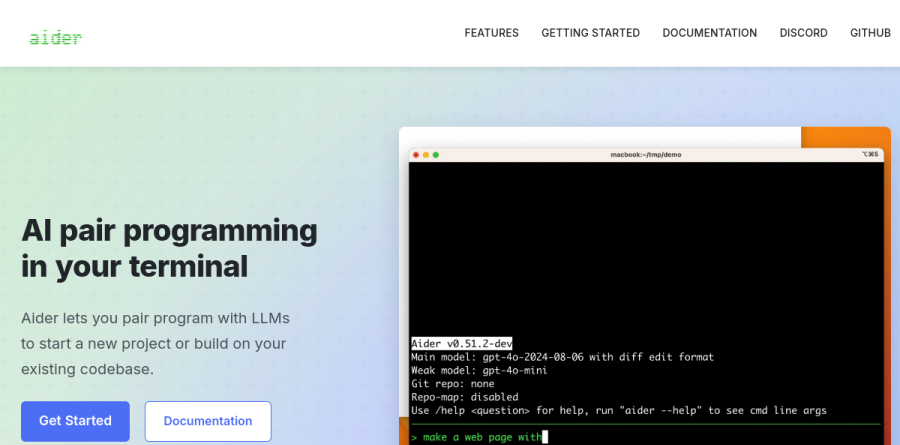
What is Aider?
Aider is an open-source AI pair programmer that lives in your terminal rather than in a browser tab or a proprietary editor. You launch it inside a Git repository, connect it to a large language model, and describe the change you want in plain English. Aider edits the actual files on disk, shows you the diff, and keeps the conversation running across a whole session. It is less a code generator than a collaborator that reads and rewrites an existing codebase.
The project is available on GitHub under an Apache 2.0 license, and installation is deliberately low-friction. The docs cover aider-install, uv, pipx and plain pip, with one-liner installers for Mac, Linux and Windows; aider-install works with Python 3.8 through 3.13, while the pipx and pip routes call for Python 3.9 to 3.12.
How Aider reads your codebase
The feature separating Aider from a generic chat window is its repository map. Rather than making you paste files into a prompt, Aider builds a compact map of your repo so the model can reason about code you have not explicitly added to the chat. You still steer context directly by naming files at launch or with the /add command, which keeps token usage under your control. The docs note the map can be enabled or widened with --map-tokens for models needing extra grounding. Aider lists support for over 100 code languages, and can take images and web pages as context too.
Git integration and reversible edits
Aider treats Git as a first-class part of the loop. Every change the model makes is committed automatically, so an entire session stays reviewable as ordinary Git history. When a suggestion goes wrong, /undo rolls back the last AI commit instead of leaving you to untangle a half-applied edit by hand. That reversibility is the most practical safety feature here: because each AI edit lands as its own git commit that /undo can roll back, you can let the model attempt bigger refactors than you would risk with a plugin that rewrites files silently. Linting and testing support rounds this out.

Developers who prefer to stay in their editor can run Aider with --watch-files. In that mode it monitors the repo and reacts to one-liner comments you type in your IDE: a comment ending in AI! tells Aider to make the change, while AI? asks it a question. Python, JavaScript and SQL comment styles are all recognized, and instructions can be spread across several files so one coordinated edit touches everything at once. You keep VS Code or whatever editor you already use, and Aider becomes a background process responding to notes left in the code itself.
Bring your own model
Aider is model-agnostic, a real advantage while the frontier keeps shifting. Its documentation covers connections to OpenAI, Anthropic, Gemini, Groq, xAI, Azure, Cohere, DeepSeek, OpenRouter, GitHub Copilot, Vertex AI, Amazon Bedrock, plus local models via Ollama or any OpenAI-compatible endpoint, and you can switch mid-session with /model. The vendor reports that the strongest results come from capable models such as Gemini 2.5 Pro, Claude 3.7 Sonnet, DeepSeek R1 and V3, and OpenAI reasoning models, while weaker models may struggle to format code edits correctly. Aider publishes LLM leaderboards to guide that choice.
Who should choose Aider
Aider suits developers already living in a terminal and a Git workflow: backend and systems engineers, maintainers of large legacy repositories, and anyone wanting an assistant that edits real files under version control instead of emitting snippets to copy. Because you supply your own API key, it also appeals to teams needing control over which provider sees their code, or wanting everything to run locally through Ollama. Aider is not ideal for beginners who want a polished graphical experience: there is no hosted UI beyond an optional browser chat, and you handle Python setup, API keys and per-token model costs yourself.
Strengths
- Completely free and open source (Apache 2.0) with no platform fees or vendor lock-in
- Model-agnostic: works with Claude 4.x, GPT-5, Gemini 2.5 Pro, DeepSeek, and local LLMs
- Auto-commits every accepted change to Git, so edits are reviewable and reversible with a standard revert
- Repo map builds a symbol and dependency graph for accurate context on large codebases
Watch out for
- Terminal-only with no GUI or IDE panel, so the learning curve is steeper than Cursor
- You must manage your own API keys and absorb variable per-token usage costs
- Slower 2026 release cadence and the polyglot leaderboard is not refreshed for the newest frontier models
- Output quality tracks the model you bring; results degrade noticeably on budget or local LLMs
Key features
| Feature | What it does |
|---|
| Architect / Editor mode | Splits work between a reasoning model that plans changes and an editor model that applies them, improving accuracy on complex edits. |
| Automatic Git commits | Each accepted AI change is staged and committed with a generated message, keeping history clean and every change trivially reversible. |
| Repo map | Builds a graph of your repository's symbols and dependencies to auto-select relevant files, avoiding truncated or irrelevant context. |
| Watch mode & AI! comments | Trigger edits from in-code AI! comments in your own editor, plus prompt caching, /web page fetching, and /voice input. |
How Aider compares
| Alternative | How it differs |
|---|
| Claude Code | Anthropic's paid terminal agent; more polished and autonomous but tied to Claude models and a subscription/usage plan. |
| Cursor | Full AI-native IDE with a GUI; friendlier for newcomers but a paid seat-based product, not free/open source. |
| Cline | Open-source VS Code agent; similar BYOK economics with a graphical panel instead of a pure CLI. |
Frequently asked questions
Is Aider really free?
Yes. The tool itself is free and open source under Apache 2.0 with no paid tiers. You only pay your chosen LLM provider for API usage, or nothing if you run a local model.
Which model should I use with Aider?
Aider works best with frontier models like Claude 4.x, GPT-5, or Gemini 2.5 Pro for quality, or DeepSeek and local models to minimize cost. It is fully model-agnostic, so you can switch anytime.
Aider ratings on other platforms
Independent user ratings from third-party review sites, linked here for transparency.
These are not our editorial score, are captured on the date shown, and may have changed since.