The full review
What is Render?
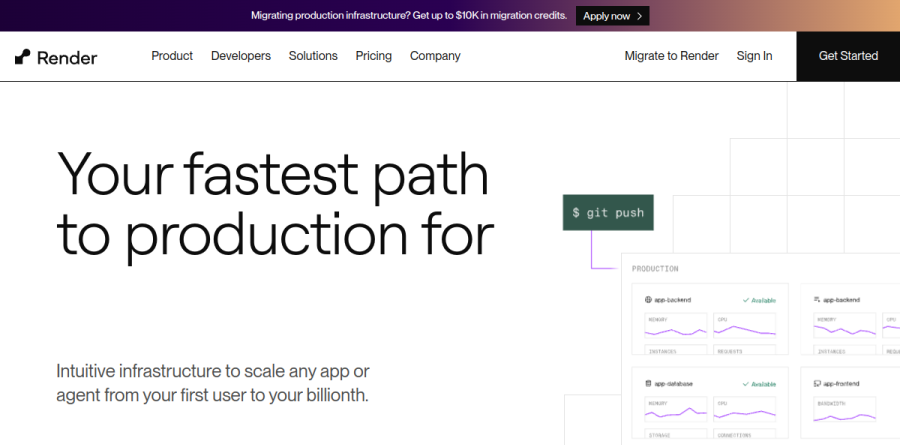
At its core, Render is a managed cloud platform that turns a Git repository into running production infrastructure without asking you to assemble the pieces. The homepage frames it as the cloud for builders, and the advertised flow is deliberately short: pick a service type, connect a repo, and let Render detect the runtime, then handle networking, scaling, deploys, rollbacks, and monitoring. Native runtimes cover Node, Python, Go, Rust, Ruby, and Elixir, with Docker builds for anything outside that list.
The catalog reaches well past web apps. A single Render workspace can host Static Sites, Web Services, Private Services, Background Workers, Cron Jobs, Render Postgres, Render Key Value, and Workflows, so it holds a full application architecture rather than just the front door. Render reports over 6.5 million builders.
Deploys and preview environments

Git-driven deploys are the core loop: Render builds on push, runs health checks, and performs zero-downtime deploys, with instant rollbacks to a retained build when a release misbehaves — five builds retained on Hobby, 15 on Pro, and 30 on Scale — plus a pre-deploy command available on every plan.
Preview environments are where Render separates itself from a plain container host. Hobby workspaces get single-service previews; Pro and Scale add full-stack preview environments that spin up an ephemeral copy of an entire architecture for each pull request. Combined with infrastructure as code through Render Blueprints or Terraform, a reviewer opens a working URL instead of imagining a diff.
Managed datastores and durable Workflows
Render Postgres is fully managed, with point-in-time recovery, read replicas, high availability on Pro instances and above, expandable storage, and CPU, RAM, and storage that scale independently. Render Key Value covers Redis-compatible caching and job queues, scaling from small caches up to instances with 128 CPUs and 1 TB of RAM.
Workflows targets long-running and agent-style background work. The vendor describes it as durable execution with sub-second task spin-up and automatic retries, letting teams skip wiring queues, workers, and retry logic by hand. Concurrent task allowances rise with the workspace plan.
Scaling, networking, and observability
Horizontal autoscaling adjusts instance counts against target CPU and memory utilization, or against custom rules driven by the Render API, with load balancing handled automatically. Networking is similarly hands-off: a zero-config CDN, edge caching, regions across the US, Europe, and Asia, automatic private networking, custom domains with managed TLS, and WebSockets on every plan, with AWS PrivateLink available from Pro upward at $30 per month for up to three links.
Observability arrives on day zero rather than as an add-on, covering service metrics, build and deploy logs, SSH access, Slack or email notifications, log streams, and an OpenTelemetry exporter for tools such as Datadog and Sentry.
Security and team governance
Every service gets automatic DDoS mitigation and a firewall that Render says blocks threats including SQL injection, cross-site scripting, and request forgery. Paid tiers add network-isolated environments and role-based access control that widens from Admin and Developer on Pro to Contributor, Viewer, and Billing on Scale, which also unlocks SAML SSO, SCIM, organization audit logs, HIPAA-compliant workspaces, and inbound IP rules for services rather than the datastore-only rules on Hobby and Pro. Render lists SOC 2 Type II, ISO 27001, and a GDPR DPA across every plan.
How billing is structured
Charges split three ways: a flat workspace subscription, usage-based compute selected per service, and metered extras such as bandwidth and build pipeline minutes. Workspace plans run Hobby, Pro, Scale, and Enterprise, while compute runs from Free and Starter up through Standard, Pro, and the larger Pro Plus, Pro Max, and Pro Ultra instances, all prorated by the second. Per the Render FAQ, a Pro workspace with no services and no activity in a month has its subscription waived.
Who should choose Render
The platform fits small and mid-sized engineering teams that want Heroku-style ergonomics on modern infrastructure: startups shipping full-stack products, agencies juggling client projects, and anyone migrating off Heroku or Railway, both of which Render publishes migration guides for. Pick it when preview environments, managed Postgres, and background workers matter more than fine-grained control of the underlying cloud.
It is a weaker fit for teams needing deep control of raw cloud primitives, specialised hardware such as GPUs, or a large existing estate of AWS services that Render does not front. Those teams keep reaching past the abstraction, which defeats its purpose.
Strengths
- Heroku-style DX: git-push zero-downtime deploys, free TLS, IaC Blueprints, private networking
- Managed Postgres (with pgvector for RAG) and Valkey/Redis-compatible Key Value built in
- New flat Pro plan is $25/mo with unlimited seats, removing per-seat fees
- Full-stack preview environments auto-created for each pull request
Watch out for
- Free web services spin down after 15 min of inactivity with a ~1-min cold start
- New Hobby free tier bandwidth cut to just 5 GB/mo (down from 100 GB)
- Compute cost climbs fast: Pro instance $85/mo, Pro Plus $175, Pro Ultra ~$450
- Fewer regions and weaker edge/serverless story than Vercel or Cloudflare
Key features
| Feature | What it does |
|---|
| Auto deploy from Git | Push to GitHub/GitLab and Render builds and ships with zero-downtime rollouts and free managed TLS. |
| Preview environments | Every pull request spins up a full-stack replica (services, workers, databases) for isolated testing. |
| Managed databases | Fully managed Postgres with pgvector and Render Key Value (Valkey, Redis-compatible) linked to your services. |
| Autoscaling | Automatically adds or removes instances based on CPU/traffic; disabled in preview environments. |
| Private networking | Services communicate securely over a private network without traversing the public internet. |
| Infrastructure as Code | Render Blueprints (render.yaml) define services, databases, and env groups declaratively in your repo. |
How Render compares
| Alternative | How it differs |
|---|
| Vercel | Frontend/serverless (Next.js) and edge functions; better for JAMstack, Render better for backends and databases |
| Railway | Similar developer-friendly PaaS with usage-based pricing from ~$5/mo; popular cheaper always-on alternative |
| Heroku | The classic managed PaaS Render mirrors; more mature add-on ecosystem but pricier dynos |
Frequently asked questions
Is Render free?
Yes, Render has a free Hobby tier: 750 free instance hours per month, a free 1 GB Postgres (expires after 30 days), a 25 MB Key Value store, and static sites. But free web services spin down after 15 minutes of inactivity with a ~1-minute cold start, and included bandwidth is now only 5 GB per month.
How much does Render cost?
Compute is usage-based per service: paid instances start at $7/month (Starter, 512 MB, 0.5 CPU), $25 (Standard, 2 GB), $85 (Pro, 4 GB), up to about $450 for Pro Ultra. Workspaces add a flat fee: Hobby free, Pro $25/month with unlimited seats, Scale $499/month. Postgres, disks, and bandwidth bill separately.
What are the best Render alternatives?
Popular 2026 Render alternatives include Railway (usage-based, from ~$5/month), Fly.io (global edge VMs), Heroku (the classic PaaS Render mirrors), Vercel (frontend/serverless), and DigitalOcean App Platform. Railway and Fly.io suit hobbyists wanting cheaper always-on compute; Vercel fits Next.js frontends; Heroku suits teams wanting a mature managed platform with add-ons.
Render vs Vercel: which is better?
Render is a general-purpose PaaS for full-stack apps, background workers, cron jobs, and managed Postgres/Redis, with always-on instances from $7/month. Vercel specializes in frontend and serverless (Next.js) with edge functions and generous static hosting. Choose Render for backends, databases, and long-running services; choose Vercel for JAMstack frontends and edge-first serverless workloads.
Does Render's free tier spin down?
Yes. Free Render web services spin down after 15 minutes without inbound traffic and take roughly one minute to restart on the next request, so the first visitor hits a cold start. The local filesystem is also wiped on spin-down. To stay always-on, upgrade to a paid instance starting at $7/month.
Render ratings on other platforms
Independent user ratings from third-party review sites, linked here for transparency.
These are not our editorial score, are captured on the date shown, and may have changed since.