The full review
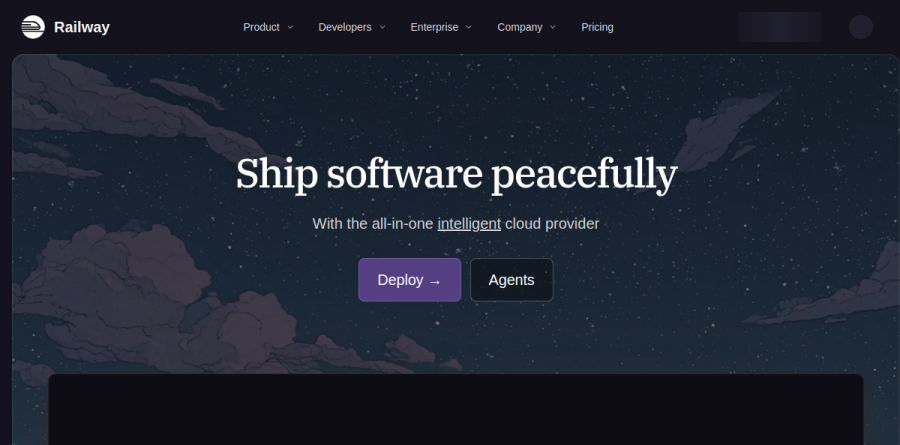
What is Railway?
Railway is an application platform that takes a source repository or a container image and runs it as a managed service, handling the build, the network layer and the observability around it. Work is organized as a workspace of projects, each holding environments and the services inside them. Railway documentation describes a service as a deployment target for your deployment source, either a code repository or a Docker image.
What separates Railway from a plain container host is everything it provisions alongside the app. Managed Postgres, MySQL, Redis, MongoDB and ClickHouse sit in the same project canvas as your API, together with persistent volumes, S3-compatible storage buckets, cron jobs and functions.
How deploys actually work
Connect a GitHub repository and Railway analyzes the code, builds an image when one is needed, and deploys it; later pushes trigger auto-deploy without further setup. Teams who prefer versioned settings can use Config as code, while the Railway CLI covers the same ground from a terminal for logs, variables and one-off commands.
Public traffic reaches a service through a generated domain with free SSL certificates provisioned and renewed automatically, and custom domains attach with a CNAME and a TXT record. Scaling runs horizontally through replicas and vertically through per-service CPU and memory ceilings, which climb sharply between plans.
Databases, volumes and private networking
Services inside a Railway project talk over a private IPv6 network, so an API can reach its database without opening a public port. Variables with service references let that API read the connection details of a database in the same project instead of carrying a hard-coded secret, which makes promoting configuration between environments far less error-prone.
For stateful workloads, Volumes attach durable disk to a service, while storage buckets handle uploads and assets. The vendor reports free egress on object storage.
Templates and environment workflows
Environments give you isolated copies of a whole project stack, so staging can mirror production service for service without a second account. Paired with per-environment variables, that covers the preview-then-promote pattern most teams need.
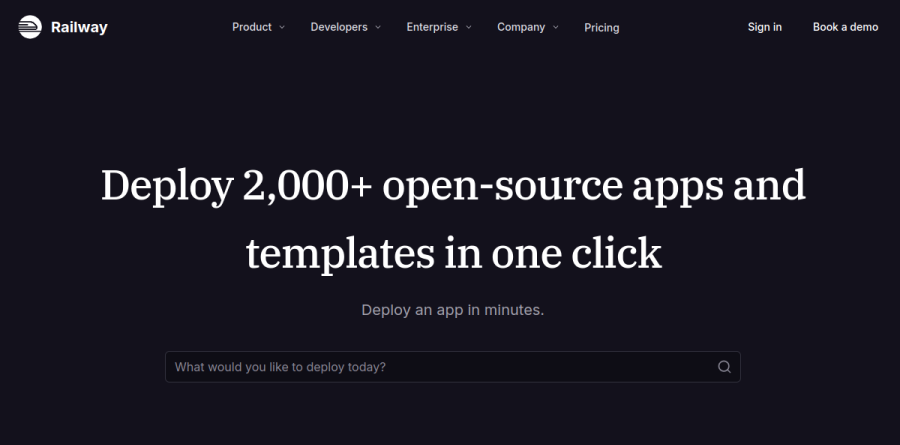
Railway lists thousands of one-click deploy stacks grouped into categories the site labels AI, Analytics, Automation, CMS, Observability, Queue, Storage and Starter, with databases, volumes and variables already wired up. Entries such as n8n, WordPress, Chatwoot and LibreChat deploy into your own project rather than a shared sandbox.
The Observability layer covers deployment logs and service metrics, with log history windows that widen as you move up plans. Around it sit webhooks for deploy events, a WAF and CDN for public traffic, plus role-based permissions and audit logs.
Railway has also leaned into agent-driven workflows. Its documentation carries a dedicated AI section covering a Railway Agent for diagnosing failed deploys and an MCP server that exposes platform operations to coding assistants.
Plans and how they scale

The Trial lets you deploy before deciding anything, and the Free plan keeps a small service alive under tight per-service caps on CPU, memory and replicas. Hobby lifts those ceilings dramatically for solo builders, while Pro is the team tier, adding unlimited seats per workspace, far higher limits and 30-day log history. Enterprise adds compliance and contracts: the vendor reports SOC 2 Type II certification, HIPAA-eligible workloads, contractual uptime SLAs, SSO and a support team with a one-hour response target.
One thing to understand before committing: billing is usage-based, with memory, CPU and volume storage metered per second and egress billed at $0.05 per GB, drawn against the monthly credits included in the Free, Hobby and Pro plans. Your subscription sets a floor, not a ceiling.
Who should choose Railway
Railway fits small product teams, solo founders and agencies shipping full-stack apps, APIs, background workers and databases without hiring for infrastructure. It is especially strong for side projects graduating into production, for AI and automation stacks assembled from templates, and for developers who prefer Git and a CLI over another cloud console.
It is not the right pick for organizations needing deep control of the underlying substrate: custom VPC peering and Kubernetes-level scheduling both point elsewhere, and placement is limited to Railway's four deploy regions in California, Virginia, Amsterdam and Singapore. Teams needing a flat, predictable monthly invoice should also budget carefully, because metered usage moves with traffic.
Strengths
- Best-in-class developer experience: fast deploys, clean dashboard, strong CLI, and a visual project canvas
- Transparent usage-based pricing billed by the minute, with the subscription fee credited toward actual usage
- One-click managed Postgres/MySQL/Redis/MongoDB plus GitHub deploys with no Dockerfile required
- Pay-for-what-you-run model is cheap for bursty or idle apps that don't need to be always-on
Watch out for
- No meaningful free tier — the $5 trial credit expires in 30 days and the post-trial Free plan is just $1/mo
- Usage-based bills can be unpredictable and pricier than flat pricing for steady, always-on workloads
- Pro is $20 per seat/month, so costs scale with every team member you add
- Weaker than Vercel for edge/CDN-heavy frontends and Next.js-specific optimizations
Key features
| Feature | What it does |
|---|
| Usage-based billing | Pay per minute for compute: ~$20/vCPU/mo, $10/GB RAM/mo, $0.15/GB volume/mo, and $0.05/GB egress; the base subscription is credited against this usage. |
| Visual project canvas | Services, databases, and their connections are laid out graphically so you can see and wire up your whole stack at a glance. |
| Git & CLI deploys | Push-to-deploy from GitHub or the CLI with automatic builds (Railpack/Nixpacks) — no Dockerfile needed, though Docker is supported. |
| One-click managed databases | Provision Postgres, MySQL, Redis, or MongoDB instantly with backups and private networking between services. |
| Environments & preview deploys | Isolated environments plus per-branch/PR preview deployments for testing changes before they hit production. |
| Team collaboration | Pro and Enterprise workspaces support members, role-based permissions, longer log retention, and higher per-service resource limits. |
How Railway compares
| Alternative | How it differs |
|---|
| Render | Flat per-service pricing that's more predictable for always-on apps, plus a limited free tier; Railway usually wins on DX and bursty-workload cost. |
| Vercel | Best for Next.js frontends, edge, and PR previews at $20/user + usage; Railway is stronger for backends, containers, and databases. Many teams run both. |
| Fly.io | Global edge VMs with scale-to-zero and usage billing; more infra control but a steeper learning curve than Railway's polished UX. |
Frequently asked questions
Is Railway free?
Not permanently. New users get a free 30-day trial with a one-time $5 credit (1 GB RAM, shared CPU, 5 services). After it expires you drop to a Free plan with just $1/month of credit — not enough to keep apps running 24/7 — so most users move to the $5/mo Hobby plan.
How much does Railway cost?
Hobby is $5/month (includes $5 of usage), Pro is $20/month per seat (includes $20 usage each), and Enterprise is custom. On top you pay usage: about $20/vCPU/mo, $10/GB RAM/mo, $0.15/GB storage/mo, and $0.05/GB egress, all billed by the minute.
Railway vs Vercel — which is better?
Vercel is best for Next.js frontends, edge functions, and preview deploys at $20/user plus usage. Railway is better for backends, long-running containers, and managed databases with its per-minute usage model. Many 2026 teams use both: Vercel for the frontend, Railway for the backend and data.
Railway vs Render — which should I pick?
Render offers flat per-service pricing that's predictable for steady always-on apps, plus a limited free tier. Railway bills by actual usage — usually cheaper for bursty or idle apps — and has a smoother dashboard and CLI. Choose Render for predictability, Railway for developer experience and flexibility.
What are the best Railway alternatives?
The closest alternatives are Render and Fly.io for full-stack and container hosting, Vercel and Netlify for frontend/edge work, and Heroku or Koyeb for traditional PaaS deploys. Render is the most direct competitor on price predictability; Fly.io offers more infrastructure control.
Railway ratings on other platforms
Independent user ratings from third-party review sites, linked here for transparency.
These are not our editorial score, are captured on the date shown, and may have changed since.