The full review
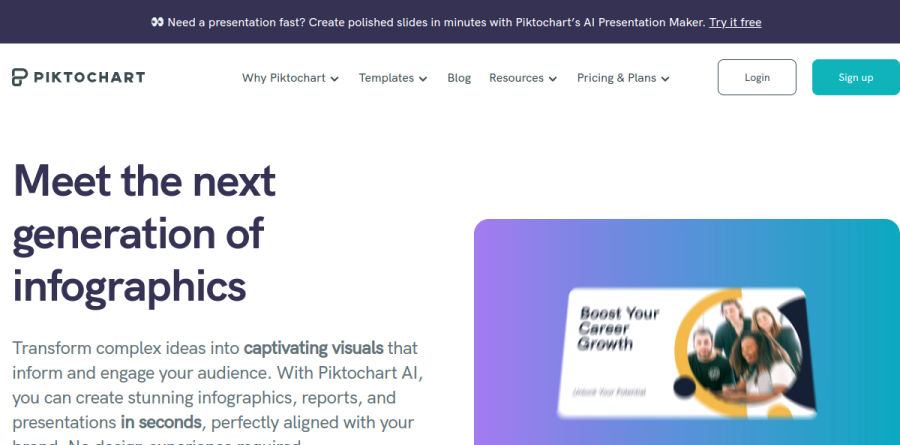
What is Piktochart?
Piktochart is a browser-based visual creation platform aimed at people who need professional-looking infographics, reports, and slide decks without a design background. The editor is template-first and drag-and-drop: you pick a template, then drag and drop images, icons, and illustrations into place. Its component library covers charts and graphs, diagrams, icons, illustrations and photos, maps, processes and flowcharts, and tables.
The product has grown well past static infographics. Piktochart Visual now sits alongside a video editor and Pikto AI Studio, which the vendor positions as an all-in-one visual creation suite. Piktochart reports 34 million users worldwide and more than 220 million visuals created, and the messaging leans on speed rather than on design depth.
Turning data into something readable

The strongest case for Piktochart is the moment you have information nobody wants to read as a paragraph. Chart types include pie charts, bar charts, and pictographs, all customizable inside the canvas, and dedicated builders exist for the shapes people actually request: Diagram Maker, Flowchart Maker, Graph Maker, Map Maker, Venn Diagram Maker, and Timeline Maker. The Infographic Maker page lays out a five-step path: log into your account, pick an infographic template, customize it, add images, icons, and other assets, then download and share.
Pikto AI Studio gathers the generative features into one place, and the range is unusually broad for a design tool in this bracket: AI Image Generator, AI Image Modifier, AI Image Upscaler, AI Background Remover, AI Image Restorer, AI Text Remover, AI Preserve Content, AI Icon Generator, and AI Outline. The AI Design Generator turns a written prompt into a visual, which the vendor says lands in under ten seconds. Video generation runs through Sora 2 and Veo 3.1, with a single setting change producing different aspect ratios for YouTube or TikTok.
Presentations, documents, and print output

The AI Presentation Maker follows a four-step flow Piktochart spells out plainly: describe the presentation, generate a first visual draft, customize the design, then share or download. Generated slides stay editable in the same editor, so AI output is a starting point rather than a locked asset. Preset formats include AI Pitch Deck, AI Business Presentation, AI Marketing Presentation, AI Lesson Presentation, and AI Training Presentation. Beyond slides, Piktochart handles documents such as reports and newsletters, plus posters, banners, brochures, and social graphics.
Brand control and collaboration
Brand Assets acts as the hub for fonts, colors, and logos, and Branded Templates applies those choices across the wider template catalog so a team is not restyling every file by hand. On the Business plan this becomes the Brand Kit, with unlimited brand color schemes, custom fonts, and logos. Collaboration runs through a shared workspace with a common asset library, commenting, and revisions, an experience Piktochart compares to Google Docs. Enterprise adds SSO and SAML, workspace management controls, custom on-demand templates, and a dedicated account manager.
How the plans differ
Piktochart meters downloads and AI credits, and scales storage and saved library assets by tier as well. The Free plan is genuinely usable for trying the editor but caps PNG downloads and limits you to free templates. Pro removes that download cap and opens premium icons, illustrations, and 3D graphics, plus transparent-background exports. Business is where PDF and PPT export, the Brand Kit, and Branded Templates arrive, which makes it the practical floor for anyone delivering client-ready files. Discounted Education and Nonprofit tiers exist, along with a Campus license for universities and custom Enterprise pricing.
Who should choose Piktochart
Piktochart fits communications teams, educators, nonprofits, HR departments, and analysts who produce a steady stream of explanatory visuals and have no designer on call. If your weekly output is a report summary, a lesson deck, an internal one-pager, or a chart-heavy social post, the template library and AI drafting will save real hours. It is less suited to designers who need precise vector control, layered compositing, or print-production rigor, since Piktochart deliberately trades that ceiling for speed. Solo users should also note that PDF and PowerPoint export sits on the Business tier rather than Pro.
Strengths
- Beginner-friendly drag-and-drop editor lets non-designers produce professional infographics fast
- Strong AI tools: text-to-infographic, text-to-report, and text-to-presentation save real time
- Pro plan at $10/mo billed annually undercuts many design-tool competitors
- Purpose-built for data visualization, charts, and reports, not just generic graphics
Watch out for
- Free plan is restrictive: only 2 PNG downloads per month and watermarked exports
- Pricing is per member, so team costs scale quickly
- Template and asset library is smaller than Canva's
- Users report slowdowns on large projects and limited fine-grained element control
Key features
| Feature | What it does |
|---|
| Piktochart AI | Turns a text prompt or uploaded document into infographics, reports, banners, and flyers in seconds; includes AI image generation. |
| Template Library | Professionally designed templates for infographics, presentations, reports, posters, and social graphics. |
| Data Visualization | Build charts, graphs, and maps and import spreadsheet data for data storytelling. |
| Brand Kit | Save brand colors, custom fonts, and logos for consistent on-brand designs (Business and above). |
| Presentations & Reports | Create and present slide decks and multi-page reports, exportable to PDF and PowerPoint. |
| Team Collaboration | Shared workspaces for up to 100 members with real-time collaboration and asset sharing. |
How Piktochart compares
| Alternative | How it differs |
|---|
| Canva | Broader all-purpose design suite with a much larger template and asset library and a more generous free tier. |
| Venngage | Direct infographic-focused rival with strong data-viz templates, but often pricier per seat. |
| Visme | Comparable infographic and presentation tool with interactive elements and viewer analytics. |
Frequently asked questions
How much does Piktochart cost?
Piktochart has a free plan plus two main paid tiers. Pro is $10/month billed annually ($120/year) or $15 month-to-month, and Business is $17/month annually ($204/year) or $20 monthly. Pricing is per member. Discounted Education ($39/year) and Nonprofit ($60/year) plans exist, and Enterprise is custom-quoted for 101+ seats.
Is Piktochart free?
Yes. Piktochart's free plan costs $0 and supports 1-4 team members with 1GB storage, 60 AI credits, and unlimited visual projects. However, you get only 2 PNG downloads per month, and free exports carry a Piktochart watermark. For unlimited, watermark-free downloads in PNG, PDF, and PowerPoint, you need a paid Pro or Business plan.
Is Piktochart better than Canva?
They serve different needs. Piktochart specializes in infographics, reports, and data visualization with AI text-to-infographic tools, while Canva is a broader all-purpose design suite. Piktochart Pro at $10/month annually is cheaper than many alternatives, but Canva has a far larger template library. Choose Piktochart for data-heavy visuals; choose Canva for general marketing design.
What is Piktochart used for?
Piktochart is a web-based visual communication tool for creating infographics, presentations, reports, posters, flyers, and social graphics without design skills. It uses AI to turn text or documents into finished visuals, plus drag-and-drop editing, charts, and a template library. Teams use it for marketing, internal reporting, education, and data storytelling.
Does Piktochart have an AI tool?
Yes. Piktochart AI generates infographics, banners, flyers, and reports from a text prompt or document in seconds, and includes AI image generation plus chart and diagram creation. Plans include AI credits: 60 on Free, 500 on Pro, and 1,000 on Business, with 250 bonus credits via the current Create250 promo.
Piktochart ratings on other platforms
Independent user ratings from third-party review sites, linked here for transparency.
These are not our editorial score, are captured on the date shown, and may have changed since.