The full review
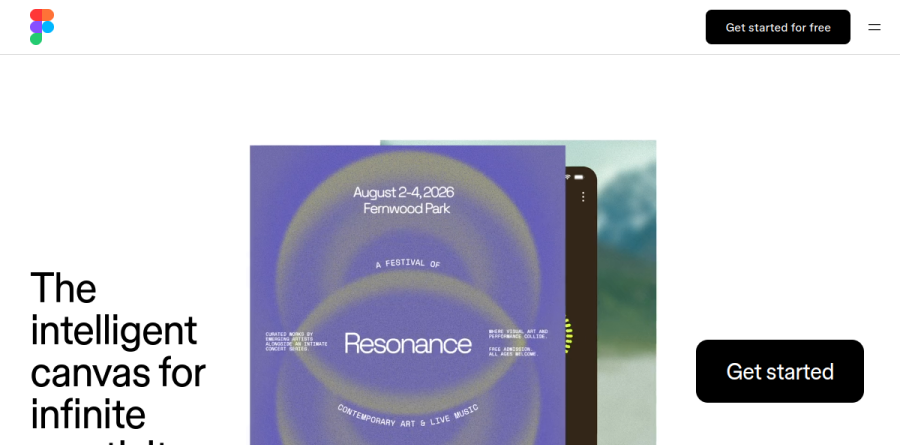
What is Figma?
Figma is a collaborative canvas for design, code, and AI, used to design and prototype in one place and take products all the way to production. The vendor positions it as the intelligent canvas for infinite creativity and, more practically, as one workspace for the entire product development process. Teammates and AI agents work in the same space with shared context, so everyone is looking at the same canvas.
Figma now spans a whole family of products. Figma Design remains the core, joined by FigJam for whiteboarding, Figma Slides for presentations, Figma Draw for illustration, Dev Mode for engineering handoff, and newer entries including Figma Make, Figma Motion, Figma Sites, and Figma Buzz.
Precision on an infinite canvas
The Figma Design editor covers the unglamorous work that real interface projects demand. Auto layout builds responsive frames that reflow as content changes, components turn any group of layers into a reusable element, and variables hold the values those components read from. Vector tooling, brushes, textures, and advanced stroke settings handle the illustrative end, while multi-edit selects and edits multiple objects across frames and component sets in one go. Branching and merging give larger files a review workflow closer to what engineers expect.
Collaboration built into the file
Real-time multiplayer editing sits at the center of how teams use Figma, a product the vendor says is used by 95% of the Fortune 500, based on March 2025 data. Several people can work together in one multiplayer file, share feedback with comments, and talk to teammates through cursor chat in one shared space. Around that core, FigJam handles brainstorming and diagramming on a shared whiteboard, Figma Slides turns findings into a deck, and Figma Buzz — still in beta — produces on-brand assets at scale, so research, decisions, and output stay in one place.
Design systems that scale
Figma treats design systems as a first-class concern rather than a plugin afterthought. Shared libraries publish components and variables across a team, slots make layouts adaptable, and Check designs flags inconsistencies before they spread. The Professional plan includes team-wide design libraries, Organization adds shared libraries and fonts with centralized admin tools, and Enterprise layers on design system theming and APIs plus custom team workspaces, which matters when one system serves several brands.
Dev Mode and the path to code
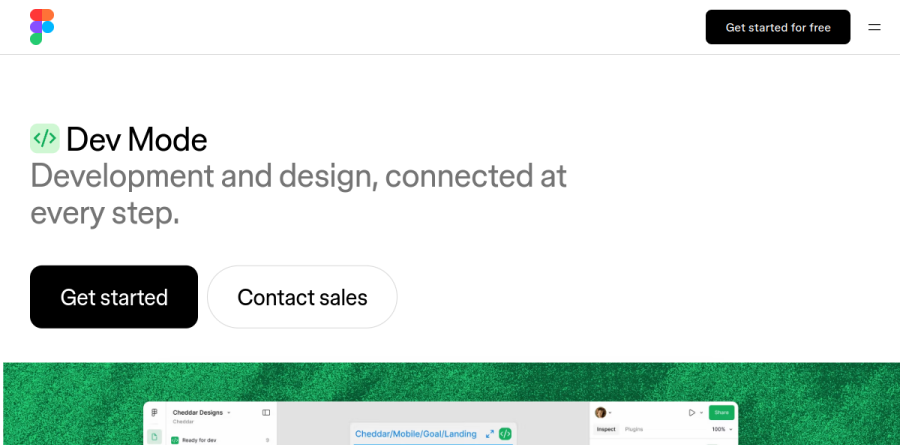
Dev Mode is where Figma addresses the gap between a finished mockup and shipped software. Engineers inspect components, view specs, and read the code syntax attached to variables so tokens map to real implementation values. The Figma MCP server exposes structured design context to AI coding agents, and the vendor reports that agents can write back to the canvas, producing editable designs rather than throwaway output. Mapping design components to production components keeps new code aligned with the system already in use.
AI woven through the workflow
Figma Make turns prompts into working code and prototypes, Figma Weave builds AI workflows for imagery, video, and audio, and the Figma agent responds to prompts for bulk text edits or fresh design directions. Every plan carries a monthly AI credit allowance that scales with seat type, and the vendor now offers AI credit add-ons across plans for teams that exhaust the included pool.
Who should choose Figma
Figma suits product teams where designers, engineers, and stakeholders work from a shared source of truth: professionals and small teams on Professional, businesses that need unlimited teams, shared libraries and fonts, and centralized admin tools on Organization, and those that need custom team workspaces, design system theming and APIs, and SCIM seat management on Enterprise. The seat model helps, since developers and reviewers can take Dev or Collab seats rather than full ones. It is less ideal for print, packaging, or heavy photo retouching, where a traditional Adobe toolchain still fits better, and solo hobbyists may find Starter generous enough that upgrading never becomes necessary.
Strengths
- Best-in-class real-time multiplayer editing with live cursors and comments
- Runs in any browser plus Windows, macOS and mobile apps - no OS lock-in like Mac-only Sketch
- One platform spans design, FigJam whiteboarding, Dev Mode, Slides, Sites, Make and AI
- Genuinely useful free Starter tier and free View seats for stakeholders
Watch out for
- The four-seat model (Full/Dev/Collab/View) is confusing and easy to over-buy
- Full seats are expensive: $55/mo on Organization and $90/mo on Enterprise, per editor
- Organization and Enterprise bill annually only - no month-to-month for larger teams
- AI features (Make, generation) are metered by monthly credits that heavy users can exhaust
Key features
| Feature | What it does |
|---|
| Real-time collaboration | Multiple people edit the same file simultaneously with live cursors, comments and version history. |
| Dev Mode | Developer handoff with inspection, specs, measurements and ready-to-use code snippets. |
| FigJam | Online whiteboard for brainstorming, diagramming and workshops, included on paid seats. |
| Figma Make | AI prompt-to-code tool that generates working apps and prototypes from natural language. |
| Figma Sites | Publish live, responsive websites directly from Figma designs (Full seats). |
| AI & new products | Credit-based Figma AI plus Slides, Draw, Buzz and Motion (beta) across the platform. |
How Figma compares
| Alternative | How it differs |
|---|
| Sketch | Mac-only native app favored by solo macOS designers for offline speed; weaker live collaboration and no cross-platform support. |
| Penpot | Free, open-source, browser-based; the top budget and self-host pick, though its plugin ecosystem is smaller than Figma's. |
| Adobe XD | In maintenance mode since 2024 with no roadmap after Adobe's failed Figma acquisition - effectively retired, not recommended. |
Frequently asked questions
Is Figma free?
Yes. The Starter plan is free forever with unlimited personal drafts, UI kits and templates, and 150 AI credits per day (up to 500 a month). Every paid plan also gives free View seats to stakeholders. For full editing on a team you need a paid Full, Dev or Collab seat, and students and educators can qualify for the free Education plan.
How much does Figma cost?
Figma charges per seat. On Professional a Full seat is $16/month billed annually (or $20 monthly), a Dev seat $12 and a Collab seat $3. Organization runs $55/Full, $25/Dev and $5/Collab; Enterprise is $90/Full, $35/Dev and $5/Collab - both annual-only. View seats are free on every plan.
What are the best Figma alternatives?
The main alternatives in 2026 are Sketch and Penpot. Sketch is a Mac-only native app popular with solo designers. Penpot is free, open-source and browser-based - the top budget choice. Adobe XD, once the obvious rival, has been in maintenance mode since 2024 with no roadmap after Adobe's failed Figma acquisition, so it's effectively retired.
Figma vs Sketch: which is better?
For teams, Figma wins - it runs in any browser plus Windows, Mac and mobile with best-in-class real-time multiplayer editing. Sketch is Mac-only but strong for offline work, native performance and solo projects, often at lower cost. Choose Figma if you collaborate live or work cross-platform; Sketch still holds up for a solo macOS designer.
Why did Figma change its pricing?
In March 2025 Figma replaced the old single-editor model with four seat types - Full, Dev, Collab and View - so teams pay only for what each person does. Full seats unlock everything, Dev seats target developers, Collab seats suit FigJam and Slides users, and View seats are free. It can cut costs but makes plans harder to compare.
Figma ratings on other platforms
Independent user ratings from third-party review sites, linked here for transparency.
These are not our editorial score, are captured on the date shown, and may have changed since.