The full review
What is Canva?
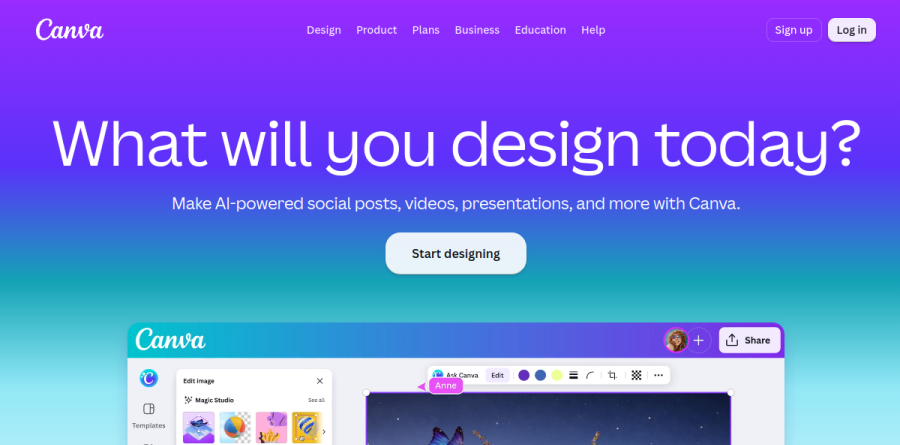
At its core Canva is a browser-based visual design platform built around a drag-and-drop editor that assumes you are not a trained designer. The homepage asks what you will design today, and the answer stretches from social posts and videos to presentations and beyond. Rather than one tool, Canva presents itself as a Visual Suite: Docs, Sheets, Emails, Whiteboards, Presentations, Social, Photo Editor, Video, Print and Websites all live in a single editor sharing one library of templates, photos, graphics and fonts.
The practical effect is that a blank page rarely stays blank. Canva says the platform offers more than 250,000 free customizable templates plus over a million free images and graphics, so most projects begin as an existing layout you adjust rather than a grid you build. Design import pulls PDF, PPTX and AI files in as editable designs, which matters when a team is migrating years of decks.
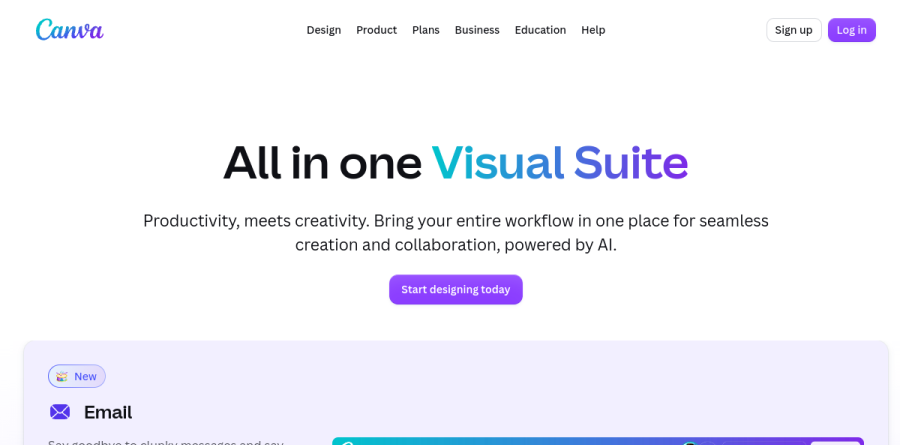
The Visual Suite is the part of Canva that most repays attention. Because Docs, Sheets, Emails, Presentations, Whiteboards, Social, Video, Websites and Print pages can be combined inside a single design, a campaign can move from whiteboard brief to deck to social cut-down to landing page without exporting anything or switching apps. Canva Email is the newest addition, with curated templates, reusable headers and footers, test sends and HTML export for whatever platform actually delivers the message.
The AI layer running through Canva
AI is woven through the suite rather than bolted onto one corner. Canva AI turns a conversational prompt into a design, Magic Write drafts and rewrites copy, Magic Resize reformats a finished asset for another channel in one click, and Magic Layers converts a flat image into an editable layout. Background Remover, Magic Eraser and Image Upscaler handle photo cleanup, while AI-powered Captions covers video. Ask @Canva spans the platform for translation, 3D elements and even website code. Usage draws on a shared AI allowance per plan, and heavy users can add AI Pass on top of Canva Pro or Canva Business.
Brand consistency and team workflows
Brand Kit is where Canva earns its keep in a team setting: logos, colors, fonts and approved assets live in one place, so templates stay on brand whoever opens them. Collaboration happens in real time, with colored cursors showing where teammates are working, comments that tag people and tasks you can assign. Canva Business layers on broader brand management and approval flows, and the platform connects to more than 100 business tools through its apps and integrations directory.
Beyond the design editor
Recent additions push Canva past pure design. Canva Grow covers creating, launching and learning from ads in one place, Flourish handles data visualization for Canva Business subscribers, Affinity extends into professional creative work, and Insights reports on how designs perform. The vendor maps these to real teams: marketing assets and cross-functional brainstorms, centralized assets and approvals for creative groups, branded pitch decks for sales, and internal sites for HR and operations.
Plans and what changes between them
Four tiers separate the offering. Free covers a genuinely usable amount of solo design work; Canva Pro unlocks premium content, stronger design tools and more AI; Canva Business adds team brand management, sharper marketing tooling and Flourish; and Canva Enterprise targets organizations needing security controls, scaled brand governance and dedicated support. Pro and Business both offer free trials, and the vendor notes that K-12 educational organizations and not-for-profits can access most premium features at no cost.
Who should choose Canva
The platform suits solo founders, marketers, social managers, educators and small teams needing a steady stream of on-brand visuals without a designer in the loop. Larger organizations benefit too, letting non-designers produce usable material inside guardrails instead of filing tickets. It is less ideal for studios doing precision print production, complex vector illustration or heavy motion graphics, where dedicated professional software still wins. Check pricing for your region before budgeting, since Canva localizes plan costs.
Strengths
- Best-in-class free plan: 1.6M+ templates, 4.7M+ assets and real AI tools at $0
- Enormous library (3.6M+ templates, 141M+ premium assets) with Magic Studio AI built in
- Genuinely easy drag-and-drop editor with almost no learning curve
- Covers social, print, docs, presentations, video and websites in one tool
Watch out for
- 2026 price hikes: Pro rose to $18/mo (was ~$15) and Business to $25/user/mo (was ~$20)
- AI features are metered — heavy users hit caps and need the paid AI Pass add-on
- Not a substitute for Photoshop/Illustrator for precision photo or vector work
- Brand Kit is capped at 3 colors on Free; team admin and full brand controls need Business+
Key features
| Feature | What it does |
|---|
| Magic Studio (AI suite) | Canva AI 2.0, text-to-image, Magic Write, Magic Resize, one-click background remover and Magic layers across paid tiers. |
| Template & stock library | 1.6M+ templates and 4.7M+ assets free; 3.6M+ templates and 141M+ premium photos, videos, graphics and audio on paid plans. |
| Brand Kit | Store logos, fonts and colors: 1 kit (3 colors) on Free, 5 on Pro, up to 100 on Business, 1,000 on Enterprise. |
| Team collaboration & brand controls | Real-time co-editing, roles, approvals and admin management on Business and Enterprise. |
| Canva Print | Order business cards, flyers, merch and more, with a 10% discount on Business and Enterprise plans. |
| Multi-format publishing | Export to PDF, PNG, JPG, print-ready CMYK and MP4, plus schedule posts to social channels. |
How Canva compares
| Alternative | How it differs |
|---|
| Adobe Express | Adobe's direct Canva rival; free tier plus Premium around $9.99/mo, with Firefly generative AI and Creative Cloud integration. |
| Visme | Stronger for data-rich infographics, charts and interactive presentations; paid plans from roughly $12.25/mo. |
| Figma | Better for professional UI/UX and collaborative product design; free tier, paid from about $16/editor/mo. |
Frequently asked questions
Is Canva free?
Yes. Canva's free plan costs $0 forever and includes over 1.6 million templates, 4.7 million+ photos, graphics and audio, one Brand Kit (3 colors only), 5 GB of cloud storage and a limited AI allowance (about 200 standard uses). It's one of the most generous free design tools available, but premium templates, Magic Studio AI and background remover require Canva Pro.
How much does Canva cost in 2026?
Canva Free is $0. Canva Pro, for one person, is $18/month or $144/year (about $12/month), unlocking Magic Studio AI, 100 GB storage and the full 3.6M-template library. Canva Business is $25 per user/month or $250/year with team admin and brand controls. Enterprise is custom-quoted. Note: 2026 raised Pro from about $15 and Business from about $20.
What is the difference between Canva Pro and Canva Business?
Canva Pro ($18/mo, one person) targets solo creators: premium templates, Magic Studio AI, background remover, 5 Brand Kits and 100 GB. Canva Business ($25/user/mo) adds team collaboration, brand controls and approvals, up to 100 Brand Kits, 500 GB, roughly double the AI allowance, plus Leonardo.Ai and Flourish access and a 10% Print discount. Pick Business once several people share brand assets.
What are the best Canva alternatives?
The closest rival is Adobe Express (free tier, Premium around $9.99/month) with Firefly AI and Creative Cloud ties. Visme is stronger for data-rich infographics and interactive presentations (paid from about $12.25/month). Figma suits professional UI/UX and collaborative design, and Microsoft Designer offers free AI-first tools. For deep photo editing, Photoshop or the Canva-owned Affinity apps go much further.
Is Canva Pro worth it?
For regular content creators, usually yes. At $18/month (or $144/year) Pro unlocks Magic Studio AI, one-click background removal, Magic Resize, 3.6M+ premium templates, 141M+ stock assets, social scheduling and 100 GB storage — far cheaper than an Adobe Creative Cloud plan. If you design only occasionally, the free plan or a cheaper Adobe Express plan is the smarter pick.
Canva ratings on other platforms
Independent user ratings from third-party review sites, linked here for transparency.
These are not our editorial score, are captured on the date shown, and may have changed since.