The full review
What is Adobe Express?
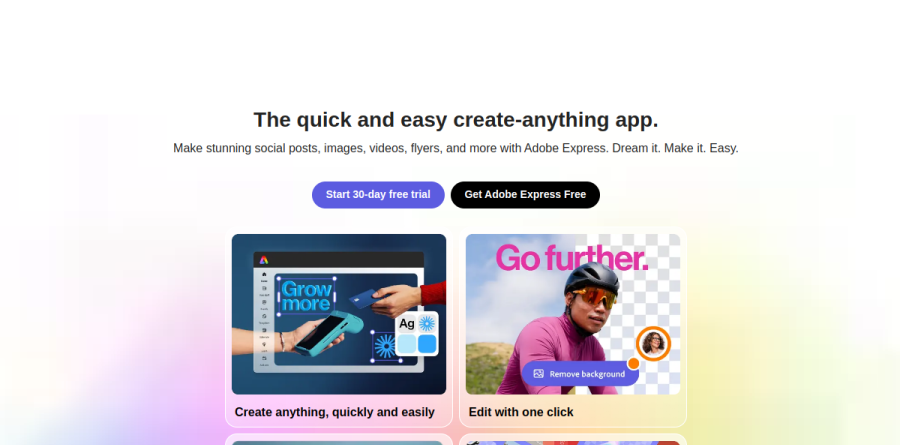
Adobe Express is Adobe's browser-and-mobile content creation app, pitched on its homepage as the quick and easy create-anything app. Rather than open Photoshop or Premiere Pro to make a social post, you start from a template or a blank canvas inside one all-in-one editor and turn out images, videos, flyers, presentations, documents and PDFs, in a desktop browser or on a phone with files synced between them.
The product sits by design below Adobe's professional tools and above the blank page. Adobe Express folds the Adobe Stock library, the Adobe Fonts collection and Firefly generative AI into one workspace, so a marketer, teacher or small business owner can finish a design without ever learning layer masks.
Templates, Quick Actions and everyday edits
Adobe Express leans hard on volume. The pricing page counts hundreds of thousands of professionally designed static, motion and video templates, plus Adobe Stock photos, videos, audio, sound effects, backgrounds and icons, scaling up sharply from the Free plan upward.
Quick Actions perform complex edits in a single click. Each does a single job without opening a full project: Remove Image Background, Resize Image, Generate QR Code, Caption Video, plus PDF Quick Actions powered by Adobe Acrobat. Clip Maker slices long podcasts and product reviews into captioned social clips.
Firefly generative AI, designed to be commercially safe
Generative features run on Adobe Firefly. The vendor reports its models were trained on licensed content such as Adobe Stock plus public domain material, which is what Adobe means by designed to be commercially safe. Paid plans meter it with generative credits: Adobe Express Premium and Adobe Express Teams carry a monthly per-user allowance, while the Adobe Firefly Pro plan lifts the ceiling and adds Text to Video, Firefly Boards and partner models from Google, OpenAI and Flux.
The newest arrival is AI Assistant, still in beta. Adobe describes it as prompt-anything, edit-everything: you request a change in plain language and it reworks layers while leaving untouched the parts you liked. The homepage limits that beta to Premium, desktop and English (US).
Brand kits keep scattered teams consistent

This is where Adobe Express earns its place inside a company. Brand kits hold colors, fonts, logos and graphics in one shared location, and Adobe Express can extract them from an existing image in a click. Branded templates go further on the Teams and Enterprise plans: a designer builds an approved layout, locks elements and sets brand controls limiting which colors and fonts colleagues may pick. Custom Home, which the pricing table restricts to the Enterprise plan, adds a featured branded banner and instant access to approved on-brand templates.
Real-time co-editing, asset sharing restrictions and an Admin Console for license management round out the governance story. Adobe reports that Red Hat trained 400 marketers on Adobe Express to scale production, and that Dentsu cut content time to market by 70 percent. Vendor figures, but they show the intended deployment shape.
Video, one-click resize and social publishing
Video work in Adobe Express is drag-and-drop rather than timeline-heavy. You trim, merge and add transitions, record voiceover in the app, strip video backgrounds, apply Animate All or physics-based Dynamic Animations, and export in 4K.
Resize turns one design into a campaign: every channel format from a single file, with Safe Zones guiding where text and logos sit. The Content Scheduler then posts direct to social accounts on a shared calendar, Caption Writer drafts the copy and Social Mentions handles tags. Metricool and TikTok Symphony Assistant add-ons extend reporting and music.
Who should choose Adobe Express
Adobe Express suits marketing teams, small businesses, educators and Creative Cloud shops needing non-designers to produce on-brand assets at volume. That Creative Cloud link is the real differentiator: linked .psd and .ai files stay synced, Lightroom photos drop straight in, and the Enterprise tier adds Adobe Experience Manager, single sign-on and directory sync.
It is not ideal for professional designers doing precision work. Adobe Express trades control for speed on purpose, so complex retouching, fine typography and print production still belong in Photoshop, Illustrator or InDesign. Teams needing more than three accounts per social network should read the plan comparison table closely first.
Strengths
- Commercially safe Firefly generative AI is included, with 250 monthly credits on Premium
- Premium at $9.99/month undercuts Canva Pro (~$15/month) and bundles Adobe Stock access
- Deep integration with Photoshop, Illustrator, and Creative Cloud assets
- Genuinely useful free plan with 100,000+ templates and 5GB storage
Watch out for
- Generative credits are capped (~25 free / 250 Premium) and do not roll over month to month
- Teams' $4.99/user intro price renews higher and needs a two-seat, 12-month commitment
- Template library and free tier remain smaller and less generous than Canva's
- No true offline desktop app; core editing is browser- and mobile-based
Key features
| Feature | What it does |
|---|
| Firefly generative AI | Text-to-image, generative fill, text effects, and text-to-template, trained on licensed content for commercially safe output |
| Template library | From 100,000+ free to millions of professionally designed templates for social, print, video, and web |
| Brand kit & controls | Store logos, colors, and fonts; lock brand assets so teams stay on-brand |
| Quick actions | One-click background removal, resize, format convert, PDF editing, and video trimming with no design skill needed |
| Video editing | Timeline editor with captions, animations, transitions, and audio |
| Adobe ecosystem integration | Import from Photoshop and Illustrator; 200M+ Adobe Stock assets available on Premium |
How Adobe Express compares
| Alternative | How it differs |
|---|
| Canva | Closest rival: larger template library and more generous free tier; Canva Pro ~$15/mo. The main head-to-head competitor. |
| Visme | Stronger for data-rich infographics, presentations, and interactive content. |
| PicMonkey | Photo-editing-focused design tool, now part of Shutterstock. |
Frequently asked questions
Is Adobe Express free?
Yes. Adobe Express has a permanent free plan at $0 with 100,000+ templates, 5GB of storage, and roughly 25 Firefly generative credits per month. It covers basic photo editing, social posts, and PDFs. Premium features—premium templates, 250 monthly credits, and 100GB of storage—require the $9.99-per-month plan.
How much does Adobe Express cost?
Adobe Express is free to start. Premium costs $9.99 per month or $99.99 per year, saving about 17%. Teams starts at $4.99 per user per month (intro) or $49.99 per user annually with a two-seat minimum, renewing higher. Enterprise uses custom pricing, and Premium is bundled free with paid Creative Cloud subscriptions.
What are the best Adobe Express alternatives?
Canva is the closest competitor, with a larger template library and a free tier many find more generous. Other alternatives include Visme for data-heavy infographics, plus PicMonkey, Fotor, and Snappa. For pure AI image generation, Adobe's own Firefly or Midjourney compete. Canva Pro, around $15 per month, is the main head-to-head rival.
Adobe Express vs Canva: which is better?
Canva leads on template volume, ease of use, and a more generous free tier. Adobe Express wins on Firefly generative AI, commercially safe output, tighter Photoshop and Illustrator integration, and Adobe Stock access. Premium ($9.99/month) undercuts Canva Pro (~$15/month). Choose Express for Adobe's ecosystem and AI; Canva for sheer template breadth.
Do Adobe Express generative credits roll over?
No. Credits reset each month and do not carry over. Free users get about 25 credits monthly; Premium and Teams users get 250 per month per seat. Once exhausted, some features slow or switch to standard (non-premium) AI models rather than stopping. You can buy add-on credit packs or upgrade to Firefly plans for more.
Adobe Express ratings on other platforms
Independent user ratings from third-party review sites, linked here for transparency.
These are not our editorial score, are captured on the date shown, and may have changed since.