The full review
What is AWS?
AWS is Amazon's cloud computing platform, and it is less a single product than a rentable catalog of infrastructure. On its own explainer page the vendor describes AWS as the world's most comprehensive and broadly adopted cloud, and the homepage currently counts more than 240 services spanning compute, storage, databases, analytics, artificial intelligence, networking and security.
In practice that means provisioning resources through the AWS console, CLI or API, paying for what you consume, and shutting things down when a project ends. The product directory organizes everything into categories such as Compute, Storage, Databases, Analytics, Artificial Intelligence, and Security and Identity.
Core building blocks most teams start with
A handful of AWS services carry the majority of real workloads. EC2 is described on the site as secure and resizable compute capacity for virtually any workload, and S3 as virtually unlimited secure object storage for AI, analytics and archives. On the database side, Aurora is presented as a serverless relational service supporting PostgreSQL, MySQL and DSQL, sitting alongside Amazon RDS for more conventional managed instances.
A typical shape: application servers on EC2, assets and backups in S3, transactional data in Aurora or RDS, and logs flowing into OpenSearch Service, which AWS positions for real-time search, observability and security analytics. Each layer scales independently, so a traffic spike in the web tier forces no hardware purchase elsewhere.
AI and machine learning capacity on demand
AWS groups its generative AI products under an Artificial Intelligence category in its product directory, alongside Compute, Storage, Databases and Analytics. Amazon Bedrock is described by the vendor as the end-to-end platform for building generative AI applications and agents, and Amazon Nova as foundation models delivering frontier intelligence and top price performance.
The genuinely useful wrinkle is capacity access. EC2 Capacity Blocks for ML let teams reserve GPU instances in advance for training runs, fine-tuning jobs and experiments, which matters when supply is tight and a research schedule depends on hardware being free in a given week.
How AWS pricing is structured

The AWS pricing page names four models: pay-as-you-go, a flat rate option bundling services into one price with no overage charges, commitment-based discounts under Savings Plans, and volume tiering where unit costs fall as usage rises.
EC2 illustrates the range well, with On-Demand offering pay-as-you-go capacity by the hour or second with no upfront payment or long-term commitment, Spot Instances drawing on spare EC2 capacity at a discount of up to 90 percent against On-Demand prices, On-Demand Capacity Reservations that AWS recommends for business-critical events, high-availability requirements and disaster recovery, and Dedicated Hosts for running existing server-bound software licenses. Reserved Instances remain active too, in Standard and Convertible forms across one-year and three-year terms. AWS points customers at the AWS Pricing Calculator for estimates and AWS Cost Explorer for recommendations and budget alerts, both worth setting up on day one.
Getting started without a surprise bill
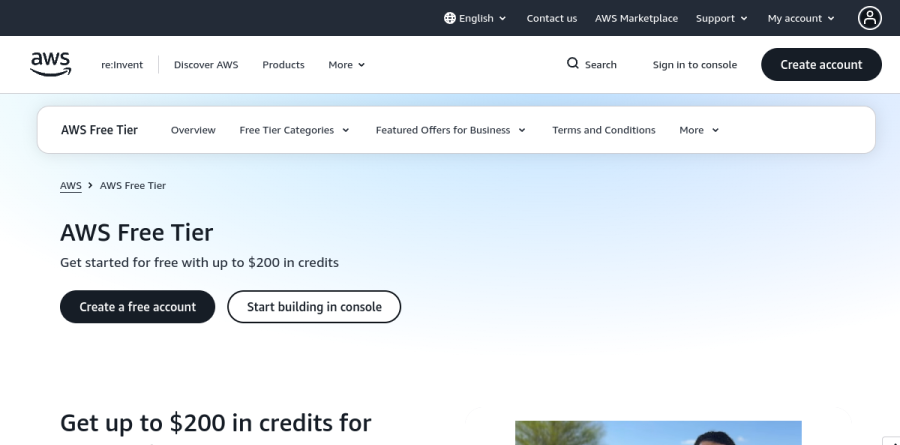
New accounts choose between a Free Plan and a Paid Plan. The vendor states that the Free Plan opens up over 90 services for as long as six months with no charges and no surprise overages, closing automatically when the window ends or the credits run out. New customers get up to $200 in credits toward that window, $100 available immediately and up to $100 more earned while exploring.
Running alongside both plans, Always Free covers more than 30 services within monthly usage limits, and short-term trials give time-boxed access to selected Paid plan services. For a developer learning AWS or a founder validating an idea, the Free Plan is a low-risk route to a working prototype.
Who should choose AWS
AWS suits engineering teams building custom software with spiky demand, companies migrating off owned hardware, and machine learning groups needing GPU capacity without a capital purchase. Breadth is the real argument: as requirements grow into queues, CDNs, data warehousing or compliance-sensitive storage, the service already exists rather than needing a new vendor relationship.
It is not the right fit for a small business that simply wants a website, email and standard office software. For that user the catalog is overhead, consumption billing demands active monitoring, and a managed host or packaged SaaS product will be cheaper. AWS rewards teams with someone who owns cloud operations, and punishes accounts nobody is watching.
Strengths
- Largest cloud provider (~30% share) with the widest service catalog (200+)
- Most global regions and availability zones for low-latency, resilient deployments
- Deepest ecosystem: certifications, docs, partners, and hiring pool
- Savings Plans and Reserved Instances cut costs sharply for steady workloads
Watch out for
- Usage-based pricing is complex and hard to predict without careful monitoring
- Free Tier changed in 2025 to a 6-month credit model — less generous than the old 12-month trial for new accounts
- Data-transfer (egress) fees can add up unexpectedly
- Steeper learning curve than smaller, simpler cloud providers
Key features
| Feature | What it does |
|---|
| 200+ cloud services | Compute (EC2), storage (S3), databases (RDS, DynamoDB), serverless (Lambda), plus AI/ML via Amazon Bedrock and SageMaker. |
| Pay-as-you-go pricing | Pay only for what you use per service, with no upfront cost, long-term contract, or termination fees for most services. |
| AWS Free Tier | New accounts get up to $200 in credits and access to 30+ always-free services to build and test at no cost. |
| Global infrastructure | The largest network of regions and availability zones worldwide for low latency, redundancy, and data-residency control. |
| Cost-optimization tools | AWS Pricing Calculator, Cost Explorer, and Budgets help estimate, track, and control spend before and after deployment. |
| Savings Plans & Reserved Instances | Commit to 1- or 3-year terms on compute and ML for substantially lower rates than on-demand pricing. |
How AWS compares
| Alternative | How it differs |
|---|
| Microsoft Azure | Second-largest cloud (~25% share); strongest for enterprises already invested in Microsoft and hybrid setups. |
| Google Cloud | Third (~13% share); favored for data analytics, Kubernetes, and AI/ML workloads. |
| Oracle Cloud Infrastructure | Smaller challenger competing on aggressive pricing and database/ERP-centric workloads. |
Head-to-head: AWS vs Microsoft Azure
Frequently asked questions
Is AWS free?
AWS is not entirely free, but it offers a Free Tier. New accounts (created after July 2025) get up to $200 in credits — $100 at signup plus up to $100 for completing onboarding tasks — usable across services. Over 30 always-free services also include monthly limits that never expire while your account stays active.
How much does AWS cost?
AWS has no single price — it's pay-as-you-go, billed per service by usage. A small website might run a few dollars a month, while enterprise workloads reach thousands. Cost depends on compute hours, storage, and data transfer. Use the AWS Pricing Calculator to estimate before deploying and Cost Explorer to track spend.
What is the AWS Free Tier in 2026?
Since July 15, 2025, new accounts choose a Free Plan or Paid Plan. The Free Plan gives up to $200 in credits and lasts up to six months or until credits run out. Accounts created before that date keep the legacy 12-month, service-specific free tier. Always-free services apply to everyone.
Is AWS or Azure better?
AWS leads on breadth — the widest service catalog (200+), most global regions, and largest ecosystem, holding roughly 30% market share versus Azure's 25%. Azure often wins for organizations deep in Microsoft 365, Windows Server, and hybrid environments. Both use pay-as-you-go pricing, so the best choice depends on your existing stack.
Does AWS pricing include long-term contracts?
No. Most AWS services are pay-as-you-go with no long-term contract and no termination fees — you pay only while you use them. For predictable workloads, optional Savings Plans and Reserved Instances offer lower rates in exchange for 1- or 3-year usage commitments, and volume discounts reduce per-unit costs at scale.
AWS ratings on other platforms
Independent user ratings from third-party review sites, linked here for transparency.
These are not our editorial score, are captured on the date shown, and may have changed since.
