The full review
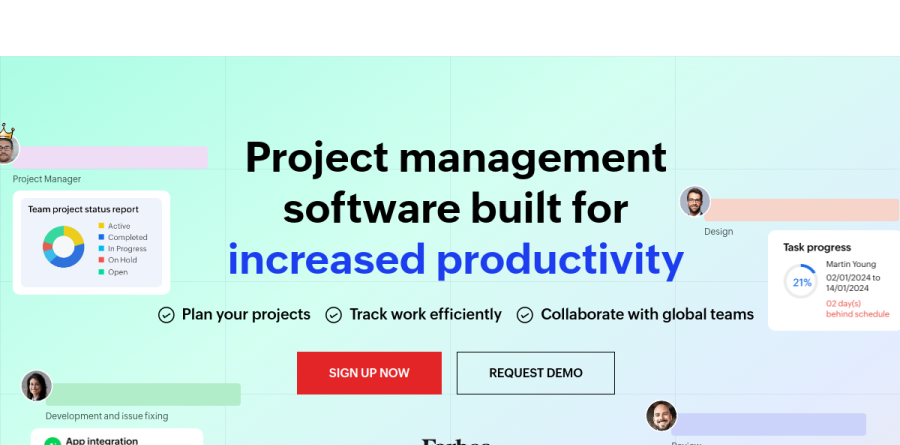
What is Zoho Projects?
Zoho Projects is the project management app inside Zoho's business suite, built for teams that plan work, track it against a schedule, and bill for the hours it consumes. Work is organized as a breakdown structure of milestones, task lists, tasks, and subtasks, then viewed as a Classic detail list, a Plain list, a Kanban board, or a Gantt chart.
Underneath sits more project machinery than most task trackers carry: dependencies, critical path, baselines, resource allocation, timesheets, budgets, and an issue tracker doubling as a bug database. The vendor reports over 4.5 million projects on the platform and ISO 27001 certification.
Planning and scheduling with Gantt charts

The Gantt chart anchors planning in Zoho Projects. It visualizes dependencies, allows rescheduling when dates move, and, as the vendor describes it, immediately shows deviations between planned and actual progress. Teams flag critical tasks so a slip on the critical path does not derail delivery, and capture a project baseline to compare where things stand against the original schedule.
Recurring tasks, reminders, and a roll-up aggregating planned hours, logged hours, and completion percentage finish the scheduling layer, while the Portfolio Dashboard extends that reporting across the whole portal.
Timesheets, budgets, and client billing
Time management is where Zoho Projects earns its keep for services firms. Task timers start and stop as work happens and write straight into a timesheet entry; hours can be logged manually too, and admins approve or reject entries before they feed payroll or client billing, with multi-level approvals for longer sign-off chains.
Budgeting tracks planned versus actual cost in real time, Earned Value Management compares schedule, cost, and time performance, and integrating with Zoho Books or Zoho Invoice turns time logs into invoices, while Zoho Expense folds project expenses into actual spending for accurate budget tracking.
Automation and the Zia assistant
Blueprint is the automation centerpiece: a workflow designer controlling who may move a task to which status, updating fields automatically, and alerting teams as statuses change. Business rules, SLAs with escalation criteria, webhooks, and custom functions cover the rest, with monthly workflow-action allowances rising by tier.
Zia, the Zoho AI assistant, drafts comments, generates tasks from a project description, summarizes threads you missed, translates between languages, and surfaces related items to prevent duplication. An AI Bridge connects outside engines, and the Zoho MCP Server exposes project data to agents.
Customization and the wider Zoho ecosystem

Custom layouts, fields, views, statuses, and Custom Modules let a construction crew and a software team model different work in one portal, with a Sandbox for testing configuration changes before they reach live data.
The integration story is the real draw: Zoho Projects syncs with Zoho CRM, Desk, People, Cliq, WorkDrive, Analytics, and Sprints for hybrid agile work, while Zoho Flow reaches hundreds of cloud apps. Outside the suite it connects to Slack, Microsoft Teams, Office 365, GitHub, GitLab, Bitbucket, and Power BI, and importers pull existing plans from Microsoft Project, Jira, and Basecamp.
How the plans compare
The Free plan covers a small group with a handful of projects, subtasks, a whiteboard, and mobile apps. Premium unlocks unlimited projects, custom views and statuses, Task Blueprint, project budgets with EVM, timesheets, and Zia. Enterprise, flagged Most Popular, adds read-only users, global custom modules, a custom domain, SSO, two-factor authentication, Portfolio Dashboard, Critical Path and Baseline, Sandbox, and Power BI.
Ultimate raises storage and resource ceilings and adds unlimited custom dashboards and multi-project timesheets. Every paid edition offers a 15-day trial needing no card.
Who should choose Zoho Projects
Zoho Projects suits small and midsize teams that bill for time, juggle several projects, and want scheduling rigor backed by timesheets, project budgets, and Earned Value Management. It is close to automatic for organizations already running Zoho CRM, Books, or People, since the built-in links remove manual reconciliation between sales, delivery, and finance. Construction, IT services, and agency teams gain most from the customization depth.
It is less ideal for a squad wanting a fast, minimal, opinionated task board, because the interface carries the weight of its feature list. Pure agile teams may be better served by Zoho Sprints.
Strengths
- Very low per-user pricing versus rivals ($4-9/user/mo annual)
- Deep toolset: Gantt, blueprints, timesheets, budgeting, Zia AI
- Tight integration with Zoho CRM, Books and Zoho One suite
- Generous free plan for 5 users and 3 projects
Watch out for
- Interface feels dated and cluttered next to modern rivals
- Free plan capped at 3 projects, no time tracking
- AI (Zia) and automation limited to paid tiers
- Full value depends on buying into the broader Zoho ecosystem
Key features
| Feature | What it does |
|---|
| Gantt charts & critical path | Interactive timelines with dependencies; critical path and baseline on higher tiers |
| Blueprint automation | Rule-based workflow automation, from 50 actions/mo free up to 500,000 runs/mo on Ultimate |
| Zia AI | AI assistant for content generation, tone/length editing, translation and smart search on paid plans |
| Time tracking & timesheets | Built-in timers, billable/non-billable logs and invoicing-ready timesheets (Premium and up) |
| Portfolio dashboard | Cross-project portfolio view and global Gantt for program management (Enterprise/Ultimate) |
| Zoho ecosystem integration | Native links to Zoho CRM, Books, Sprints and Zoho One, plus Google and Microsoft 365 |
How Zoho Projects compares
| Alternative | How it differs |
|---|
| monday.com | Slicker UI and no-code flexibility, but starts higher (~$9-12/seat) with 3-seat minimums |
| ClickUp | More features and a stronger free tier, though steeper learning curve and heavier UI |
| Asana | Cleaner UX and better collaboration, but pricier and lighter on built-in time tracking |
Frequently asked questions
Is Zoho Projects free?
Yes. Zoho Projects has a permanently free plan for up to 5 users and 3 projects with 5 GB storage, Gantt charts, subtasks and mobile apps. It lacks time tracking, timesheets and Zia AI. For unlimited users and projects you move to the Premium plan at $4-5 per user per month.
How much does Zoho Projects cost per user?
Paid plans are per user per month: Premium is $5 monthly or $4 billed annually, Enterprise is $10 monthly or $9 annually, and Ultimate is $15 monthly or $14 annually. All paid tiers include unlimited users and projects. Annual billing saves roughly 10-20% versus paying month to month.
What is the difference between Premium and Enterprise?
Premium ($4-5/user/mo) covers unlimited projects, time tracking, custom views and 5,000 monthly workflow runs. Enterprise ($9-10/user/mo) adds custom roles and profiles, SSO, two-factor authentication, a portfolio dashboard, critical path analysis, inter-project dependencies and 50,000 workflow runs per month for larger organizations.
Does Zoho Projects have AI features?
Yes. Zoho's Zia AI is built into paid plans and can generate and rewrite content, adjust tone and length, translate text and power smart search across projects. Zia is not available on the free plan, so you need at least the Premium tier at $4-5 per user per month to use it.
Is Zoho Projects part of Zoho One?
Yes. Zoho Projects is included in the Zoho One all-in-one bundle and integrates natively with Zoho CRM, Books, Sprints and other Zoho apps, plus Google Workspace and Microsoft 365. If you already run Zoho One, Projects is bundled, making the standalone $4-14 per-user pricing largely irrelevant.
Zoho Projects ratings on other platforms
Independent user ratings from third-party review sites, linked here for transparency.
These are not our editorial score, are captured on the date shown, and may have changed since.