The full review
What is Monday.com?
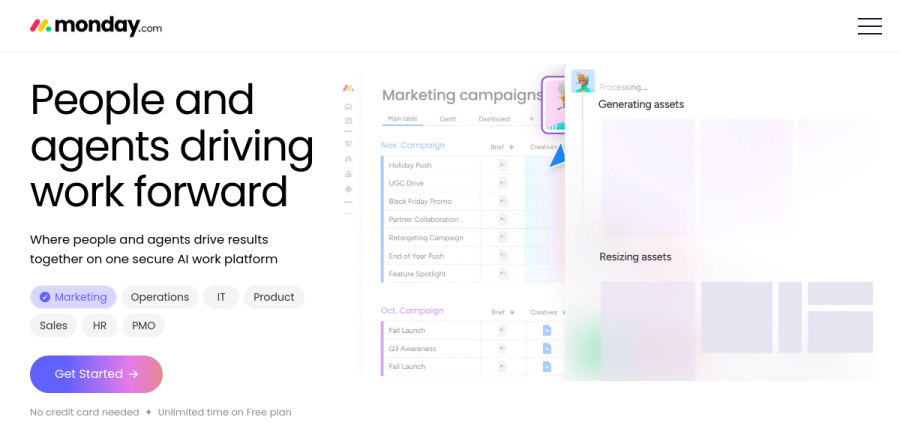
Monday.com is an AI work platform: a configurable system where a team builds the workflow it needs rather than adopting someone else's fixed one. The vendor positions it as "The AI Work Platform for People & Agents," with a homepage promise of a place where people and agents drive results together on one secure work platform.
Underneath, the mechanics stay simple. Everything lives on a board — rows are items, columns are typed fields for status, dates, owners, and numbers, and views sit on top of the same data. Because the primitive is generic, Monday.com covers the use cases it lists on the homepage: marketing, operations, IT, product, sales, HR, PMO, and legal.
Boards, views, and dashboards

Monday.com offers several ways to read a board: Kanban for stage-based work, Gantt charts for dependencies and dates, sprint boards for engineering cadence, and portfolio views for leaders who need the whole picture. Calendar and timeline views arrive on the Standard plan, while the more advanced board views and time tracking sit on Pro.
Dashboards and reporting is a named platform pillar rather than an afterthought. One dashboard pulls widgets from many boards at once, which is how a program manager gets a status read across a dozen projects without chasing anyone for an update.
Automations and integrations
Automations turn a Monday.com board from a spreadsheet into a system. Recipes fire on a trigger — a status change, a due date, a new item — then assign, notify, move, or create work downstream. The allowance is tiered deliberately: Standard includes a modest monthly volume, Pro raises it by two orders of magnitude, and Enterprise goes higher still, so automation-heavy operations teams self-select upward.
Integrations connect boards to surrounding tools. monday CRM auto-populates every call, email, and meeting into the right CRM data fields and connects to Outlook, Gmail, Slack, Zoom, and DocuSign, while monday MCP exposes the platform to outside assistants including Claude, ChatGPT, Copilot, Gemini, and Perplexity.
Agent builder and monday Sidekick
AI now sits at the center of the product. Agent builder lets a team compose custom agents, the assistant branded monday Sidekick handles conversational help inside the workspace, and vibe coding appears beside them as a named capability. The vendor frames the model as people leading while agents act.
Pre-built agents are the quickest entry point. Monday.com lists a Meeting Scheduler, Project Monitor, Risk Analyzer, Anomaly Detector, Resume Screener, and Interview Scheduler among others, and CRM buyers get a Lead Sourcing Agent, Calling Agent, Pipeline Monitor Agent, and AI Notetaker. AI is metered by credits, and the pool grows with each plan step.

Monday.com is no longer a single app. monday work management covers projects and tasks, monday CRM covers sales and customer-facing teams, monday dev serves product and dev teams, monday service handles IT and support, and monday campaigns serves email marketing teams.
All five share the board engine, automations, and dashboards, which makes cross-department reporting straightforward. Worth knowing before budgeting: each line carries its own plan ladder and its own per-seat rate, so a company running work management alongside CRM is buying two products, not one.
Who should choose Monday.com
Monday.com suits cross-functional teams that want to model their own process without waiting on a developer, operations groups that will genuinely build automations, and companies expecting to add a second or third department to the same platform later. The vendor reports that more than 60% of the Fortune 500 use it, and the Enterprise tier is where portfolio management, resource management, and heavier security controls live.
It is not ideal for a solo user or a pair who want a free checklist: the Free plan caps at two seats and a small number of boards, and most paid lines start above that seat minimum. Monday.com rewards a team willing to configure it — if nobody owns the setup, boards drift into neglect.
Strengths
- Extremely flexible, visual boards adaptable to almost any workflow or department
- Powerful automation and integrations (up to 25,000 automation actions/mo on Pro)
- Strong dashboards, reporting, and multiple views (Kanban, Gantt, calendar, chart)
- Scales into full suite: Work Management, CRM, Dev, and Service on one platform
Watch out for
- 3-seat minimum on paid plans inflates the real entry cost (~$27/mo on Basic)
- Per-seat pricing gets expensive fast for larger teams
- Key features (time tracking, private boards, formula column) locked behind Pro tier
- Free plan is very limited (2 seats, no automations or integrations)
Key features
| Feature | What it does |
|---|
| monday Work OS | No-code building blocks (boards, items, columns, docs) to design custom workflows across teams. |
| Automations & Integrations | No-code recipes plus 200+ integrations (Slack, Gmail, Salesforce, etc.); up to 25,000 actions/mo on Pro. |
| monday AI | Built-in AI credits per tier for drafting, summarizing, task generation, and automated actions. |
| Dashboards & Views | Real-time dashboards with 30+ widgets and views including Kanban, Timeline/Gantt, calendar, and chart. |
| WorkForms | Customizable forms that feed submissions directly into boards for intake and data collection. |
| Multi-product suite | Dedicated products for CRM, software Dev, and IT/Service built on the same platform. |
How Monday.com compares
| Alternative | How it differs |
|---|
| ClickUp | Cheaper (from ~$7/seat/mo) with no seat minimum and denser feature set, but a steeper learning curve. |
| Asana | Cleaner, simpler task and project management (from ~$11/seat/mo); less customizable than monday's Work OS. |
| Smartsheet | Spreadsheet-first alternative favored for structured, data-heavy project and portfolio management. |
Frequently asked questions
Is Monday.com free?
Yes, monday.com has a free plan for up to 2 seats, including 3 boards, 3 docs, 200+ templates, and 8 column types. It excludes automations, integrations, and guest access, so it suits only solo users or a pair testing the tool. Teams of three or more must upgrade to a paid plan starting at $9 per seat monthly.
How much does Monday.com cost?
On annual billing, paid Work Management plans cost $9/seat/mo (Basic), $12/seat/mo (Standard), and $19/seat/mo (Pro); monthly billing runs roughly 18% higher. Every paid plan requires a minimum of 3 seats, so the real entry cost is about $27/month on Basic. Enterprise pricing is custom and quote-based, scaling with seats and features.
What are the best Monday.com alternatives?
The top alternatives are ClickUp (from about $7/seat/mo, feature-dense, no seat minimum), Asana (from around $11/seat/mo, clean project management), and Smartsheet (spreadsheet-style, strong for data-heavy work). Notion and Wrike also compete. ClickUp usually undercuts monday on price, while Asana appeals to teams wanting simpler setup and less configuration.
Monday.com vs Asana: which is better?
monday.com is a flexible Work OS with colorful boards, up to 25,000 monthly automations on Pro, and rich dashboards, ideal for customizable cross-functional workflows. Asana focuses on streamlined task and project management with faster setup. monday starts at $9/seat/mo with a 3-seat minimum; Asana runs about $11/seat/mo with no minimum. Pick monday for customization, Asana for simplicity.
Does Monday.com have a free trial?
Yes. monday.com offers a 14-day free trial of its Pro plan with no credit card required, unlocking automations, integrations, time tracking, and dashboards. When the trial ends you can choose any paid tier or drop down to the free 2-seat plan. The trial is the best way to test Pro-only features before committing to a paid subscription.
Monday.com ratings on other platforms
Independent user ratings from third-party review sites, linked here for transparency.
These are not our editorial score, are captured on the date shown, and may have changed since.