The full review
What is Trello?
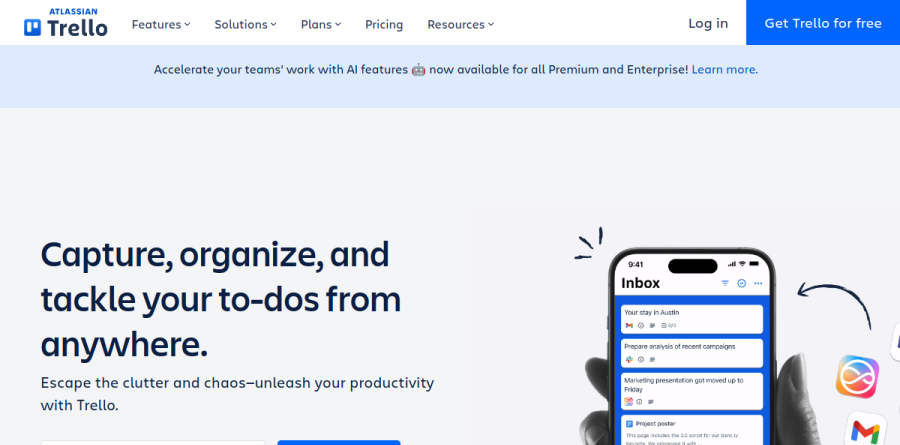
Trello is a visual work management tool from Atlassian built on one durable idea: boards hold lists, each list holds cards, and every card carries the detail of a single piece of work. Due dates, attachments, and checklists live on the card, and the vendor says a Trello board lets you "instantly see the status of every task." The vendor describes it as a way to capture, organize, and tackle your to-dos from anywhere, which is a fair summary of how it behaves day to day.
What separates Trello from heavier project software is that it imposes almost no methodology. The vendor's framing is that no matter the project, workflow, or type of team, Trello can help keep things organized: the same board format covers a sprint on Timeline, a quarterly editorial calendar, or daily personal to-dos.
How Trello boards handle real work
The board, list, and card model rewards teams that think in stages. A content team runs lists for ideas, drafting, review, and published; work moves left to right, and a pile-up in any column becomes a visible bottleneck nobody has to report on. Trello describes cards as keeping important information organized and accessible in one place, so notes, files, and remaining steps travel with the task instead of scattering across chat.
On the Standard plan and above, Custom Fields add structure a generic card lacks, letting a team stamp work with client name, effort estimate, or content type. Card mirroring puts a single card on several boards at once, keeping a shared dependency in sync.
Inbox and Planner for daily focus
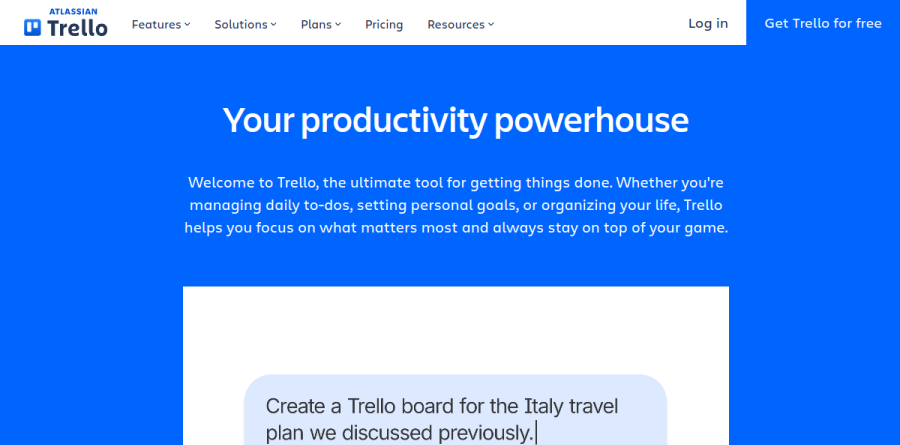
Two Trello features target the gap between capture and execution. Trello Inbox pulls details in from email, Slack, and other sources so an incoming request lands somewhere durable rather than decaying in a thread, and you triage it onto a board later. Planner syncs an existing calendar and lets you drag Trello cards into focused time slots, turning a list of intentions into a schedule.
Views that reframe the same board

Premium unlocks alternate renderings of the same underlying cards, and this is where Trello stops feeling like a single-format tool. Timeline lays sprints and goals out on a schedule; Calendar suits an editorial cadence or a run of deadlines; Table presents work as a spreadsheet-styled list you can sort and filter; Dashboard gives the overhead read on workload a manager needs; and Map places location-based cards on an interactive map. Workspace views extend the idea across boards, so a lead can build custom overviews spanning a whole portfolio.
Butler automation and the Power-Ups ecosystem
Butler is the built-in automation engine, and it absorbs repetitive administration: move a card when a due date passes, assign a reviewer when it reaches a list, post a recurring summary. Rules cover nearly any action available in Trello, and command runs are metered by plan, with Premium lifting the Workspace ceiling entirely.
Power-Ups handle the other direction, linking Trello to Slack, Microsoft Teams, Outlook, Gmail, Confluence, and hundreds of further tools. Trello also publishes an MCP server for connecting boards to AI assistants, and the vendor reports AI capabilities on paid plans for brainstorming ideas, organizing action items, and condensing long text.
Trello runs in Chrome, Firefox, Edge, and Safari, with desktop apps for macOS and Windows plus native iOS and Android clients. Governance arrives on the Enterprise plan: organization-wide permissions, Power-Up administration, attachment permissions, unlimited Workspaces, free SSO and user provisioning, Atlassian Guard Standard, and around-the-clock support.
Who should choose Trello
Trello suits teams that want a shared visual system running the same afternoon they adopt it, especially small and mid-size groups where not everyone is a project-management specialist, and individuals who want the Inbox and Planner pairing for personal throughput. It also fits organizations already standardized on Atlassian, since the Enterprise tier folds into that identity and security stack.
It is a weaker fit for teams needing dependency-aware scheduling, resource capacity planning, native time tracking, or formal issue workflows with deep reporting, none of which appear in Trello's own feature listings; teams that also run Jira can sync and manage those tasks inside Trello using Jira Lists. If your projects live or die by a critical path, Trello will feel loose.
Strengths
- Extremely easy to learn — drag-and-drop cards need no onboarding
- One of the most generous free plans in project management
- Cheap paid entry point at $5/user/mo with AI and automation bundled in
- Butler automation and 200+ Power-Ups extend it without code
Watch out for
- Limited feature set — no native task dependencies or resource management
- Calendar, Timeline, Table and Dashboard views are locked to Premium ($10)
- Many useful Power-Ups are paid add-ons, creating hidden costs
- Struggles at scale; large or complex projects outgrow it quickly
Key features
| Feature | What it does |
|---|
| Kanban boards | Boards, lists and drag-and-drop cards are the core interface — the visual metaphor Trello popularized |
| Butler automation | No-code rules, buttons and scheduled commands; 250 runs/mo free, 1,000 on Standard, unlimited on Premium |
| Power-Ups | 200+ integrations (Slack, Google Drive, Jira, Confluence and more) added per board; free plan allows unlimited Power-Ups |
| Multiple views | Calendar, Timeline, Table, Dashboard and Map views on Premium+ for teams that need more than a board |
| Atlassian Intelligence (AI) | AI-powered quick capture turns notes into structured cards (Standard); AI content generation and brainstorming on Premium |
| Inbox & Planner | Capture tasks from anywhere into an Inbox and time-block them on a Planner calendar to plan your day |
How Trello compares
| Alternative | How it differs |
|---|
| Asana | More robust for structured projects, dependencies and workflows, but pricier and steeper to learn |
| monday.com | More customizable, colorful and reporting-heavy; better for cross-team ops but costs more per seat |
| ClickUp | Far more features (docs, goals, time tracking) in one app; powerful but can feel bloated vs Trello's simplicity |
Frequently asked questions
Is Trello free?
Yes. Trello's free plan is genuinely usable, offering unlimited cards, up to 10 boards and 10 collaborators per Workspace, unlimited Power-Ups, and 250 Butler automation runs per month. Many freelancers and small teams stay on it indefinitely. You only pay when you need unlimited boards, extra views, or more automation.
How much does Trello cost?
Trello has four tiers. Free is $0. Standard is $5/user/month billed annually ($6 monthly). Premium is $10/user/month annually ($12.50 monthly). Enterprise is $17.50/user/month, billed annually only with a 50-user minimum. Annual billing saves roughly 17% on Standard and Premium versus paying monthly.
What are the best Trello alternatives?
The top alternatives are Asana, monday.com and ClickUp. Asana suits structured projects with dependencies; monday.com is more customizable with stronger reporting; ClickUp packs the most features per dollar. Notion and Jira (also Atlassian-owned) are strong picks for docs-based or developer workflows respectively.
Trello vs Asana — which is better?
Trello is simpler, cheaper ($5 vs Asana's ~$11 entry) and faster to adopt, ideal for visual Kanban task tracking. Asana handles complex projects better with native dependencies, timelines and workload management. Pick Trello for lightweight team boards; pick Asana when projects have many moving parts and reporting needs.
What is Trello used for?
Trello is a visual work-management tool used to organize tasks, projects and workflows on Kanban boards. Teams use it for sprint tracking, editorial calendars, personal to-dos, hiring pipelines and more. Cards move across lists (like To Do, Doing, Done), with Power-Ups and Butler automation extending it to fit most simple workflows.
Trello ratings on other platforms
Independent user ratings from third-party review sites, linked here for transparency.
These are not our editorial score, are captured on the date shown, and may have changed since.