The full review
What is Asana?
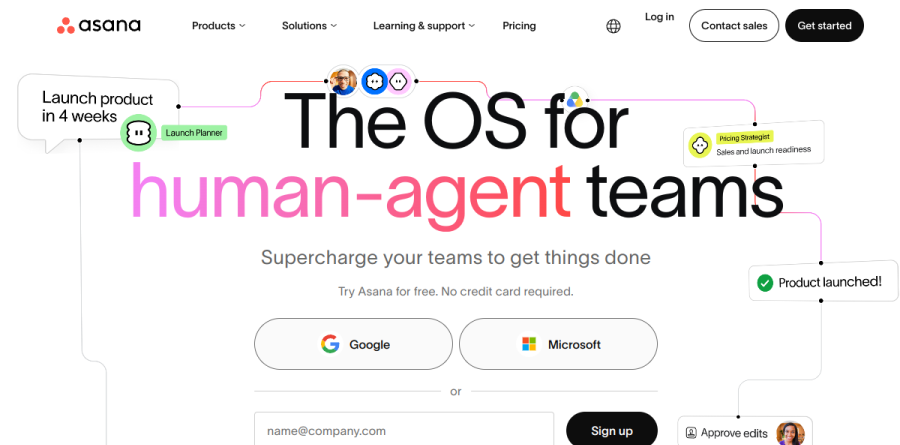
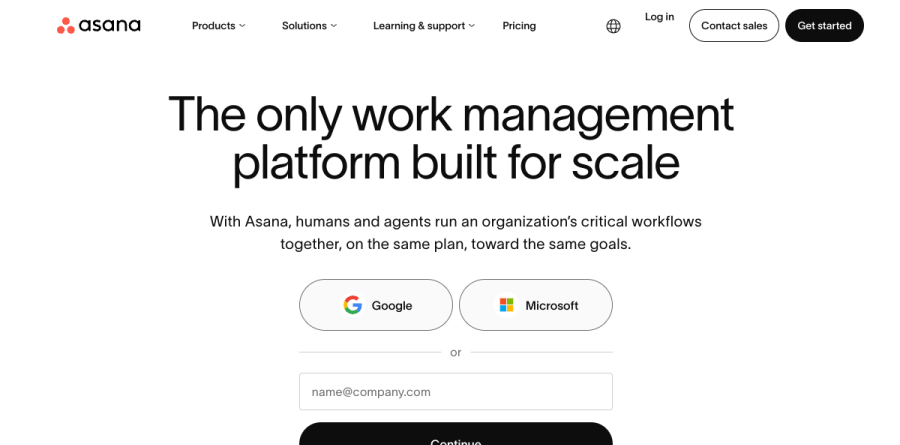
Asana is a work management platform for planning, assigning, and tracking work across teams, built around linked objects the vendor shows as goals, portfolios, projects, tickets, and tasks. On its homepage the company now positions Asana as the OS for human-agent teams, and the product overview page frames it as a place where people and software agents run an organization's critical workflows together on the same plan.
Underneath sits the Asana Work Graph, which the vendor describes as a neural network of everything a company is doing, with every person, task, project, goal, and dependency connected. That data model explains how one task can roll up into a portfolio, a dashboard, and a goal without anyone maintaining a parallel spreadsheet.
Views, multi-homing, and the critical path

Asana projects offer List, Board, Calendar, and Timeline views that users toggle between to find a view that works for them, though Timeline and Gantt views require a paid plan starting at Starter. Multi-homing lets a single task live in several projects at once, so a launch item counts toward the marketing calendar and the product roadmap and updates in both places when its date moves. Asana also visualizes the critical path on a timeline, so the milestone sequence a ship date rests on is visible before it slips.
Rules cover the routine mechanics: automatically assigning work, adjusting due dates, and notifying stakeholders. Forms push intake requests directly into a project, and the Advanced plan adds branching so a request asks different follow-up questions based on earlier answers. Above that sits AI Studio, the Asana builder for AI-assisted workflow steps; its Basic level is bundled with every paid plan on a monthly credit allowance, with Plus and Pro options for heavier use.
AI Teammates and agentic work management
Asana groups AI Teammates, AI Studio, Asana Dash, and its MCP and AI connectors under a banner it calls Agentic Work Management. AI Teammates are prebuilt agents, including Launch Planner, Workflow Optimizer, Compliance Specialist, Status Reporter, and Data Quality Manager, that operate inside real projects rather than a separate chat window, and teams can author custom ones. The governance framing distinguishes it: the vendor reports that every agent carries an identity, scoped permissions, an audit trail, and spend limits, administered from the same console that governs human users. AI Teammates is sold as an add-on rather than bundled into a plan.
Portfolios, Goals, and Workload for planning
The Advanced plan is where Asana shifts from task tracking to portfolio planning. Unlimited portfolios group related projects, Goals tie daily execution to company objectives, Workload surfaces who is over-committed, and approvals and proofing are added for review-heavy work. Advanced also opens Salesforce, Tableau, and Power BI connections for teams reporting outside the platform, while Enterprise widens Workload to universal coverage and adds capacity planning.
Enterprise controls and integrations
Enterprise brings SAML authentication, SCIM user provisioning, service accounts, view-only licenses, and workflow bundles that standardize a process across many teams; Enterprise+ layers on SIEM integrations, data residency, audit logs, and managed workspaces. Separate add-ons handle compliance management, permissions management, and Timesheets and Budgets. Asana states it integrates with more than 200 tools, featuring Slack, Microsoft 365, Google Workspace, Google Drive, Salesforce, and Jira Cloud. One firm limit: the company says it does not plan to offer a self-hosted version.
Who should choose Asana
Asana fits cross-functional organizations where one initiative touches marketing, product, and operations, and leadership needs a trustworthy view of progress. Operations leads and PMO functions get the most out of Advanced, since portfolios, goals, and approvals are where the platform pulls ahead of lighter trackers. Individuals and pairs can run real projects on the free Personal plan, which caps collaboration at two users. Asana is not ideal for a small team that only wants a shared checklist, because the custom fields, templates, and admin surface will feel heavier than the work requires, and engineering-only shops already anchored to an issue tracker may struggle to justify a second system.
Strengths
- Polished, intuitive interface with List, Board, Timeline and Calendar views
- Strong portfolios, goals and workload tools for scaling teams
- AI Studio no-code automation included on every paid plan
- 100+ integrations plus web, desktop and mobile apps
Watch out for
- Free Personal plan now capped at just 2 users for new accounts
- Advanced tier jumps to $24.99/user/mo, pricey for small teams
- AI Studio credits are capped per plan and don't roll over month to month
- Time tracking and key reporting features locked behind higher tiers
Key features
| Feature | What it does |
|---|
| Multiple project views | List, Board, Timeline (Gantt) and Calendar views of the same work; Timeline requires a paid plan |
| Workflow automation (Rules) | Unlimited no-code automation rules on paid plans to route tasks, set fields and trigger actions |
| AI Studio | No-code builder for AI-powered smart workflows, included as AI Studio Basic on every paid plan with a shared monthly credit pool |
| Portfolios & Goals | Roll up multiple projects into portfolios and track company objectives; available on Advanced and above |
| Reporting dashboards | Real-time dashboards and reporting to track progress, workload and status across teams |
| Integrations | 100+ integrations including Slack, Google Workspace, Microsoft 365, Salesforce, Tableau and Power BI (higher tiers) |
How Asana compares
| Alternative | How it differs |
|---|
| Monday.com | Comparably priced, highly visual work-OS with a colorful board-first interface; strong for customizable workflows |
| ClickUp | Generally cheaper per seat and feature-dense; appeals to teams wanting maximum functionality per dollar |
| Trello | Atlassian-owned, simpler and lower-cost Kanban tool; best for lightweight task tracking rather than portfolios |
Head-to-head: Asana vs ClickUp
Frequently asked questions
Is Asana free?
Yes. Asana's Personal plan is free forever, but as of November 2025 it caps new accounts at 2 users (legacy accounts keep up to 10). It includes unlimited tasks and projects; List, Board and Calendar views; and 100-plus integrations. For more than 2 collaborators you'll need the Starter plan at $10.99 per user monthly.
How much does Asana cost?
Asana Starter costs $10.99 per user per month and Advanced costs $24.99 per user per month, both billed annually. Paying monthly raises those to $13.49 and $30.49. Personal is free for up to 2 users, while Enterprise and Enterprise+ need custom quotes. Annual billing saves up to 18% versus monthly, with a 2-user minimum on paid plans.
What are the best Asana alternatives?
The top Asana alternatives are Monday.com, ClickUp and Trello. Monday.com is comparably priced with a colorful, board-first design. ClickUp is generally cheaper per seat and more feature-dense. Trello, owned by Atlassian, is simpler and lower-cost for lightweight Kanban tracking. Notion and Wrike are also common choices for teams wanting docs or heavier enterprise reporting.
Does Asana have AI features?
Yes. Every paid plan includes AI Studio Basic, a no-code builder for AI workflows, with a shared monthly credit pool: 50,000 credits on Starter, 75,000 on Advanced and 200,000 on Enterprise. Heavier users can add AI Studio Plus for about $135 per account monthly (100,000 extra credits) or Pro with 5 million credits per quarter. Credits don't roll over.
Is Asana worth it?
For mid-size and larger teams, yes. Asana's Advanced plan at $24.99 per user unlocks portfolios, goals, workload management and proofing that rivals often charge more for. Solo users and tiny teams get less value now that the free plan caps at 2 users. If you need robust reporting and AI Studio automation, the $10.99 Starter tier is a reasonable entry point.
Asana ratings on other platforms
Independent user ratings from third-party review sites, linked here for transparency.
These are not our editorial score, are captured on the date shown, and may have changed since.