The full review
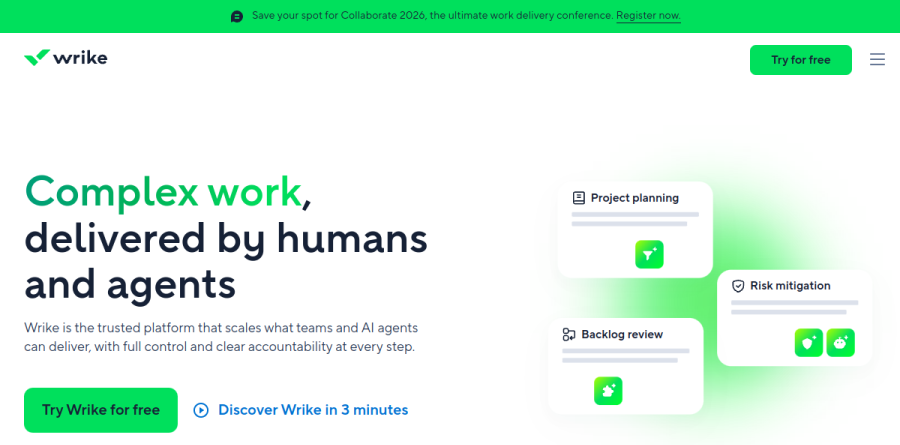
What is Wrike?
Wrike is a work management platform built on a single hierarchy of Spaces, folders, projects, tasks, and subtasks. One project can appear as a Board view for a Kanban team, a Table view for anyone who would otherwise open a spreadsheet, an interactive Gantt chart showing dependencies and milestones, or a Calendar view.
Wrike groups its features into stages covering ideation, planning and resourcing, execution, reporting, and governance, and sells into marketing and creative, professional services, product management, IT and engineering, and operations. Intake, execution, review, and reporting sit on one record instead of scattering across tools.
Proofing and approvals for creative teams

Wrike describes its proofing software as "best-in-class," saying it enables clear, visual communication directly in assets. Reviewers mark up assets directly instead of describing changes over email; the proofing page names JPEGs, PDFs, Microsoft Office documents, and common image and video formats. Version comparison places the original and the updated proof next to each other, so a stakeholder sees exactly what changed.
Around that sits the approval machinery. Internal and guest approvals create a chain of approvals for a project and send links securely to external approvers to accelerate sign-off. Through the Adobe Creative Cloud Extension, designers receive creative briefs, collaborate with stakeholders, and review and approve assets without leaving Adobe Creative Cloud. The vendor reports customer results including faster proofing cycles and higher creative output.
Planning capacity and tracking spend
For teams that bill or forecast, Wrike reaches past ordinary task tracking. Workload charts expose individual capacity so a manager can spot an overloaded person and reassign. Resource Bookings reserve time from a named person or a job role before work is scoped, and Effort Management captures how much effort an item needs, making forecasts less of a guess.
Financial tracking rides alongside: Budgeting compares planned costs against actuals, Time tracking covers employees, contractors, and freelancers, and invoice management turns hours into billing. The Pinnacle plan is where advanced resource and capacity planning plus advanced reporting and BI switch on, which is the honest line between departmental use and portfolio operations.
Customization for complicated organizations

Wrike is unusually configurable. Custom item types reshape work into the terms an organization already uses — campaigns, sprints, engagements — instead of generic tasks. Cross-tagging lets one item live in several folders at once, which handles work belonging to both a client and a quarter. Blueprints save recurring projects for reuse, and Wrike Datahub enriches records with reference data that automations, dashboards, and reports can act on.
AI agents and Wrike Copilot
Wrike leans hard on AI. Wrike Copilot answers questions and summarizes work in context, AI insights turn raw project data into something readable, and an MCP Server connects Wrike to outside AI assistants.
The capability is tiered and worth reading closely. Team includes AI Essentials such as AI content and editing, comment summary, and board AI; Business adds a starter pack of AI Elite actions; Pinnacle and Apex multiply the monthly allowance of those Elite actions. Anyone evaluating Wrike mainly for agents should size that allowance rather than assume it is unlimited.
Integrations and governance controls
Wrike states it connects with 400+ applications, naming Salesforce, HubSpot, Bynder, Zoom, and Slack. Wrike Integrate builds custom connections and Wrike Sync maintains two-way sync with Jira and GitHub, both listed under the Apex plan. For governance, Spaces carry granular permissions, access roles and customizable user types govern each license, and SSO, two-factor authentication, user activity reports, Locked spaces, and Wrike Lock encryption keys answer the usual enterprise security review.
Who should choose Wrike
Wrike suits marketing and creative teams whose bottleneck is review and approval, professional services firms needing effort, time, and budget on one record, and mid-market operations groups that must clear a security questionnaire. The Free plan shows the structure, though the features that justify Wrike sit further up the ladder, and paid tiers carry seat minimums and maximums worth checking against headcount.
It is not ideal for a small team wanting something learnable in an afternoon; the configurability that makes Wrike durable at scale is setup work a five-person startup will never recoup.
Strengths
- Best-in-class proofing and approvals for images, PDFs, and video assets
- Deeply customizable: custom item types, workflows, blueprints, and dashboards
- Scales from small teams to large enterprises with strong resource management
- Generous free plan supporting unlimited users with no credit card
Watch out for
- Steep learning curve; setup can feel overwhelming on day one
- Gantt charts and dashboards are locked behind paid tiers, and top tiers are custom-quoted
- Paid plans bill annually only (no monthly option) with seat minimums
- High notification volume that needs aggressive tuning
Key features
| Feature | What it does |
|---|
| Interactive Gantt charts | Drag-and-drop timelines with dependencies and critical-path planning; available from the Team plan. |
| Custom dashboards & reporting | Widget-based dashboards from Team, scaling to advanced BI and 360-degree reporting on Pinnacle. |
| Proofing & approvals | Markup images, PDFs, video, and HTML in-platform with version comparison and multi-stage approval chains (Business+). |
| Wrike AI | AI Essentials on Team (content, summaries, NL automation) scaling to AI Elite with higher quotas on Business, Pinnacle, and Apex. |
| Resource & capacity management | Workload charts, capacity planning, budgeting, and time tracking on higher tiers (Pinnacle). |
| Automation & 400+ integrations | Rule-based automations plus 400+ app integrations, with Wrike Integrate and two-way sync on Apex. |
How Wrike compares
| Alternative | How it differs |
|---|
| Asana | Easier to learn and great for everyday task and workflow management, but lighter on proofing and resource management. |
| monday.com | Colorful, flexible Work OS with gentler onboarding; strong for general cross-department work management. |
| ClickUp | Feature-dense and typically the most affordable at lower tiers; appeals to teams wanting many capabilities cheaply. |
Frequently asked questions
Is Wrike free?
Yes. Wrike's Free plan costs $0 and supports unlimited users, covering task and project management with board and table views across web, desktop, and mobile apps. However, it excludes Gantt charts, dashboards, AI, and automation. To unlock those, you need the Team plan at $10 per user per month, billed annually.
How much does Wrike cost?
Wrike has five tiers. Free is $0; Team is $10 per user/month; Business is $25 per user/month, both billed annually. The top tiers, Pinnacle and Apex, which replaced Enterprise for new customers in January 2026, require custom sales quotes. There is no month-to-month billing on paid plans, and seat minimums apply.
What are the best Wrike alternatives?
The leading Wrike alternatives are Asana, monday.com, and ClickUp. Asana and monday.com are generally easier to onboard, while ClickUp tends to be the most affordable and feature-dense at lower tiers. Wrike differentiates itself with best-in-class proofing, approvals, and resource management, making it especially strong for marketing, creative, and agency teams.
Wrike vs Asana: which is better?
Wrike suits complex, cross-functional work; its proofing, approvals, resource management, and reporting run deeper, and it scales to large enterprises via Pinnacle and Apex. Asana is simpler to adopt and friendlier for everyday task management. Choose Wrike for marketing, agency, and PMO teams needing structure; choose Asana when ease of use outweighs advanced controls.
Does Wrike offer a free trial?
Yes. Beyond the permanently free plan, Wrike offers a free trial of its paid features so teams can test Gantt charts, dashboards, AI, and automation before committing. No credit card is required to start the free plan. Remember that paid plans bill annually, so factor in the yearly commitment before upgrading from a trial.
Wrike ratings on other platforms
Independent user ratings from third-party review sites, linked here for transparency.
These are not our editorial score, are captured on the date shown, and may have changed since.