The full review
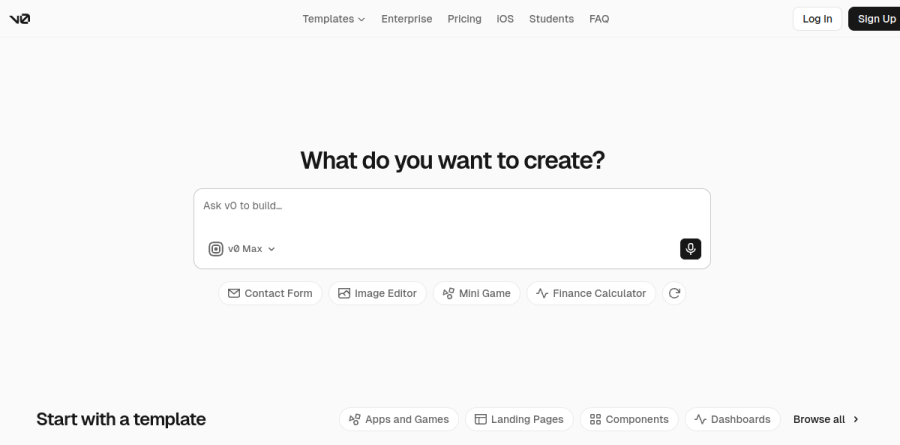
What is v0?
v0 is the AI development agent from Vercel, and the documentation describes it plainly as an agent that helps anyone create real code and full-stack apps. You describe an idea in your own language, attach a wireframe or a screenshot, and v0 returns working React and Next.js code rather than a flat mockup. The result runs immediately in a live preview, so you are editing an application instead of a picture of one.
The homepage compresses the loop into three words: Prompt. Build. Publish. v0 generates the application, then publishes it as a live website. It builds on the stack Vercel already champions: the docs list compatibility with Next.js, Tailwind, and shadcn/ui.
From prompt to a published site
The shortest path in v0 runs from a text box to a public URL. Deploy to Vercel puts a project on production infrastructure in one click, and Sync with a repo connects GitHub so generated code lands in your repository, pushed directly or opened as a pull request for review. Teams happy to stay inside v0 can stop at deployment, while teams with an existing codebase can treat it as the drafting stage and keep review in Git.
Start with templates shortens the first step further, offering ready-made components and full-page designs, and a v0 iOS app lets you kick off a build from your phone.
Design Mode and shared design systems
Design Mode is the feature most likely to win over non-engineers. Instead of re-prompting to nudge padding or swap a typeface, you fine-tune details with visual controls and live preview. v0 pairs this with design systems, where colors, typography, and styles get defined once and reused across projects, which keeps a series of prototypes looking like one product.
Vercel treats designers as a first-class audience here. The docs point to cloning pages with screenshots or Figma files, generating CSS and HTML for prototypes and landing pages, adding accessibility improvements for basic design elements, and creating interactive components to hand off to developers.
The agent behind the builder
v0 is agentic by default: the homepage says it plans, creates tasks, and connects to databases as it builds. The agentic features documentation covers real-time web search with clickable citation links, browser use where v0 opens the app it just built, clicks through flows, critiques the design, and returns screenshots of what it saw, plus automatic error fixing for missing dependencies, syntax problems, runtime bugs, and broken imports.
A Fix with v0 button appears in the deployment popover when a deploy throws errors, sending logs straight back to the agent. Terminal access rounds this out, with three permission modes named Ask, Auto, and Full, so you decide how much autonomy v0 actually gets.
Integrations and team plans

Real apps need data, and v0 connects through Vercel Marketplace integrations covering databases such as Neon, Supabase, and Upstash, payments through Stripe, and AI model platforms. Anything outside the Marketplace can arrive over Model Context Protocol, since v0 supports bringing your own MCP servers for tools like Linear, Notion, and Sentry.
Collaboration scales through the plan tiers. Free covers solo experimentation under a daily message cap. Plus and Business both add access to all models, shared chats, and centralized billing on vercel.com, with Business enabling training opt-out by default. Enterprise adds SAML SSO, role-based access control, priority access without queues, and guaranteed support SLAs.
Who should choose v0
v0 fits teams already living in the Vercel ecosystem best. Product managers get project plans, user interview questions, feedback forms that write to a database, and RFC templates, designers get high-fidelity UIs from wireframes or mockups, and engineers get React components, custom hooks, and code they can push to a repo. Founders shipping a first version without a dev team are the clearest win of all.
It is a weaker fit if your stack sits outside React and Next.js, or if you need predictable flat monthly costs, because v0 meters work in credits across model tiers named v0 Mini, v0 Pro, v0 Max, and v0 Max Fast, so heavy usage stays variable by design.
Strengths
- Best-in-class UI and React/Tailwind output quality; results often look client-ready with little cleanup
- Tight Vercel and Next.js integration - GitHub sync and one-click deploy make the generate-to-ship loop frictionless
- Design-to-code: upload a screenshot or design draft and it produces working frontend components
- Real free tier ($5 monthly credits, no card) plus a 2026 expansion into full-stack sandbox, Git panel and database integrations
Watch out for
- Token-based credit billing makes monthly spend hard to predict, especially on larger models and long prompts
- Frontend-first: weaker at scaffolding backend, auth and databases than full-stack rivals like Lovable or Bolt
- Getting the most from it still rewards React knowledge - true no-coders will struggle to refine output
- The $20 Premium tier is closed to new users, so the cheapest full seat is now $30/user/mo
Key features
| Feature | What it does |
|---|
| Prompt-to-UI generation | Generates React, Next.js, Tailwind and shadcn/ui components from natural-language descriptions, rated the strongest React UI generator in its class. |
| Design-to-code | Converts uploaded screenshots and design drafts directly into editable frontend code. |
| Full-stack sandbox | 2026 additions include a live sandbox environment, a Git panel, and database integrations (e.g. Snowflake, AWS), moving beyond pure UI generation. |
| Vercel ecosystem integration | GitHub sync and native one-click deployment to Vercel make shipping generated apps near-instant for teams already on the platform. |
How v0 compares
| Alternative | How it differs |
|---|
| Lovable | Stronger end-to-end full-stack app builder with built-in auth and database; friendlier for non-coders, but less polished raw UI output. |
| Bolt.new | StackBlitz's in-browser full-stack builder; broader backend scaffolding and framework flexibility, weaker design fidelity than v0. |
| Cursor | AI-native IDE for editing existing codebases rather than generating apps from prompts; better for ongoing dev work, not zero-to-UI. |
Frequently asked questions
Does v0 have a free plan?
Yes. The Free tier costs $0 and includes $5 of monthly credits with design mode and GitHub sync, capped at 7 messages per day. No card is required to start.
How does v0's credit pricing work?
Usage is metered on input and output tokens that convert to credits, with per-model rates (roughly $1/$5 per 1M tokens on v0 Mini up to $10/$50 on v0 Max Fast). Monthly included credits expire after 65 days; separately purchased credits last one year.
v0 ratings on other platforms
Independent user ratings from third-party review sites, linked here for transparency.
These are not our editorial score, are captured on the date shown, and may have changed since.