The full review
What is Timely?
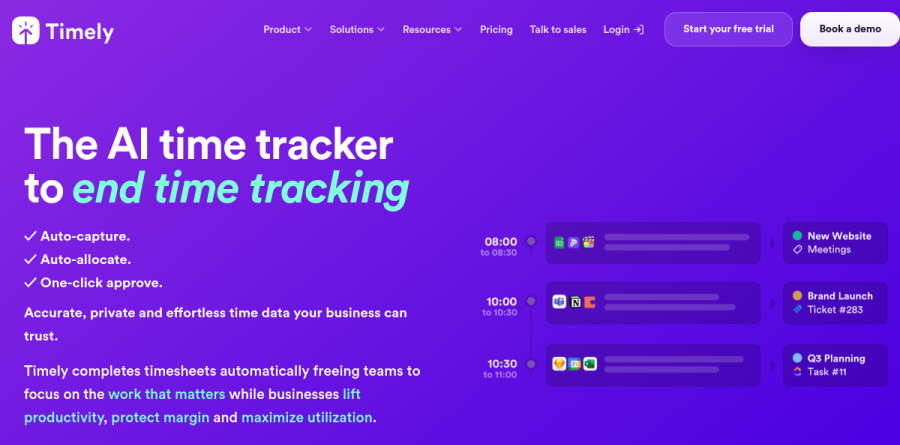
Timely is a time tracking platform built on the premise that people are unreliable at running timers. Instead of asking staff to start and stop a clock, its Memory Tracker records the documents, sites, meetings and apps someone touches during the day, then converts that raw activity into draft time entries. The homepage puts it bluntly, billing Timely as the AI time tracker to end time tracking, with auto-capture, auto-allocation and one-click approval as the promised sequence.
The features page groups the product into three areas: automatic time tracking, project tracking, and resource planning. A single Timely workspace therefore covers what a services team might otherwise split across a timer app, a profitability spreadsheet and a capacity planner.
Automatic capture with the Memory Tracker

The Memory Tracker does the heavy lifting. Timely describes it as running quietly in the background, capturing every minute spent on digital tasks, and syncing with calendars, project tools and email to pull your schedule into the timesheet. Everything lands first in a private timeline visible only to the person who generated it, and the vendor is explicit that team members share what they want, with whom they want. That boundary is what makes passive capture palatable to staff who would otherwise read background recording as surveillance.
AI timesheets and one-click approval
Captured activity is raw material, not billable time. Timely's AI Timesheets layer, presented on the site as a Timesheet Assistant that learns your habits, suggests entries from tracked activities and historical data; the vendor says automatic tagging and note generation ensure all entries are correctly categorised with minimal effort. AutoSheet pushes this further into the done-for-you timesheet the homepage advertises as writing itself, flagging rows as AI Auto-completed and AI Auto-allocated for review. Friday afternoon reconstruction becomes a scan-and-confirm pass.
Project dashboards, rates and invoicing
Once hours are allocated, the Timely Project Dashboard consolidates active work alongside Billable Rates, Cost Rates and Tags, making margin visible per engagement rather than per quarter. Project Details, Reports and Invoices close the loop from tracked hour to issued bill. Locked Time, Time Entry States and User Access Levels round out the governance layer, with Timely describing Locked Time as keeping timesheets accurate and secure and User Access Levels as protecting sensitive information; the pricing table reserves Locked Time for the Unlimited plan and Time Entry States for Premium and above.
Capacity planning across the workspace
The resource planning side of Timely addresses workload rather than revenue. The People Dashboard and Workspace Capacity surface who is oversubscribed before a deadline slips, and Overtime and Undertime reporting flags quiet burnout and idle bench time alike. Planned Time lets managers block intended work in advance, which then sits next to what the Memory Tracker actually recorded, a comparison more instructive than either figure alone. Tasks ships as a paid add-on rather than a bundled module.
Integrations that feed the timeline

The Timely integration directory is unusually broad, covering project management (Asana, ClickUp, monday.com, Trello, Wrike), development environments (GitHub, GitLab, IntelliJ IDEA, Visual Studio), accounting (QuickBooks, Xero, FreshBooks, Stripe), communication (Slack, Zoom, Microsoft Teams, Outlook) and design tools (Figma, Sketch, Adobe XD). The vendor positions these as keeping projects and data in sync, and points to Zapier and Make for event-triggered automations. Because capture is passive, every connected app quietly improves the suggestions.
Who should choose Timely
Timely suits professional services teams, agencies, consultancies and studios, where hours convert directly to revenue and reconstructing the week from memory costs real money. The plan ladder tracks headcount closely: Starter caps users and projects tightly, Premium adds project management and accounting sync plus budget and team management, and Unlimited layers on capacity reporting, overtime tracking, Azure user management and multi-currency support. Enterprise adds tailored onboarding and monthly reviews. A 14-day trial opens all features, so testing capture quality on live work is easy.
It is a weaker fit for solo freelancers with one client, for teams that never bill by the hour, and for anyone whose work happens away from a screen; the Memory Tracker has nothing to observe on a job site or in a workshop.
Strengths
- Memory AI records app, doc and web activity automatically so nothing is missed
- Private-by-design: your activity log is visible only to you until you approve it
- Clean, genuinely easy-to-use timesheet and reporting interface
- Strong project budgeting, capacity and billable-hours reporting
Watch out for
- Pricier than Toggl or Clockify, and no permanent free plan
- Starter is capped at just 5 users and 20 projects
- Budgeting and integrations locked behind the $16+ Premium tier
- AI auto-tracking still needs human review to categorize entries accurately
Key features
| Feature | What it does |
|---|
| Memory AI tracker | Background app captures every app, website and document you touch, then drafts timesheet entries automatically. |
| AI timesheets | Turns tracked activity into billable time entries with suggested projects and hours, included on all plans. |
| Automatic time tracking | Idle detection, location tracking and manual timers so hours are logged with minimal effort. |
| Project & budget management | Track budgets, costs, billable rates and profitability per project (Premium and above). |
| Capacity & overtime reporting | Monitor team workload, overtime/undertime and utilization on the Unlimited plan. |
| Integrations & API | Connects to project-management and accounting tools; open API access available from Starter. |
How Timely compares
| Alternative | How it differs |
|---|
| Toggl Track | Cheaper with a genuine free tier, but relies on manual timers rather than AI auto-capture. |
| Clockify | Free-forever plan for unlimited users; far lower cost but less polished automation and reporting. |
| Time Doctor | More surveillance-focused (screenshots, activity monitoring); better for managing remote staff than Timely's private model. |
Frequently asked questions
How much does Timely cost?
Timely runs on three main paid tiers billed per user. Starter is $11/user/month ($9 annually), Premium is $20 ($16 annually) and Unlimited is $28 ($22 annually). Annual billing saves up to about 22%. A custom-priced Enterprise plan is available for larger teams, and there is no permanent free plan.
Does Timely have a free plan?
No. Timely does not offer a permanent free plan. Instead it provides a 14-day free trial with full access to all features, and you do not need to enter payment details upfront. After the trial you must move to a paid tier starting at $9/user/month billed annually to keep using it.
How does Timely's automatic time tracking work?
Timely's Memory app runs quietly in the background, privately recording the apps, documents and websites you use. Its AI then drafts timesheet entries from that activity, suggesting projects and hours. The log stays visible only to you until you approve entries, so tracking happens without starting or stopping manual timers.
Is Timely worth it?
For agencies and consultancies billing by the hour, Timely's automatic capture and budgeting features justify the $16-$28/user cost by reducing lost billable time. Solo users or budget-conscious teams who don't mind manual timers may prefer free options like Clockify or Toggl, which cost far less but lack Timely's AI auto-tracking.
What is Timely Memory?
Memory is Timely's AI tracking engine. It automatically logs everything you work on across apps, files and browser tabs, then feeds that data into AI-generated timesheets. Crucially, your Memory timeline is private to you until you choose to turn entries into shared time logs, distinguishing it from surveillance-style trackers.
Timely ratings on other platforms
Independent user ratings from third-party review sites, linked here for transparency.
These are not our editorial score, are captured on the date shown, and may have changed since.