The full review
What is Time Doctor?
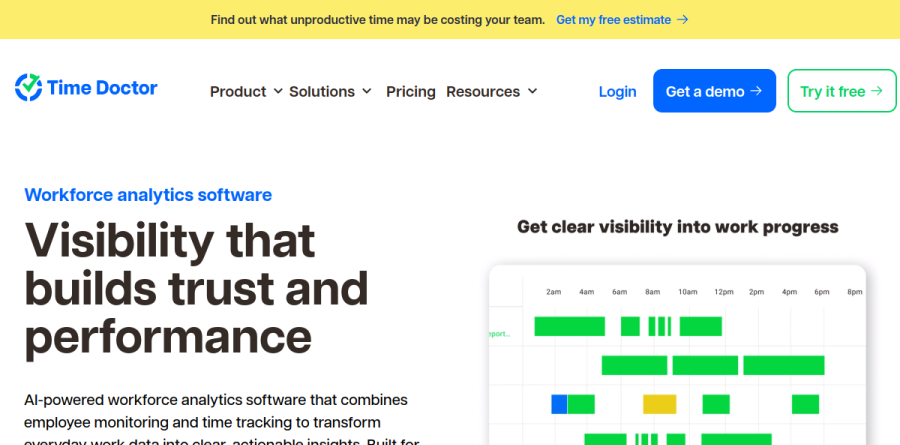
Time Doctor is workforce analytics software aimed at distributed teams, pitched on its homepage as visibility that builds trust and performance. It pairs automatic time tracking with employee monitoring, so the hours logged against a project sit next to the web and app activity that produced them.
Staff run a desktop app on Windows, Mac or Linux, with mobile tracking for work away from a computer. Time Doctor captures work hours, idle time, attendance and optional screenshots, then feeds all of it into real-time dashboards. The vendor frames the product as monitoring built for visibility rather than surveillance.
Time tracking without the timesheet chase

Every plan starts with Automatic tracking, Projects & Tasks and the Timeline Report, so managers can see who worked on what and in which order. Online / Offline Tracking captures meetings, calls and other away-from-keyboard work, and manual edits cover the gaps. Groups / Teams keeps larger headcounts organized.
This is the part of Time Doctor most teams feel immediately: the app captures accurate time data without relying on memory, and web and app time is visible down to the minute.
Reports that turn activity into decisions

On the Standard plan, Time Doctor adds Web & App Usage reporting, Activity Summary, configurable Productivity Ratings and work-life balance metrics, which flag overwork before it shows up as attrition. Real-time notifications, included from the Standard plan, send reminders and alerts to employees and managers about project milestones, daily goals or idle periods.
Premium is where the analysis gets sharper. Benchmarks AI compares productivity across users and teams using AI-matched peer data, the Office vs Remote Report supports return-to-office policy calls, and the Unusual Activity AI Report flags mouse jigglers and irregular keyboard patterns. Meeting Insights and Software cost insights attach a real price to meetings and unused licenses.
Attendance, payroll and client billing
Time Doctor covers the administrative layer too. Schedules, Attendance, Leave tracking, Break tracking and Time approvals replace manual logs, and Payroll turns approved hours into payments. The native HRIS integration automatically syncs employee status and approved PTO directly from your HR system, and a native Payroll integration is offered alongside it.
BPOs are one of the industries Time Doctor names, project-based tracking supports accurate client billing, and Client Login Access is included on the Premium plan.
Privacy controls and enterprise administration
Customizable privacy settings let you match visibility levels to your team's culture. Screenshots can be blurred, captured less often, or switched off entirely, and employees can view their own workday data. Role-based permissions limit who sees what.
For IT, the platform offers Single Sign-On, automatic user provisioning, Open API access and BigQuery Access, plus 60+ integrations. The vendor reports GDPR and HIPAA compliance and a 99% uptime SLA, with Private Cloud Deployment and customizable BI dashboards reserved for Enterprise. Historical tracking data retention grows with the plan, which matters if you need long audit trails.
Who should choose Time Doctor
Time Doctor suits operations, HR and executive leaders running remote, hybrid or outsourced teams at meaningful scale, especially in BPO, healthcare, finance and insurance, where accountability and compliance carry weight. Companies billing clients by the hour, or paying contractors across time zones, get the clearest return.
It is not ideal for solo freelancers or small trust-based teams who want quiet time tracking without screenshots and activity ratings, since much of what you pay for is the monitoring layer. A 14-day trial with Premium features unlocked makes it easy to test the culture fit before committing.
Strengths
- Transparent per-user pricing; annual billing gives two free months (16.6% off)
- 14-day trial unlocks all Premium features with no credit card required
- Deep monitoring: screenshots, web/app usage, productivity ratings, distraction alerts
- Strong compliance posture: SOC 2, ISO 27001/27701, GDPR, and HIPAA
Watch out for
- No permanent free tier, unlike Clockify or Toggl's free plans
- Screenshot and keystroke monitoring can feel invasive to employees
- Add-ons stack fast: Standard plus two add-ons can exceed Premium's price
- Payroll, integrations, and productivity ratings are gated out of the Basic plan
Key features
| Feature | What it does |
|---|
| Automatic time tracking | Silent or interactive tracking of work hours across desktop, web, mobile, and Chrome, with idle-time and manual-edit support. |
| Screenshots and activity monitoring | Configurable screenshots plus mouse/keyboard activity levels; Premium adds video screen recording and unusual-activity detection. |
| Productivity reports and ratings | Web and app usage classified as productive or unproductive, timeline reports, and work-life-balance metrics on Standard and up. |
| Payroll and integrations | Built-in payroll plus 60+ integrations (Asana, Jira, Slack, QuickBooks) starting on the Standard plan. |
| Distraction and focus alerts | Real-time pop-up nudges when workers visit unproductive sites, plus scheduling, attendance, and break tracking. |
| AI benchmarks and executive dashboard | Premium adds Benchmarks AI, office-vs-remote analysis, meeting insights, an executive dashboard, and open API access. |
How Time Doctor compares
| Alternative | How it differs |
|---|
| Hubstaff | Similar monitoring plus GPS and geofencing; has a limited free plan for one user, paid from about $7/user/mo. |
| Clockify | Cheaper with a genuinely free forever tier; lighter on screenshots and monitoring than Time Doctor. |
| Insightful (ex-Workpuls) | Comparable employee-monitoring depth and workforce analytics; pricing starts higher, around $8/user/mo. |
Frequently asked questions
How much does Time Doctor cost per month?
Time Doctor has three paid tiers. On annual billing they run $6.67 (Basic), $11.67 (Standard), and $16.70 (Premium) per user per month. Month-to-month pricing is higher at $8, $14, and $20 respectively. Enterprise is custom-quoted. Annual billing includes two free months, a 16.6% discount versus monthly.
Does Time Doctor have a free plan?
No, Time Doctor has no permanent free tier. The only free access is a 14-day trial of the full Premium plan, which requires no credit card and unlocks every feature. After the trial you must pick a paid plan starting at $6.67 per user per month on annual billing. Competitors like Clockify and Toggl offer free forever plans.
Does Time Doctor take screenshots of your screen?
Yes. Screenshots are included from the Basic plan at $6.67 per user per month, with capture frequency configurable by admins. Standard adds web and app usage tracking and productivity ratings, while Premium adds full video screen recording and unusual-activity detection as an add-on or built-in feature.
What is the difference between Time Doctor Basic and Standard?
Basic ($6.67/user/mo annual) covers automatic tracking, projects, timeline reports, and screenshots. Standard ($11.67/user/mo) adds the features most teams need: schedules, attendance, productivity ratings, web and app usage reports, payroll, and 60+ integrations. Basic omits payroll and integrations, so most billable teams choose Standard.
Is the Time Doctor free trial worth it?
The 14-day trial unlocks every Premium feature with no credit card, so you can test screenshots, productivity ratings, payroll, and integrations before paying. It is genuinely full-featured rather than a stripped demo. If you need longer evaluation, note there is no free tier afterward, so plan your rollout within the two weeks.
Time Doctor ratings on other platforms
Independent user ratings from third-party review sites, linked here for transparency.
These are not our editorial score, are captured on the date shown, and may have changed since.