The full review
What is Hubstaff?
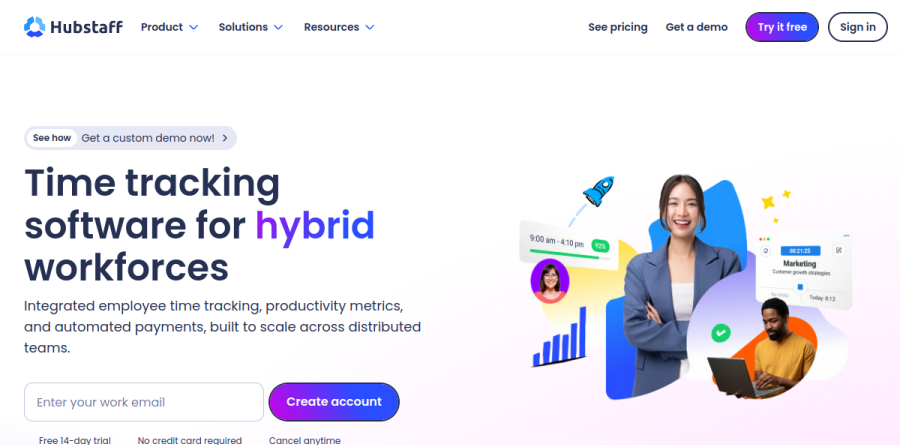
Hubstaff is a time tracking and workforce management platform built around a desktop and mobile timer that records hours automatically instead of asking people to remember them. The vendor positions it as time tracking software for hybrid modern global workforces, combining employee time tracking, productivity metrics and automated payments in one account, with apps for Windows, Mac, Linux, Android and iOS.
What separates Hubstaff from a plain stopwatch is what happens after the timer stops. Tracked hours flow into automated timesheets, then into approvals, project budgets, invoices and payroll runs, which is why it tends to land with managers who need proof of work and a payment trail rather than a personal productivity log.
Automated timesheets and idle time controls
Hubstaff builds timesheets from the timer rather than asking staff to reconstruct their week. Idle time tracking identifies idle time and the productivity gaps behind it, with an idle timeout setting on the Grow plan and automatic discarding of idle time on Team, so a forgotten lunch break does not inflate a client bill. Timesheet approvals give supervisors a review step before hours become money, with global payments sent based on approved time. Attendance tracking, an overtime tracker and time-off and leave management cover the scheduling side.
Activity data and the Insights add-on

Every Hubstaff plan records activity levels from keyboard and mouse input, alongside screenshots and app and URL tracking, which are limited on Starter and Grow and unlimited on the Team plan. The optional Insights add-on layers analysis on top: the Highlights widget identifies fluctuations in work time and activity, Focus Time balances meeting time against core work, work time classification sorts hours into core, non-core and unproductive buckets, and Benchmarks compares each user's keyboard and mouse activity against other Hubstaff users in their industry or role. Unusual activity tracking flags patterns that resemble fabricated keyboard or mouse movement, while capacity planning shows who is overloaded.
GPS tracking for field crews

For crews away from a desk, Hubstaff offers GPS time tracking with geofenced Job sites that clock people in and out as they arrive or leave. Managers get real-time location data, route planning and a clear view of where the team is working during scheduled shifts, and the vendor reports location tracking uses about two percent of a mobile device's battery per hour at up to 500-meter accuracy. This is the side of Hubstaff aimed at mobile and field teams working across job sites.
Payments, budgets and integrations
Hubstaff closes the loop by turning approved hours into money. Custom pay rates feed automated payroll, with payouts routed through Deel, Gusto, Wise, Payoneer, PayPal or Bitwage and multi-currency support for contractors across borders. Project cost budgeting warns before a job overruns its number, and invoicing bills clients from the same records. More than thirty-five integrations connect the timer to Jira, Asana, ClickUp, Trello, GitHub, Monday, Salesforce, Zendesk, QuickBooks and Slack.
Plans, add-ons and rollout
Plans run Starter, Grow, Team and Enterprise, with a two-seat minimum on Starter, Grow and Team and two months free on annual billing. The tiering is genuinely feature-based: payments and payroll, scheduling, richer idle controls and unlimited integrations sit higher up, while Insights, extended data retention and additional screenshots are sold as add-ons, so the headline plan is rarely the final configuration. Enterprise adds SSO, SCIM and compliance coverage including GDPR, HIPAA and SOC 2 Type II. The 14-day trial needs no credit card.
Who should choose Hubstaff
Hubstaff fits managers of distributed, hourly or contractor-heavy teams who need defensible records: agencies billing by the hour, BPO and call center operations, field service crews, and anyone paying people across several countries. Automatic timesheets, activity evidence and built-in payouts remove a real administrative burden there. It is a poor fit for salaried in-house teams with a high-trust culture, where screenshots and activity percentages create friction that outweighs the reporting gain, and overkill for solo freelancers who need only a timer and an invoice.
Strengths
- Genuinely low entry price ($4.99/user/mo annual) plus a real free single-seat plan for freelancers
- Deep workforce toolkit: time tracking, screenshots, activity %, payroll, invoicing, scheduling and GPS
- Broad platform coverage (Windows, macOS, Linux, iOS, Android, Chromebook) with 30+ integrations on Team
- Risk-free evaluation via 14-day full-feature trial and 30-day money-back guarantee
Watch out for
- Core plans are stripped down; Insights, Tasks, GPS and extra screenshots are add-ons that push real cost to $15-20+/user/mo
- Every paid plan carries a 2-seat minimum, so solo buyers overpay or fall back to the limited Free tier
- Screenshot and activity-monitoring focus can feel invasive and dent morale if rolled out poorly
- Enterprise-grade security (SSO, SCIM, HIPAA, SOC 2) is annual-only at $25/user/mo, a steep jump from Team
Key features
| Feature | What it does |
|---|
| Time tracking & timesheets | Automatic and manual tracking across desktop, mobile and web, with automated, approvable timesheets and idle-time detection. |
| Screenshots & activity monitoring | Optional screenshots (100/mo on Free up to unlimited on Team) plus activity rates and app/URL tracking; fully admin-configurable. |
| Payroll & invoicing | Automated payroll from tracked hours or fixed rates, client invoicing, and payouts via PayPal, Wise and Payoneer. |
| GPS & geofencing (Locations add-on) | Real-time location tracking and job-site geofences for field teams, from $3.33/user/mo. |
| Scheduling & attendance | Shift scheduling, attendance tracking and time-off management on the Team plan. |
| Insights & workforce analytics (add-on) | Utilization, focus-time and unusual-activity reporting from $2.50/user/mo. |
How Hubstaff compares
| Alternative | How it differs |
|---|
| Time Doctor | Similar monitoring and productivity focus; entry around $6.70/user/mo but bundles deeper analytics with fewer paid add-ons. |
| Toggl Track | Lighter, privacy-first time tracking with a generous free tier and no screenshots; better for trust-based teams. |
| DeskTime | Comparable automatic time and productivity tracking with built-in project costing; free single-user plan, paid from ~$7/user/mo. |
Frequently asked questions
Is Hubstaff free?
Yes. Hubstaff has a free plan for a single user, aimed at freelancers who need proof of work. It includes time tracking, timesheets, activity levels and 100 screenshots per month, with limited clients, invoices and data retention. Beyond one seat you need a paid plan, though every paid plan also starts with a 14-day free trial.
How much does Hubstaff cost?
On annual billing, paid plans run $4.99/user/mo for Starter, $7.50 for Grow, $10 for Team and $25 for Enterprise; monthly billing is $7, $9 and $12 respectively. All paid plans need a 2-seat minimum. Add-ons like Insights, Tasks and GPS ($2.50-$3.33/user/mo) can push real cost to $15-20+ per user.
What are the best Hubstaff alternatives?
The closest alternatives are Time Doctor (similar monitoring, entry around $6.70/user/mo), Toggl Track (lighter, privacy-first tracking with a free tier and no screenshots) and DeskTime (automatic time and productivity tracking with project costing). Pick Toggl if surveillance features feel too heavy, or Time Doctor if you want deeper analytics bundled in without add-ons.
Does Hubstaff take screenshots of employees?
Yes, optionally. Screenshots are a core feature but admin-configurable: the Free plan allows 100 per user monthly, Starter 500, Grow 1,500 and Team unlimited, with frequency and blur settings. You can disable screenshots entirely per user or organization. Activity levels and app/URL tracking are also optional, so monitoring depth is up to each admin.
Is Hubstaff worth it?
For teams that genuinely need time tracking with proof of work, payroll and field GPS, Hubstaff is strong value starting at $4.99/user/mo. It suits trust-based or solo users less well: the 2-seat minimum and paid add-ons inflate the headline price, and the monitoring focus can feel invasive. Trial it free for 14 days first.
Hubstaff ratings on other platforms
Independent user ratings from third-party review sites, linked here for transparency.
These are not our editorial score, are captured on the date shown, and may have changed since.