The full review
What is Harvest?
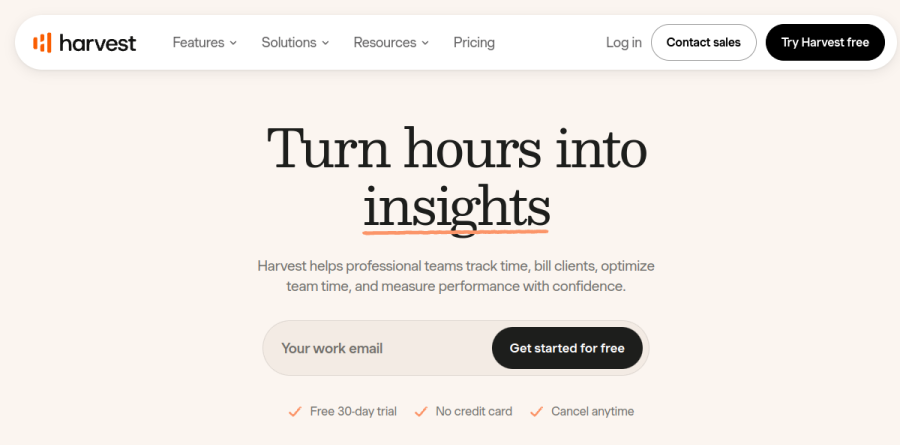
Harvest is a time tracking and invoicing platform built for professional services teams that bill clients by the hour. The pitch on getharvest.com centers on turning hours into profit, with a supporting line about helping teams track time, bill clients, and measure performance. It is a deliberately narrower remit than a full project management suite, and the narrowness is the point.
People log hours against projects and tasks, those hours draw down against budgets, and the same entries become invoice line items without anyone rekeying them. Expenses travel the identical path. The vendor reports that more than 70,000 companies use Harvest.
Time tracking where the work happens
Harvest runs timers in the browser, on desktop, and on mobile. A team can run a live timer or key in hours after the fact, which matters because those two habits rarely coexist peacefully inside one company. Custom reminders prompt people who forget to log, and that small piece of automation usually separates real data from a timesheet reconstructed by memory every Friday.
Browser extensions for Chrome, Firefox, and Edge let a timer start from inside Asana, Trello, Jira, Basecamp, or GitHub without a context switch.
From tracked hours to paid invoices

Billing is where Harvest separates itself from a generic stopwatch. Tracked hours and logged expenses roll into an invoice, and the product frames this as streamlined invoicing paired with online payments. Stripe and PayPal integrations let clients pay invoices online.
QuickBooks Online and Xero keep accounting records aligned, and Deel sits alongside them in the integrations Harvest lists under the Teams plan. For an agency owner who currently exports a spreadsheet, reformats it, and pastes totals into a bookkeeping tool, this single workflow justifies the subscription.
Reports that answer budget questions
Harvest groups its analytics under reports and analysis, with named capabilities for keeping budgets on target, visualizing team capacity, understanding costs, and analyzing where hours went. Live budget tracking is the capability most teams feel first, because Harvest updates budgets as the team logs time, so a project lead can see a retainer burning down while the work is still in flight.
Governance sits higher up the range. Timesheet approvals, required notes on every entry, an activity log, unlimited custom reports, and profitability reporting all belong to Enterprise, alongside SAML-based single sign-on with providers such as Microsoft and Okta, while Teams is capped at four custom reports.
Scheduling with Harvest Forecast

Harvest Forecast is the companion scheduling product, built around plans a team can rally behind. It maps a project pipeline to staffing demand, assigns people to future work, and rebalances workloads to protect utilization. Connecting scheduled time in Forecast with tracked time in Harvest produces an estimates versus actuals view, the comparison that keeps a fixed-fee engagement honest.
Around both sits an integrations directory grouped into categories including project management, issue tracking and support, communication and CRM, productivity, and finance and payments, with Slack, ClickUp, Notion, Linear, Zapier, and Make among them.
How the Harvest plans differ
The Free plan covers a single seat and a couple of projects with time tracking, invoicing, and expense tracking, genuinely usable for a solo freelancer rather than a crippled trial. Teams removes the seat limit and adds team reporting plus the accounting integrations. Enterprise layers on the audit and control features described above, while Enterprise Plus is quoted individually for custom integrations, white labeling, and dedicated support. Annual billing carries a stated discount against paying monthly.
Who should choose Harvest
Harvest suits agencies, consultancies, law firms, architecture practices, and software shops that bill by the hour and need a short trip from timesheet to invoice. It fits best when tracked time is the direct input to revenue, since every design decision in the product assumes that. Firms already running Asana or Jira extract the most value, because the timer lives where work happens.
It is a weaker fit for teams needing heavy task management or Gantt planning as the primary job, since Harvest deliberately leaves those to the tools it integrates with. Product companies with no client billing will find the invoicing machinery idle. For most of professional services, Harvest remains one of the most focused options in its category.
Strengths
- Genuinely simple, fast time tracking with one-click timers across web, desktop, iOS, and Android
- Built-in invoicing with Stripe/PayPal payments and QuickBooks/Xero sync — rare in time-tracking tools
- 50+ integrations plus tight Forecast integration for resource scheduling and capacity planning
- Free plan and 30-day trial with no credit card make it low-risk to start
Watch out for
- New usage-based (Flex) billing adds per-project/client/task/invoice charges, making total cost harder to predict
- Free plan is tightly capped at 1 active user and 2 active projects
- Monthly billing costs ~20% more than annual, and the $9/seat entry price is mid-market, not cheap
- Limited project-management/task depth compared with all-in-one PM suites
Key features
| Feature | What it does |
|---|
| Time tracking | One-click timers, daily/weekly timesheets, and calendar imports across web, desktop, iOS, and Android. |
| Invoicing & payments | Turn tracked time and expenses into invoices; accept Stripe and PayPal; sync with QuickBooks and Xero. |
| Expense tracking | Capture receipts and bill reimbursable expenses back to clients. |
| Reporting & budgets | Project budget tracking, team capacity, and profitability reporting (profitability on Enterprise). |
| Integrations & Forecast | 50+ integrations (Asana, Trello, Slack, GitHub) plus sibling tool Forecast for scheduling and forecasting. |
| Admin & security (Enterprise) | SAML-based SSO, timesheet approvals, activity log, required notes, and custom report exports. |
How Harvest compares
| Alternative | How it differs |
|---|
| Toggl Track | Stronger free tier (up to 5 users) and slicker UI, but no native invoicing. |
| Clockify | Unlimited free users and cheapest at scale, though invoicing and reporting are lighter. |
| Hubstaff | Adds employee monitoring, GPS, and payroll — better for remote-team oversight than client billing. |
Frequently asked questions
Is Harvest free?
Yes. Harvest's Free plan costs $0 forever but is capped at 1 seat (one active person) and 2 active projects. It still includes time tracking, invoicing, expense tracking, and the Mac and iOS apps. For more seats or projects you move to the paid Teams plan, which starts at $9/seat/month billed annually.
How much does Harvest cost?
Harvest has two paid plans. Teams starts at $9/seat/month billed annually ($108 per seat per year); Enterprise starts at $14/seat/month billed annually ($168 per seat per year). Monthly billing costs about 20% more. Both plans can add usage-based charges for extra active projects, clients, tasks, and invoices above your included allowance.
What are the best Harvest alternatives?
Popular Harvest alternatives include Toggl Track, Clockify, and Hubstaff. Clockify offers unlimited free users, Toggl Track has a generous free tier for up to 5 users, and Hubstaff adds employee monitoring and payroll. None match Harvest's built-in invoicing as tightly, but all typically cost less as your team scales up.
Does Harvest include invoicing?
Yes. Invoicing is included on every Harvest plan, even the Free tier. You can convert tracked time and expenses into invoices, accept online payments via Stripe and PayPal, and sync with QuickBooks and Xero. Harvest reports over 10 million invoices created and more than $50 billion in payments processed to date.
Harvest vs Toggl Track: which is better?
Harvest bundles time tracking with invoicing, expenses, and 50+ integrations, making it better for agencies that bill clients from tracked hours. Toggl Track focuses purely on time tracking with a stronger free plan (up to 5 users) and no native invoicing. Choose Harvest to invoice from tracked time; choose Toggl for lightweight tracking.
Harvest ratings on other platforms
Independent user ratings from third-party review sites, linked here for transparency.
These are not our editorial score, are captured on the date shown, and may have changed since.