The full review
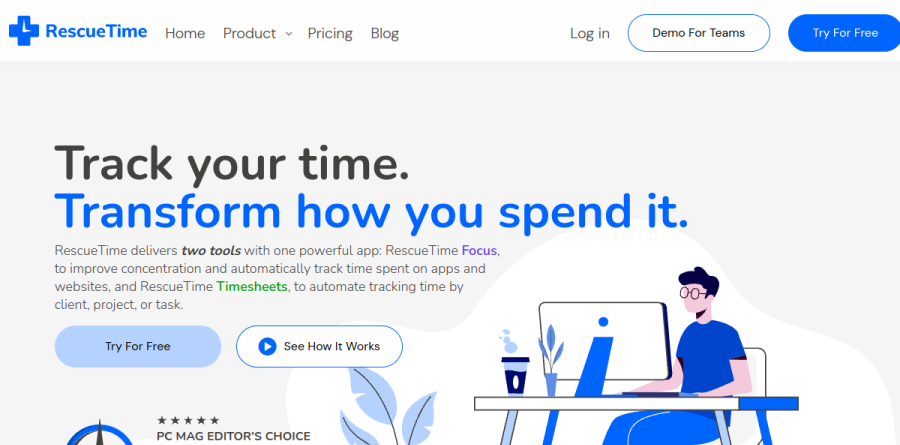
What is RescueTime?
RescueTime is an automatic time tracking tool that runs in the background across desktop, web, and mobile, recording which apps, websites, and documents you actually spend the day inside. There are no timers to start and no spreadsheets to reconcile. That raw activity log is then categorized and scored, so instead of a flat list of hours you get a picture of how productive the time actually was.
The product splits into two halves that RescueTime sells separately or bundled: Focus, which handles attention and habits, and Timesheets, which handles projects, clients, and billing. The plans are named Solo, Solo+, Team, and Team+, where the plus variants add Timesheets on top of Focus.
How RescueTime tracks your time
RescueTime installs across web, mobile, and desktop, then logs activity continuously. Idle time detection is listed under time tracking, and a separate Offline Activity Tracking feature lets you log in-person meetings, calls, or brainstorming sessions so they are captured alongside your online time. A logging schedule and Pause Tracking are both listed under time tracking, with separate privacy controls listed under security and admin. Detailed Tracking on Premium goes past app names down to individual documents and file names.
Focus Sessions and goal setting

The distraction blocking layer is built around Focus Sessions, which block selected sites and apps, silence notifications, and can start focus music from Spotify or YouTube. Slack is one of the listed integrations, alongside Gmail/Outlook, Asana, GitHub, Spotify, Exist.io, and Beeminder. Around that sit Goals and Real-Time Alerts, which let you set unlimited focus goals and get instant alerts when distractions pull you off track, and a Daily Target Goal you can add to the Assistant to track progress in real time; Focus zone detection is listed on the pricing page without further detail. The Assistant brings your meeting schedule, Focus Sessions, and key insights together in one easy-access hub.
Timesheets for client billing

For freelancers and agencies, the Timesheets half turns tracked activity into invoiceable records. A Timeline lays the day out hour by hour with online work, offline work, and meetings together, and you assign time to a client, project, or task by drag and drop. Autocompletion Hints learn from file names and apps so future time lands in the right project, and RescueTime notes the matching improves as history builds. Billable rates, time rounding, global currency, and finalized time round out the billing side; exports run to CSV, Excel, and raw formats.
Team reporting without micromanagement
On Team and Team+, admins get aggregated views: Team Productivity Reports, the Key Tools report for which platforms actually earn their seat, Team Categories, and Daily Patterns for when focus peaks across the group. Every member gets their own private Focus features, including personal goals, Focus Sessions, and individual reports, and RescueTime says each person keeps control of their own data — though admin reporting does let you drill down from team comparisons to individual usage. Role-based access control, SSO through Google or Apple, two-factor authentication, and member domain settings handle the admin side.
What the free plan covers
A no-cost tier exists and is worth understanding before you buy. RescueTime lists automatic tracking, insights and reports, weekly summaries, The Assistant, and the iOS app as available on both Free and Premium, with report history on the free side capped at about two weeks. Everything in the blocking and accountability layer, including Focus Sessions, Timer, alerts, offline activity, keyword search, and unlimited report history, sits behind Premium.
Who should choose RescueTime
RescueTime fits knowledge workers who suspect their day leaks in ways they cannot name, such as writers, developers, designers, and consultants, and who want the diagnosis handled automatically rather than by willpower. Freelancers billing several clients make the strongest case for Solo+, since the passive tracking that scores your focus also drafts the timesheet. Small teams wanting visibility into tool usage and focus patterns are served well by Team and Team+, particularly given the privacy split. It is not ideal for anyone needing strict employee surveillance with screenshots and keystroke logs, or for field and shift workers whose day happens away from a screen, because work leaving no digital trace has to be entered by hand.
Strengths
- Fully automatic tracking—no timers to start or stop, so the data is complete and effortless
- Free Lite tier is genuinely usable: automatic tracking, activity/productivity reports, one goal, weekly summaries
- Focus Sessions (FocusTime) block distracting sites and apps to enforce deep work
- Broad platform coverage: Windows, macOS, Linux, Android, plus Chrome/Firefox/Brave extensions
Watch out for
- Free Lite caps data history at 2 weeks and omits detailed tracking (file/document titles)
- iOS/iPhone tracking and offline-time tracking require a paid plan
- Timesheets, billable rates, and invoicing are locked behind the pricier Solo+ ($15/mo) or Team+ tiers
- Passive, always-on monitoring can feel intrusive, especially for team deployments
Key features
| Feature | What it does |
|---|
| Automatic time tracking | Runs in the background across desktop, mobile, and browser to log apps and websites with no manual timers or start/stop buttons. |
| Productivity score & reports | Categorizes each activity as productive or distracting and generates activity, category, and productivity reports with a daily score. |
| Focus Sessions (FocusTime) | Blocks distracting websites and apps for a set period, on demand or scheduled; paid plans only. |
| Goals & alerts | Set daily goals and receive real-time alerts, e.g. when you exceed a distraction limit; unlimited on paid plans. |
| Timesheets & invoicing | Solo+ and Team+ add projects, clients, tasks, billable rates, and CSV-exportable billing reports. |
| Cross-platform apps & API | Windows, macOS, Linux, Android, iOS (paid), browser extensions, plus a data API for exports. |
How RescueTime compares
| Alternative | How it differs |
|---|
| Toggl Track | Manual, timer-first tracking with a generous free tier and strong project/client billing—better if you dislike passive monitoring. |
| Clockify | Free unlimited team time tracking; more of a manual timesheet tool than an automatic productivity tracker. |
| Timing | Mac-only automatic time tracker with powerful project rules; a strong RescueTime alternative for macOS-focused freelancers. |
Frequently asked questions
Is RescueTime free?
Yes. RescueTime Lite is free forever and includes automatic app and website tracking, activity and productivity reports, one goal, and weekly email summaries. However, Lite caps data history at two weeks and omits detailed tracking, offline time, and iOS access. Paid Focus plans unlock those, starting at $9/month or $84/year.
How much does RescueTime cost in 2026?
RescueTime's individual Focus plan is $9/month or $84/year ($7/month billed annually). Solo+, which adds timesheets and invoicing, is $15/month or $144/year. Team plans run $12/month per user (Team Focus) and $18/month per user (Team+), or $120 and $192 annually. A free Lite tier and 14-day trial are available.
What's the difference between RescueTime Lite and Premium?
Free Lite offers automatic tracking, reports, one goal, and weekly summaries but limits history to two weeks and excludes detailed, offline, and iOS tracking. Paid Focus ($9/month) adds unlimited history, Focus Sessions with website and app blocking, alerts, offline tracking, and a timer. Solo+ ($15/month) layers on timesheets, billable rates, and invoicing reports.
Does RescueTime work on iPhone and Android?
RescueTime has an Android app, but iOS/iPhone access requires a paid plan—it is not included in the free Lite tier. Desktop apps cover Windows, macOS, and Linux, plus Chrome, Firefox, and Brave extensions. Mobile tracking is more limited than desktop due to platform restrictions on background activity monitoring.
Does RescueTime block distracting websites?
Yes, via Focus Sessions on paid plans starting at $9/month. You can block distracting websites and apps for a set period, on demand or scheduled, and FocusTime prevents access until the session ends. The free Lite tier does not include Focus Sessions or blocking—it only tracks and reports activity.
RescueTime ratings on other platforms
Independent user ratings from third-party review sites, linked here for transparency.
These are not our editorial score, are captured on the date shown, and may have changed since.