The full review
What is Teamwork?
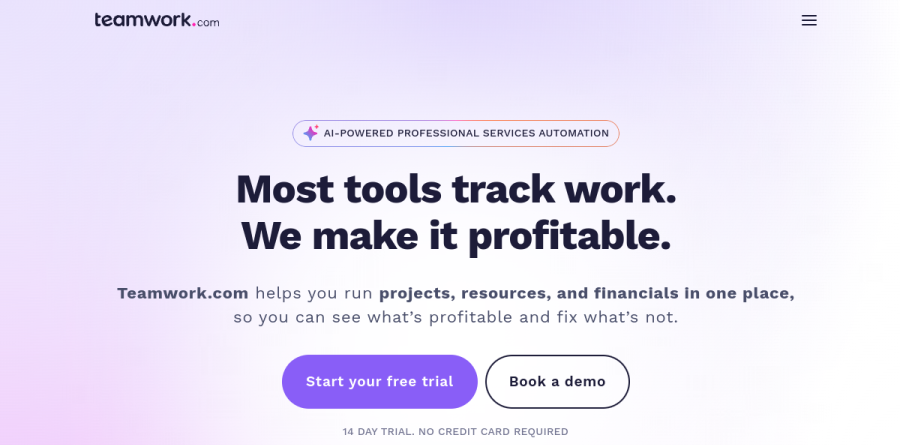
Aimed at organizations that bill for their time — agencies, consultancies, and professional services teams — Teamwork.com is a project management platform with a financial spine. The vendor positions it as PSA software, and the homepage headline is blunt about the angle: most tools track work, while this one sets out to make it profitable. Projects, resources, and financials share a single system, so margin stays visible while a job is still running.
The site organizes the product into four areas: Manage Projects, Resource and Report, Improve Profitability, and Integrate. That grouping signals the audience. Time tracking, billable rates, and budget health are first-class concerns here, not add-ons bolted onto a generic task tracker.
Client work from intake to delivery
Teamwork covers the full arc of a client engagement. Requests arrive through intake forms, which keeps briefs consistent instead of scattered across email. Work lands in projects with milestones for deadline tracking, the clients view gives leadership cross-project oversight of every account, and client users can collaborate without seeing internal noise.
Two features stand out. Proofs pulls file feedback into one place and keeps a historical log of it, so you can see how a deliverable progressed from inception to completion instead of digging through comment threads. Desk turns inbound tickets into tasks, so support and delivery share a queue rather than sitting in separate tools. Teamwork lists integrations with more than 150 apps across CRM, accounting, and productivity.
Resource planning and capacity forecasting

Resource planning is where Teamwork pulls ahead of lighter tools. The Resource Scheduler assigns people against upcoming work, while Placeholders and Tentative Projects let you model deals that have not closed — genuinely useful for checking whether a pipeline is staffable before anyone signs. The Workload Planner adds drag and drop capacity planning around estimated time, unavailable time, and time off.
Reporting follows the same logic. A Utilization Report measured against a Utilization Target shows who is overbooked and who has room, and Google Calendar plus Outlook Calendar integrations pull real commitments into the view. Setup rests on Roles, Skills, Teams, working hours, and public holidays.
Budgets, rates, and margin visibility

Teamwork supports fixed fee budgets, time and materials budgets, and retainer budgets — the three shapes most services firms need. Budget threshold notifications flag overruns early, and budget breakdown across tasks shows where hours go. Billable rates can be set by project, role, or client, with cost rates alongside them, so profitability is calculated rather than guessed.
The vendor reports real-time cost tracking, cost center analysis, and expense tracking feeding into profitability reports, with invoices exportable to connected accounting software.
TeamworkAI and automation
TeamworkAI runs across the platform, and the vendor describes AI Teammates that help teams resource smarter and execute faster. Concrete touchpoints include an AI Project Wizard for standing up project structure and an AI utilization summary inside capacity planning. Teamwork states that Teamwork AI is included in all paid plans for an introductory period, with usage-based AI credits launching in September 2026.
How the plans differ
The ladder runs Free, Basics, Accelerate, Optimize, and Enterprise. Free caps at five users, Basics is pitched at "small teams needing to deliver projects and track time more reliably," Accelerate at "growing teams needing to automate work, manage projects & capacity," and Optimize at "services businesses managing resources, budgets, and profitability." Optimize and Enterprise are quote-based. Paid tiers include a 14 day trial with no card required.
Who should choose Teamwork
Agencies, consultancies, and any team whose revenue depends on billable hours are the natural fit. If you routinely ask which clients are profitable, whether next quarter is staffable, or how a retainer is tracking, Teamwork answers natively instead of through spreadsheets. Teams running support alongside delivery gain extra mileage from the Desk queue.
It is not for everyone. Internal product teams, engineering-led groups, and anyone who never invoices by the hour will pay for financial machinery they never touch, and a simpler board tracker will feel faster. Setup takes effort as well: rates, roles, and budget structures need care before the reporting becomes trustworthy.
Strengths
- Built-in billable time tracking, budgets, retainers, and client invoicing that most general PM tools lack
- Unlimited clients invited as free collaborators, so client access doesn't inflate the seat bill
- Strong workload and live-capacity resource planning from the Accelerate tier up
- Customer support widely described in reviews as fast and knowledgeable
Watch out for
- Steep learning curve; feature-dense interface overwhelms new users and buries some views
- Client invoicing and workload planning require the $24.99 Accelerate tier, not entry Basics
- Reviewers report performance lag and slow loading on larger workspaces
- Monthly prices aren't shown publicly, and Optimize/Enterprise require a sales call
Key features
| Feature | What it does |
|---|
| Billable time tracking | Log hours against tasks and report billable vs. non-billable time; available from the Basics plan. |
| Client invoicing | Generate invoices from logged time with QuickBooks/Xero sync; starts on the Accelerate plan. |
| Workload & capacity planning | Live team-capacity views and resource scheduling to avoid over-allocation (Accelerate and up). |
| Time budgets & retainers | Track project time budgets and manage recurring client retainers (Accelerate and up). |
| TeamworkAI | AI summaries, assistants, and utilization insights included on paid plans during an introductory period. |
| Profitability forecasting | Quotes, multi-currency budgets, and profit insights on the custom-priced Optimize tier. |
How Teamwork compares
| Alternative | How it differs |
|---|
| ClickUp | Cheaper, more flexible general-purpose PM, but lacks Teamwork's native time-billing and invoicing depth. |
| Asana | Cleaner UX and strong workflow automation, but no built-in billable time or client invoicing. |
| Scoro | Agency-focused rival with even deeper quoting and billing, at a higher entry price. |
Frequently asked questions
How much does Teamwork.com cost?
Paid plans start at $9.99/user/month for Basics and $24.99/user/month for Accelerate, both billed annually. Optimize and Enterprise are custom-quoted. A free plan covers up to 5 users and 5 projects. Annual billing saves about 29% versus monthly, and Basics requires a 3-user minimum.
Does Teamwork.com have a free plan?
Yes. The Free Forever plan supports up to 5 users and 5 projects with list, board, and table task views plus 100 automations, and no credit card is required. Every paid tier also includes a 30-day free trial. It's aimed at small teams evaluating Teamwork before upgrading to Basics or Accelerate.
Is Teamwork.com good for agencies and client work?
Yes, that's its core focus. It bundles billable time tracking, budgets, retainers, and client invoicing that most rivals lack, and lets you invite unlimited clients as free collaborators. Client invoicing from logged time starts on the Accelerate plan ($24.99/user/month), while profitability forecasting sits on the custom-priced Optimize tier.
What's the difference between Basics and Accelerate?
Basics ($9.99/user/month annually) covers billable time tracking, project reporting, and 5,000 automations. Accelerate ($24.99/user/month) adds unlimited projects, workload and live-capacity planning, time budgets and retainers, smart intake forms, client invoicing from logged time, and 20,000 automations. Agencies needing resourcing or invoicing will need Accelerate.
Did Teamwork.com change its pricing plans?
Yes. Teamwork.com replaced its former Deliver, Grow, and Scale tiers with Basics, Accelerate, Optimize, and Enterprise. Current annual pricing is $9.99 and $24.99/user/month for Basics and Accelerate, with the top two tiers custom-quoted. TeamworkAI is included on paid plans during an introductory period, and usage-based AI credits launch in September 2026.
Teamwork ratings on other platforms
Independent user ratings from third-party review sites, linked here for transparency.
These are not our editorial score, are captured on the date shown, and may have changed since.