The full review
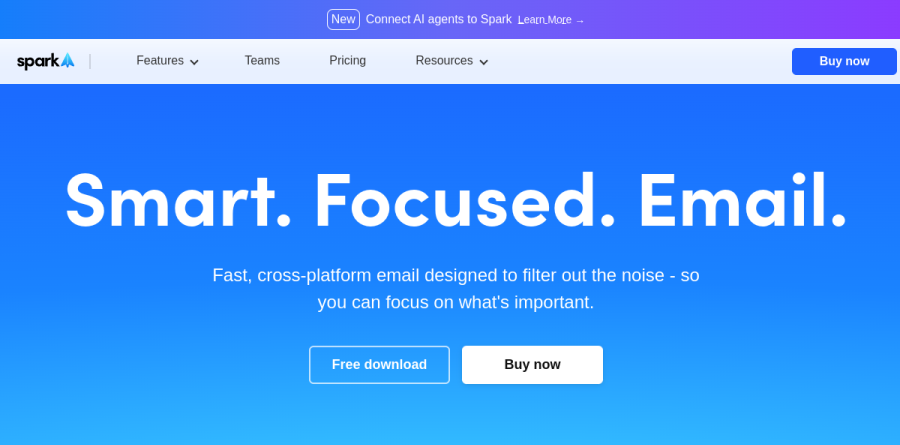
What is Spark Mail?
Spark Mail is the email client from Readdle, and it treats the inbox as a filtering problem rather than a storage problem. Instead of dropping every message into one undifferentiated list, Spark sorts incoming mail through a Smart Inbox that separates priority email from non-priority email, then bundles the remainder into dedicated Newsletters and Notifications folders. What survives that filter is the small set of messages actually waiting on a decision from you.
It is a client layered over accounts you already own, not a new mail service, so multiple providers fold into a single Unified Inbox across Windows, Android, Mac, iPhone, iPad, and Apple Watch. Readdle frames the pitch as smart, focused email, and the product is unusually consistent with that framing.
Filtering the inbox before it reaches you
The strongest part of Spark Mail is the layer of controls sitting in front of the inbox. Gatekeeper lets you accept or block incoming email accounts and screen mail from unwanted senders, which turns unsolicited mail into a screening decision instead of a recurring cleanup chore. Priority Sender highlights the people you actually care about, Group by Sender bundles their threads together, and Block Sender handles the rest immediately.
For anyone whose inbox is mostly automated traffic, this combination changes the daily rhythm. Newsletters and vendor notifications land in their own folders and get read when there is time for them, while Smart Search lets you retrieve older messages using natural language rather than remembering operator syntax.
What Spark +AI actually does
Spark +AI covers the drafting and comprehension side of the app. Readdle describes the AI Assistant as a way to find, summarize, and take action on anything in your inbox, while Spark is billed as an AI-powered email writing assistant that helps you craft emails faster. Summary delivers instant insights from emails and threads, and Translate handles cross-language correspondence through built-in email translation.
These features earn their place on threads that have run long, such as a client conversation many replies deep or a vendor negotiation you inherited midway. Summary gives you the state of play before you reply, which is a more honest use of AI than generating filler prose.
Shared inboxes and team collaboration

The Spark Mail team layer is genuinely a collaboration product rather than a seat-count upgrade. Shared Inboxes let a group manage one address with defined roles, Assignments route a message to a specific colleague and track its status, and Team Comments turn a thread into a private chat that never risks landing in a reply-all.
Shared Drafts let you invite teammates to compose a message together in real time, and Shared Templates keep recurring replies consistent across the group. For a support alias or a sales address, this replaces the familiar pattern of forwarding messages around and hoping somebody claims them.
Everyday workflow controls

Beneath the headline capabilities, Spark Mail carries a dependable set of workflow tools: Done Marker moves completed mail to an archive folder, Set Aside parks messages for later, Snooze returns a thread at a chosen time, Send Later schedules delivery, and Reminders prompt you to follow up. Command Center exposes actions and keyboard shortcuts for people who prefer not to touch a mouse.
Pin and Mute Threads handle the two extremes of attention, and Calendar and Meeting Notes keep scheduling adjacent to the conversation that prompted it. Readdle positions the Plus plan for individuals and small teams who use email to get things done, and the Pro plan for professionals and client-facing teams.
Who should choose Spark Mail
Spark Mail suits people running several accounts who want automated triage instead of manual folder discipline, and small client-facing teams who need a shared address with real accountability. The Free tier is a fair evaluation of the Smart Inbox model, covering unlimited email accounts, smart notifications and calendar, and Plus becomes the natural step once you want Spark +AI, the AI Assistant, custom templates and essential team collaboration.
It is a weaker fit for anyone who wants a plain chronological inbox with no reordering, because the value here depends on trusting the sorting. Teams already committed to a dedicated helpdesk will also find Shared Inboxes overlapping with tooling they already run.
Strengths
- Genuinely useful free tier: Smart Inbox, unlimited accounts, and calendar at $0
- Strong AI suite: thread summaries, compose, rephrase/tone, AI Assistant, meeting notes
- Truly cross-platform — Windows, Android, Mac, iPhone, iPad, and Apple Watch
- Team collaboration (shared inbox, real-time shared drafts) at $20/user undercuts Superhuman
Watch out for
- Email is processed server-side with no end-to-end encryption
- AI Meeting Notes capped at 40/mo on Plus and just 5 lifetime on Free
- Prices rose vs the old $7.99 Premium — Plus now starts at $10/mo ($8.25 annual)
- Users report sync failures and stability issues after the v3 relaunch
Key features
| Feature | What it does |
|---|
| Smart Inbox | Separates priority email from newsletters and notifications, surfacing the most important messages first |
| Gatekeeper | Pre-screen first-time senders and accept or block incoming email accounts instantly |
| Spark +AI | Summarize long threads, draft and rephrase replies, adjust tone, compose from prompts, and translate |
| AI Assistant & Meeting Notes | Inbox-management assistant plus auto meeting notes (5 lifetime Free, 40/mo Plus, unlimited Pro) |
| Team collaboration | Shared inboxes, real-time shared drafts, assignments, team comments, and shared templates (Pro) |
| Smart Search | Filter email using natural-language search across unified accounts |
How Spark Mail compares
| Alternative | How it differs |
|---|
| Superhuman | Premium speed-focused, keyboard-first email; notably pricier and less cross-platform than Spark |
| Missive | Team-collaboration email with shared inboxes and comparable per-user pricing |
| Shortwave | AI-native email client but Gmail-only, versus Spark's support for any email provider |
Frequently asked questions
Is Spark Mail free?
Yes. Spark's free plan is $0 and includes the Smart Inbox, unlimited email accounts, calendar, and smart notifications. AI is limited on Free — 5 +AI Meeting Notes lifetime and a preview AI Assistant with one month of email history. For full AI you need Plus at $10/user/month or Pro at $20/user/month.
How much does Spark Mail cost in 2026?
Spark uses per-user pricing. Plus is $10/user/month or $99/user/year ($8.25/month billed annually). Pro is $20/user/month or $199/user/year ($16.58/month annually). Both include a 7-day free trial, and annual billing saves about 17%. Enterprise pricing is custom, while the Free tier stays $0 with limited AI.
What is Spark Mail's Gatekeeper feature?
Gatekeeper lets you pre-screen first-time senders: when a new address emails you, you choose to accept or block it, so unwanted contacts never reach your inbox again. It works alongside the Smart Inbox, which sorts mail into Personal, Newsletters, and Notifications. Both features are available on the Free plan at no cost.
Who makes Spark Mail and is it safe?
Spark is built by Readdle, the developer behind PDF Expert and Scanner Pro. It runs on Windows, Android, Mac, iPhone, iPad, and Apple Watch, holding roughly 4.6 stars across 3,200+ App Store reviews. Note that email is processed server-side with no end-to-end encryption, a concern for privacy-sensitive users.
Is Spark Mail good for teams?
Yes, especially teams of 3-10. The Pro plan ($20/user/month or $199/user/year) unlocks shared inboxes, real-time shared drafts, assignments, team comments, read statuses, and shared templates. That makes it a lower-cost alternative to Superhuman or Missive for shared support inboxes. The Free and Plus tiers offer limited or no team collaboration.
Spark Mail ratings on other platforms
Independent user ratings from third-party review sites, linked here for transparency.
These are not our editorial score, are captured on the date shown, and may have changed since.