The full review
What is Superhuman?
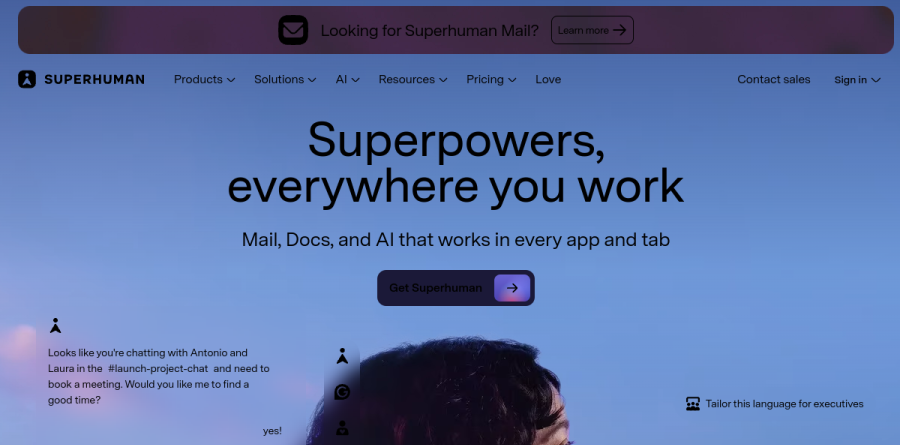
Superhuman is sold as a suite rather than a single app, under the homepage line "AI that works where you do." The lineup now covers Mail, an AI-native inbox for Gmail and Outlook; Grammarly, the writing assistant; Docs, a collaborative document and database workspace; and Go, an assistant that follows you across apps and tabs.
The connecting idea on the Superhuman homepage is that AI should work everywhere you work rather than waiting in a separate chat window. Mail anchors the offering for people who live in their inbox, while Go carries the same context into Slack, where you can @-mention it in a group channel, and into connected tools such as Jira and Salesforce.
Inside Superhuman Mail

Superhuman Mail is built around speed and follow-through. Split Inbox separates your team, your VIPs and notifications from tools like Google Docs, Notion and Asana into dedicated lanes, so an overflowing inbox does not bury what matters. Remind Me sets a follow-up window when you send something important and resurfaces the thread if no reply arrives.
Snippets insert saved phrases or entire emails complete with attachments and CC rules. Read statuses show whether and on which device a message was opened. The vendor reports that Autocorrect lifts typing speed by 30 to 50 percent.
What Superhuman Go adds
Go is the agent layer, and the most interesting part of the suite. It shows up as inline suggestions, a side panel, a prompt at your cursor, a Slack presence and a standalone app, so help arrives in whatever tool is already open.
Superhuman ships prebuilt agents including an Email Assistant, a Knowledge Checker and a Daily Brief, with custom agents plus sharing and publishing on higher tiers. Personal, team and enterprise connector tiers on the plans page, plus pre-built or custom MCP connectors, give Go context from Gmail, Outlook, Calendar, Salesforce and Jira.
Docs and Grammarly round out the suite
Docs goes beyond a text editor. Alongside collaborative docs it offers Databases and AI views and pages (both in beta), automations, forms and cross-doc tables, and Superhuman calls it "the best place for teams and AI to work together." The plans page lists data sync from Jira, GitHub and Figma on the Business tier.
Grammarly contributes correctness, tone detection, fluency and inclusivity suggestions, paragraph rewrites in 24 languages, translation in 17, and agents such as the Proofreader and Plagiarism Checker.
How teams work together
Team features are where Superhuman earns a per-seat budget line. Shared Conversations put a live view of a thread in front of colleagues, who can leave Team Comments even without an account. Shared Drafts, Team Read Statuses and Team Reply Indicators prevent two people answering the same customer minutes apart.
The plan comparison lists read-only HubSpot, Salesforce and Pipedrive integrations in Mail, with view-and-update access on Business. Instant Event turns a thread into a calendar entry with attendees and timing prefilled.
Two plan ladders to compare

Superhuman sells two overlapping ladders, worth understanding before you commit. The suite ladder runs Free, Pro, Business and Enterprise: Free covers Grammarly, Docs and Go; Pro adds unlimited rewrites, translations and longer version history; Business is the first suite tier to include Mail.
Superhuman Mail also sells standalone Starter, Business and Enterprise plans. Business unlocks Auto Drafts, Ask AI, Superhuman Mail MCP and custom auto labels, while Enterprise adds SAML single sign-on, SCIM, audit logs and BYOK encryption.
Who should choose Superhuman
Superhuman fits high-volume communicators: founders, account executives, recruiters and customer success leads whose day is genuinely won or lost in the inbox. If you process a heavy thread load on Gmail or Outlook and coordination overhead is real, the keyboard-first design and team features repay the short learning curve. Organizations wanting one AI layer across writing, docs and email will get more from the suite plans than from Mail alone.
It suits light email users poorly. If you handle modest volume, sit on a provider other than Gmail or Outlook, or want a cheap inbox, Superhuman is priced at a premium that only pays back at scale.
Strengths
- Fastest email client tested — near-instant load and actions versus Gmail's typical multi-second waits
- Deep keyboard control: 100+ shortcuts plus a Cmd+K command palette let you work almost mouse-free
- Strong built-in AI: Auto Summarize, Ask AI, Auto Drafts and Smart Write genuinely cut triage time
- Included concierge onboarding — a 30-minute 1-on-1 session builds fast muscle memory
Watch out for
- Expensive: $25–$40 per user monthly; a 10-person team pays roughly $3,000–$4,800 per year
- No shared inbox, email assignment, or team collaboration — it's built for the individual
- Steep learning curve — the shortcut-driven workflow takes weeks to fully master
- Confusing post-Grammarly line-up: overlapping Mail and Suite plans, and Mail is often gated to the Business tier
Key features
| Feature | What it does |
|---|
| Speed engine | Sub-100ms interactions and instant load layered over Gmail and Outlook — the product's core selling point |
| Command palette & shortcuts | Cmd+K (Ctrl+K on Windows) command bar plus 100+ keyboard shortcuts for mouse-free triage |
| Superhuman AI | Auto Summarize (one-line thread summaries), Ask AI, Auto Drafts and Smart Write for reply generation |
| Split Inbox | Auto-categorizes mail into focused lanes (VIPs, team, news) so priority messages surface first |
| CRM & agent integrations | HubSpot, Salesforce and Pipedrive sync plus the Superhuman Go AI agent (Business tier) |
How Superhuman compares
| Alternative | How it differs |
|---|
| Shortwave | Closest AI-native rival, cheaper at roughly $7–$15/user/mo; strong AI search and assistant |
| Missive | Best for teams — shared inboxes, email assignment and internal chat that Superhuman lacks |
| Spark Mail | Has a genuine free tier plus affordable team plans; good value alternative for collaboration |
Frequently asked questions
Is Superhuman free?
No. Superhuman has no permanent free plan and never has. You get a free trial (commonly around 30 days, though some sign-ups show 7 or 14), then must subscribe. Standalone Mail starts at $25 per user monthly billed annually, or $30 month-to-month. The Suite's $0 Free tier includes Grammarly and Coda but not Superhuman Mail.
How much does Superhuman cost?
Superhuman Mail costs $30 per user monthly, dropping to $25 when billed annually on the Starter plan. The Business plan is $40 monthly or $33 annually and adds Auto Drafts, Ask AI, custom labels, and HubSpot, Salesforce and Pipedrive CRM integrations. Enterprise pricing is custom. A 10-person Starter team pays roughly $3,000 per year.
What happened to Superhuman after Grammarly acquired it?
Grammarly acquired Superhuman in July 2025 for a reported $800 million-plus, closing that October. Grammarly then rebranded the parent company as Superhuman and launched the unified Superhuman Suite, bundling Mail, Grammarly's writing AI, Coda docs and the Superhuman Go agent. Email access now centers on the $33 Business tier, and the standalone Starter plan may be phased out for new users.
What are the best Superhuman alternatives?
Shortwave is the closest AI-native rival, cheaper at roughly $7 to $15 per user monthly. Missive suits teams needing shared inboxes and email assignment, which Superhuman lacks. Spark Mail offers a free tier plus paid team plans, and Gmail remains the free default. Choose Superhuman for solo speed; pick Missive or Spark for collaboration.
Superhuman vs Gmail: is it worth switching?
Superhuman is built on top of Gmail and Outlook, adding near-instant loading, 100-plus keyboard shortcuts, a Cmd+K command palette, and AI that summarizes threads and drafts replies. Heavy users report saving about four hours weekly. But Gmail is free, while Superhuman costs $25 to $40 per user monthly, so it pays off only for high-volume inboxes.
Superhuman ratings on other platforms
Independent user ratings from third-party review sites, linked here for transparency.
These are not our editorial score, are captured on the date shown, and may have changed since.