The full review
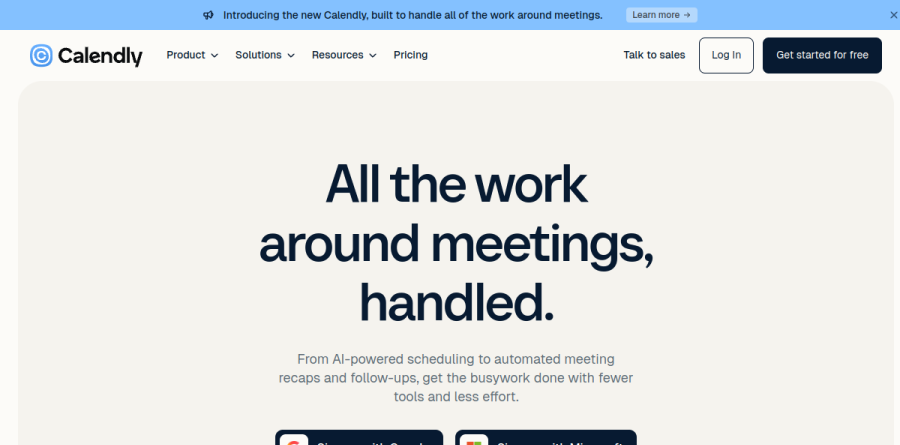
What is Calendly?
At its simplest, Calendly is a meeting scheduling platform built on one premise: publish your real availability as a shareable link, let the other person pick a slot, and skip the back-and-forth email volley. You connect a calendar, define event types, and the booking page checks live availability before it ever offers a time.
The product has widened well past booking links. Calendly now organizes itself around a four-stage loop the homepage labels book, prep, capture, and follow up, with Notetaker handling meeting recaps and action items, the Callie AI assistant in beta, Contacts for relationship management, and Payments for collecting money at the point of booking.
How Calendly handles day-to-day booking

The core of Calendly is the event type, a meeting template for one-on-one or multi-person meetings that you customize with location, description, branding, and other details, with customizable availability layering on preferred meeting hours, daily meeting limits, and built-in buffers and breaks. Customizable availability lets you fence off focus blocks, and meeting polls cover the messier case where a group needs to converge on a time. Reminders and follow up then run automatically once a booking lands.
Calendly is deliberate about meeting people where they already are. The browser extension gives one-click access to Calendly anywhere on the web without switching tabs, website embeds and lead routing forms qualify and schedule meetings straight from your website, and the mobile app manages scheduling on the go. The Free plan covers one event type and one calendar connection, enough to test the habit before committing a team.
Notetaker, Callie, and Payments
The additions Calendly groups under its platform explain why the tool now surfaces in conversations that used to be about note-taking software. Notetaker records meetings, produces transcripts, and generates shareable recaps with action items, but it is a paid add-on to the Standard or Teams plans rather than an included feature, with advanced admin controls in the Teams version and access on Enterprise by inquiry.
Callie, still labeled beta, is the AI assistant layer: it schedules over email and answers through interactive chat rather than making you open a dashboard. Payments connects Stripe and PayPal so a paid consultation collects its fee inside the same booking flow, which matters for coaches, advisors, and anyone selling time directly.
Routing and team scheduling

Routing is where Calendly earns its place on revenue teams. A qualifying form screens the inbound request, Calendly looks up known leads and matches them to the assigned account owner in Salesforce or HubSpot, and the prospect books with the right rep immediately instead of waiting on a handoff.
Teams-level scheduling adds round-robin and team scheduling, lead qualification and routing, and centrally managed event types so administrators can standardize how an entire org books. The vendor reports customer outcomes on its sales pages, including CallRail doubling its sales conversion rate and Katalon halving no-shows, figures worth reading as vendor-supplied rather than independently audited.
Integrations and admin controls
Calendly cites more than 100 integrations, and the depth is real where it counts: the Google and Microsoft ecosystems for calendar and conferencing, plus Zoom, Slack, Gong, Zapier, Greenhouse for recruiting, and Marketo, Pardot, and Salesforce at the Teams level. Microsoft Dynamics 365 and Salesforce routing with lookup sit on Enterprise.
Enterprise is the tier IT departments care about, bundling SSO and SAML, domain control, audit log compliance, a data deletion API, and dedicated onboarding with account support. It also carries a seat minimum, so it targets large deployments rather than mid-sized teams chasing one extra security control.
Who should choose Calendly
For most buyers, Calendly is the safe default when the calendar is the bottleneck: consultants and recruiters on Standard, sales and customer success teams needing routing and round robin on Teams, and large organizations with real compliance obligations on Enterprise. The Free plan works as a genuine on-ramp rather than a demo.
It is less ideal for solo operators who need several distinct meeting formats but will not pay for a seat, since the single event type limit binds quickly, and teams already committed to a suite-native scheduler inside Google or Microsoft may find Calendly overlaps more than it adds.
Strengths
- Fastest, most polished booking-link setup in the category with 100+ integrations
- Strong team features: round-robin, routing forms, managed events, workflows
- Deep CRM ties (Salesforce, HubSpot) plus Zapier access to 7,000+ tools
- Free plan is genuinely usable for basic one-on-one scheduling
Watch out for
- Free plan capped at just 1 event type and 1 calendar
- Per-seat pricing adds up fast for larger teams
- Lead routing and Salesforce integration require the $16/seat Teams tier
- AI Notetaker and advanced routing feel behind rivals built AI-first
Key features
| Feature | What it does |
|---|
| Scheduling automation | Real-time calendar sync across Google, Outlook and Exchange with customizable booking pages and buffers |
| Round-robin & routing | Distribute meetings by availability or priority; routing forms qualify leads and send them to the right rep |
| Workflows | Automated email and SMS reminders, follow-ups and confirmations to cut no-shows |
| Meeting Notetaker (AI) | AI assistant that joins calls to record, transcribe and generate recaps with action items |
| Integrations | 100+ integrations: Zoom, Google Meet, Teams, Salesforce, HubSpot, Stripe, PayPal, Zapier (7,000+ tools) |
| Analytics | Track meetings completed, top days/times and top performers across the team |
How Calendly compares
| Alternative | How it differs |
|---|
| Cal.com | Open-source alternative; self-hostable with flat per-user pricing, appeals to developers |
| Acuity Scheduling | Squarespace-owned; stronger for classes, appointments and service businesses taking payments |
| Reclaim.ai | AI-first scheduling that auto-defends focus time and habits, not just booking links |
Frequently asked questions
Is Calendly free?
Yes. Calendly's free plan is free forever and includes one event type, one connected calendar, unlimited meetings, video conferencing and mobile apps. It's fine for basic one-on-one scheduling, but you'll need the Standard plan ($10/seat/month annually) for unlimited event types, integrations and automated reminders.
How much does Calendly cost?
Beyond the free tier, Standard is $10 per seat/month billed annually (about $12 monthly) and Teams is $16 per seat/month annually (about $20 monthly). Enterprise starts at $15,000 per year with custom pricing. Annual billing saves roughly 16% on Standard and 20% on Teams.
What is the difference between Calendly Standard and Teams?
Standard ($10/seat/month annually) covers unlimited event types, integrations, payments and reminders for individuals. Teams ($16/seat/month annually) adds team-focused tools: round-robin meetings, lead routing, Salesforce integration, managed events and advanced admin controls. If you need routing or CRM-driven assignment, you need Teams.
What are the best Calendly alternatives?
Cal.com is the leading open-source, self-hostable option; Acuity Scheduling (Squarespace) suits classes and paid appointments; and Reclaim.ai focuses on AI-driven calendar defense. Google's built-in appointment scheduling is a free basic option. Choice depends on team size, routing needs and whether you want AI-first scheduling.
Does Calendly have AI features?
Yes. Calendly's Meeting Notetaker is an AI assistant that joins video calls to record, transcribe and generate recaps with action items, and Calendly offers AI-assisted routing that sends leads to the right rep. Its AI is newer and narrower than rivals like Reclaim.ai that were built AI-first.
Calendly ratings on other platforms
Independent user ratings from third-party review sites, linked here for transparency.
These are not our editorial score, are captured on the date shown, and may have changed since.