The full review
What is Outlook Calendar?
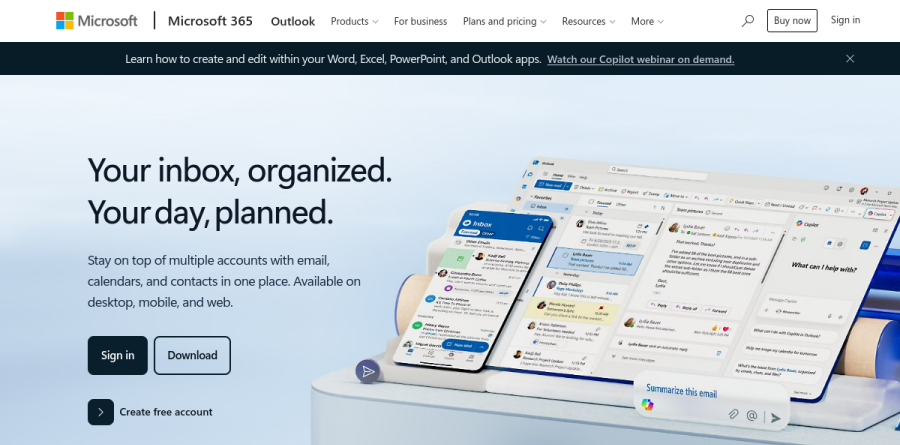
Outlook Calendar is the scheduling half of Microsoft Outlook, the mail and calendar client Microsoft ships for Windows, macOS, iOS, Android, and the web. It lives in the same window as your inbox, contacts, and to-do list. Microsoft frames the Outlook pitch as an inbox that stays organized and a day that stays planned, with several accounts pulled into a single view.
On its own product page, Microsoft describes the feature as a shareable online calendar: create events, appointments, and meetings with a title, location, date, and time, then reach them from any signed-in device. Edits sync automatically, so a change made on a phone appears on the desktop app. Any free Outlook.com account includes the calendar.
The scheduling side covers the fundamentals thoroughly. Switch the display between week, month, and year, or set several calendars side by side to get a complete look at your schedule and adjust meeting times if needed. Recurring events handle the weekly stand-up or the monthly report, custom reminders follow you across devices, and time-zone support lets you book with participants abroad without mental arithmetic. Holidays and daylight saving shifts fold in automatically.
The tightest integration is with mail. Microsoft highlights converting emails into calendar events and keeping tasks alongside your schedule in one consolidated view. That workflow makes Outlook Calendar hard to leave: a request arrives as a message and turns into a blocked hour with no copy-and-paste detour.
Shared calendars and group coordination
Sharing is where Outlook Calendar earns its place inside an organization. Invitations and RSVPs show organizers who plans to attend, privacy settings control who can view or edit a calendar so a manager exposes availability without exposing details, and real-time updates push a reschedule to everyone at once. Attendees add comments and attachments on the event itself, so context travels with the invitation.
Meetings connect outward to the rest of Microsoft 365. Microsoft points to adding a Teams meeting link to an invite, attaching a SharePoint file for people to review beforehand, then tracking responses and following up over email. Business subscriptions extend that foundation with Microsoft Bookings and Shifts for appointment and staff scheduling.
What Copilot adds to Outlook
Recent releases lean heavily on Copilot. The vendor reports that Copilot summarizes long email threads, drafts and edits messages, and handles inbox actions such as triage or setting an auto-reply through Copilot Chat, with a dedicated schedule-and-RSVP experience aimed at calendar work. Microsoft also describes Copilot flagging high and low priority mail based on your role and manager.
Access depends on the plan. Microsoft 365 Personal and Family include Copilot in the desktop apps, while Business Standard with Copilot and Business Premium with Copilot carry work-grounded Copilot across Outlook, Word, Excel, PowerPoint, and Teams. Business Basic stays on web and mobile apps with a web-grounded AI chat experience instead.
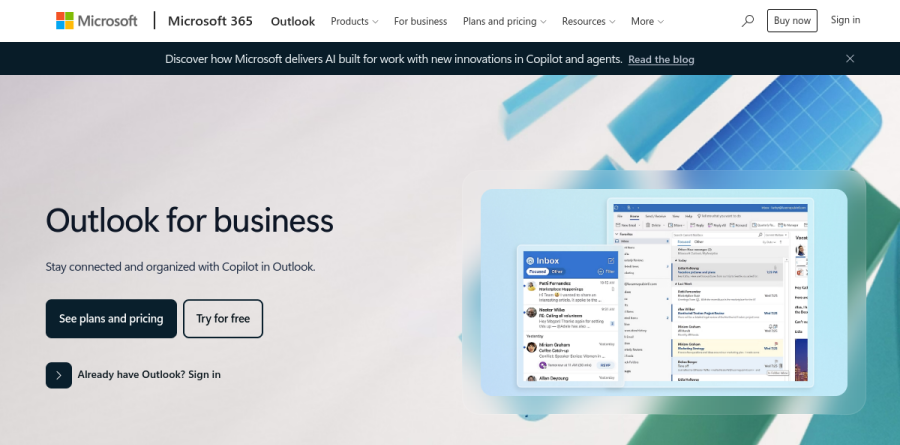
Outlook comes bundled with Windows at no cost, with free downloads for Android, iOS, and macOS plus a web portal. The free tier includes calendar and email along with web and mobile versions of Word, Excel, PowerPoint, and OneNote. Microsoft 365 Basic removes ads and raises mailbox storage; Personal and Family add the desktop apps; Business Basic, Business Standard, and Business Premium add custom-domain email on Exchange and identity management for up to 300 users.
Who should choose Outlook Calendar
Outlook Calendar is the obvious default for anyone already living inside Microsoft 365. If your company runs Exchange, Teams, and SharePoint, the calendar is provisioned, governed by IT, and wired to the files and meetings you schedule around, so replacing it costs more than it returns. It also serves individuals who want a capable free calendar attached to an address they already use.
It fits poorly for teams standardized on Google Workspace, and for people who want a small, opinionated scheduling app: cross-ecosystem availability lookups stay awkward, and Outlook carries decades of enterprise surface area a two-person studio will never touch. Anyone needing polished public booking pages should check whether Microsoft Bookings on a business plan covers the case.
Strengths
- Genuinely free and full-featured with any personal Microsoft account — no time limit
- Deep Teams, Exchange, and Microsoft 365 integration; meeting links auto-attach
- Scheduling Assistant and FindTime cut the back-and-forth of booking meetings
- Consistent real-time sync across web, Windows, macOS, iOS, and Android
Watch out for
- No standalone calendar product — business use requires a full Microsoft 365 subscription
- Split experience: 'new Outlook' vs 'classic Outlook' still confuses users in 2026
- Free tier is ad-supported unless you pay for Microsoft 365 Basic ($1.99/mo)
- Advanced AI (Copilot) is a paid add-on, ~$18–$21 per user/month
Key features
| Feature | What it does |
|---|
| Scheduling Assistant | View attendees' free/busy times to pick a slot without email ping-pong. |
| Shared & group calendars | Share with granular view-to-edit permissions or publish a read-only link; overlay team calendars. |
| Teams & Exchange integration | Meetings auto-generate Teams links and sync with corporate Exchange calendars. |
| FindTime & Bookings | Poll external guests for meeting times or let clients self-book open slots. |
| Copilot AI (add-on) | Summarizes threads, drafts replies, and surfaces schedule conflicts; paid add-on. |
| Cross-platform apps | Native web, Windows, macOS, iOS, and Android clients with real-time sync. |
How Outlook Calendar compares
| Alternative | How it differs |
|---|
| Google Calendar | Free and equally cross-platform; the default for Gmail and Google Workspace teams. |
| Apple Calendar | Free and polished on Apple devices, but weak on Windows and business features. |
| Calendly | Scheduling-automation specialist that layers on top of Outlook rather than replacing it. |
Frequently asked questions
Is Outlook Calendar free?
Yes. Outlook Calendar is completely free with any personal Microsoft account at Outlook.com, bundled with a 15 GB mailbox and 5 GB of cloud storage. The free tier is ad-supported but includes full calendar features — event creation, sharing, reminders, and scheduling — across web, Windows, macOS, iOS, and Android. There is no separate charge for the calendar itself.
How much does Outlook Calendar cost for business?
There's no standalone calendar price — it's bundled into Microsoft 365. Business plans on annual commitment run $7 per user/month for Business Basic, $14 for Business Standard, and $22 for Business Premium, with the Basic and Standard increases effective July 1, 2026. Every tier includes Outlook email plus Calendar, Scheduling Assistant, shared calendars, and Teams integration.
Is there a standalone Outlook Calendar app I can buy?
No. Microsoft doesn't sell Calendar as a separate product. It ships inside Outlook, which is free with a personal account or bundled into Microsoft 365 Personal ($99.99/year), Family ($129.99/year), and the business plans. On mobile, the Outlook app surfaces a dedicated calendar tab, but it remains part of the broader Outlook package.
What's the difference between Outlook Calendar and Google Calendar?
Both are free and cross-platform. Outlook Calendar integrates tightly with Microsoft 365, Teams, and Exchange, making it the default for Windows and Office-heavy organizations. Google Calendar pairs naturally with Gmail and Google Workspace (from $7.20 per user/month). Feature parity is close; the deciding factor is usually which email and productivity ecosystem your team already uses.
Can I share my Outlook Calendar with others?
Yes. You can share your calendar with specific people and set permission levels from view-only to full edit, or publish a read-only link anyone can open. Group calendars, the Scheduling Assistant, and FindTime polls help coordinate meetings. Sharing works on the free Outlook.com tier and on every paid Microsoft 365 plan across web, desktop, and mobile.
Outlook Calendar ratings on other platforms
Independent user ratings from third-party review sites, linked here for transparency.
These are not our editorial score, are captured on the date shown, and may have changed since.