The full review
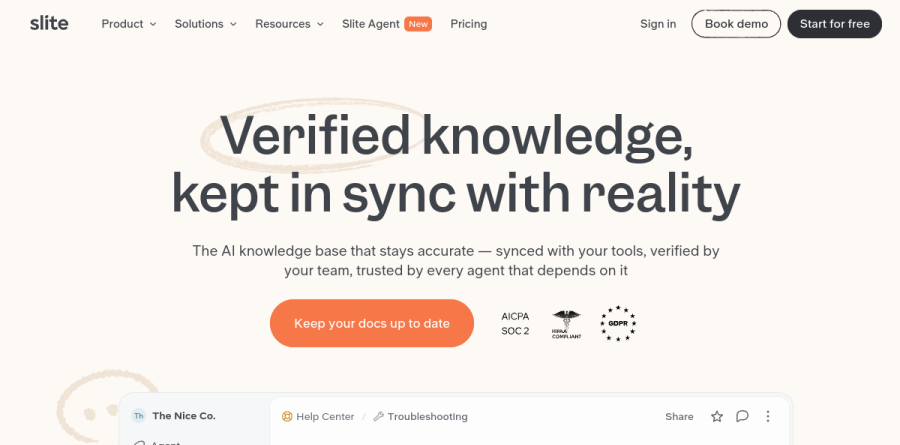
What is Slite?
Slite is a team wiki and knowledge base built around one unfashionable idea: documentation only earns trust when a reader can tell whether it is still accurate. Instead of competing on block types and database views, Slite pairs a clean collaborative editor with a verification layer. Every doc carries an owner and a verified state, so a page announces its own reliability before anyone acts on what it says.
The vendor positions this as a self-maintaining knowledge base, framing the promise on its homepage as verified knowledge kept in sync with reality. Workspaces organize into channels and collections rather than a sprawling page tree, and Slite links alternative-to comparison pages for Notion, Confluence, Google Docs, Guru, and Slab, while its homepage highlights customers who migrated from Notion, Confluence, ClickUp, Quip, and OneNote.
Verification is the mechanic that matters
The doc verification workflow sits on every plan, including Basic, and it is the feature most likely to change how a team behaves. Docs get an explicit owner, a review state, and a visible verified badge. The Knowledge Management Panel and Doc insights ship on every plan, and the panel supports bulk actions across the doc library. A VP of engineering at Tset credits that panel with making a large content library manageable.
Slite Agent catches knowledge drift early

Pro unlocks Slite Agent, which is where the self-maintaining claim gets specific. The vendor reports the Agent monitors Slack, Linear, GitHub, and your codebase, and that when reality moves it drafts the correction and routes it to the right expert. Examples shown on the homepage include a merged pull request that leaves help center docs needing an update, and a new HR policy that affects the holiday rules doc. Humans stay in the loop: the Agent proposes, an owner approves or rejects, and nothing lands unreviewed. Agent workflows and scheduled maintenance routines run the same checks on a cadence.
AI Search that cites every answer
Ask, the AI search and answers feature, is available from Basic within Slite docs and expands across connected tools on Pro and Enterprise. Three design choices make it useful rather than merely impressive: verified docs rank first, with stale or unverified sources demoted behind a visible trust signal; every query inherits the permissions of the person asking, third-party agents included; and each answer cites the exact sources, owners, and timestamps behind it. Teams can also pull cited answers into Slack threads without leaving the conversation.
MCP access and enterprise groundwork
Slite exposes the same retrieval engine through the Slite MCP server, so Claude, ChatGPT, Cursor, Gemini, and custom agents can read, search, create, and verify docs directly. The tool surface is granular, covering everything from setting a review state to resolving comments. A Chrome extension brings the Agent onto any page, and the public API ships on every plan. On compliance, Slite lists SOC 2 Type II, HIPAA, and GDPR with EU hosting, states that customer data never trains AI models, and reserves SCIM, audit logs, and reader-only seats for Enterprise.
Who should choose Slite
Slite fits teams that already have documentation and a problem trusting it — support orgs whose help content lags releases, engineering teams whose runbooks quietly rot, operations leads tired of re-answering questions settled months ago. The department pages for IT and Operations, Product and Engineering, Customer Support, HR, and Sales are unusually concrete about the workflows involved. Slite is not the right pick for teams wanting a wiki that doubles as a project tracker, database, or CRM; it deliberately trades Notion-style extensibility for clarity, and anyone hoping to build custom relational views will find it constraining. A 14-day trial makes fit easy to test, and the vendor notes discounts for eligible non-profit and academic organizations on the Basic plan.
Strengths
- AI 'Ask' cites only your own verified docs, limiting hallucinations
- Document verification workflow flags and expires stale content automatically
- Clean, fast editor prioritizes writing over setup and configuration
- Slack /slite ask and /slite search query the base without leaving chat
Watch out for
- No free plan since the June 2026 relaunch; entry now $10/user/mo
- Pro doubles cost to $20/user/mo for agent and multi-tool search
- AI usage capped at 30 questions/seat on Basic, 50 credits on Pro
- Less customizable than Notion or Confluence; weak for complex databases
Key features
| Feature | What it does |
|---|
| Slite Ask (AI search) | Answers natural-language questions by scanning your base and citing specific docs; uses only your content to reduce hallucinations. |
| Doc verification workflow | Owners set review windows with expiration reminders; verified docs rank higher in AI answers and search. |
| Knowledge Management Panel | Flags outdated docs automatically by comparing content against Slack, GitHub, and Linear activity. |
| Slite Agent (Pro) | Agent workflows plus unified search across 12+ tools including Slack, HubSpot, Jira, Google Drive, Salesforce. |
| Slack integration | Run /slite ask for AI-cited answers or /slite search for keyword lookup directly inside Slack channels. |
| API & MCP access | Programmatic access available from the Basic tier for custom integrations and automation. |
How Slite compares
| Alternative | How it differs |
|---|
| Notion | More flexible databases and customization, but lacks Slite's native doc verification and citation-backed AI. |
| Confluence | Deeper enterprise features and Atlassian integration; heavier to run and pricier to scale. |
| Guru | Similar AI, verification-focused knowledge base with stronger browser-extension surfacing in workflows. |
Frequently asked questions
How much does Slite cost in 2026?
Slite has two paid plans: Basic at $10 per user/month and Pro at $20 per user/month, both billed annually ($12 and $25 respectively on monthly billing). Enterprise is custom-priced. There is no free plan since the June 2026 relaunch, but a 14-day free trial requires no credit card.
Does Slite have a free plan?
No. Slite removed its free plan in the June 2026 relaunch. You now get a 14-day free trial with no credit card required, then choose Basic ($10/user/month) or Pro ($20/user/month), billed annually. Nonprofit and academic teams can request discounts on the Basic plan.
What is Slite's AI 'Ask' feature?
Slite Ask is an AI assistant that answers natural-language questions by scanning your knowledge base and citing specific docs, using only content you've written to limit hallucinations. Basic includes 30 questions per seat monthly; Pro raises this to 50 credits per seat and adds search across 12+ connected tools.
Slite vs Notion for a knowledge base?
Slite is a focused, self-maintaining AI knowledge base with built-in doc verification and citation-backed answers, ideal for teams valuing clarity. Notion is more flexible with databases and customization but lacks native verification. Slite starts at $10/user/month; Notion's paid plans start lower but need more manual upkeep.
What integrations does Slite offer?
Slite connects to Slack for /slite ask and /slite search, plus API and MCP access from the Basic tier. The Pro plan ($20/user/month) unlocks Slite Agent and search across 12+ tools including HubSpot, Linear, Jira, Google Drive, GitHub, Asana, SharePoint, Salesforce, and Intercom.
Slite ratings on other platforms
Independent user ratings from third-party review sites, linked here for transparency.
These are not our editorial score, are captured on the date shown, and may have changed since.