The full review
What is Coda?
Coda is a collaborative workspace that blends the flexibility of a document, the structure of a spreadsheet, and the behavior of a small application on a single canvas. A Coda doc is not a page of static text; it can hold connected tables, views, forms, formulas, buttons, and automations, so a meeting note and the tracker it feeds sit in one place instead of drifting apart in two tools.
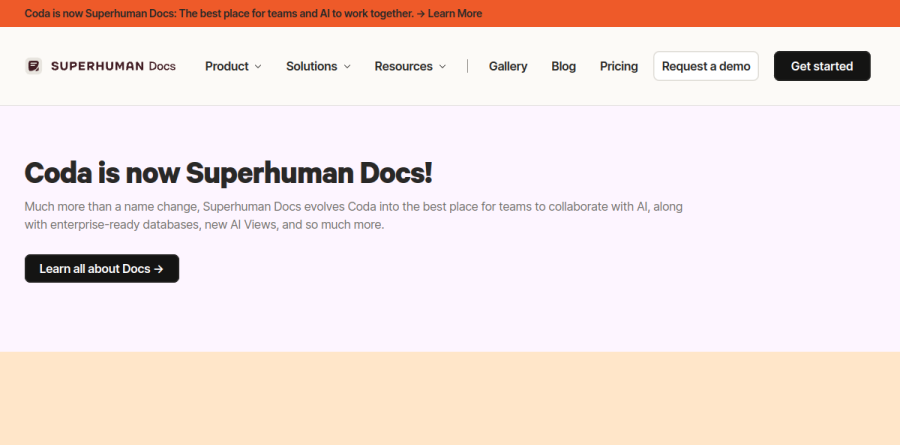
The product has been rebranded as Superhuman Docs, and the announcement runs across coda.io. The vendor frames it as much more than a name change, citing enterprise-ready databases, new AI Views, and a broader push toward teams collaborating with AI. Docs still live under the Coda name on the coda.io domain, while the pricing link now resolves to the Superhuman plans page.
Docs and team hubs on one canvas
Coda calls its editor a word processor on steroids, and the writing surface supports the claim: infinite pages, nested pages, callouts, collapsible content, and multi-column layout keep a long document readable rather than letting it become an endless scroll. Team hubs extend the same idea to a whole group, giving product requirements docs, decision writeups, meeting notes, and team processes a shared home in the neatly nested pages the vendor calls a wiki that works for you.
Trackers and apps for teams without engineers

The table layer earns Coda its all-in-one label. Connected tables hold data once and surface it through views that let people visualize the same data in their preferred way, so a project list and a Gantt-style timeline can read from the same rows without copy-pasting. Formulas, buttons, and automations turn that structure into something closer to an app, and the Gallery offers ready-made starts such as a simple OKR tracker, a product roadmap, and a task and project tracker. The Business plan goes further with Databases, currently in beta, plus unlimited automations and the ability to sync and take actions across docs.
Coda AI and the assistant layer

Coda AI arrives as several distinct tools rather than one chat box. AI chat answers questions across a workspace, the AI assistant drafts and edits inside a page, and the AI column pushes generation into the table itself so data becomes insight at scale. The vendor reports that Docs AI is available during beta for Doc Makers, and that Pro adds AI trackers, pages, and views along with the option to create using Claude and other clients through MCP.
Packs, publishing, and the integration surface
Packs are the Coda integration mechanism, described by the vendor as power-ups that change how a doc looks, works, and integrates. In practice they bring Figma designs, Jira issues, Asana tasks, Airtable records, Slack messages, Gmail threads, and Google Calendar events into a page as live data rather than screenshots. Coda counts more than 600 integrations, and the higher plans widen that list. Publishing turns a finished doc into a sleek, interactive website, and the API lets developers programmatically interact with Coda docs.
Plan structure and the Doc Maker model
Plans run Free, Pro, Business, and Enterprise, and the notable choice is the billing unit: charges apply per Doc Maker rather than per seat, a stance the vendor argues for openly on its homepage. Grammarly and Go are bundled from Pro upward, and Mail is added at Business and Enterprise as part of the Superhuman suite. Enterprise is where governance lives, including SAML SSO, SCIM provisioning, AI admin controls, audit events, a SOC 2 Type 2 report, and HIPAA compliance.
Who should choose Coda
Coda suits teams whose work has outgrown a document but does not justify a real application: ops leads, program managers, product teams, and founders who keep rebuilding the same tracker in a spreadsheet. It rewards one or two people willing to build the structure that everyone else then simply uses, which is precisely what per Doc Maker billing assumes. It is not ideal for anyone who wants a fast, plain word processor and nothing more, or for teams running genuinely large relational datasets that belong in a real database. Evaluators should also weigh the Superhuman Docs transition, since branding and billing currently span both names.
Strengths
- Free editors and viewers, you pay only per Doc Maker, so scaling collaborators is cheap
- Highly flexible single canvas: docs, tables, forms, formulas, automations, and cross-doc sync
- Docs AI now built in and free for Makers during Beta, with MCP/Claude connectivity, no separate credit purchase
- Hundreds of Packs connect Slack, Jira, GitHub, and Google with live data plus a deep template gallery
Watch out for
- Per-Doc-Maker pricing climbs fast for teams with many builders ($33/maker on Business, annual)
- Steeper learning curve than Notion or Google Docs for new or non-technical users
- Post-acquisition churn: July 2026 Superhuman rebrand paused AI credits and left key features in Beta
- Large docs and tables can lag; databases, cross-doc sync, and unlimited history are gated to Business+
Key features
| Feature | What it does |
|---|
| Doc Maker billing | You pay only for Doc Makers who build docs; unlimited editors and viewers collaborate free, cutting cost for large teams. |
| Connected tables, views & forms | Turns a doc into a relational database with tables, multiple views, and forms, no separate spreadsheet or app needed. |
| Formulas & automations | A spreadsheet-style formula language plus rule-based automations power buttons, notifications, and workflows inside docs. |
| Docs AI + MCP | Built-in AI assistant (Beta) writes, edits, builds trackers, and answers questions across the workspace; free for Makers during Beta, with MCP/Claude connectivity. |
| Databases & cross-doc sync | Business tier adds true databases (Beta) and syncing of data and actions across multiple docs for connected workflows. |
| Packs & integrations | Hundreds of Packs embed live external data from Slack, Jira, GitHub, Google, and more directly into docs. |
How Coda compares
| Alternative | How it differs |
|---|
| Notion | Most direct rival for docs plus databases; simpler, per-user billing from about $10/user/mo. |
| Airtable | Relational-database-first alternative; stronger for structured data at scale, from about $20/seat/mo. |
| ClickUp | Docs plus full project management; cheaper per user (about $7/mo) if you want tasks and docs together. |
Frequently asked questions
Is Coda free?
Yes. Coda (now Superhuman Docs) has a free $0 plan covering collaborative docs, connected tables, views, forms, formulas, automations, and a taste of Docs AI. Limits include capped doc size and no long version history. For unlimited doc size, full AI, and 30-day history you need Pro at $12 per Doc Maker per month billed annually.
How much does Coda cost?
As of July 2026 the official page lists four tiers: Free ($0), Pro ($12 per Doc Maker/month billed annually, $15 monthly), Business ($33 annually, $40 monthly), and Enterprise (custom). You only pay for Doc Makers who build docs; editors and viewers are free. Existing Coda customers keep their older, slightly lower grandfathered pricing.
Is Coda now Superhuman Docs?
Yes. On July 8, 2026 Coda was renamed Superhuman Docs after Grammarly bought Coda and rebranded itself Superhuman. coda.io/pricing now redirects to superhuman.com/docs. Superhuman says existing plans, pricing, and Maker Billing stay the same, while the old Coda AI credit system was paused for a new Docs AI assistant, currently free for Makers in Beta.
What are the best Coda alternatives?
The closest alternatives are Notion (docs plus databases, from about $10/user/month), Airtable (relational database first, from about $20/seat/month), and ClickUp (docs plus project management, from about $7/user/month). Notion is the most direct rival for wikis; Airtable wins for structured data at scale; ClickUp suits teams wanting tasks and docs together. All bill per user, unlike Coda's per-Doc-Maker model.
Coda vs Notion, which is better?
Both merge docs and databases, but they differ on power and price. Coda (Superhuman Docs) is stronger for formulas, automations, cross-doc sync, and building interactive tools, and charges only for Doc Makers, so viewers and editors are free. Notion is simpler, better for wikis and notes, and often cheaper for large teams since it bills per user. Pick Coda to build apps, Notion to organize knowledge.
Coda ratings on other platforms
Independent user ratings from third-party review sites, linked here for transparency.
These are not our editorial score, are captured on the date shown, and may have changed since.