The full review
What is Confluence?
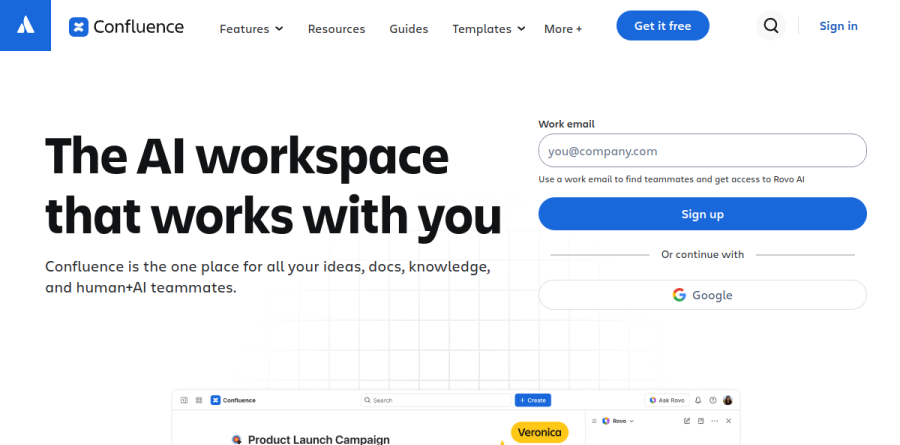
Atlassian built Confluence as a workspace for team documentation and knowledge management, the place where a company writes things down and expects colleagues to find them again later. The vendor now frames it as an AI workspace that works with you, and the product spans pages, spaces, live docs, whiteboards, databases, and embedded video rather than one rigid document format.
Content lives in spaces with a structured page tree, so a team, a project, or a department each gets a home that maps to how the organization actually operates. Page versioning, macros, a template library, page insights, and granular space and page permissions round out the core, and unlimited spaces and pages are available on every plan, including Free.
Pages, whiteboards, and databases in a single workspace

Most wiki tools stop at text. Confluence adds two content types that change how teams work in it. Whiteboards supply stickies, lines, sections, stamps, and timers for real-time ideation, and Atlassian highlights built-in Jira integrations that convert stickies and shapes into Jira work items, draw relationships between those items with smart connectors, and act on them in bulk through smart sections. Templates such as flow chart, simple retro, roadmap, and concept map get sessions moving fast.
Confluence databases cover the structured side. They gather information from Confluence, Jira, and third-party apps into table, card, or board views, keep it synced automatically, and let each audience see a tailored slice. The vendor notes that databases are included in every Confluence plan, so even Free users can test the pattern before committing.
Where Rovo brings AI into Confluence
Atlassian Rovo is the AI layer, and it is metered rather than open-ended: the plan comparison lists Rovo credits per user per month alongside a cap on indexed objects, both of which climb as you move from Standard to Premium to Enterprise. Rovo Search, Chat, and Agents appear from the Standard tier upward.
The vendor reports capabilities including drafting from templates, summaries of pages and comments, audio briefings, and Rovo Remix, which reshapes existing material into timelines, charts, maps, or slides. Atlassian presents Teamwork Graph alongside Rovo as a way to link teams, work, and goals to unlock context right in your flow of work.
How Confluence connects to the rest of your stack

Confluence earns its keep fastest inside Atlassian shops. The Jira link is the obvious draw, with requirements, decisions, and release notes documented in Confluence while delivery is tracked in Jira. Beyond that, Atlassian names Figma, GitHub, Google Drive, Microsoft Teams, and Loom among supported integrations, and Loom recordings embed straight into a page so a walkthrough can replace another meeting. Atlassian also packages Confluence, Jira, Loom, and Rovo as the Teamwork Collection.
Administration, security, and scale
Governance scales along plan lines. Standard opens up advanced permissions, free guest access, public links, and anonymous access for outside collaborators. Premium layers on the dynamic intranet, analytics, admin insights, sandbox and release tracks, and a far higher automation ceiling. Enterprise reaches multiple sites, cross-product reporting through Atlassian Analytics and Atlassian Data Lake, enterprise-grade identity and access management, and a stronger guaranteed uptime SLA.
One budgeting detail deserves attention: SSO, SCIM, and mobile app management arrive through Atlassian Guard Standard, a separate subscription on all but the Enterprise plan. Data Center remains the self-managed option for strict regulatory requirements.
Who should choose Confluence
Teams already invested in Jira get the most from Confluence, as does any group that needs documentation to outlive staff turnover, since a structured tree, permissions, versioning, and archiving beat a sprawl of loose files. It also fits companies that would rather keep brainstorming, structured data, and long-form knowledge under a single admin and security umbrella than juggle three subscriptions.
It is a weaker choice for small teams who simply want a quick, minimal notes app. Confluence carries real setup and governance overhead, the editor feels heavier than lightweight rivals, and much of its payoff only shows up once the surrounding Atlassian stack is in place. Free is also capped at ten users on one site, so a growing team should plan for a paid tier early.
Strengths
- Deep native two-way Jira integration, unmatched for Atlassian-ecosystem engineering and product teams
- Genuine free plan for up to 10 users with unlimited pages, spaces, and databases
- Rovo AI now included on every paid plan from Standard ($5.42/user), not gated behind the top tier
- Strong structure and governance: page tree, versioning, granular permissions, audit logs, templates
Watch out for
- Editor and interface feel cluttered, with a steeper learning curve than Notion or Nuclino
- Per-user pricing plus paid marketplace app add-ons make costs climb fast for larger teams
- Search and navigation degrade in large spaces with many pages, a long-standing complaint
- Rovo AI is metered by credits (just 25/user on Standard), which heavy users can exhaust
Key features
| Feature | What it does |
|---|
| Pages & Spaces | Unlimited structured pages organized in spaces with a page tree, versioning, and a template library for docs and wikis. |
| Native Jira integration | Two-way linking to Jira issues, sprints, and projects, Confluence's strongest differentiator for dev and product teams. |
| Rovo AI | Atlassian's GenAI for search, chat, and agents that draft pages, whiteboards, and databases; on paid plans with tiered credits. |
| Whiteboards & Databases | Built-in visual whiteboards and structured databases to plan, brainstorm, and organize work alongside documents. |
| Automation | No-code rules to send reminders and organize spaces, scaling from 10 runs/month on Free to unlimited on Enterprise. |
| Permissions & Admin | Granular space/page permissions, admin insights, audit logs, and enterprise identity/access management on top tiers. |
How Confluence compares
| Alternative | How it differs |
|---|
| Notion | More flexible, freeform editor; rated 4.6 on G2; AI in Business plan at $20/user. Weaker native dev-tool integration. |
| Slab | Modern knowledge base with clean editor and strong search; 4.6 on G2; a popular downsize from Confluence for teams under 50. |
| Nuclino | Fast, minimalist team wiki; simpler and cheaper, but lacks Confluence's enterprise admin, automation, and Jira depth. |
Head-to-head: Confluence vs Notion
Frequently asked questions
Is Confluence free?
Yes. Confluence Cloud has a Free plan for up to 10 users with unlimited pages and spaces, databases, up to 3 whiteboards per user, 10 automation runs per month, and 2 GB storage. It's free forever, no credit card required. However, the Free plan excludes Rovo AI, which starts on the paid Standard plan at $5.42/user/month.
How much does Confluence cost?
Confluence Cloud has four plans, billed annually: Free ($0, up to 10 users), Standard ($5.42/user/month), Premium ($10.44/user/month), and Enterprise (custom, contact sales). Monthly billing costs roughly 17% more. Prices scale with team size, and Enterprise adds multi-site support (up to 150 sites), Atlassian Analytics, and advanced security and identity management.
Does Confluence have AI?
Yes. Confluence includes Atlassian Rovo AI (search, chat, and agents) on paid plans. Standard gives 25 Rovo credits and 100 indexed objects per user monthly; Premium raises it to 70 credits and 250 objects; Enterprise to 150 credits and 625 objects. Rovo can draft pages, whiteboards, and databases. The Free plan includes no Rovo AI features.
What are the best Confluence alternatives?
Popular Confluence alternatives include Notion (4.6 on G2, strong editor, AI in its $20/user Business plan), Slab and Nuclino (favored by teams under 50), plus Coda, Microsoft Loop/SharePoint, and Google Workspace. Confluence wins on deep Jira integration and structured documentation; rivals often win on editor flexibility, cleaner UI, and lower per-user pricing for small teams.
Confluence vs Notion: which is better?
Notion offers a more flexible editor and freeform workspace, rating 4.6 on G2 versus Confluence's 4.1. Confluence imposes more structure and controlled permissions and integrates natively with Jira, making it stronger for engineering teams and formal documentation. Choose Notion for a flexible all-in-one workspace; choose Confluence if you're in the Atlassian ecosystem and need governance and predictable knowledge management.
Confluence ratings on other platforms
Independent user ratings from third-party review sites, linked here for transparency.
These are not our editorial score, are captured on the date shown, and may have changed since.