RoboForm Review 2026: Long-running password manager with a free single-device plan
Affiliate disclosure: this review contains affiliate links — we may earn a commission if you sign up, at no cost to you. Ratings are our own editorial scores.
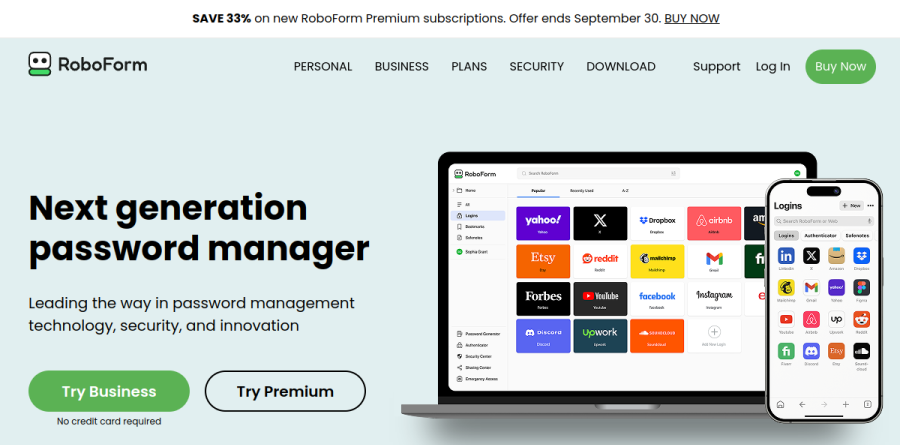
RoboForm
Pros
- Free plan stores unlimited passwords on one device
- Premium costs $2.49/mo billed annually and renews at $29.88/yr
- 30-day money-back guarantee on Premium and Family
- Business tier includes SSO and SCIM with Microsoft Entra, Okta, Google Workspace, Ping and OneLogin
Cons
- Free plan is limited to a single device; syncing between devices needs an active Premium licence
- Business licences are not refundable, and discounted orders cannot be refunded
- Live chat and phone support are weekday-only and listed only under paid plans
- No SOC 2 or ISO 27001 certification is cited; the only third-party test mentioned is a Secfault Security pentest
Best for: Cheap annual plans, Families of up to five, Businesses needing SSO and SCIM.
What it is
RoboForm is a password manager from Siber Systems of Fairfax, Virginia, first released in 2000 and updated since. The free plan holds unlimited passwords on a single device, and paid plans add multi-device sync, priority email support and weekday live chat and phone support. Family covers up to five Premium accounts.
The Business tier adds an Admin Center, SSO and SCIM integrations with Microsoft Entra, Okta, Google Workspace, Ping and OneLogin, reports and audit logs, a security dashboard with breach monitoring, and 2FA options. A built-in authenticator handles TOTP codes and there is a passkey manager. Enterprise customers with 1,000 or more users can self-host.
What it costs in practice
Premium is $2.49/mo billed annually, which then renews at $29.88/yr. Family is $3.98/mo billed annually and renews at $47.75/yr. Business is $3.33/user/mo billed annually, renewing at $39.95 per user per year, with a multi-year discount available and a free trial that needs no credit card. A sale banner promises a first-year discount for new users, but the figures are injected by script and could not be read on the pricing pages.
Premium and Family carry a 30-day money-back guarantee, and the licence terms require the request to reach Siber within 30 days of purchase with the original email receipt as proof. Discounted orders and Business licences are not refundable. The security page cites testing by Secfault Security and a FIDO Alliance logo; no SOC 2 or ISO 27001 certification is mentioned.
Key features
| Feature | What it does |
|---|---|
| Single-device free plan | Unlimited passwords on a single device at no cost. |
| Family sharing | Up to 5 Premium accounts for you and your family on one plan. |
| Business admin, SSO and SCIM | Admin Center, SSO and SCIM with Microsoft Entra, Okta, Google Workspace, Ping and OneLogin, plus reports, audit logs and a security dashboard with breach monitoring. |
| Built-in authenticator and passkeys | Built-in authenticator app for TOTP codes and a passkey manager for passwordless access. |
RoboForm pricing
| Plan | Price | Included |
|---|---|---|
| Free | $0 | Unlimited passwords on a single device |
| PremiumPOPULAR | $2.49/mo billed annually | Renews at $29.88/yr; 30-day money-back guarantee; 24/7 priority email support |
| Family | $3.98/mo billed annually | Up to 5 Premium accounts; renews at $47.75/yr; 30-day money-back guarantee |
| Business | $3.33/user/mo billed annually | Renews at $39.95/user/yr; free trial with no credit card; multi-year discount available; not refundable |
| Enterprise | Customised, volume-based pricing | Self-hosting model available for 1,000+ user environments |
How RoboForm compares
| Alternative | How it differs |
|---|---|
| Enpass | Offline-first password manager that stores vaults in your own cloud; no vendor sync servers. |
| KeePassXC | Free, open-source desktop password manager with no subscription. |
| Yubico YubiKey | Hardware security keys; RoboForm’s business page lists hardware keys among its 2FA options. |
RoboForm ratings on other platforms
Independent user ratings from third-party review sites, linked here for transparency. These are not our editorial score, are captured on the date shown, and may have changed since.
Frequently asked questions
How much does RoboForm cost?
RoboForm has a free plan for a single device. Premium is $2.49/mo billed annually and renews at $29.88/yr, Family is $3.98/mo billed annually (renewing at $47.75/yr) for up to 5 accounts, and Business is $3.33/user/mo billed annually, renewing at $39.95 per user per year. Enterprise pricing is customised and volume-based.
Can I use RoboForm on more than one device for free?
No. The free plan covers unlimited passwords on a single device only. RoboForm’s help centre lists an inactive Premium licence as the first reason data does not sync between devices, so multi-device sync needs a paid plan.
Verdict
RoboForm is a cheap, established password manager with a genuinely useful free tier, as long as you only need one device. Premium at $2.49/mo billed annually is low, the 30-day money-back guarantee covers personal plans, and the Business tier brings SSO, SCIM and audit reporting. Go in knowing that business licences are not refundable, support by chat and phone is weekday-only, and the security page cites a pentest rather than a SOC 2 or ISO 27001 certification.
Facts verified against: www.roboform.com, www.roboform.com, www.roboform.com, www.roboform.com, www.roboform.com, www.roboform.com, help.roboform.com (as of September 2026).
More in Cybersecurity, VPN & Privacy
See all →
Free 10GB VPN with a $69-a-year Pro plan and built-in ad blocking
VPN with a 2GB free tier, unlimited devices and annual audits