The full review
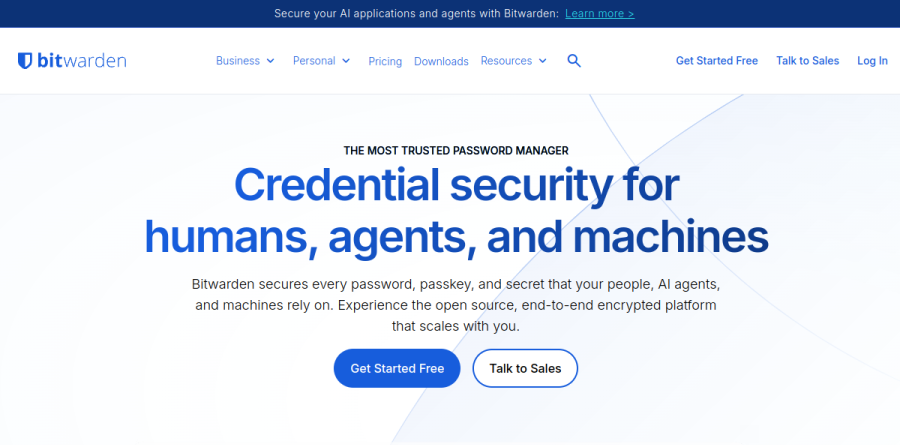
What is Bitwarden?
Bitwarden is an open-source password manager that keeps logins, passkeys, notes, and card details inside an encrypted vault unlocked by a single master password. The homepage frames the product as "Credential security for humans, agents, and machines," describing an open source, end-to-end encrypted platform that scales with you. Coverage spans Windows, macOS, and Linux desktops, iOS and Android apps, extensions for Chrome, Firefox, Safari, and Edge, plus a web vault for everything else.
The individuals page sums up the promise plainly: stop resetting passwords and log in everywhere hassle free. Everything is protected with zero-knowledge encryption, so vault contents stay unreadable to the vendor. Bitwarden also keeps a free tier that the pricing page labels "Always free," covering unlimited devices and unlimited passwords.
Everyday vault workflows
In routine use Bitwarden handles the unglamorous work well. The password generator produces strong credentials at signup, autofill drops them back in on demand, and vault items sync across every device on the account. Passkey storage and management sits alongside classic passwords, so accounts that have moved to passwordless sign-in do not need a second tool. The integrated authenticator generates TOTP codes in the same place as the password it protects, which removes the usual phone-fumbling step at login.
Vault health reports and breach warnings flag reused, weak, or exposed credentials, turning a static store into something closer to a cleanup queue. Bitwarden Send handles the other half of the problem, sharing encrypted files through expiring links.
Premium and Families upgrades

The paid personal tiers add depth rather than unlocking basics. Premium brings file attachments, emergency access so a trusted contact can reach the vault if you cannot, and the fuller set of security reports. Families extends premium accounts to six people with unlimited sharing, unlimited collections, and shared organization storage — the practical fit for a household that currently trades passwords over chat.
Business plans and IT administration

For organizations the Teams plan concentrates on secure credential sharing, event logs for audit activity, directory synchronization, and SCIM provisioning. Enterprise layers on granular access control, passwordless SSO integration, account recovery, Enterprise Policies, and the option to self-host. Bitwarden markets Access Intelligence as its risk remediation layer, while Centralized Ownership and Least-privilege Sharing describe how credentials get assigned rather than passed around informally.
Secrets Manager is a separate Bitwarden product, listed under the site's developer offerings rather than as part of the business password manager. The business page notes that Enterprise customers get a free Families plan for their users, a sensible way to stop work passwords leaking into personal habits.
Open source and independent audits
Transparency is the strongest part of the pitch. The vendor states that the entirety of the codebase is available on github.com, licensed under AGPL v3.0 and the Bitwarden License v1.0. Bitwarden reports regular third-party security audits with notable firms, describing them as annual assessments that cover source code review and penetration testing, with 2025 engagements listed for the browser extension, desktop, mobile, cryptography, and web vault. The company also cites ISO 27001 certification, SOC 2 Type 2, HIPAA compliance, and a private bug bounty program.
Who should choose Bitwarden
Bitwarden suits anyone who wants a capable password manager without a subscription decision on day one, and it rewards security-minded users who would rather read the source than trust a marketing page. Small teams get real directory and audit features at the Teams level, while regulated organizations and those wanting self-hosting have a clear reason to evaluate Enterprise.
It is less ideal for anyone expecting every convenience on the free plan: the integrated authenticator, file attachments, emergency access, and the security reports are all listed as Premium items on Bitwarden's pricing page. Anyone unwilling to guard a master password carefully should weigh the recovery model before committing.
Strengths
- Genuinely unlimited free plan: unlimited passwords across unlimited devices, one user
- Open-source code with published annual third-party audits (Cure53, ETH Zurich, Mandiant)
- Cheapest paid tiers in the category; business Teams is just $4/user/month
- Self-hosting option plus passkey vault login (unlock without a master password)
Watch out for
- Premium nearly doubled to $19.80/yr in Jan 2026 (was $9.99) after a decade flat
- Interface and autofill are less polished than 1Password
- April 2026 npm CLI package was hit in a supply-chain attack (no vault data exposed)
- Basic TOTP 2FA and emergency access are locked behind paid Premium
Key features
| Feature | What it does |
|---|
| Zero-knowledge encryption | AES-256-CBC with HMAC-SHA256 and PBKDF2-SHA256 (600,000 iterations) or Argon2id key derivation, all done client-side |
| Open source & self-hosting | Full client and server code is public; run your own vault on your infrastructure |
| Passkey support | Store, sync and use passkeys, and unlock the vault itself with a FIDO2 passkey |
| Integrated authenticator | Built-in TOTP 2FA code generator, included from Premium and up |
| Vault health & phishing blocker | Jan 2026 additions flag weak, reused or exposed passwords and block malicious sites |
| Cross-platform apps + CLI | Windows, macOS, Linux, iOS, Android, all major browsers, web vault and a full CLI |
How Bitwarden compares
| Alternative | How it differs |
|---|
| 1Password | More polished UX and an extra Secret Key layer, but closed-source, no free tier, and ~$36/yr vs Bitwarden's $19.80 |
| Proton Pass | Open-source rival with a strong free tier and $48/yr Plus; great privacy brand but a younger, less mature product |
| Dashlane | Slick UI with bundled VPN, but pricier (~$60/yr) and no free multi-device tier |
Head-to-head: Bitwarden vs 1Password
Frequently asked questions
Is Bitwarden free?
Yes. Bitwarden's free plan stores unlimited passwords and passkeys across unlimited devices for one user at no cost, forever. It includes secure notes, basic sharing with one other person, and even self-hosting. Paid Premium ($19.80/year) adds TOTP two-factor codes, 5GB file storage, emergency access, and vault health reports.
How much is Bitwarden?
Bitwarden Premium costs $19.80/year ($1.65/month), raised from $9.99 in January 2026. Families is $47.88/year for six accounts. Business plans run $4/user/month for Teams and $6/user/month for Enterprise, both billed annually. The individual free plan stays $0 with unlimited passwords and devices.
Is Bitwarden safe?
Yes. Bitwarden uses zero-knowledge AES-256 encryption with 600,000 PBKDF2 iterations, is open-source, and publishes annual third-party audits from Cure53, ETH Zurich and Mandiant. Its vaults have never been breached. In April 2026 its npm CLI package was briefly compromised in a supply-chain attack, but no user vault data was exposed.
Bitwarden vs 1Password: which is better?
Bitwarden wins on price ($19.80 vs ~$36/year), open-source transparency, and self-hosting. 1Password offers a more polished interface and an extra Secret Key layer but is closed-source with no free tier. Both are audited, zero-knowledge AES-256 vaults that have never been breached at the vault level.
Can Bitwarden be self-hosted?
Yes. Bitwarden is one of the few major password managers you can run on your own server. Both the client and server code are open-source, and the Enterprise plan officially supports self-hosting. It suits businesses with strict data-residency rules, though most individuals just use the free cloud-synced version.
Bitwarden ratings on other platforms
Independent user ratings from third-party review sites, linked here for transparency.
These are not our editorial score, are captured on the date shown, and may have changed since.