The full review
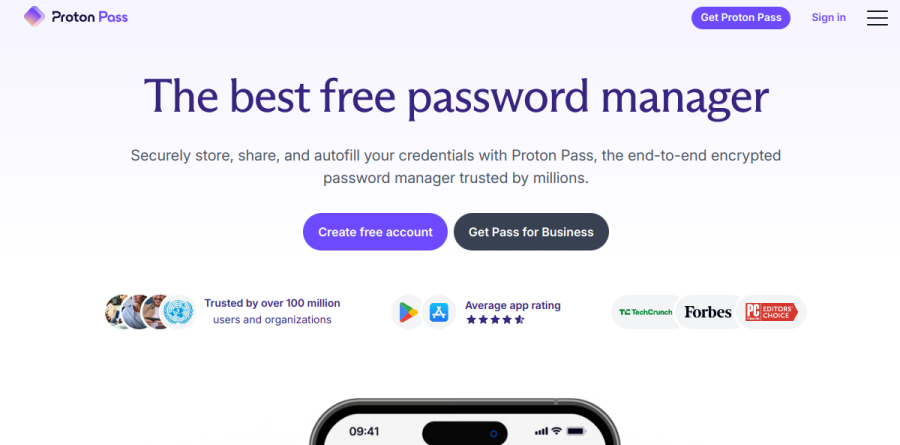
What is Proton Pass?
Proton Pass is the password manager inside Proton's Swiss privacy suite, pitched on its product page as a free password manager for storing, sharing, and autofilling credentials. The vault holds unlimited logins, notes, and credit cards across unlimited devices, with apps for Android, iOS, Windows, macOS, and Linux plus a web app and browser extensions for Chrome, Safari, Edge, Firefox, and Brave.
What separates Proton Pass from a plain vault is identity coverage. Alongside passwords it generates hide-my-email aliases, which is why Proton describes the product as an identity manager rather than a credential locker. Proton's own comparison table sets Proton Pass against Bitwarden, 1Password, and Dashlane on zero-knowledge encryption, integrated 2FA, vault sharing, hide-my-email aliases, single item sharing, advanced account protection, and a full privacy ecosystem, and the business page describes Proton as Swiss-based.
Hide-my-email aliases in practice

An alias is a randomly generated address that forwards to your real inbox. When you reach a signup form, Proton Pass can mint one on the spot, so the merchant or newsletter never sees your actual address. If that alias starts attracting spam, you deactivate it and the flow stops, and because each alias is unique you know exactly which company leaked or sold it.
Paid plans lift the alias cap and add custom domains, additional mailboxes, catch-all addressing, and the ability to initiate an email from an alias rather than only replying to one. Proton reports that the alias system works as a relay which never stores your messages.
Autofill, passkeys, and shared vaults
Day to day, Proton Pass behaves like a competent modern manager. Autofill recognizes the sites and apps you use and completes login forms without copy and paste, the password generator and passphrase generator cover account creation, and passkeys are supported across all devices on sites that support them. A built-in 2FA authenticator stores, displays, and autofills your codes, sparing you a separate app.
Items live in vaults you can share with other people, and paid plans add secure link sharing, single item sharing, item history, file attachments, and a command line interface for scripted access. An import flow pulls passwords out of your browser or an existing manager.
Breach monitoring and account defense
Proton Pass also watches the credentials it holds. Password health alerts flag weak and reused entries, Dark Web Monitoring notifies you when your details surface in a third-party leak, and coverage extends to custom domains and external email addresses. Advanced account protection brings in Proton Sentinel, the high-security program Proton reports combines AI with human review to block account takeovers even when an attacker already has the password. Emergency Access lets you grant trusted contacts permission to securely access your Proton Account in an emergency, after a set period of time.
Plan structure and business rollouts

The individual ladder runs Proton Free, Pass Plus, Pass Family, and Proton Unlimited. Pass Family packages six Pass Plus accounts with an admin panel, while Proton Unlimited bundles the password manager with Proton Mail, Proton Calendar, Proton VPN, and Proton Drive on a single subscription.
Businesses follow a separate track. Pass Essentials covers core sharing and monitoring, Pass Professional adds SSO and SCIM, detailed activity logs, enterprise policies, SIEM integration, and group sharing, and Workspace Standard opens up the wider Proton suite. Pass Essentials and Pass Professional both list a minimum of 3 users, each business plan offers a 14-day free trial, and the page carries a 30-day money-back guarantee.
Who should choose Proton Pass
Proton Pass suits privacy-minded individuals and small teams who want a capable free vault and are drawn to alias-based identity hygiene rather than passwords alone. It is a natural fit for anyone already running Proton Mail or Proton VPN, since Proton Unlimited bundles Pass with Proton Mail, Calendar, VPN, and Drive on one subscription, and for IT leads who want a Swiss-based provider with detailed activity logs and a single dashboard for credentials, logs, and sharing.
It is less ideal for people who expect the full feature set at no cost, because secure item sharing, the 2FA authenticator, Dark Web Monitoring, and Emergency Access all sit behind Pass Plus, and for solo operators or pairs, since the business plans carry a three-user minimum. Try the free tier first: it needs no credit card and includes unlimited logins, notes, and credit cards, unlimited devices, and 10 hide-my-email aliases.
Strengths
- Genuinely free tier: unlimited logins/devices and 10 hide-my-email aliases, no credit card required
- Open-source and independently audited (Cure53 2023, Recurity Labs 2026) with no known breach since 2023 launch
- Low paid price — Pass Plus $2.99/mo annually — with unlimited aliases and a built-in 2FA authenticator
- Zero-knowledge AES-256 encryption, Swiss jurisdiction, and passkey support on every plan
Watch out for
- Younger product (launched June 2023) with fewer power-user features than 1Password
- Support is email/ticket and docs only — no live chat or phone
- Best value needs an annual commitment; month-to-month jumps to $4.99
- Built-in authenticator keeps 2FA codes in the same vault, which some security purists avoid
Key features
| Feature | What it does |
|---|
| Hide-my-email aliases | SimpleLogin-powered aliases: 10 free, unlimited on Pass Plus, plus custom-domain aliases |
| Built-in 2FA authenticator | Generate and store TOTP two-factor codes directly in the vault (Pass Plus) |
| Passkey support | Create and sign in with passkeys on every device — included on the free plan |
| Dark Web Monitoring | Alerts when your emails or credentials surface in known data breaches (Pass Plus) |
| Zero-knowledge encryption | End-to-end AES-256 encryption, fully open-source code, Swiss data jurisdiction |
| Secure sharing & extras | Encrypted vault and link sharing, Emergency Access, and file attachments up to 10GB (Pass Plus) |
How Proton Pass compares
| Alternative | How it differs |
|---|
| 1Password | More polished with deeper features and enterprise tooling, but closed-source, no free tier; individual ~$2.99/mo billed yearly |
| Bitwarden | Also open-source with a strong free tier; premium is cheaper (~$10/year) but apps are less polished |
| Dashlane | Bundles a VPN and slick UX, but pricier, no free desktop plan, and not open source |
Frequently asked questions
Is Proton Pass free?
Yes. Proton Pass has a genuinely free plan at $0 with no credit card required. It covers unlimited logins, notes and cards across unlimited devices, a password generator, passkey support, and 10 hide-my-email aliases. Paid Pass Plus (from $2.99/month) mainly adds unlimited aliases, a built-in 2FA authenticator, dark web monitoring and secure sharing.
How much is Proton Pass?
Pass Plus costs $4.99/month month-to-month, dropping to $2.99/month (40% off) on both the annual plan ($35.88/year) and the 2-year plan ($71.76 total). Pass Family is $4.99/month for six users, and Proton Unlimited — which bundles Pass with Mail, VPN, Calendar and Drive — is $9.99/month annually. The free plan stays $0 forever.
Is Proton Pass safe?
Yes. Proton Pass uses zero-knowledge, end-to-end AES-256 encryption, is fully open source, and is based in privacy-friendly Switzerland. It has been independently audited twice — by Cure53 in 2023 and Recurity Labs in 2026, which rated it 'well above par' with no remote exploits or encryption bypasses. Since its June 2023 launch, no breach has been reported.
Proton Pass vs 1Password — which is better?
1Password is more polished with deeper features and enterprise tooling, but it's closed-source, has no free tier, and starts near $2.99/month billed yearly. Proton Pass matches that price at $2.99/month, adds a strong $0 free plan and unlimited email aliases, and is open-source and audited. Choose Proton for privacy and value, 1Password for maturity and support.
Does Proton Pass support passkeys and email aliases?
Yes to both. Proton Pass creates and stores passkeys on every device, included even on the free plan. It also offers hide-my-email aliases powered by SimpleLogin: 10 free, unlimited on Pass Plus, plus custom-domain aliases. A built-in 2FA authenticator and dark web monitoring round out the paid Pass Plus feature set.
Proton Pass ratings on other platforms
Independent user ratings from third-party review sites, linked here for transparency.
These are not our editorial score, are captured on the date shown, and may have changed since.