The full review
What is NordPass?
NordPass is the password manager built by Nord Security, the team behind NordVPN. It keeps passwords, passkeys, credit card details, secure notes, and file attachments inside a vault encrypted with the XChaCha20 algorithm, wrapped in a zero-knowledge architecture so the company never holds your plaintext. Everything syncs across Chrome, Firefox, Edge, Opera, Safari, Windows, macOS, Linux, Android, and iOS.
Two product lines run on that foundation. Personal tiers cover a single vault with autofill and health checks, while NordPass Business layers an admin panel, policy enforcement, and audit logging on top. The vendor reports the service is hosted on AWS, backed by a bug bounty program and routine security audits, and certified against ISO 27001 and SOC 2 Type 2.
Inside the NordPass vault
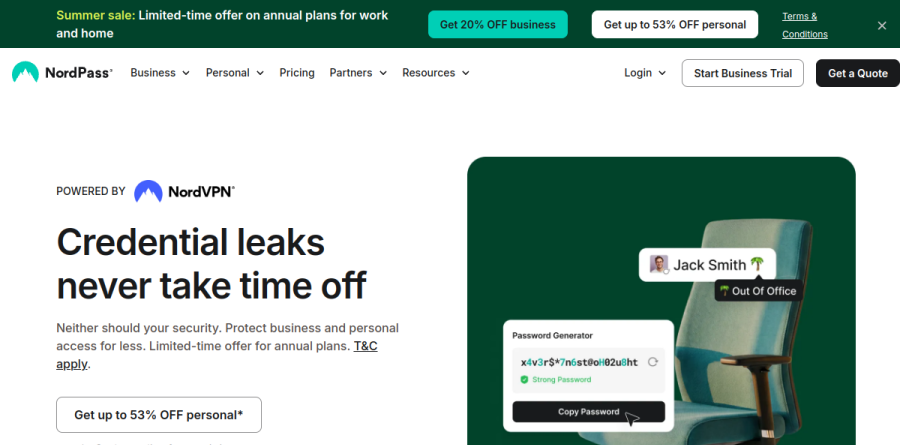
The storage layer does more than hold logins. A built-in Password Generator produces one-of-a-kind passwords set to your organization's password policy standards, Password History shows the full editing history of an entry and lets you restore previous password versions, and Password Import uploads data from other apps and detects passwords already stored in your browser. The built-in Authenticator keeps TOTP codes beside the login they unlock, removing the second app most people juggle, and Email Masking issues throwaway addresses so your real inbox stays out of signup forms.
Autofill, passkeys, and password hygiene
Day to day, Autosave and Autofill carry the load, capturing new credentials as you create them and filling stored ones on return visits. Biometrics such as face ID, fingerprint, or Windows Hello guard the vault, and Autolock closes it after a set idle period. Passkey support stands out because NordPass states you can store passkeys on any device with any plan, and describes them as highly resistant to phishing and brute-force attacks. Password Health flags weak, old, reused, or exposed entries, and the Data Breach Scanner raises an alert when your emails, domains, or card details surface in a known leak.
What NordPass Business adds for IT teams

On the business side, the Business Admin Panel is the control surface: administrators handle employee access, set Password Policy and Granular Policies, monitor account activity, and generate reports. Group Management, Shared Folders, and Shared Subfolders map credential access onto how departments actually work, while the Sharing Hub shows what has been shared inside and beyond the organization.
Two capabilities solve problems small IT teams meet early. Item Transfer reassigns credentials from a departing employee to an active member, turning offboarding into a clean handoff rather than a scramble, and Account Recovery restores locked accounts without permanent data loss. Higher tiers add SSO with Entra ID, MS ADFS, and Okta, automatic provisioning, an Activity Log API, and integrations with Vanta, Splunk, and Microsoft Sentinel. The vendor reports more than 10,000 businesses as customers.
Choosing between the plans

The Free tier is genuinely usable but deliberately narrow, covering autosave, autofill, and secure storage for one account without multi-device access, Password Health, the Data Breach Scanner, or File Attachments. Premium unlocks that set for a single user, and Family extends the same features to six user accounts, both carrying a 30-day money-back guarantee. Among business plans, Teams ships as a ten-user pack with MFA and Google Workspace SSO, Business adds group-based sharing and breach monitoring, and Enterprise brings the identity and SIEM integrations plus a dedicated customer success manager. A 14-day trial runs without a credit card.
Who should choose NordPass
NordPass suits individuals and households, with Premium covering a single user account and Family extending the same feature set to six user accounts, and it is a natural fit for anyone already inside the Nord Security ecosystem. Small and mid-sized IT teams get real value from the admin panel, Item Transfer, and the compliance posture, which includes ISO 27001, SOC 2 Type 2, HIPAA, and a Cure53 audit, without enterprise-grade complexity. It is less suited to engineering organizations that need developer secrets management for CI/CD pipelines and SSH keys, or to teams requiring a self-hosted vault, since neither capability appears anywhere in the published feature set.
Strengths
- Modern XChaCha20 encryption with true zero-knowledge, client-side architecture
- Independently audited by Cure53 (first 2020, refreshed roughly annually) plus SOC 2 Type 2; no known NordPass breach since 2019
- Among the cheapest paid password managers at about $1.49/mo on the 2-year plan
- Clean, beginner-friendly apps across Windows, macOS, Linux, iOS, Android and all major browsers
Watch out for
- Free tier limits you to one active device session at a time, unlike Bitwarden's unlimited free sync
- Fewer advanced features than 1Password/Bitwarden (no self-hosting, lighter admin tooling)
- Nord-style renewals: intro prices are promotional and renew higher; exact renewal rates are not published
- Cheapest advertised prices require a 2-year commitment; month-to-month is roughly double
Key features
| Feature | What it does |
|---|
| XChaCha20 encryption | Uses XChaCha20 rather than AES-256, encrypting data on your device before it reaches Nord's servers |
| Zero-knowledge architecture | Only you hold the decryption key; Nord Security staff cannot read your stored vault items |
| Passkeys & 2FA | Stores and autofills passkeys and supports two-factor authentication to protect the account |
| Data Breach Scanner & Password Health | Premium tools flag leaked credentials and weak, reused or old passwords |
| Secure sharing & emergency access | Share encrypted items and grant trusted-contact emergency access on paid plans |
| Cross-platform sync | Apps for Windows, macOS, Linux, iOS, Android plus Chrome, Firefox, Edge, Safari, Opera and Brave extensions |
How NordPass compares
| Alternative | How it differs |
|---|
| 1Password | More advanced features (Watchtower, Travel Mode) and longer track record, but pricier (~$2.99/mo) with no free tier |
| Bitwarden | Open-source with a far more generous free plan and self-hosting; NordPass has a slicker, more polished UI |
| Dashlane | Bundles a VPN and strong breach monitoring but costs notably more; NordPass is cheaper and lighter |
Frequently asked questions
Is NordPass free?
Yes. NordPass has a free-forever plan for one user with unlimited passwords and passkeys. The main catch is that free users can only stay logged in on one device at a time, so signing in elsewhere logs you out. Premium (about $1.49/mo on the 2-year plan) removes that limit and adds the breach scanner, password health and secure sharing.
How much is NordPass?
The free plan is $0. Premium runs about $1.49/month on the 2-year plan, roughly $1.89-1.99 on the 1-year, and around $2.99 month-to-month. Family covers up to six users for about $2.79/month on 2 years. Business Teams starts near $1.79/user/month. Personal plans include a 30-day money-back guarantee; renewal prices are higher than the intro rate.
Is NordPass safe?
Yes. NordPass uses XChaCha20 encryption with a zero-knowledge, client-side model, meaning Nord Security cannot read your vault. It has been independently audited by Cure53 (first in 2020 and refreshed roughly yearly), holds SOC 2 Type 2, and supports 2FA and passkeys. There have been no reported breaches of NordPass itself since its 2019 launch.
NordPass vs 1Password: which is better?
NordPass is cheaper (about $1.49/mo vs 1Password's ~$2.99/mo), simpler, and has a free tier that 1Password lacks. Both are zero-knowledge and audited. 1Password offers more depth: Watchtower, Travel Mode, richer admin controls and a longer reputation. Pick NordPass for value and ease; pick 1Password for advanced features and business tooling.
Does NordPass have a free trial?
Rather than a classic trial, NordPass relies on its permanent free plan plus a 30-day money-back guarantee on Premium and Family, letting you test paid features risk-free for a month. Business plans (Teams, Business, Enterprise) come with a shorter 14-day money-back window. New signups are also frequently offered a Premium trial period at checkout.
NordPass ratings on other platforms
Independent user ratings from third-party review sites, linked here for transparency.
These are not our editorial score, are captured on the date shown, and may have changed since.