The full review
What is Otter.ai?
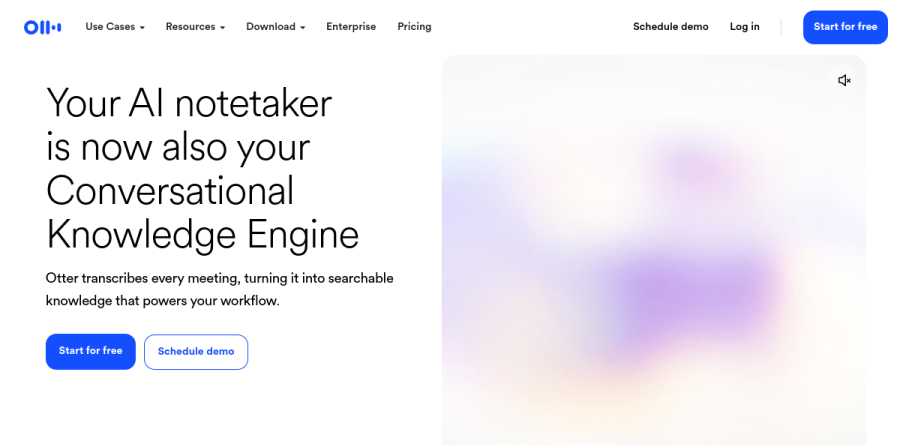
Otter.ai is an AI meeting assistant that records, transcribes, and summarizes conversations while they happen. The homepage now frames the product as a Conversational Knowledge Engine, and the vendor positions Otter as a system that turns every meeting into searchable knowledge rather than a growing pile of transcripts nobody reopens.
The core loop is simple. OtterPilot joins a scheduled Zoom, Microsoft Teams, or Google Meet call, produces a live transcript with speaker identification and multi-language support, then delivers a summary with tagged action items once the call ends. Desktop, iOS, Android, and Chrome apps cover conversations that never touch a video platform.
Inside a meeting with OtterPilot

OtterPilot connects to Google Calendar and joins scheduled Zoom, Microsoft Teams, and Google Meet calls on its own. Transcription runs live, so a colleague joining twenty minutes late can read what happened instead of interrupting to ask. Otter identifies speakers, and commitments made out loud get captured as action items rather than lost in the scroll.
For conversations where a visible bot is unwelcome, the Otter desktop app records conversations directly from Mac or Windows without bots joining the call.
Otter AI Chat turns transcripts into answers
A transcript is only useful if you can get back into it. Otter AI Chat lets you ask a question against the meeting record and get an answer, which beats scrubbing an hour of audio for one number. Notes keep audio, text, and slides in sync, so jumping to the moment a decision landed takes a click.
Channels group meetings by team, project, or topic so everyone can find recordings and collaborate in one shared space. Advanced search, richer export options, and unlimited storage arrive on the Pro plan.
Role-specific agents built on the same transcript

Otter has layered vertical agents on top of the transcription core. The Sales Agent is the most developed: it pulls CRM data into a pre-call brief covering past interactions and decision-makers, flags objections and competitor mentions live, offers coaching prompts mid-call, then drafts a personalized follow-up email and syncs notes back to Salesforce or HubSpot. The vendor reports it also extracts buying signals to update forecasts.
Alongside it sit an SDR Agent, a Recruiting Agent, an Education Agent, and a Media Agent, each shaping the same recording into output that suits the role.
Plans, limits, and connected apps
Basic is a genuine free tier rather than a trial, though monthly transcription minutes and lifetime file imports are capped tightly. Pro lifts recording minutes and monthly imports, extends per-meeting length, and unlocks Salesforce, HubSpot, and Zapier. Business removes meeting caps, stretches maximum meeting length further, lets Otter join several concurrent meetings, and adds admin controls plus prioritized support. Enterprise brings SSO, SCIM, Domain Capture, the Otter API and Webhooks, video replay, and HIPAA compliance as an add-on.
Connected apps named on the site include Slack, Notion, Jira, Asana, Dropbox, Google Docs, Glean, and Claude, which keeps meeting output flowing into the tools where work continues.
Who should choose Otter.ai
Otter.ai fits teams that live in back-to-back calls and need the output to travel: sales organizations wiring notes into Salesforce or HubSpot, recruiters running screening loops, consultants billing against meeting records, and students or journalists who need accurate transcripts fast. If your bottleneck is remembering what was agreed, the combination of OtterPilot and Otter AI Chat earns its keep quickly.
It is less suited to anyone whose main job is bulk-transcribing archived audio, since file import allowances stay capped until the Business plan makes them unlimited.
Strengths
- Industry-leading real-time English transcription at roughly 90-95% accuracy with smooth live notes
- OtterPilot auto-joins Zoom, Teams, and Google Meet to record, summarize, and extract action items
- AI Chat answers natural-language questions across single or multiple past meeting transcripts
- Speaker ID handles up to 10 speakers and inserts screenshots of shared slides into the notes
Watch out for
- Free plan cut to 300 minutes/month with a restrictive 30-minute per-conversation cap
- Language support centers on English; French and Spanish are only partial, others unsupported
- Transcripts live in the cloud and OtterPilot joins as a visible bot, raising client-privacy concerns
- Minutes are subscription-capped, not usage-based — unused minutes never roll over
Key features
| Feature | What it does |
|---|
| OtterPilot Meeting Assistant | Auto-joins scheduled Zoom, Teams, and Google Meet calls to record, transcribe, and summarize hands-free. |
| AI Chat | Ask natural-language questions across one or many transcripts to surface decisions and action items. |
| Automated Summaries & Action Items | Generates structured recaps with key decisions, timestamps, and assigned tasks after each meeting. |
| Live Transcription & Speaker ID | Real-time captions with speaker labels for up to 10 participants. |
| CRM Integrations | Pushes meeting notes and action items into Salesforce and HubSpot on Pro and above. |
| Slide Capture | Automatically inserts screenshots of shared slides into the transcript for visual context. |
How Otter.ai compares
| Alternative | How it differs |
|---|
| Fireflies.ai | Stronger CRM automation, conversation intelligence, and broader language support at comparable pricing. |
| Fathom | Generous free tier and fast video highlights; popular with individuals and small teams. |
| tl;dv | Multi-language transcription and cheaper team plans for global, budget-conscious teams. |
Frequently asked questions
Is Otter.ai free?
Yes. Otter's free Basic plan costs $0 and includes 300 transcription minutes per month, capped at 30 minutes per conversation, plus three lifetime audio-file imports. It covers live transcription, AI Chat, and Zoom, Teams, and Google Meet integration. Heavy users hit the limit fast, so most upgrade to Pro for 1,200 monthly minutes.
How much does Otter.ai cost?
Otter Pro costs $8.33 per user monthly billed annually ($99.99/year), or $16.99 month-to-month, with 1,200 minutes. Business runs $19.99 per user annually or $30 monthly, adding unlimited meeting transcription and a 4-hour cap. Enterprise is custom-priced with SSO, SCIM, and optional HIPAA compliance. A free Basic tier offers 300 minutes monthly.
What are the best Otter.ai alternatives?
Popular Otter.ai alternatives include Fireflies.ai, which offers stronger CRM automation and more language support; Fathom, known for a generous free tier and fast video highlights; and tl;dv, favored for multi-language transcription and cheaper team plans. The right pick depends on whether you prioritize English accuracy, CRM workflows, or budget across your team.
Otter.ai vs Fireflies.ai — which is better?
Otter.ai leads on real-time English transcription accuracy (90-95% in clean audio), live notes, and a polished mobile app. Fireflies.ai wins on deeper CRM integrations, conversation intelligence, and broader language support. Pricing is comparable, both starting around $8-19 per user monthly. Choose Otter for smooth live capture; choose Fireflies for sales workflows and analytics.
Is Otter.ai accurate?
In clean audio with standard accents and two to six speakers, Otter.ai transcribes at roughly 90-95% accuracy, and OtterPilot correctly captures action items in about 85% of meetings. Accuracy drops with heavy accents, crosstalk, poor microphones, or non-English audio, since language support centers on English with only partial French and Spanish.
Otter.ai ratings on other platforms
Independent user ratings from third-party review sites, linked here for transparency.
These are not our editorial score, are captured on the date shown, and may have changed since.