The full review
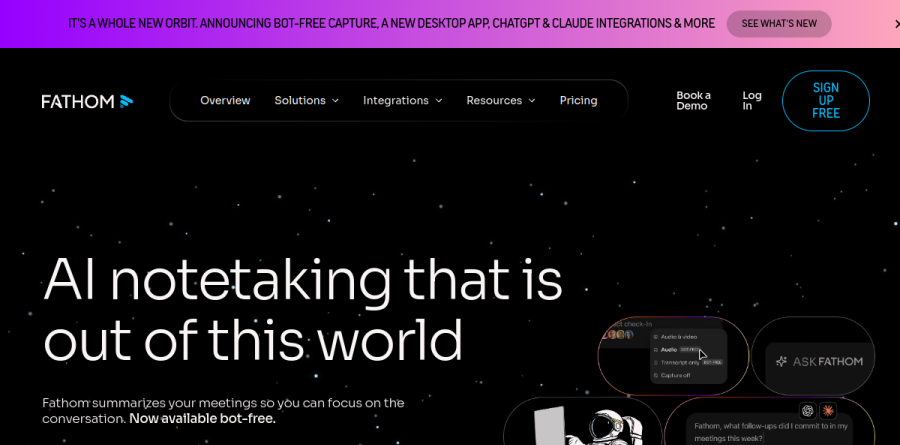
What is Fathom?
Fathom is an AI notetaker that records, transcribes, and summarizes meetings across Zoom, Google Meet, and Microsoft Teams. AI summaries are instantly available after the call, and AI-generated action items and call insights from every conversation flow automatically to your other tools.
What separates Fathom from the first wave of meeting recorders is how much sits above the transcript. The product now ships bot-free capture, currently in beta, alongside the traditional meeting bot, letting you choose transcript-only capture, audio plus transcript, or full audio and video with screen recording.
How Fathom captures a meeting
The bot-free option keeps an unfamiliar participant out of the attendee list, which matters on customer calls and in rooms where a visible recorder changes the tone. When you do want a bot present, Premium adds a custom meeting bot you can name yourself.
Around the capture, Fathom layers presence features that assume you are in the meeting rather than reviewing it afterward. Live summaries update as you talk so you can catch up when you lose the thread, a private scratchpad holds your own thinking beside the automatic notes, the desktop app handles meeting alerts and one-click joining, and an iOS app extends Fathom to in-person conversations. The vendor reports an average saving of 38 minutes per meeting.
Ask Fathom turns the archive into a source
Recording meetings is easy; finding anything in them months later is the hard part. Ask Fathom searches your entire account in natural language and returns answers with citations linking back to the exact transcript moment, so you can verify a claim instead of trusting a paraphrase. Reusable prompts run the same question across many conversations to surface patterns such as recurring objections or repeated feature requests.
Fathom also supports custom dictionaries, so it learns to speak your company's language. Teaching Fathom your company vocabulary stops product names and internal acronyms from degrading every downstream summary, highlight, and search result.
Fathom for sales and customer teams

The revenue side is where the paid tiers earn their keep. Deal View pulls prospect details and deal status together across calls, and CRM field sync pushes structured data into HubSpot and Salesforce after meetings, covering the part of a rep workday most likely to get skipped. AI Scorecards grade calls against a chosen sales methodology, giving managers coaching material without sitting in on every conversation.
Highlights and keyword alerts round it out. Flag a pricing objection or a competitor mention and Fathom can push it to Slack or email while the deal is live, and action items convert into trackable Asana tasks.
Integrations and the plan ladder

Fathom connects to Slack, Notion, Asana, Salesforce, HubSpot, Zapier, and Make, plus a public API and MCP support for teams building their own automations. The ChatGPT and Claude integrations are the more interesting entries, making your meeting history available inside those assistants on every plan rather than paid ones only.
The ladder is unusually generous at the bottom. Free covers unlimited recordings and transcriptions with instant AI summaries, clips, playlists, and cross-call search. Premium adds advanced summaries, AI-generated action items, and the conversational meeting assistant. Team layers on comments, folders, and keyword alerts. Business unlocks CRM field sync, Deal View, and coaching metrics. Enterprise adds SSO and SCIM, and Fathom lists SOC 2 Type II, GDPR, and HIPAA compliance.
Who should choose Fathom
Fathom is the strongest default for individuals and small teams who want meeting notes solved without a budget conversation, because Free is a genuine working product rather than a demo. Sales organizations on HubSpot or Salesforce get the most from Business, where CRM sync and AI Scorecards displace real administrative work.
It is a weaker fit for companies needing deep revenue intelligence, meaning forecasting, pipeline analytics, and conversation scoring at the depth dedicated platforms in that category provide, or for teams meeting mostly outside Zoom, Google Meet, and Microsoft Teams. Bot-free capture is also still in beta, so anyone treating it as a hard requirement should trial it before committing a team.
Strengths
- Best-in-class free tier: unlimited recording and transcription with no minute caps
- Structured summaries delivered in roughly 30 seconds after a call ends
- Native Zoom, Google Meet and Microsoft Teams support, with optional bot-free capture
- Transcription in 38 languages plus CRM sync to HubSpot, Salesforce and Close
Watch out for
- Free plan now caps advanced AI summaries at 5 calls/month (basic templates after)
- Transcription accuracy (~85-90%) trails Otter's 95%+
- CRM field-level sync is locked to the Business tier ($25/user/mo annual)
- Team and Business plans require a 2-user minimum
Key features
| Feature | What it does |
|---|
| Instant AI summaries | Structured recap delivered about 30 seconds after each meeting ends |
| AI action items | Automatically extracts follow-ups and tasks from calls (Premium and up) |
| Ask Fathom | Conversational assistant that answers questions across your recorded calls (Premium+) |
| Bot-free capture | Records without a visible bot joining, or use a fully customizable meeting bot |
| CRM sync | Pushes notes and, on Business, field updates to HubSpot, Salesforce or Close |
| 38-language transcription | Unlimited transcription across 38 languages on every plan, including Free |
How Fathom compares
| Alternative | How it differs |
|---|
| Otter.ai | Higher transcription accuracy (95%+) and live collaboration, but free tier is capped at 300 minutes/month |
| Fireflies.ai | Stronger integrations and 60+ languages; better for CRM-driven sales, thinner free tier |
| tl;dv | Similar generous free recording and strong multi-language support; weaker native CRM sync |
Frequently asked questions
Is Fathom free?
Yes. Fathom offers a free-forever plan with unlimited recording, transcription in 38 languages, and basic AI summaries, plus Zoom, Google Meet and Teams support. The catch: advanced AI summaries are capped at five calls per month, after which you get basic templates. For unlimited advanced summaries and action items, Premium costs $16/user/month billed annually.
How much does Fathom cost?
Fathom is free to start. Billed annually, Premium is $16/user/month, Team is $15/user/month (2-user minimum), and Business is $25/user/month for CRM field sync and coaching tools. Monthly billing runs higher at $20, $19 and $34 respectively. Enterprise pricing with SSO and SCIM is custom via sales.
Does Fathom's free plan really have no limits?
Mostly, with one exception. Recording, storage and transcription are genuinely unlimited with no minute caps. However, the free plan now limits advanced AI summaries to five calls per month; beyond that you get standard templates. Action items, follow-up emails, custom summaries and Ask Fathom are Premium-only, starting at $16/user/month annually.
What are the best Fathom alternatives?
The closest alternatives are Otter.ai, Fireflies.ai and tl;dv. Otter offers higher transcription accuracy (95%+) and live collaboration but caps its free tier at 300 minutes monthly. Fireflies suits CRM-driven sales teams with 60+ languages. tl;dv mirrors Fathom's generous free recording. For a truly free unlimited notetaker, Fathom still leads in 2026.
Fathom vs Otter: which is better?
It depends on priorities. Fathom wins on free value: unlimited recording versus Otter's 300 monthly minutes, plus faster roughly 30-second summaries. Otter wins on transcription accuracy (95%+ vs Fathom's ~85-90%), real-time collaboration, and in-person recording. For solo users and small Zoom-based teams, Fathom is better; for accuracy-critical teams, Otter edges ahead.
Fathom ratings on other platforms
Independent user ratings from third-party review sites, linked here for transparency.
These are not our editorial score, are captured on the date shown, and may have changed since.