The full review
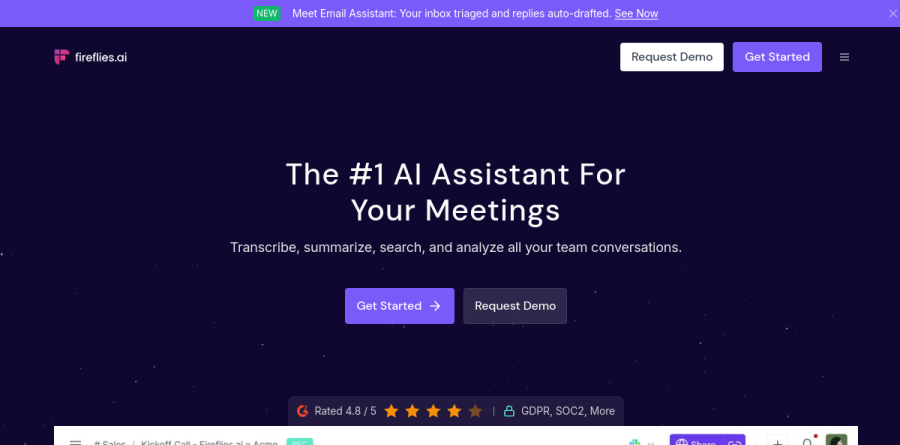
What is Fireflies.ai?
Fireflies is an AI meeting assistant that joins your calls, records them, transcribes what gets said, and turns the result into searchable notes. The homepage frames the job around four verbs: transcribe, summarize, search, and analyze. A notetaker bot joins scheduled meetings on Zoom, Google Meet, Microsoft Teams, Webex, GoToMeeting and the other conferencing platforms listed on the integrations page, then delivers a transcript with an AI summary and extracted action items once the call ends.
Capture is not limited to the bot. Fireflies.ai also ships a desktop app, iOS and Android apps, and a Chrome extension that automatically records Google Meet calls. Existing audio and video files can be uploaded and transcribed the same way.
Recording and transcription in practice

Fireflies transcribes in over 100 languages with automatic language detection, and Multi-language Mode is listed on the Business plan and above. Notes appear live rather than after the fact, so a latecomer can catch up by reading. Transcripts are time-stamped and editable, playback runs from 1x up to 3x, and the recording length cap rises with the plan, from two hours on Free and Pro to four hours on Enterprise. Video capture is listed at 720p on Free and Pro and 1080p on Business.
Asking questions instead of rereading transcripts
The most useful part of Fireflies.ai is what happens after the recording stops. AskFred, the built-in assistant, answers questions against your meetings and drafts follow-ups, recaps, and social posts from what it heard. Meeting Search retrieves a specific sentence and timestamp from a call months back, and Global Search widens the net across an entire workspace. Soundbites let you clip a customer quote into a shareable moment, while time-stamped comments and bookmarks give teammates a way to annotate without sitting through the full recording.
Where the meeting notes end up

Notes only pay off when they land in the systems people already use. The integrations directory spans CRM tools including HubSpot, Salesforce, and Affinity, note apps such as Notion, Google Docs, and OneNote, project trackers like Linear, Airtable, and Microsoft To Do, applicant tracking through Greenhouse, Lever, and BambooHR, plus Slack, Zapier, and storage in Google Drive, Dropbox, Box, and OneDrive. Dialer connections for Aircall, RingCentral, and OpenPhone pull in phone calls as well, and the Enterprise Rules Engine routes meetings and fires automations by condition.
Conversation intelligence for team leads
Managers get a second layer built on the same transcripts. Speaker talk-time analytics show who dominated a call, sentiment analysis and question detection surface tone and curiosity, and topic trackers count how often a competitor, an objection, or a feature name comes up across a quarter. Conversation Intelligence and Team Insights for admins sit on the Business plan and above, which makes that the natural upgrade point for sales and customer success groups.
Security and admin controls
Fireflies reports SOC 2 Type II and GDPR compliance, HIPAA coverage backed by a business associate agreement, and 256-bit AES encryption for stored meeting data. Enterprise buyers additionally get SSO, SCIM provisioning, audit logs via API, custom data retention, private storage, a super admin role, and a Transcript and Summary Only Mode for organizations that would rather not keep the recording itself.
Who should choose Fireflies.ai
Fireflies suits teams who live in back-to-back calls and need the record to be reusable: sales groups pushing notes into HubSpot or Salesforce, recruiters syncing candidate feedback to Greenhouse, and distributed companies where half the staff reads meetings instead of attending them. The free plan includes unlimited transcription with 400 minutes of storage per team, enough for a small trial before committing seats. It is a weaker fit for someone who mainly wants a private scratchpad for a couple of calls a week, since most of the value here comes from a searchable archive and a shared workspace, and for organizations with policies against recording bots joining external meetings.
Strengths
- Deep native CRM sync (Salesforce, HubSpot, Pipedrive) with auto-logged notes
- Unlimited transcription on every tier, including Free
- AskFred AI assistant plus soundbites and conversation intelligence
- Wide integration and API access across all paid plans
Watch out for
- AI-credit system caps summaries/AskFred and pushes paid add-on bundles
- Free tier storage (400 mins/team) fills fast for regular users
- Transcription accuracy (90-93%) trails Otter on messy audio
- Best analytics locked behind $19+ Business tier
Key features
| Feature | What it does |
|---|
| Unlimited transcription | Auto-transcribes Zoom, Meet, Teams and dialer calls on every plan, including Free |
| AskFred AI assistant | Chat with your meetings to draft emails, summaries, and answer questions from transcripts |
| CRM sync | Auto-logs notes, action items, and calls to Salesforce, HubSpot, Pipedrive and more |
| AI Soundbites | Clip and share key moments as short audio/video highlights across the team |
| Conversation intelligence | Talk-time ratios, sentiment, topic trackers and team analytics (Business+) |
| Enterprise security | SSO+SCIM, HIPAA compliance, audit logs, private storage and custom retention (Enterprise) |
How Fireflies.ai compares
| Alternative | How it differs |
|---|
| Otter.ai | Higher transcription accuracy (93-95%) and stronger real-time collaborative notes |
| Fathom | Most generous free tier with unlimited recording, transcription and storage |
| tl;dv | Bot-free desktop recording with sales coaching and strong free features |
Frequently asked questions
Is Fireflies.ai free?
Yes, Fireflies has a free-forever plan at $0. It includes unlimited transcription, the AskFred AI assistant, meeting search, and the Chrome extension, but caps storage at 400 minutes for the team and gives just 20 AI credits per month for summaries and AI features. Heavier use requires a paid plan.
How much does Fireflies.ai cost?
Paid plans start at $10 per seat/month for Pro (billed annually, or $18 monthly). Business is $19 per seat/month annually ($29 monthly), and Enterprise runs $39 per seat/month, billed annually only. Each tier adds storage, AI credits (20-50), and features on top of the free plan.
What are the best Fireflies.ai alternatives?
The top alternatives in 2026 are Otter.ai, Fathom, and tl;dv. Otter leads on transcription accuracy and real-time collaboration, Fathom offers the most generous unlimited free tier, and tl;dv adds bot-free recording plus sales coaching. Fireflies still wins when deep CRM sync is the priority.
What are AI credits in Fireflies.ai?
AI credits meter access to advanced AI features like summaries, action items, AskFred, and soundbites. Plans include a monthly pool (Free/Pro 20, Business 30, Enterprise 50). Transcription itself is unlimited and free, but once credits run out you must buy add-on bundles that auto-renew monthly unless paused.
Fireflies.ai vs Otter.ai: which is better?
Otter.ai is better for real-time collaborative notes and slightly higher accuracy (93-95% vs 90-93%). Fireflies is better for sales teams, thanks to native Salesforce, HubSpot, and Pipedrive sync that auto-logs calls and action items. Choose Otter for live note-taking, Fireflies for CRM-driven meeting analytics.
Fireflies.ai ratings on other platforms
Independent user ratings from third-party review sites, linked here for transparency.
These are not our editorial score, are captured on the date shown, and may have changed since.