The full review
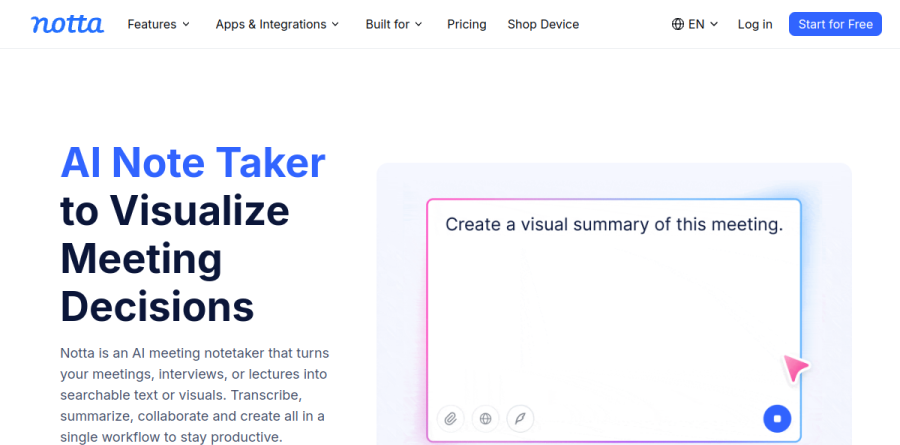
What is Notta?
Notta is an AI meeting notetaker and transcription platform that turns meetings, interviews and lectures into searchable text. It frames itself as a single workflow for transcribing, summarizing, collaborating and creating, and the web app doubles as a workspace where recordings, transcripts and uploads all land in one place.
Notta captures conversations several ways: live online meetings, bot-free on-device recording, screen recording, in-person discussions, and imported audio or video files. Transcription runs across 58 languages, speakers are labeled automatically, and every transcript stays editable with timestamps, keyword search, bookmarks and inserted images. Notta reports SOC 2 Type II and ISO 27001 certification plus GDPR compliance, with data hosted on AWS.
Two ways to record a meeting

Most notetakers make you choose between convenience and discretion. Notta ships both. Notta Bot joins Zoom, Google Meet, Microsoft Teams and Webex calls as a visible participant and records web meeting video on the Business plan. Notta Desktop, in beta for Mac and Windows, captures system audio straight from your machine, so no extra name appears in the participant list.
The vendor lists 40-plus supported meeting apps for desktop capture, including Slack Huddles, Discord and WhatsApp Desktop, and says both modes deliver the same transcript, summary and action items into your Notta workspace. Notta states that Notta Desktop is available to all users at no additional cost, making the bot-free route easy to trial on client calls.
From transcript to finished deliverable

Notta Brain, previously named AI Chat, is where transcripts stop being an archive. You type the @ symbol to reference a specific meeting, folder, PDF, Word document or spreadsheet, then ask for an output rather than a recap. Notta Brain generates slide decks exportable as PPTX or PDF, plus infographics, reports, tables and follow-up email drafts, and it compares themes across weeks of recordings rather than one file at a time.
The feature runs on AI Credits, which Notta says are deducted only after a result is successfully delivered, and the company publishes the cost of each action type so heavy users can budget. Those credits are metered separately from transcription minutes.
Bilingual meetings without the scramble
Real-time bilingual transcription is the capability that most clearly separates Notta from its rivals. Notta's bilingual transcription page advertises 10-plus supported languages, so a two-language call is captured in both languages without switching modes mid-conversation. Transcripts export as DOCX, PDF or TXT and can be shared by link or email for comment and editing, turning bilingual minutes into a routine step. Notta meters heavier translation volume through add-ons capped at 100 monolingual and 200 bilingual uses per account per month on Pro and Business, above a base allowance of 2 free monolingual and 4 free bilingual uses per month.
Plans, workspace controls and integrations
The plan ladder tracks how teams actually adopt this kind of tool. Free gives a monthly transcription allowance with short per-conversation limits, enough to judge accuracy on your own audio. Pro unlocks transcript export, transcript translation and custom vocabulary, that last one mattering if your calls are dense with product names or clinical terms. Business adds unlimited transcription, video recording of web meetings, a collaborative workspace, usage reports and CRM plus Zapier integration reaching Salesforce, HubSpot, Pipedrive and Zoho CRM.
Enterprise, which starts at 51 seats, layers on SAML SSO, audit logs and full data access control, above the 20-IP and 1,000-IP restriction limits already available on Pro and Business. Elsewhere Notta connects to Notion, Slack, Google Drive, Zapier, Google Calendar and Outlook Calendar.
Who should choose Notta
Notta suits professionals who sit in back-to-back conversations and need usable output afterwards: consultants converting client interviews into decks, sales teams drafting follow-ups from discovery calls, researchers comparing themes across dozens of transcripts, and any organization running cross-language meetings, where bilingual mode is hard to match. Agencies gain from bot-free capture, since nothing unfamiliar appears on a prospect call.
It is a weaker fit for revenue teams wanting a conversation-intelligence layer with deal scoring, pipeline forecasting and coaching scorecards, because Notta stops at transcripts, summaries and generated deliverables rather than grading sales performance. Budget carefully, since AI Credits and translation add-ons are metered apart from the base plan.
Strengths
- 58-language transcription with real-time bilingual mode, unusually strong for Japanese
- Auto-records and transcribes Zoom, Teams, Google Meet, and Webex, plus a Chrome extension
- Annual billing cuts 40%; Pro is just $8.17/mo for 1,800 minutes
- Business unlocks unlimited transcription, meeting-video capture, and CRM/Zapier integrations
Watch out for
- Free plan's 3-minute per-recording cap makes it useless for real meetings
- English, Spanish, and Portuguese accuracy lags Japanese; noisy audio needs cleanup
- Real-time and bilingual translation are paid add-ons ($6-9/mo) on top of the subscription
- Business is per-seat and Enterprise needs 51+ seats, pricey for small teams
Key features
| Feature | What it does |
|---|
| AI transcription | Converts audio and video to text in 58 languages, live or from uploads, up to 5 hours per recording on paid plans. |
| Meeting bot + Chrome extension | Auto-joins and transcribes Zoom, MS Teams, Google Meet, and Webex; Chrome extension captures web meetings. |
| AI summaries & Notta Brain | Auto summaries (10-200/mo by tier) plus Notta Brain AI credits for Q&A, image, PPT, and doc generation. |
| Bilingual transcription & translation | Live two-language transcription and translation; a few free uses monthly, more via $6-9/mo add-ons. |
| Speaker ID & editing | Speaker labels, timestamped notes, find & replace, custom vocabulary, and variable playback speed. |
| Integrations & export | Notion, Slack, Salesforce/HubSpot CRM, Zapier, Google Drive; export TXT/DOCX/PDF/SRT on paid plans. |
How Notta compares
| Alternative | How it differs |
|---|
| Otter.ai | Stronger English accuracy and US ecosystem, but far fewer languages |
| Fireflies.ai | More generous free tier and CRM automation; English-focused |
| tl;dv | Video-first meeting recording with clips; better for sales and async video |
Frequently asked questions
Is Notta free?
Yes. Notta's Free plan costs $0 with no credit card and gives you 120 transcription minutes per month, capped at 3 minutes per recording, plus 50 file uploads and 10 AI summaries monthly. The 3-minute cap makes it fine for voice memos but unusable for real meetings, so it works best as an extended trial.
How much does Notta cost?
Notta Pro is $8.17/month billed annually ($97.99/year) or $13.99 month-to-month, including 1,800 minutes monthly. Business runs $16.67/seat billed annually ($199.99/seat/year) or $27.99/seat monthly with unlimited transcription. Enterprise is custom, starting at 51 seats. Paying annually saves 40% versus monthly billing across the paid tiers.
What are the best Notta alternatives?
Popular alternatives include Otter.ai, strong for English meeting notes and collaboration; Fireflies.ai, with a generous free tier and CRM automation; and tl;dv or Sonix for video and polished editing. Notta stands out for 58-language support and bilingual real-time transcription, making it the strongest pick for multilingual, especially Japanese-heavy, workflows.
Notta vs Otter: which is better?
Otter.ai leads for English meetings, live collaboration, and its long-standing US ecosystem. Notta wins on languages, supporting 58 versus Otter's English-centric focus, plus bilingual transcription. Pricing is comparable: Notta Pro is $8.17/month annually for 1,800 minutes. Choose Notta for multilingual work; choose Otter for English-only teams wanting deeper integrations.
How accurate is Notta?
Notta claims high accuracy, and in clear audio with a good microphone third-party reviewers report roughly 95-98%. Accuracy is strongest for Japanese and drops with heavy accents, background noise, or technical jargon in English, Spanish, and Portuguese, where users note misheard words and speaker mislabeling. Expect some manual cleanup on noisy or multi-speaker recordings.
Notta ratings on other platforms
Independent user ratings from third-party review sites, linked here for transparency.
These are not our editorial score, are captured on the date shown, and may have changed since.