The full review
What is Notion AI?
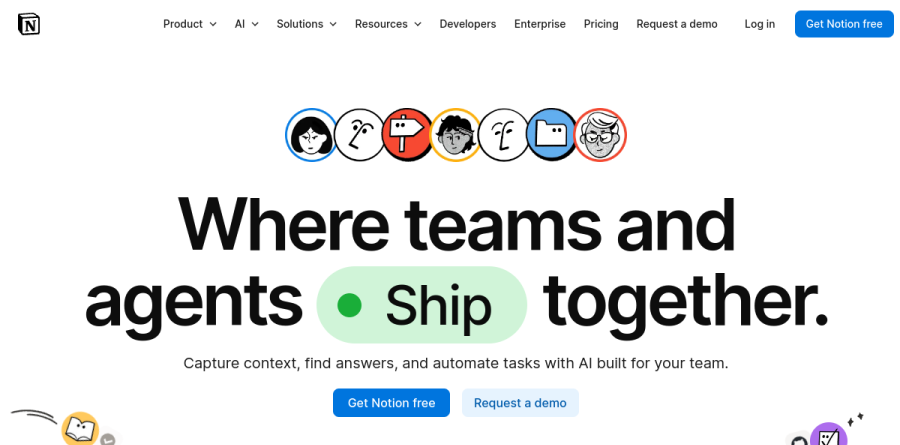
Notion AI is not a standalone chatbot bolted onto a note-taking app. It is a set of capabilities living inside the same workspace where teams keep docs, wikis, projects and databases, using that material as working context. Notion frames the product around three jobs on its homepage: capturing knowledge into one system of record, finding answers with citations, and automating busywork with agents.
The core surfaces are the Notion Agent, a personal assistant that works on demand when you ask, Custom Agents that run automatically on schedules or triggers, AI Meeting Notes for calls, Enterprise Search across connected tools, and Research Mode for longer reports. Notion folded most of these into its Business plan rather than selling a separate AI subscription, the detail that matters most when weighing it against a per-seat add-on.
Enterprise Search and Research Mode
Enterprise Search is the piece most likely to justify Notion AI on its own. It queries Notion content alongside connected apps through AI connectors - Slack, Google Drive, GitHub, Jira, Microsoft Teams, SharePoint and OneDrive are listed as live, with Linear, Gmail, Salesforce, Zendesk and Box marked coming soon. Answers arrive with citations, drawn only from the sources you choose, and Notion AI searches uploaded PDFs in your Notion workspace, Google Drive, SharePoint and OneDrive.
Research Mode extends the same idea into longer output, assembling a multi-source report instead of a single answer: a competitive brief before a meeting, a status roll-up drawn from scattered updates. Notion states that search respects permission settings in each connected app, so people retrieve only what they could already open.
AI Meeting Notes in daily use

AI Meeting Notes captures system audio, so it works with Zoom, Google Meet and Microsoft Teams without a bot joining the call, and handles face-to-face conversations on any device. The vendor lists 19 supported languages plus three more in beta.
Value sits downstream of the transcript. Notion generates action items with owners, priority levels and due dates, tailors recaps to different audiences, and pushes project statuses and timelines forward after a call. Paired with Notion Calendar, notes are created and shared with attendees automatically, and past meetings stay queryable.
Custom Agents and standing automation

The Notion Agent is the personal, on-demand assistant that completes complex, multi-step tasks when you ask. Custom Agents are the standing kind: you describe a workflow in plain language, Notion AI builds the agent, and it then runs on a schedule or fires on triggers such as an emoji reaction, a mention, a new email, or a calendar event.
The examples Notion highlights are usefully unglamorous - Q&A agents that answer repeat questions from Notion and connected tools, task routing agents that triage and distribute incoming work, and status update agents that gather and summarize updates into recurring reports. Agents can read and post in Slack, manage email and calendar events, and reach outside systems through Model Context Protocol connections.
How the plans are packaged
Free and Plus include trial AI capabilities such as generating docs and autofilling databases, enough to evaluate but not to operate on. Full Notion Agent access sits on Business, along with AI Meeting Notes and Enterprise Search, both still labeled beta. Enterprise adds zero data retention with the LLM providers, on top of the SAML SSO, private teamspaces, domain verification and granular database permissions that Business already includes.
Custom Agents are the metered exception, billed through Notion credits as an add-on to Business and Enterprise. Notion credits run $10 per 1,000, shared workspace-wide and reset monthly, a structure that took effect on May 4, 2026, while other AI features remain included in Business and Enterprise at no extra cost.
Who should choose Notion AI
Notion AI suits teams already running documentation, projects and wikis in Notion. When your system of record lives there, Enterprise Search and agents have real context immediately, and Business-plan bundling avoids a second per-seat AI bill on the workspace you already pay for. Cross-functional teams buried in meetings feel the gain fastest.
It fits poorly if Notion sits at the edge of your stack. A company whose knowledge lives mainly in Google Drive or SharePoint gets connector-level search without the workspace grounding that makes this product distinctive, and dedicated meeting or enterprise-search vendors may serve better. Beta labels on two flagship features and consumption billing for heavy agent use are worth weighing.
Strengths
- AI lives natively where your docs, tasks, and databases already are, with no context-switching
- Enterprise Search and Q&A span Notion plus roughly a dozen connected third-party tools
- AI Meeting Notes and writing assistance are genuinely strong and well-integrated
- Bundling full AI into the $20 Business seat undercuts stacking separate per-seat AI add-ons
Watch out for
- Agents are walled into Notion: they read external tools well but act poorly outside Notion's surface
- Credit-metered Custom Agents make heavy-usage costs unpredictable month to month
- 'Unlimited' AI on Business is subject to an unpublished fair-use policy that can throttle heavy users
- Performance and AI responsiveness degrade on very large databases (roughly 10k+ rows)
Key features
| Feature | What it does |
|---|
| Notion Agent | An in-workspace agent that searches, drafts, and updates pages and databases on request |
| Custom Agents | Scheduled or trigger-based agents that run autonomously and can post into Slack; billed via credits |
| Enterprise Search | Unified AI Q&A across the Notion workspace and connected apps like Slack, Google Drive, and Jira |
| AI Meeting Notes | Automatic transcription and structured summaries captured directly into Notion pages |
How Notion AI compares
| Alternative | How it differs |
|---|
| Coda AI | Closest doc-plus-database rival with embedded AI; smaller ecosystem and connector set |
| ClickUp Brain | Bundles AI across a broader PM suite; stronger task ops, weaker as a knowledge wiki |
| Zapier (Agents/Central) | Far deeper cross-app automation and actions, but no native workspace or docs layer |
Frequently asked questions
Is Notion AI still a separate add-on?
No. The standalone $10 per-seat AI add-on was retired, and full Notion AI is now bundled into the Business ($20/seat/mo annual) and Enterprise plans. Free and Plus only get a limited AI trial.
How much do Custom Agents cost?
Custom Agents run on usage-based credits at $10 per 1,000 Notion credits per month (no rollover), charged on top of your Business or Enterprise seats. Heavy automation users should expect variable monthly bills.
Notion AI ratings on other platforms
Independent user ratings from third-party review sites, linked here for transparency.
These are not our editorial score, are captured on the date shown, and may have changed since.