The full review
What is Motion?
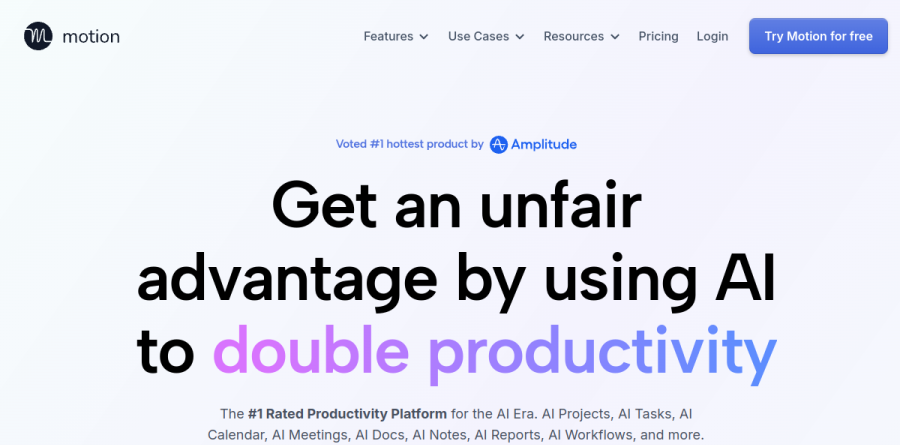
At its core, Motion is an AI productivity platform that bundles task management, project planning, calendar scheduling, docs, and meeting notes into one workspace. Instead of keeping a to-do list and separately hunting for time to do the work, you hand Motion your tasks, deadlines, durations, and dependencies, and it timeblocks everything onto your calendar. The homepage pitches this as a replacement for a stack of to-do lists, project apps, schedulers, notetakers, and docs.
Underneath sits continuous replanning. Motion reports that its planner optimizes your schedule hundreds of times a day, reshuffling when a meeting overruns or a deadline shifts, so the plan you see at 9am is not the plan you are stuck with at 3pm.
Auto-scheduling with the AI Calendar

The AI Task Planner and AI Calendar are the engine room. Motion separates the do date from the due date, deciding when work should actually happen rather than only tracking when it is owed. Tasks from other apps land in one global list, work and personal calendars merge, and the AI Meeting Assistant handles booking links. The AI Calendar page frames the payoff as executive-level assistance without the $100K price tag: an overbooked day gets flagged before it derails you, and your top priority stays visible.
Project management without the status chase
Describe a project to the AI Project Manager, attach relevant docs, and Motion generates tasks, deadlines, assignees, and stages in one pass; the vendor reports it lands over 90 percent accurate out of the box, leaving a review rather than hours of setup. Motion then predicts a finish date for every project against real team capacity and raises an alert when something drifts off track. The AI Gantt Chart and AI Dashboards give managers a timeline and a progress view without chasing updates.
Workflows built from your own SOPs

The AI Workflows Builder reads a standard operating procedure and turns it into a full project with auto-filled tasks, deadlines, and people assigned by role, team, and capacity. It compares an SOP against similar projects in your workspace to surface steps nobody wrote down, then saves the result as a reusable template. That makes Motion a natural fit for the repeatable-delivery businesses in its own use-case menu: marketing and design agencies, IT service providers, law firms, consultancies, and construction companies.
Notes, docs, and integrations in one place
The AI Meeting Notetaker records, transcribes, and produces summaries with action items and follow-ups, merging whatever you typed yourself into the AI output; the vendor says it was trained on more than 10,000 hours of proprietary meeting video. The AI Docs Assistant converts loose notes into tasks and holds wikis and process pages, while AI Chat answers questions across the workspace. Motion connects to Google Meet, Gmail, Outlook, Siri, HubSpot, and Salesforce, offers a documented API, and states it is SOC 2 Type 2 compliant.
What each plan includes
Two plans are published. Pro AI covers AI Chat, AI Projects and Tasks, AI Calendar and Meetings, AI Docs, the AI Task Planner, the AI Writer and Editor, unlimited storage, mobile and desktop apps, and a monthly credit allowance per seat. Business AI adds Team Capacity Planning, Advanced Dashboards and Reports, Timeline and Gantt Charts, Time Tracking, Permissions and Access Control, Central Billing, and Priority Support. Both begin with a free trial.
Who should choose Motion
Solo operators, consultants, and anyone who has abandoned a task list because nothing on it carried a time are the natural fit: the problem Motion solves is not tracking work but fitting it into a finite week. Teams gain most when work is project-shaped and repeatable, where the AI Project Manager and capacity planning do real scheduling rather than decoration. It is a weaker fit if you want a lightweight free notes app, if your engineers need sprint boards and issue tracking, or if you dislike software that rearranges your calendar without asking. Motion asks you to trust the algorithm, and that trust is the whole product.
Strengths
- AI auto-scheduler builds your day and continuously re-prioritizes when tasks or meetings shift
- Genuine all-in-one: calendar, tasks, projects, docs, meeting notetaker and AI chat in one workspace
- 33% annual discount plus 7,500-15,000 AI credits per seat depending on tier
- Polished desktop app with strong project, timeline and capacity planning (G2 desktop rated ~4.5/5)
Watch out for
- No free plan and only a 7-day trial; $19/seat/mo entry is steep next to basic to-do apps
- Mobile app is notably weak (G2 ~2.7/5) and lags well behind the desktop experience
- Steep learning curve, and metered AI credits can constrain heavy AI users
- Frequent 2026 repositioning around 'AI Employees'/agents adds complexity and feature churn
Key features
| Feature | What it does |
|---|
| AI Auto-Scheduling | Automatically slots tasks into open calendar time and reshuffles your day when priorities, deadlines or meetings change |
| AI Projects & Tasks | Build projects, break them into tasks, and let Motion auto-plan deadlines against real team capacity |
| AI Calendar & Meetings | Unified calendar with meeting scheduling and booking links across all your connected calendars |
| AI Notetaker & Docs | Meeting notetaker plus docs, wiki and sheets so notes and knowledge live beside your tasks |
| AI Chat | Conversational assistant that answers natural-language questions across your tasks, docs and notes |
| AI Employees / Agents | Prebuilt agents for Sales, Support, Marketing, PM, HR and Research, plus custom roles you define |
How Motion compares
| Alternative | How it differs |
|---|
| Reclaim.ai | Cheaper AI scheduling with a free tier and strong calendar defense, but narrower scope and no full project management |
| Sunsama | Calm, deliberate daily planning that pulls in tasks, but manual rather than automatic AI scheduling |
| ClickUp | Broader, highly configurable project management with AI add-ons, but no true hands-off auto-scheduling |
Frequently asked questions
Is Motion free?
No, Motion has no free plan. It offers a 7-day free trial with full feature access, and some users report a small $1 card-verification hold at signup. After the trial, Pro AI costs $19 per seat monthly ($12.73 billed annually) and Business AI costs $29 per seat monthly.
How much does Motion cost?
Motion costs $19 per seat/month for Pro AI or $29 per seat/month for Business AI on monthly billing. Paying annually cuts both by 33%, to roughly $12.73 and $19.43 per seat/month. Enterprise pricing is custom, and verified students and nonprofits receive 25% off.
What are the best Motion alternatives?
The top Motion alternatives are Reclaim.ai (cheaper AI scheduling with a free tier), Sunsama (calm daily planning), Akiflow (task and calendar consolidation) and ClickUp (broader project management). Motion's edge is fully automatic task auto-scheduling, which most rivals only partially replicate.
Motion vs Reclaim: which is better?
Reclaim.ai is cheaper, has a free plan and excels at defending calendar time, making it great for individuals. Motion costs more at $19+ per seat but pairs auto-scheduling with full project management, docs and AI agents, so it suits teams wanting a single all-in-one workspace.
What is Motion used for?
Motion is an AI work app that auto-schedules your tasks onto your calendar, manages projects and team capacity, takes meeting notes, and runs AI agents for sales, support and project management. It targets professionals and teams who want AI to plan and protect their workday automatically.
Motion ratings on other platforms
Independent user ratings from third-party review sites, linked here for transparency.
These are not our editorial score, are captured on the date shown, and may have changed since.