The full review
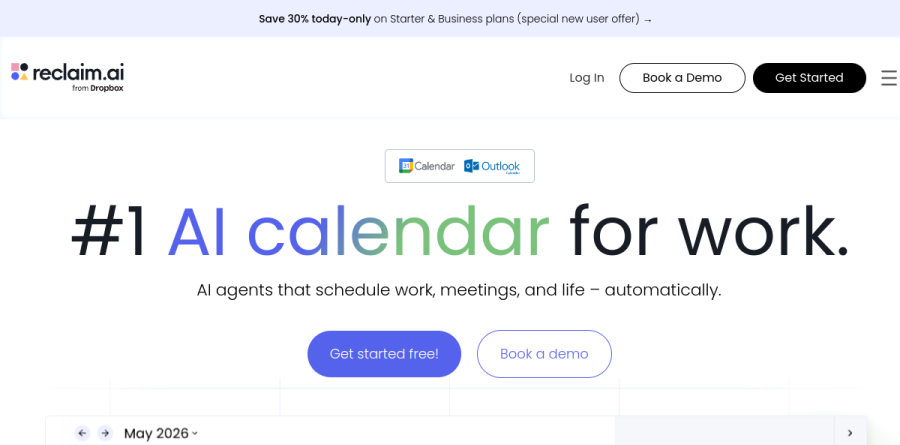
What is Reclaim AI?
Reclaim AI is an AI calendar layer that sits on top of Google Calendar or Outlook rather than replacing either. Instead of asking you to move into a new planner, it reads the schedule you already keep and writes flexible events back into it: blocks for deep work, recurring routines, breaks, and tasks pulled from the project tools your team already runs.
The premise is proactive scheduling in place of reactive scheduling. Reclaim AI decides when work should happen and keeps adjusting as the week shifts, so a protected block moves instead of quietly vanishing when a meeting lands on it. The vendor reports over 600,000 users across 70,000 companies.
How Reclaim AI schedules your work

The building blocks are named plainly. AI Focus Time lets you set a weekly deep work goal and defends calendar time toward it. AI Habits handles recurring routines such as a standing writing session or lunch, flexing each into whatever slot stays open. AI Tasks syncs from Jira, Asana, ClickUp, Todoist, Linear, and Google Tasks, converting those items into scheduled work sessions ahead of their due dates and splitting larger projects across sittings.
What lifts this above colored time blocking is auto-rescheduling. Reclaim AI is deadline aware, so when a conflict appears it re-plans around the new meeting rather than leaving you to shuffle blocks by hand. An AI Assistant chat handles conflicts and reprioritizing.
Meeting control and fewer interruptions
AI Smart Meetings finds the best time to meet across all attendees' schedules and flexibly schedules and optimizes internal meetings, while AI Scheduling Links covers the booking-page use case; the vendor reports its links offer 524% more meeting availability and book meetings 15.3% sooner than Calendly links. AI Calendar Sync blocks busy time across multiple Google and Outlook accounts, so personal commitments stay defended without exposing details to coworkers.
AI Buffer Time auto-schedules breaks, travel, prep, and follow-up across meetings and work sessions, and Slack status sync pushes calendar state into Slack so colleagues stop pinging during deep work. No-Meeting Days round out the interruption controls.
Time intelligence for managers and leaders

Reclaim AI also reports on itself. AI Time Tracking gives individuals a weekly breakdown across meetings, tasks, and work-life balance, while Workforce Analytics rolls the same signals up by team, department, and company. Reports include a Deep Work Index benchmarked against industry data, calendar fragmentation tracking, and meeting load by type.
The company draws a line between this and employee monitoring: the analysis reads calendar structure, not screen time or app activity. Leaders act through Initiatives, packaged company-wide programs covering focus time, buffer time, meeting agendas, and no-meeting days. Productivity percentages published alongside are vendor-measured, so read them as directional.
Plans and rollout considerations
Lite is a usable free tier for one person, though narrow: a one-week scheduling range, a single calendar sync, one scheduling link, and limited integrations. Starter widens that to an eight-week range for small teams. Business unlocks unlimited calendar syncs and scheduling links, webhook support, the Team OOO Calendar, and Delegated Access for executive assistants. Enterprise adds SSO and SCIM provisioning plus org-chart aware scheduling intelligence, on annual billing only.
Security posture is credible for the segment: SOC 2 Type II, GDPR and Data Privacy Framework handling, and a published trust center. Reclaim AI also runs standing discounts for students, nonprofits, startups, and teams switching from a competing scheduler.
Who should choose Reclaim AI
Reclaim AI suits knowledge workers whose calendar is the bottleneck: engineers, product managers, and executive assistants who lose hours to meeting sprawl and never get planned work onto the schedule. It is strongest when a whole team adopts it, because flexible meetings and shared focus policies only pay off once everyone's blocks can negotiate with each other.
It is not ideal for anyone wanting a standalone task manager, since Reclaim AI schedules work but does not replace Jira or Asana, and it is out of scope for people outside Google Calendar and Outlook. Teams needing analytics or admin controls should plan on the upper tiers, because the free plan shows little of what makes the platform compelling at scale.
Strengths
- Genuinely automatic time-blocking that reschedules tasks, habits, and focus time as your day shifts
- Generous free Lite plan and low $8/seat entry price undercut Motion and most rivals
- Deep integrations: Google Calendar, Outlook, Slack, Todoist, Asana, Jira, ClickUp, Linear, Zoom
- Smart Meetings and Smart 1:1s find optimal times across all attendees automatically
Watch out for
- No native mobile app in 2026 — web and browser extension only
- Only supports Google Calendar and Microsoft Outlook; no other calendar backends
- Onboarding and settings have a learning curve; overkill for light, predictable calendars
- Enterprise security (SSO, SCIM) is locked behind the 100-seat minimum tier
Key features
| Feature | What it does |
|---|
| AI Auto-Scheduling | Automatically blocks and continually reschedules tasks, habits, and focus time around your meetings. |
| Smart Meetings & 1:1s | Finds the best slot across attendees and auto-reschedules recurring 1:1s to fit everyone's calendar. |
| Habits | Reserves recurring routines (lunch, exercise, planning) and defends them from meeting creep. |
| Tasks | Syncs tasks from Todoist, Asana, ClickUp, Jira, and Linear and time-blocks them by priority and due date. |
| Scheduling Links | Calendly-style booking links that respect your defended focus time and habits. |
| Focus Time & Analytics | Protects deep-work blocks and reports time spent across meetings, tasks, and focus. |
How Reclaim AI compares
| Alternative | How it differs |
|---|
| Motion | Bundles AI scheduling with full project/task management, but costs ~$29+/user/mo. |
| Clockwise | Focus-time optimizer popular with engineering teams; strong free tier, less task-oriented. |
| Calendly | Best-in-class external booking, but no automatic task or habit time-blocking. |
Frequently asked questions
Is Reclaim AI free?
Yes. Reclaim's Lite plan is free forever for one user, including 5 AI Agents, a 1-week scheduling range, one calendar sync, one scheduling link, and limited integrations. It covers basic auto-scheduling, habits, and focus time. For unlimited integrations, more calendar syncs, and a longer scheduling window, you'll need the paid Starter plan at $8 per seat monthly, billed annually.
How much does Reclaim AI cost?
Reclaim has three paid per-seat tiers. Starter is $8 per seat/month billed annually ($10 monthly) for up to 10 seats. Business is $12 per seat/month annually ($15 monthly) for up to 100 seats. Enterprise runs about $22 per seat/month, annual-only, for 100-plus seats. Annual billing saves roughly 20% versus paying monthly, and there's a free Lite tier.
What are the best Reclaim AI alternatives?
The closest alternatives are Motion, Clockwise, and Calendly. Motion (about $29+/user/month) bundles AI task scheduling with project management. Clockwise focuses on focus-time optimization for engineering teams and has a solid free tier. Calendly is stronger for external booking but lacks Reclaim's automatic time-blocking for tasks and habits. Morgen and Akiflow are also worth comparing for daily planning.
Does Reclaim AI have a mobile app?
No. As of 2026 Reclaim has no dedicated iOS or Android app, which is its most-cited drawback. It runs as a web app plus browser and Chrome extensions, syncing with Google Calendar and Microsoft Outlook. You can see auto-scheduled events in your phone's native calendar, but you cannot manage habits, tasks, or scheduling settings from a mobile device.
Who owns Reclaim AI?
Dropbox owns Reclaim AI. Dropbox acquired the Portland-based startup in August 2024 to add AI scheduling to its productivity suite. Reclaim still operates as a standalone product with its own pricing and roadmap, serving 320,000-plus users across 60,000 companies. The acquisition hasn't changed the core plans, though deeper Dropbox integration is expected over time.
Reclaim AI ratings on other platforms
Independent user ratings from third-party review sites, linked here for transparency.
These are not our editorial score, are captured on the date shown, and may have changed since.