KeePassXC Review 2026: Free, open-source, offline password manager for desktop
Affiliate disclosure: this review contains affiliate links — we may earn a commission if you sign up, at no cost to you. Ratings are our own editorial scores.
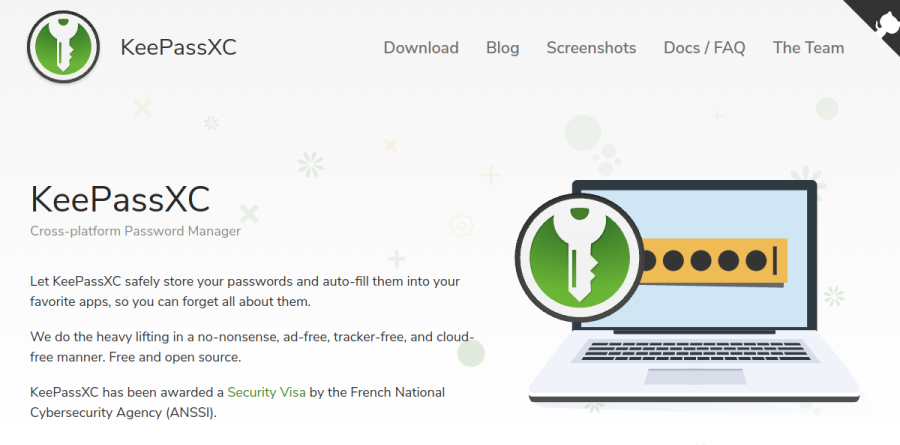
KeePassXC
Pros
- Entirely free with no paid tier; source is open under GPLv3 on GitHub
- Ad-free, tracker-free and cloud-free by design
- KeePassXC 2.7.9 holds a CSPN security Visa from France’s national cybersecurity agency (ANSSI)
- KeePassXC-Browser extension with an API for third-party integration
Cons
- No official mobile app; the developers point to KeePassDX, KeePass2Android, Strongbox and KeePassium instead
- No built-in sync; you place the database in your own cloud folder and let that service handle it
- No plugin support, by deliberate design
- No vendor support desk, and no family or business administration tiers
Best for: Zero-cost password storage, Open-source purists, Desktop users who control their own sync.
What it is
KeePassXC is a community-maintained desktop password manager released under GPLv3, with the source openly available on GitHub. It describes itself as no-nonsense, ad-free, tracker-free and cloud-free. Browser autofill comes through the KeePassXC-Browser extension, and other applications can integrate through the same API.
There is no official mobile app; the developers say porting it properly would require a full rewrite and instead recommend KeePassDX and KeePass2Android on Android, and Strongbox and KeePassium on iOS. Plugins are not supported, on the reasoning that they are inherently dangerous and often poorly maintained. KeePassXC 2.7.9 has been awarded a CSPN first-level security certification by France’s ANSSI.
What it costs in practice
The software is free, with no paid tier at all. The project lists expenses such as its web server, development tools, continuous integration agents, code-signing certificates and macOS developer fees, and funds them through donations via PayPal, Patreon, GitHub Sponsors, SEPA, Wero, LiberaPay, Open Collective and cryptocurrencies. There is nothing to refund because there is nothing to buy.
The cost is in effort rather than money. Sync is not built in; the FAQ suggests keeping the database inside a shared cloud folder and letting your synchronisation service do the rest. You will also need a separate third-party app on mobile, and there is no vendor support desk or family and business administration to fall back on. The Firefox ESR 52 extension has context menus on password fields and HTTP authentication disabled due to WebExtension API limits.
Key features
| Feature | What it does |
|---|---|
| Open source, GPLv3 | Source code is completely open under the GPLv3 licence and available on GitHub. |
| Offline and cloud-free | No ads, no trackers and no vendor cloud; the database lives where you put it. |
| Browser integration | KeePassXC-Browser extension for autofill; third-party apps can use the KeePassXC-Browser API. |
| Sync via your own cloud folder | Store the database in a shared cloud folder and let your synchronisation service do the rest. |
KeePassXC pricing
| Plan | Price | Included |
|---|---|---|
| Free (GPLv3)POPULAR | $0 | No paid tier; source on GitHub; donations accepted via PayPal, Patreon, GitHub Sponsors, SEPA, Wero, LiberaPay, Open Collective and cryptocurrencies |
How KeePassXC compares
| Alternative | How it differs |
|---|---|
| Enpass | Commercial offline-first manager with own-cloud sync and official mobile apps. |
| RoboForm | Commercial cloud-synced manager with family and business tiers. |
| Yubico YubiKey | Hardware security keys for a physical second factor, sold as a one-time purchase. |
KeePassXC ratings on other platforms
Independent user ratings from third-party review sites, linked here for transparency. These are not our editorial score, are captured on the date shown, and may have changed since.
Frequently asked questions
How much does KeePassXC cost?
Nothing. KeePassXC is free and open source under GPLv3, with no paid tier. The project covers its server, tooling and code-signing costs through donations via PayPal, Patreon, GitHub Sponsors, SEPA, Wero, LiberaPay, Open Collective and cryptocurrencies.
Does KeePassXC work on my phone?
Not directly. There is no official mobile version; the developers say a proper port would need a full rewrite. They recommend KeePassDX or KeePass2Android on Android and Strongbox or KeePassium on iOS, which open the same database format.
Verdict
KeePassXC is the no-cost option: open source, offline, and with a CSPN security Visa from ANSSI behind version 2.7.9. It asks more of you in return. There is no official mobile app, no built-in sync and no support desk, so you handle the database, the cloud folder and the phone apps yourself.
Facts verified against: keepassxc.org, keepassxc.org, keepassxc.org (as of September 2026).
More in Cybersecurity, VPN & Privacy
See all →

Free 10GB VPN with a $69-a-year Pro plan and built-in ad blocking
VPN with a 2GB free tier, unlimited devices and annual audits