The full review
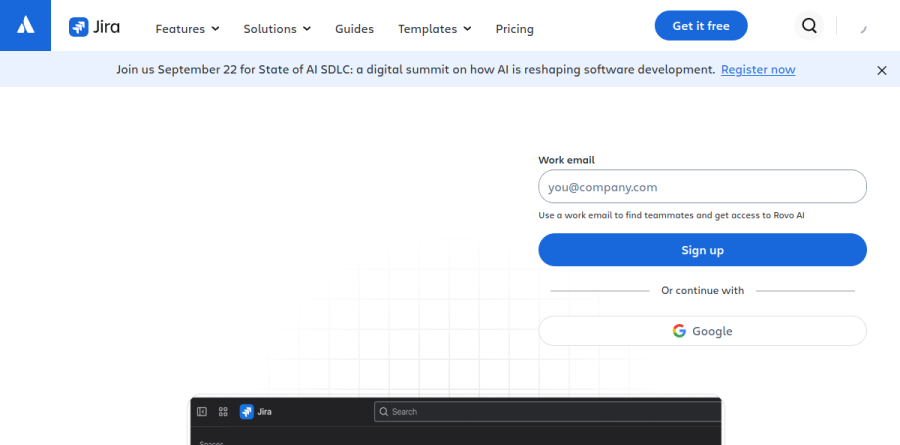
What is Jira?
Jira is Atlassian's work tracking platform, best known as the issue tracker that software teams build their delivery process around. It turns ideas into work items - stories, bugs, epics, tasks, and custom types you define - then moves them through workflows your team configures. Backlog, list, board, timeline, calendar, and summary views all read the same data, so a developer grooming a backlog and an executive checking a roadmap see one source of truth.
Atlassian has pushed Jira well beyond engineering, positioning it as a shared home for design, marketing, HR, operations, and dev teams alike. The current cycle leans hard on AI: Rovo agents, the Teamwork Graph, and an Atlassian MCP server for coding agents.
Agile boards and sprint mechanics
The agile toolkit is the deepest part of Jira and the reason it became a standard. Scrum teams plan from a backlog built for the ceremony - estimate stories, adjust sprint scope, check velocity, drag work into priority order - then run the iteration on a customizable scrum board with swimlanes. Kanban teams get WIP limit configuration, story cards that surface related source code and pull requests, and workflows that stay simple or grow as needed. Burndown, velocity, sprint, control, and cumulative flow reports ship out of the box, which makes retrospectives data-driven rather than anecdotal.
JQL, the Jira Query Language, is the underrated piece: Atlassian positions it for pulling up exactly the work items that matter right now - assigned to you, updated in the last 24 hours - so you walk into a stand-up already armed.
Planning and releases across teams

Above the sprint sits Plans, the advanced planning layer, alongside dependency management, capacity management, scenario modeling, and an expandable work type hierarchy. Free and Standard keep dependency management inside a single project, while cross-team planning, customizable approvals, and onboarding by team type land on Premium. That line matters, since coordinating a launch across engineering, product, and marketing is exactly where single-project tracking runs out.
Release management has its own hub, reconciling source code against work items with automatic warnings for broken builds, missing code, or open pull requests.
Rovo AI and agent-ready work
Rovo is the AI layer, woven through Jira rather than bolted alongside it. Rovo Search spans Jira, Confluence, and connected apps from a single bar; Rovo agents research, draft, and act inside work items; Rovo Studio, Agent Sessions, and the Rovo MCP Server extend that to custom agents and outside tooling. Atlassian reports that AI agents produce 44% more accurate results while consuming 48% fewer tokens when they draw context from Jira - vendor benchmarking, but a coherent case for keeping specs and tickets together.
In practice the draw is handing a ticket to a coding agent and having the work land back on the item with an audit trail. Rovo credits are metered per plan and scale up through Enterprise, so heavy agent use becomes a capacity question.
Automation, integrations, and administration

Jira automation absorbs plenty of project management busywork through rules - Atlassian's own examples run from automated reminders to rules that move work forward, now creatable in natural language via Rovo AI - with monthly rule runs as the metered resource, from 100 per month on Free to unlimited on Enterprise. The Atlassian Marketplace lists over 3000 integrations, and rich APIs plus the Atlassian Command-Line Interface cover teams that prefer scripting.
Administrators get what large organizations ask for: granular permissions, global and project-level configuration, data residency, work item-level security, IP allowlisting, and audit logs, with Atlassian Analytics and Data Lake on Enterprise.
Who should choose Jira
Jira is the default for software teams running scrum or kanban at real scale, and for organizations that want delivery, planning, and AI agents governed under one administrative roof. Groups already on Confluence, Loom, and Rovo through the Teamwork Collection gain the most, since context moves between them. The Free plan covers teams up to ten users, so evaluation costs nothing but time.
It is a poor fit for a small non-technical team that just wants a shared list. Jira's configurability is both strength and tax: workflows, permissions, and custom fields reward investment and punish neglect, and a five-person group with no admin will move faster on something lighter.
Strengths
- Best-in-class agile boards, sprints, backlogs, and bug tracking for dev teams
- Deeply customizable workflows and permissions, plus 3,000+ Marketplace apps
- Rovo AI now bundled into every paid tier (25-150 credits/user/mo) at no extra base cost
- Genuine free plan for up to 10 users; scales to 100,000 users per site
Watch out for
- Steep learning curve; setup and admin are complex for non-technical teams
- Interface can feel heavy and cluttered next to lighter PM tools
- Real cost climbs fast with paid add-ons, often 2-3x the base license
- Overkill for simple task management or small non-engineering teams
Key features
| Feature | What it does |
|---|
| Agile boards | Scrum and Kanban boards with sprints, backlogs, and story points |
| Issue & bug tracking | Unlimited issues with custom types, expandable hierarchies, and workflows |
| No-code automation | Rule engine from 100 runs/mo (Free) up to unlimited (Enterprise) |
| Advanced planning (Plans) | Cross-project roadmaps, dependency management, capacity and scenario modeling (Premium+) |
| Rovo AI | AI search, chat, and agents bundled into paid plans via a monthly credit pool |
| Reporting & dashboards | Out-of-the-box agile reports plus customizable cross-project dashboards |
How Jira compares
| Alternative | How it differs |
|---|
| Asana | Easier for non-technical and cross-functional teams; weaker for dev/agile depth |
| monday.com | More visual and flexible for general work management; less software-dev focus |
| Linear | Faster, cleaner issue tracker favored by modern dev teams; less customization/enterprise scale |
Frequently asked questions
Is Jira free?
Yes. Jira's Free plan is free forever for up to 10 users and includes unlimited projects and issues, Scrum and Kanban boards, 2 GB of storage, 100 automation runs per month, and Atlassian Community support. Paid plans start at $7.91 per user/month (Standard) and add more storage, automation, permissions, and Rovo AI.
How much does Jira cost?
Jira's Free plan covers up to 10 users at $0. Standard is $7.91 per user/month and Premium is $14.54 per user/month on monthly billing; annual billing saves up to 17% at larger team sizes. Enterprise is custom-quoted and billed annually. Add-ons from the Marketplace often push real cost to 2-3x the base license.
What are the best Jira alternatives?
Popular Jira alternatives include Asana and monday.com for non-technical or general work management, ClickUp for all-in-one flexibility, and Linear or Azure DevOps for developer-focused issue tracking. For simple boards, Trello (also by Atlassian) works well. Jira remains the standard for agile software teams needing deep customization and enterprise scale.
Jira vs Asana: which is better?
Jira wins for software development, with Scrum and Kanban boards, sprints, bug tracking, and deep customization scaling to 100,000 users. Asana is easier to learn and better for marketing, ops, and cross-functional work. Pricing is comparable at $7.91 per user/month for Jira Standard. Choose Jira for engineering-led agile teams, Asana for non-technical teams wanting simplicity.
Does Jira have AI features?
Yes. Jira now bundles Atlassian Rovo, its AI search, chat, and agents, into all paid plans. Each seat gets a monthly credit pool: 25 credits on Standard, 70 on Premium, and 150 on Enterprise, pooled across your org. Rovo helps set up projects, summarize work, and automate tasks; credits reset monthly and don't roll over.
Jira ratings on other platforms
Independent user ratings from third-party review sites, linked here for transparency.
These are not our editorial score, are captured on the date shown, and may have changed since.