The full review
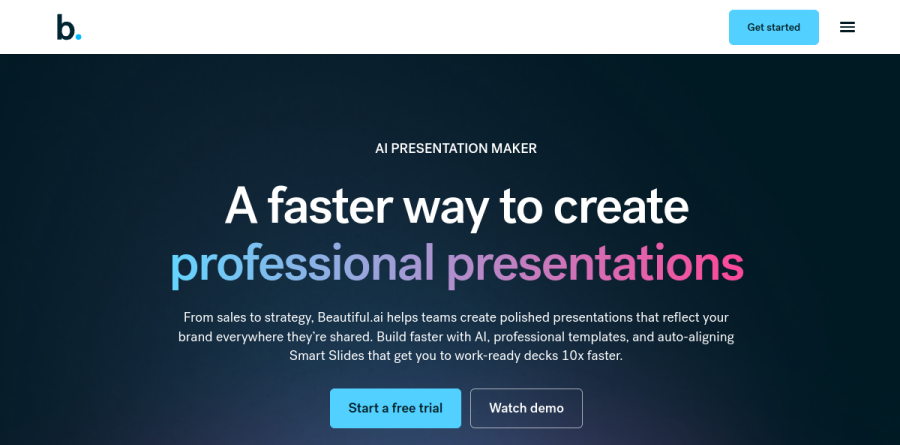
What is Beautiful.ai?
Beautiful.ai is browser-based presentation software built on a single premise: the tool should handle layout so you can concentrate on the message. Instead of a blank canvas and a formatting toolbar, you get Smart Slides, which the site describes as intelligent layouts that realign, resize, and animate your content automatically. Add a bullet or paste a longer headline, and the slide rebalances itself.
Around that engine sit an AI generation workflow, designer template decks, brand themes, viewer analytics, and export to PDF and PowerPoint. Beautiful.ai names marketing, sales, startup pitch, reporting, and training use cases, with tiers aimed at individuals, consultants and agencies, smaller businesses, and larger enterprises.
Create with AI puts the outline first
The Create with AI workflow is the Beautiful.ai answer to one-shot deck generators, and the sequencing is the point. You start with a topic prompt, a pasted outline, or source files added for richer context. Before slides appear, you review and refine a slide-by-slide outline so the narrative is settled first. Only then do you set visual direction: a Theme, the image source, or a consistent AI image style for the whole deck.
That order matters. When a later assumption turns out wrong, you iterate without rebuilding, swapping Smart Slide layouts while your exact copy and data stay intact.
Smart Slides as a built-in designer

Beautiful.ai organizes its 300-plus Smart Slide layouts by job: data and chart slides, comparison slides, people and team slides, diagrams and timelines, plus big number slides for a single headline metric. Charts and tables link to a spreadsheet, so refreshing a quarterly figure updates the visual instead of sending you back into a chart editor. Transitions and on-slide animation ship with the layouts, and stock image, icon, and video libraries sit inside the editor.
Brand control that survives scale
The custom theme builder is where Beautiful.ai earns its place in larger organizations. Define colors, fonts, logos, icons, and footers once, save the theme, and reuse it everywhere; switching themes takes one click, which makes reskinning an older deck for a new audience trivial. The Teams plan adds a shared workspace with a centralized slide and template library, version control, locked slides, and a shared asset library, the pieces that stop brand drift once twenty people start building decks independently.
Delivery, tracking, and integrations

Sharing gets equal attention. Protected links with flexible permissions govern access, and viewer analytics show who opened a deck, which slides held attention, and when to follow up, which is genuinely useful for sellers working asynchronously. Recorded voice-overs send a narrated walkthrough to anyone who missed the call. Beautiful.ai also connects to Claude, ChatGPT, Slack, Webex, and a PowerPoint add-in that brings its design AI into the familiar interface, while the Teams plan covers presentations in 100-plus languages with on-demand slide translation.
How the plans divide
Pro is the individual tier, covering unlimited AI content generation, over 300 Smart Slide layouts, AI image generation, an AI writing assistant, and the custom theme builder. Teams, sized for two to twenty seats, adds real-time collaborative editing, live data linking to charts and tables, engagement alerts, and the shared libraries. Enterprise brings SSO, SCIM user provisioning, advanced permissions, audit and change logs, and configurable brand guardrails, with certifications the vendor lists as SOC 2 Type II, GDPR, CCPA, and PCI. A separate SMB plan offers flat rates for smaller teams, and a 14-day free trial is available.
Who should choose Beautiful.ai
Beautiful.ai suits people who present often and design reluctantly: founders assembling pitch decks, consultants and agencies turning client work around quickly, and revenue teams that need every deck to look like it came from one company. If your real cost is an evening spent aligning text boxes, the Smart Slides model deletes that work.
It is a poor fit for designers who want pixel-level control. The same constraints that guarantee a tidy slide will frustrate anyone used to placing each element by hand, and heavily art-directed decks still belong in a dedicated design tool. Teams tied to PowerPoint macros should test exports before committing.
Strengths
- 300+ Smart Slide templates auto-format, resize and rebalance as you add content, removing manual design work
- DesignerBot builds a full structured deck from a prompt, pasted text, file, or URL in under two minutes
- Strong brand governance: custom themes, locked slides and shared template libraries keep teams visually consistent
- Built-in viewer and slide-level analytics reveal where audiences engage or drop off
Watch out for
- No free plan; the 14-day trial requires a credit card and auto-charges unless cancelled
- AI stops helping after the first draft: no re-prompting layouts or rewriting sections without starting over
- Flat, gridded design aesthetic looks dated next to gradient- and depth-driven tools like Gamma
- Team plan at $40/user/mo (annual) is pricey and capped at 20 seats before jumping to Enterprise
Key features
| Feature | What it does |
|---|
| DesignerBot AI generation | Turns a text prompt, pasted content, uploaded file or URL into a structured draft deck; a 2026 'Create with AI' update outlines the narrative first so you can reorder before generating slides. |
| Smart Slides | 300+ pre-designed adaptive layouts (title, content, data, comparison) that automatically realign, resize and rebalance to keep formatting consistent. |
| AI content suite | Unlimited AI content generation, AI image generation, AI writing assistant and AI translation into 100+ languages. |
| Brand & theme controls | Custom theme builder, apply your own brand styling, locked slides and a centralized shared slide/template library. |
| Analytics | Viewer and slide-by-slide engagement tracking showing time spent and drop-off per slide. |
| Interoperability | PowerPoint import and export plus live data linking to charts and tables. |
How Beautiful.ai compares
| Alternative | How it differs |
|---|
| Gamma | Has a genuine free plan and keeps AI editing available after the first draft, with a more modern look; strongest direct alternative. |
| Canva | Free plan and a much broader design suite; presentations are one tool among many rather than the core focus. |
| Pitch | Collaboration- and sales-deck focused with a free tier; better for interactive, team-driven pitch workflows. |
Frequently asked questions
Is Beautiful.ai free?
No. Beautiful.ai has no permanent free plan. It offers a 14-day free trial that requires a credit card upfront and auto-charges when it ends unless you cancel. After the trial, the cheapest option is the Pro plan at $12/user per month billed annually, or $45 month-to-month. Team and Enterprise cost more.
How much does Beautiful.ai cost?
Pro costs $12/user per month billed annually, or $45 month-to-month. The Team plan (2-20 seats) is $40/user per month annually, or $50 monthly, adding collaboration and brand controls. Enterprise pricing is custom for 20+ users with SSO and SOC 2 security. There is no free tier, only a 14-day trial.
What are the best Beautiful.ai alternatives?
The top alternatives are Gamma, Canva, and Pitch. Gamma offers a genuinely free tier and more flexible AI editing; Canva bundles presentations into a broader design suite with a free plan; Pitch targets collaborative sales decks. A key difference: most of these offer free plans, which Beautiful.ai does not.
Beautiful.ai vs Gamma: which is better?
Gamma has a free plan, keeps editing slides with AI after the first draft, and looks more modern. Beautiful.ai wins on brand consistency, its 300+ auto-formatting Smart Slide templates, and team governance like locked slides. Pick Gamma for flexibility and free use; Beautiful.ai for polished, tightly on-brand business decks.
Does Beautiful.ai have a free trial?
Yes. Beautiful.ai offers a 14-day free trial on its Pro and Team plans, but it requires a credit card upfront and automatically bills you when the trial ends unless you cancel. There is no free-forever plan. Pro then costs $12/user per month billed annually; Team is $40/user per month annually.
Beautiful.ai ratings on other platforms
Independent user ratings from third-party review sites, linked here for transparency.
These are not our editorial score, are captured on the date shown, and may have changed since.