The full review
What is Asana AI?
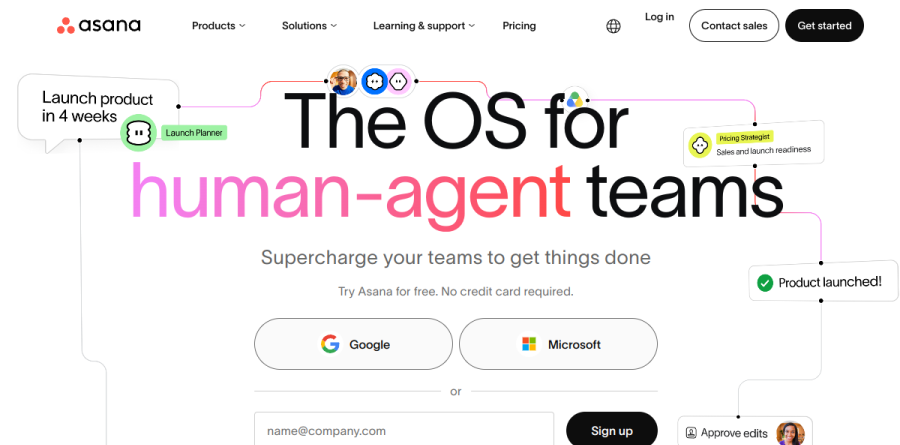
Asana AI is not a standalone app. It is the agent and automation layer built into Asana, the work-management platform, and the current homepage positions the product as an operating system for human-agent teams. The premise is that automation only pays off when it can see the surrounding work, so Asana AI sits on top of the Asana Work Graph, which the vendor describes as a neural network of everything a company is doing, linking people, tasks, projects and goals.
In practice Asana AI shows up as three surfaces: AI Teammates, a roster of prebuilt agents; AI Studio, a no-code builder for automated workflows; and Asana Dash, which surfaces what to work on next. AI Connectors and MCP support extend the same work data into ChatGPT, Claude and Gemini, so a request can start in a chat window rather than a project view.
The AI Teammates roster

Asana describes AI Teammates as collaborative agents that take on complex work and deliver outcomes alongside people. What makes them practical is that they arrive prebuilt and sorted by function. Marketing teams get Campaign Brief Writer, Brand Auditor, Copywriter, Competitive Market Researcher, Content Localization Manager and Creative Spec Writer. Operations and PMO groups get Status Reporter, Workflow Optimizer, Decision Tracker, Business Case Builder and Data Quality Manager. IT teams get an IT Support Specialist, Compliance Specialist, Onboarding Assistant and Vendor Evaluator. Product and engineering teams get Spec Reviewer, Bug Investigator and Sprint Coach. Custom teammates are defined in plain language, no code required.
What AI Studio actually automates

AI Studio is where Asana AI earns its keep for operations people. The product page frames it as no-code automation that keeps daily work moving, and the capability list is refreshingly concrete: Check for completeness and duplicates, Classify and score against SLA rules, Route to the right owner or approval stage, Alert on risks and slippage, Report roll-ups for stakeholders, Research across internal documents and Google Drive, Create briefs and templates, Integrate with connected tools, and Translate content across languages. Building one follows three steps: set a trigger such as a form submission or project event, describe in plain language what should happen, then let it run.
Asana Dash and daily prioritization
Asana Dash answers a smaller but nagging question: what should I do right now. It pulls signals from meetings, emails and tasks into a view of the next best action. That matters most for managers who spend their day reconciling three inboxes against a project plan, and it is the part of Asana AI that individual contributors are likeliest to touch without ever opening a builder.
Governance, permissions and data handling
Agent sprawl is the obvious risk with a system like this, and Asana AI answers it with inherited permissions. Teammates operate under the access rights of the people who deploy them, across Asana and connected tools, and the vendor states that every action is auditable and reversible. Admins decide who can use, share and teach each teammate. Asana also states that neither it nor its AI partners use customer data to train AI models, and that its AI partners delete customer data after each interaction.
How Asana AI is packaged
The plan ladder runs Personal, Starter, Advanced, Enterprise and Enterprise+, with the pricing table below carrying the current figures. AI Studio Basic is included on every paid plan but rate-limited, while AI Studio Plus and AI Studio Pro buy larger credit pools for teams running automations at volume. Base plans also carry a monthly credit allowance that scales with the tier. Timesheets and Budgets is sold as a separate add-on, and AI Teammates access begins at the Starter plan.
Who should choose Asana AI
Asana AI fits organizations already running meaningful work in Asana, particularly marketing, operations and IT teams drowning in intake requests that follow a predictable shape. If your bottleneck is triage, status reporting or routing rather than the creative work itself, the AI Studio verb set maps almost directly onto the problem, and the prebuilt teammates shorten the ramp considerably. It is less compelling for small teams with light, ad hoc coordination needs, where the entry-level Personal plan covers the basics and the credit-metered agents never see enough volume to justify the spend.
Strengths
- AI Studio's no-code builder lets non-developers ship real workflow automations
- Agents act on live Asana project and task data, not disconnected inputs
- Smart summaries, smart fields and smart status are baked into everyday work
- Enterprise-grade security, SCIM/SAML and deep integrations (Salesforce, Tableau, Power BI)
Watch out for
- Credit-metered AI is opaque and overages are hard to forecast month to month
- AI Studio Plus at $150/mo for 100K credits gets expensive at scale; Pro is annual-only
- No AI on the free Personal tier, and value only unlocks on Starter and above
- AI Teammates only recently reached general availability and lean toward sales-led pricing
Key features
| Feature | What it does |
|---|
| AI Studio | No-code builder for AI-powered workflows that route, draft, and act on tasks automatically |
| AI Teammates | Configurable AI agents that pick up assigned work and execute multi-step processes |
| Smart work assistants | Smart summaries, smart status, smart fields and smart goals across projects and portfolios |
| Credit governance | Per-account monthly credit allotments with billing controls to cap and track AI usage |
How Asana AI compares
| Alternative | How it differs |
|---|
| Zapier | Pure-play automation with AI agents and 7,000+ app connectors, but no native project workspace |
| Make.com | Visual scenario builder with cheaper usage-based ops; stronger for cross-app flows than in-context work AI |
| ClickUp Brain | Rival work platform with bundled AI; flatter per-seat AI pricing but a less mature agent builder |
Frequently asked questions
Is Asana AI free?
There is a free Personal plan for up to 2 users, but it does not include AI Studio. AI features require a paid Starter plan or higher, which starts at $10.99/user/month billed annually and includes a monthly pool of AI credits.
How does Asana's AI credit pricing work?
Each paid tier includes AI Studio Basic with a monthly credit allotment (50K on Starter, 75K on Advanced, 200K on Enterprise) shared per billing account. Heavy users can add AI Studio Plus at $150/month for 100K credits, or annual-only Pro, and overages are billed on top.
Asana AI ratings on other platforms
Independent user ratings from third-party review sites, linked here for transparency.
These are not our editorial score, are captured on the date shown, and may have changed since.